文章目录
图片出处:https://coding.imooc.com/lesson/419.html#mid=33846
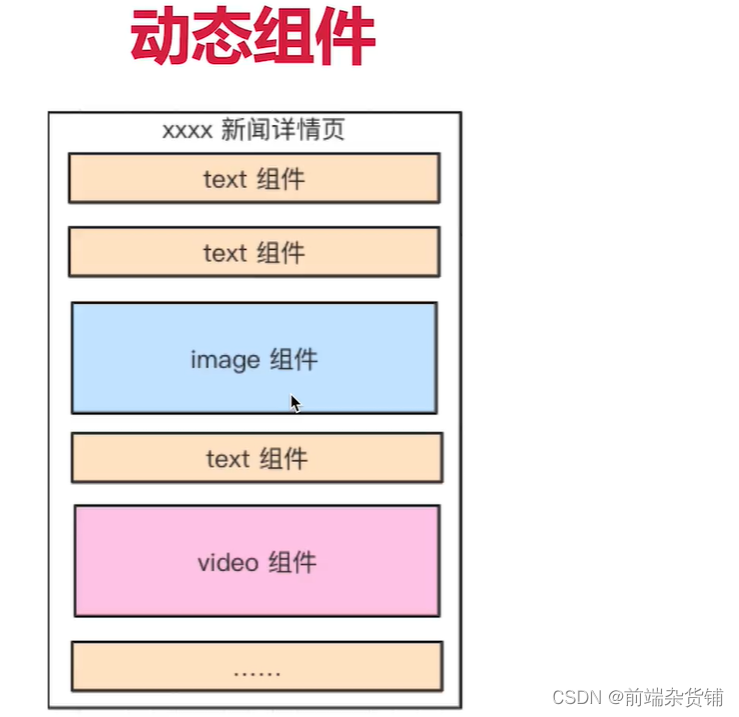
示例:动态组件的使用
index.vue 父组件
<component> 中通过 :is="xxx" 绑定组件<template>
<div>
<p>vue 高级特性-动态组件</p>
<hr />
<component :is="NextTick"></component>
</div>
</template>
<script>
import NextTick from "./NextTick.vue";
export default {
components: { NextTick },
data() {
return {
NextTick
};
},
};
</script>
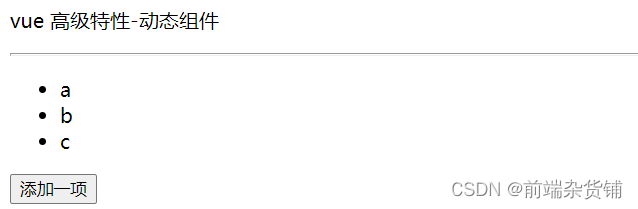
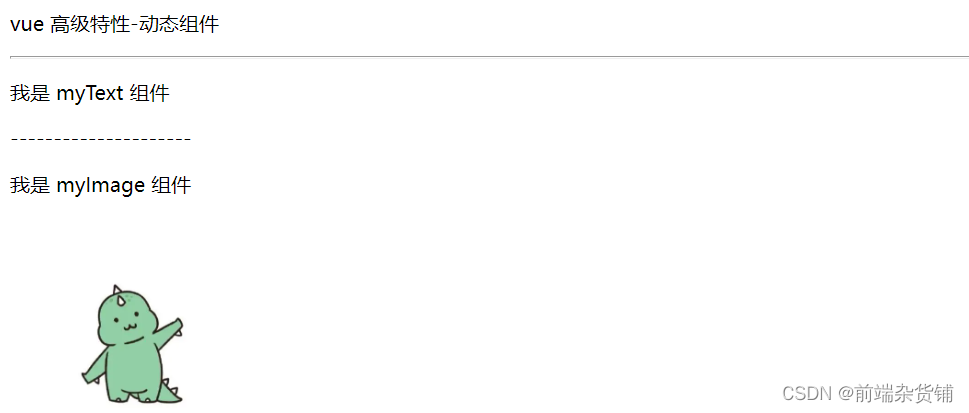
示例:动态渲染多个组件
index.vue 父组件
<template>
  <div>
    <p>vue 高级特性-动态组件</p>
    <hr />

    <div v-for="(val, key) in newsData" :key="key">
      <component :is="val.type"></component>
    </div>
  </div>
</template>

<script>
import myText from './myText'
import myImage from './myImage'
export default {
  components: {
    myText,
    myImage
  },
  data() {
    return {
      newsData: {
        1: {
          type: 'myText'
        },
        2: {
          type: 'myImage'
        }
      }
    };
  },
};
</script>
myText 子组件
<template>
  <div>
    <p>我是 myText 组件</p>
    ---------------------
  </div>
</template>
myImage 子组件
<template>
  <div>
    <p>我是 myImage 组件</p>
    <img src="xxx">
  </div>
</template>
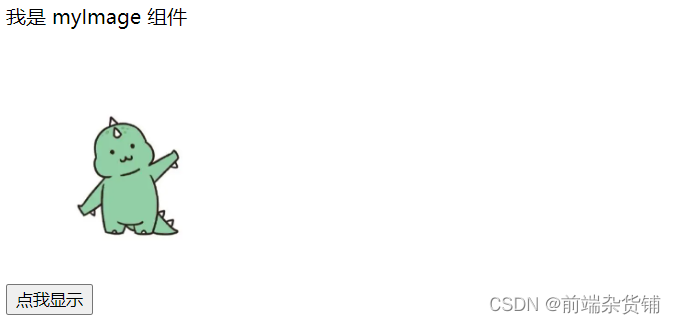
示例:异步加载组件(按需加载,用的时候才加载)
index.vue 父组件
<template>
  <div>
    <my-image v-if="showImage" />
    <button @click="showImage = true">点我显示</button>
  </div>
</template>

<script>
export default {
  components: {
    myImage: () => import("./myImage"),
  },
  data() {
    return {
      showImage: false,
    };
  },
};
</script>
myImage.vue 子组件
<template>
  <div>
    <p>我是 myImage 组件</p>
    <img src="xxx">
  </div>
</template>
示例:keep-alive 实例,切换其他组件当前组件不会被销毁
KeepAlive.vue 父组件
<template>
  <div>
    <button @click="changeState('A')">A</button>
    <button @click="changeState('B')">B</button>
    <button @click="changeState('C')">C</button>

    <keep-alive>
      <keep-alive-state-a v-if="state === 'A'"></keep-alive-state-a>
      <keep-alive-state-b v-if="state === 'B'"></keep-alive-state-b>
      <keep-alive-state-c v-if="state === 'C'"></keep-alive-state-c>
    </keep-alive>
  </div>
</template>

<script>
import KeepAliveStateA from "./KeepAliveStateA.vue";
import KeepAliveStateB from "./KeepAliveStateB.vue";
import KeepAliveStateC from "./KeepAliveStateC.vue";
export default {
  components: {
    KeepAliveStateA,
    KeepAliveStateB,
    KeepAliveStateC,
  },
  data() {
    return {
      state: "A",
    };
  },
  methods: {
    changeState(state) {
      this.state = state;
    },
  },
};
</script>
KeepAliveStateA.vue 子组件
<template>
  <div>
    <p>state A</p>
  </div>
</template>

<script>
export default {
  mounted() {
    console.log("A mounted");
  },
  destroyed() {
    console.log("A destroyed");
  },
};
</script>
KeepAliveStateB.vue 子组件
<template>
  <div>
    <p>state B</p>
  </div>
</template>

<script>
export default {
  mounted() {
    console.log("B mounted");
  },
  destroyed() {
    console.log("B destroyed");
  },
};
</script>
KeepAliveStateC.vue 子组件
<template>
  <div>
    <p>state C</p>
  </div>
</template>

<script>
export default {
  mounted() {
    console.log("C mounted");
  },
  destroyed() {
    console.log("C destroyed");
  },
};
</script>
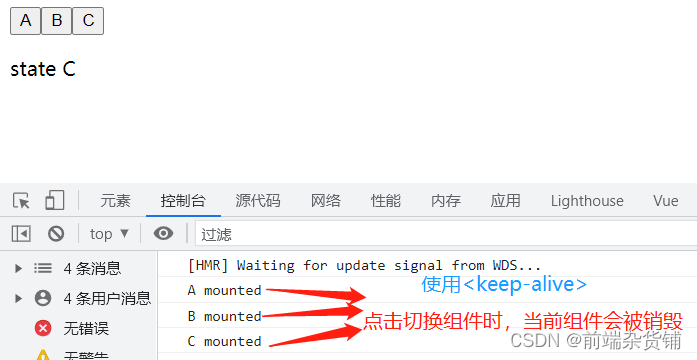
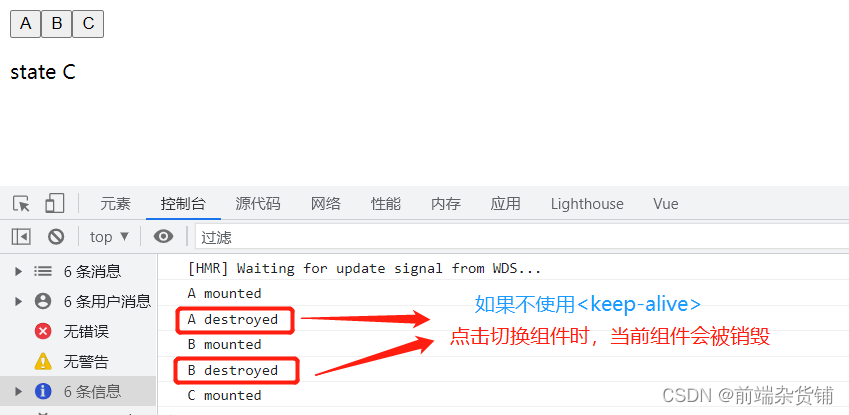
mixin 的一些问题
(1)变量来源不明确,不利于阅读
(2)多个 mixin 可能会造成命名冲突
(3)mixin 和组件可能出现多对多的关系,复杂度较高
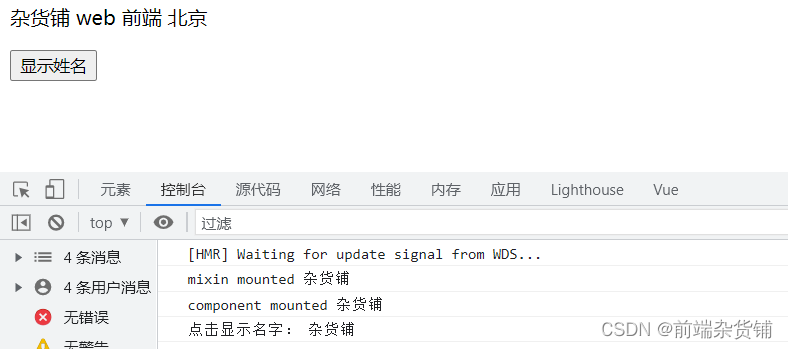
示例:使用 mixin
MixinDemo.vue 组件
mixin.js 文件mixins: [xxx] 使用它<template>
<div>
<p>{{ name }} {{ major }} {{ city }}</p>
<button @click="showName">显示姓名</button>
</div>
</template>
<script>
import myMixin from "./mixin";
export default {
mixins: [myMixin],
data() {
return {
name: "杂货铺",
major: "web 前端",
};
},
mounted() {
console.log("component mounted", this.name);
},
};
</script>
mixin.js 文件
export default {
  data() {
    return {
      city: "北京",
    };
  },
  methods: {
    showName() {
      console.log("点击显示名字:", this.name);
    },
  },
  mounted() {
    console.log("mixin mounted", this.name);
  },
};
const User = {
    // 获取参数,如 10 20
    template: '<div>User {{ $router.params.id }} </div>'
}
const router = new VueRouter({
    routes: [
        // 动态路径参数 以冒号开头。能命中 `/user/10` `/user/20` 等格式的路由
        {path: '/user/:id', component: User}
    ]
})
export default new VueRouter({
  routes: [
    {
      path: '/',
      component: () => import('./components/xxx')
    }
  ]
})
不积跬步无以至千里 不积小流无以成江海
点个关注不迷路,持续更新中…
项目介绍随着我国经济迅速发展,人们对手机的需求越来越大,各种手机软件也都在被广泛应用,但是对于手机进行数据信息管理,对于手机的各种软件也是备受用户的喜爱小学生兴趣延时班预约小程序的设计与开发被用户普遍使用,为方便用户能够可以随时进行小学生兴趣延时班预约小程序的设计与开发的数据信息管理,特开发了小程序的设计与开发的管理系统。小学生兴趣延时班预约小程序的设计与开发的开发利用现有的成熟技术参考,以源代码为模板,分析功能调整与小学生兴趣延时班预约小程序的设计与开发的实际需求相结合,讨论了小学生兴趣延时班预约小程序的设计与开发的使用。开发环境开发说明:前端使用微信微信小程序开发工具:后端使用ssm:VU
为了减少我的小Rails应用程序中的代码重复,我一直致力于将我的模型之间的通用代码放入它自己的单独模块中,到目前为止一切顺利。模型的东西相当简单,我只需要在开头包含模块,例如:classIso这工作正常,但是现在,我将有一些Controller和View代码,这些代码也将在这些模型之间通用,到目前为止,我有这个用于我的可发送内容:#Thisisamodulethatisusedforpages/formsthatarecanbe"sent"#eitherviafax,email,orprinted.moduleSendablemoduleModeldefself.included(kl
当你在类中包含方法名冲突的模块时,它会使用类定义的方法。有没有办法选择我想运行的?moduleBdefself.hello"helloB"endendclassAincludeBdefself.hello"helloA"endendA.hello#=>thisprints"helloA",whatifIwant"helloB"? 最佳答案 Ben,当你在Ruby中调用一个方法(比如hello)时,会发生以下情况:如果接收者的特征类有一个名为hello的方法,它将被调用。如果不是:如果接收者的类有一个名为hello的实例方法,它将被调
我看过很多课本在Ruby中,一个类只能是一个类的子类。然而,混合允许没有共同祖先的类共享方法。在实践中,每当我需要实现多重继承时。我使用的是Modules而不是mixins。例如:Modulename_goes_heredefmethod_name_goes_here.....endend然后,我将它们包含在一个类中classMySubClass现在,我已经引用了多本ruby书籍,每本都在谈论mixins,然后突然间,他们都开始谈论模块,却没有弄清楚mixins和模块之间的关系。所以,问题是:ruby中的模块==mixins是什么?如果是,那为什么。如果不是,那有什么区别?PS:对
参考文章搭建文章gitte源码在线体验可以注册两个号来测试演示图:一.整体介绍 介绍SignalR一种通讯模型Hub(中心模型,或者叫集线器模型),调用这个模型写好的方法,去发送消息。 内容有: ①:Hub模型的方法介绍 ②:服务器端代码介绍 ③:前端vue3安装并调用后端方法 ④:聊天室样例整体流程:1、进入网站->调用连接SignalR的方法2、与好友发送消息->调用SignalR的自定义方法 前端通过,signalR内置方法.invoke() 去请求接口3、监听接受方法(渲染消息)通过new signalR.HubConnectionBuilder().on
我目前还在上学,正在上一门关于用C++实现数据结构的类(class)。在业余时间,我喜欢使用“高级”语言(主要是Ruby和一些c#)进行编程。既然这些高级语言为你管理内存,你会用数据结构做什么?我可以理解对队列和堆栈的需求,但是您需要在Ruby中使用二叉树吗?还是2-3-4树?为什么?谢谢。 最佳答案 Sosincethesehigherlevellanguagesmanagethememoryforyou,whatwouldyouusedatastructuresfor?使用数据结构的主要原因与垃圾收集无关。但它是以某种方式有效的
有没有简单的方法(即使用宇宙飞船运算符)在Ruby中定义基于两个不同属性的比较?IE。如果我有一个包含两个属性attr1和attr2的类,是否有Rubyesque方法在attr1上比较此类的两个实例,如果它们相等,则在attr2上比较它们? 最佳答案 这是一种易于扩展(扩展到更多属性)的方式:def(other)[self.attr1,self.attr2][other.attr1,other.attr2]end 关于Ruby-使用Comparablemixin比较两个不同属性的对象,我
假设我有两个模块。是否可以将一个模块包含在另一个模块中,使其表现得像一个混入?例如:moduleAdefself.fooputs"foo"barendendmoduleBincludeAdefself.barputs"bar"endendB.barB.foo编辑:我意识到我最初把代码抄错了。这些方法需要是静态的。更正后的代码在上面(但不起作用)。 最佳答案 如您所知,它不起作用,但为什么它不起作用是关于Ruby对象模型的非常好的一课。当你创建一个对象的实例时,你创建的是一个新对象,它有一组实例变量和一个指向对象类的指针(以及一些其他
有没有办法通过在模块中创建新的运算符方法,然后将该模块混合到类中来覆盖类的运算符?例如,这会覆盖Fixnum的+运算符:classFixnumdef+(x)product=xproduct=product*selfreturnproductendendp3+3#=>9这不会覆盖Fixnum的+运算符:moduleNewOperatorsdef+(x)product=xproduct=product*selfreturnproductendendclassFixnumincludeNewOperatorsendp3+3#=>6 最佳答案
平时开发中我们经常会遇到这样的需求,在一个不限高度的盒子中会有很多内容,如果全部显示用户体验会非常不好,所以可以先折叠起来,当内容达到一定高度时,显示展开更多按钮,点击即可显示全部内容,先来看看效果图: 这样做用户体验瞬间得到提升,接下来看看具体细节。0">主要操作在内容这里{{item.username}},……展开更多样式大家可依据自己项目需求进行设计,这里就不贴了,主要说几个关键的。1、在data中定义三个属性isShowMore:false, //控制展开更多的显示与隐藏textHeight:null, //框中内容的高度status:false, //内容状态是否打开2.计算内容是否
