SoftMax函数的作用是输入归一化,计算各种类的概率,即计算0-9数字的概率,SoftMax层的原理图如图所示,输入和输出均为32位宽的10个分类,即32x10=320
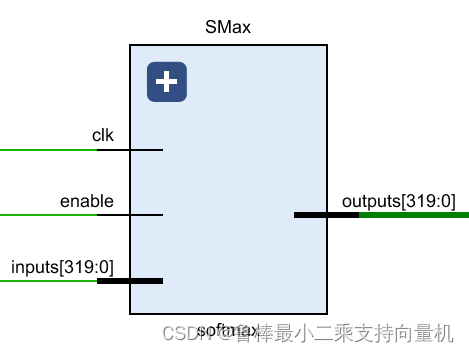
本项目softmax实现逻辑为:
每个输入分别输入到各自的exponent模块,计算指数,该模块的输入和输出位宽均为32位,输入1个数,计算输出1个指数
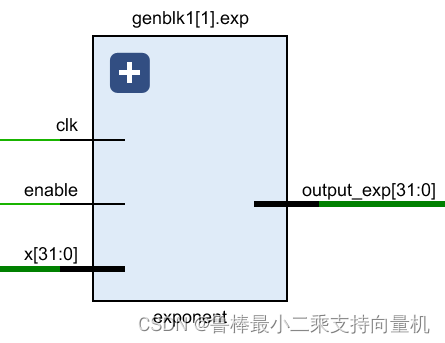
exponent模块展开原理图,如图所示,包含2个乘法器和1个加法器
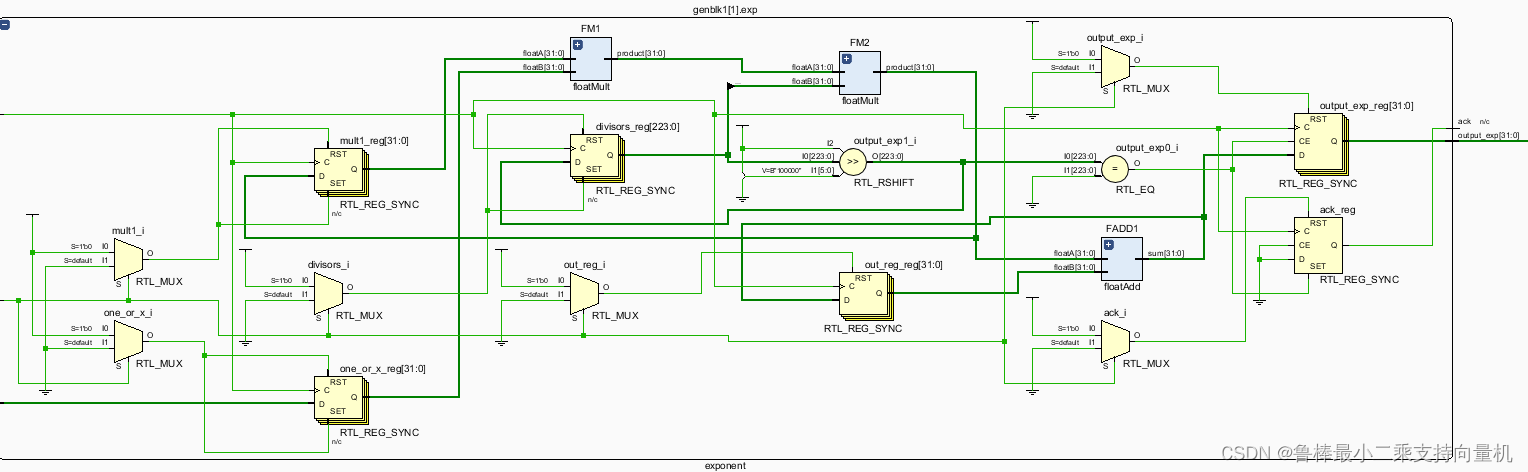
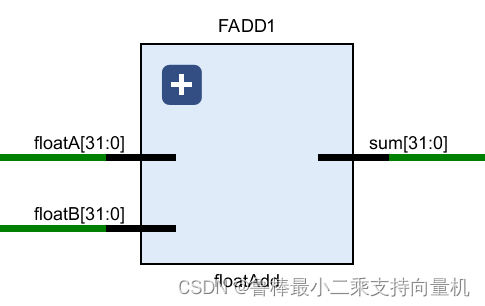
加法器计算所有指数的和
floatReciprocal模块计算指数和的倒数
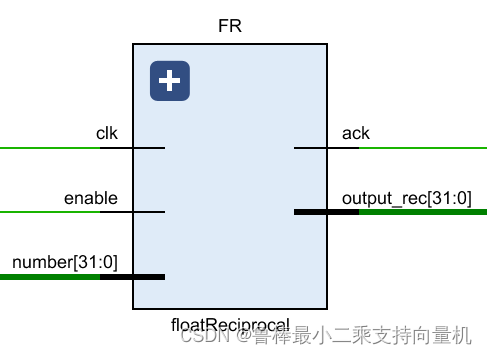
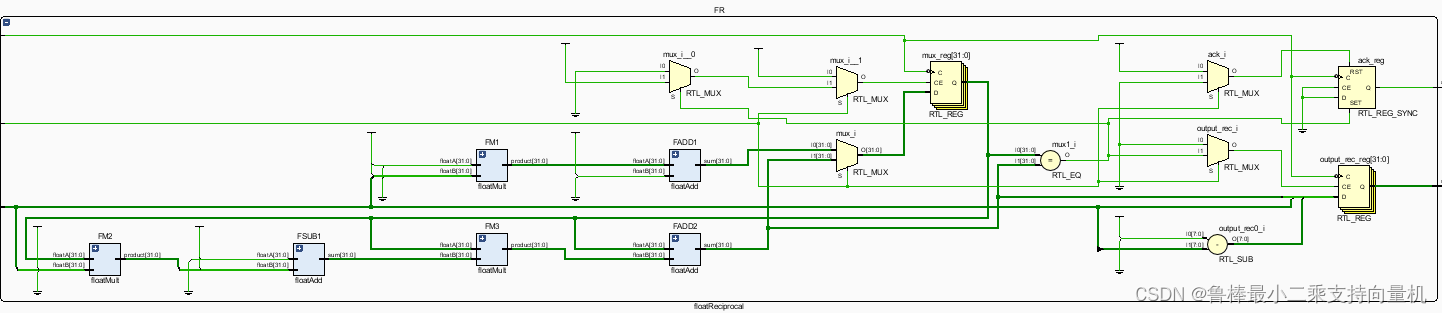
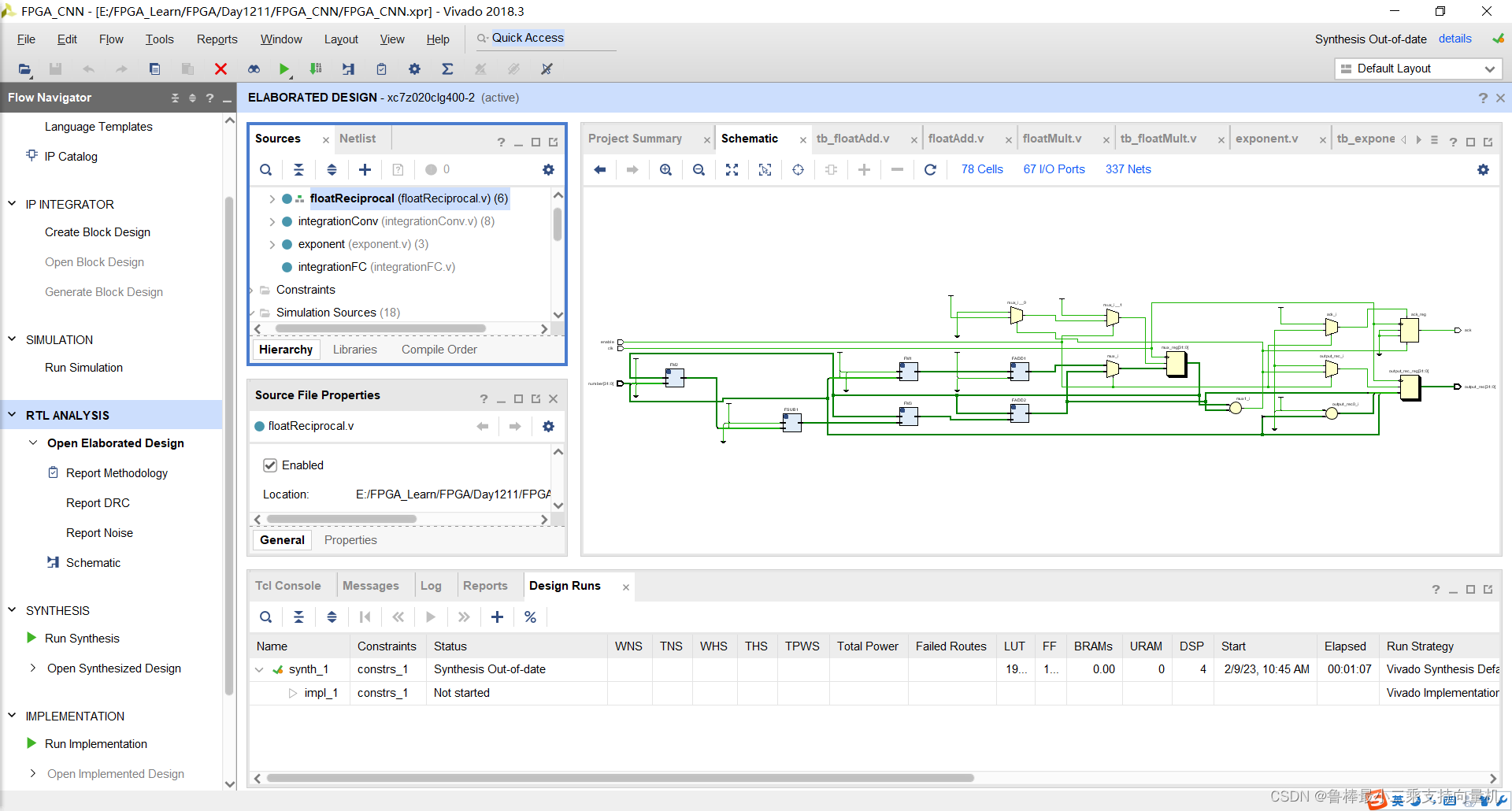
floatReciprocal模块展开原理图,如图所示
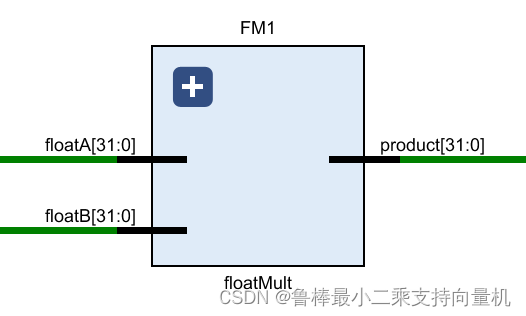
乘法器计算各输入的softmax值,然后输出
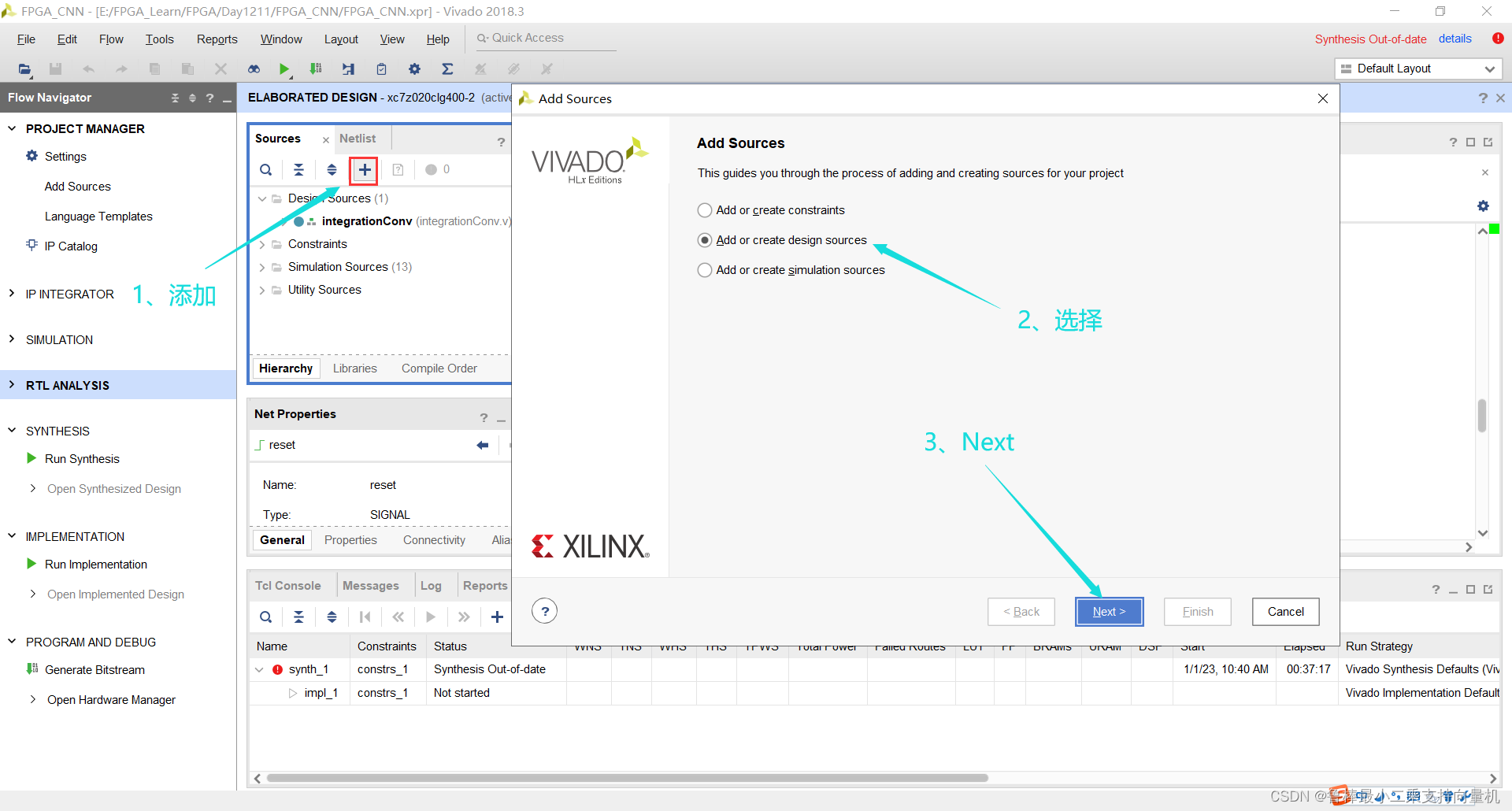
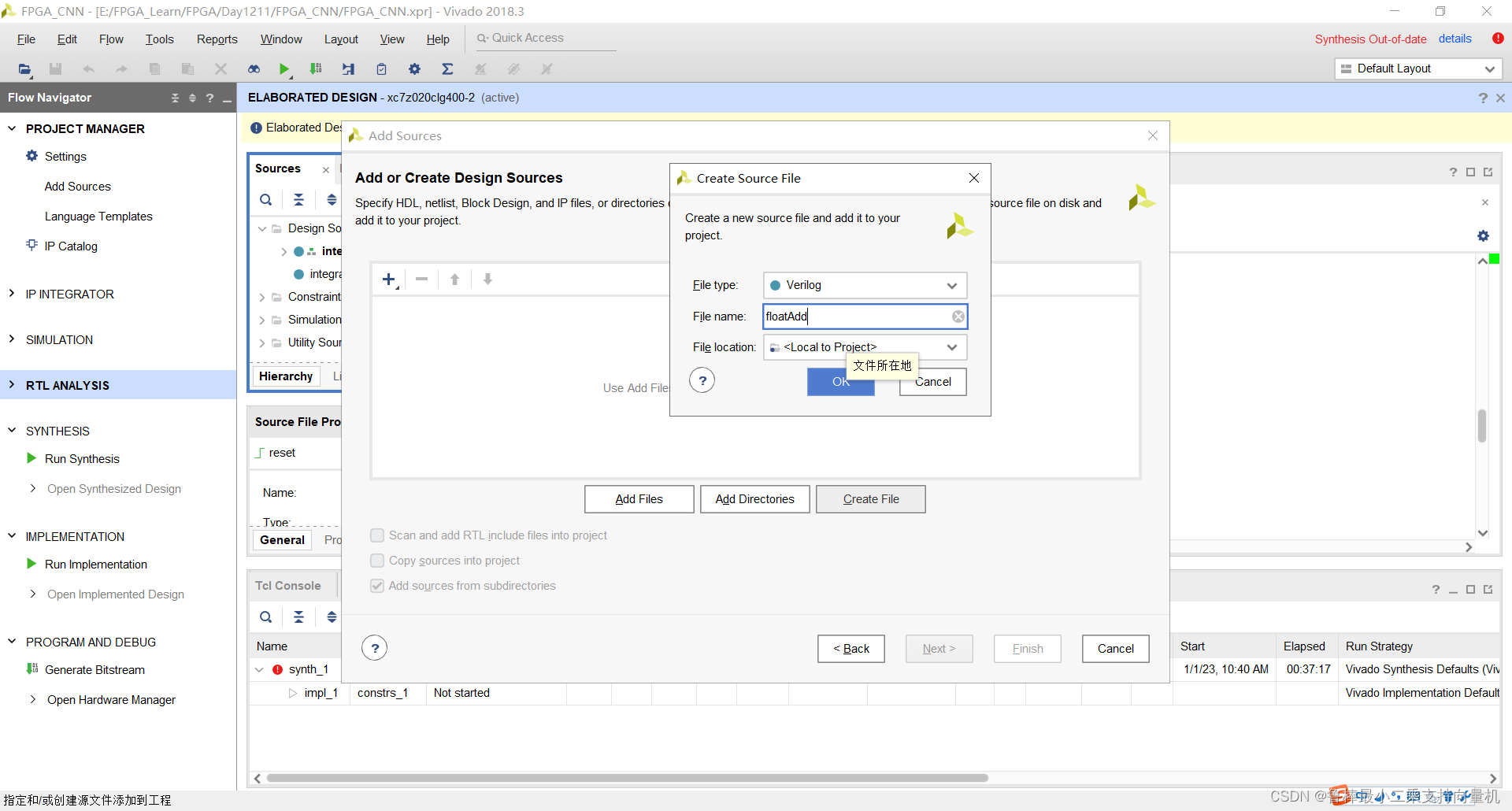
创建floatAdd文件,操作如图:
输入文件名:
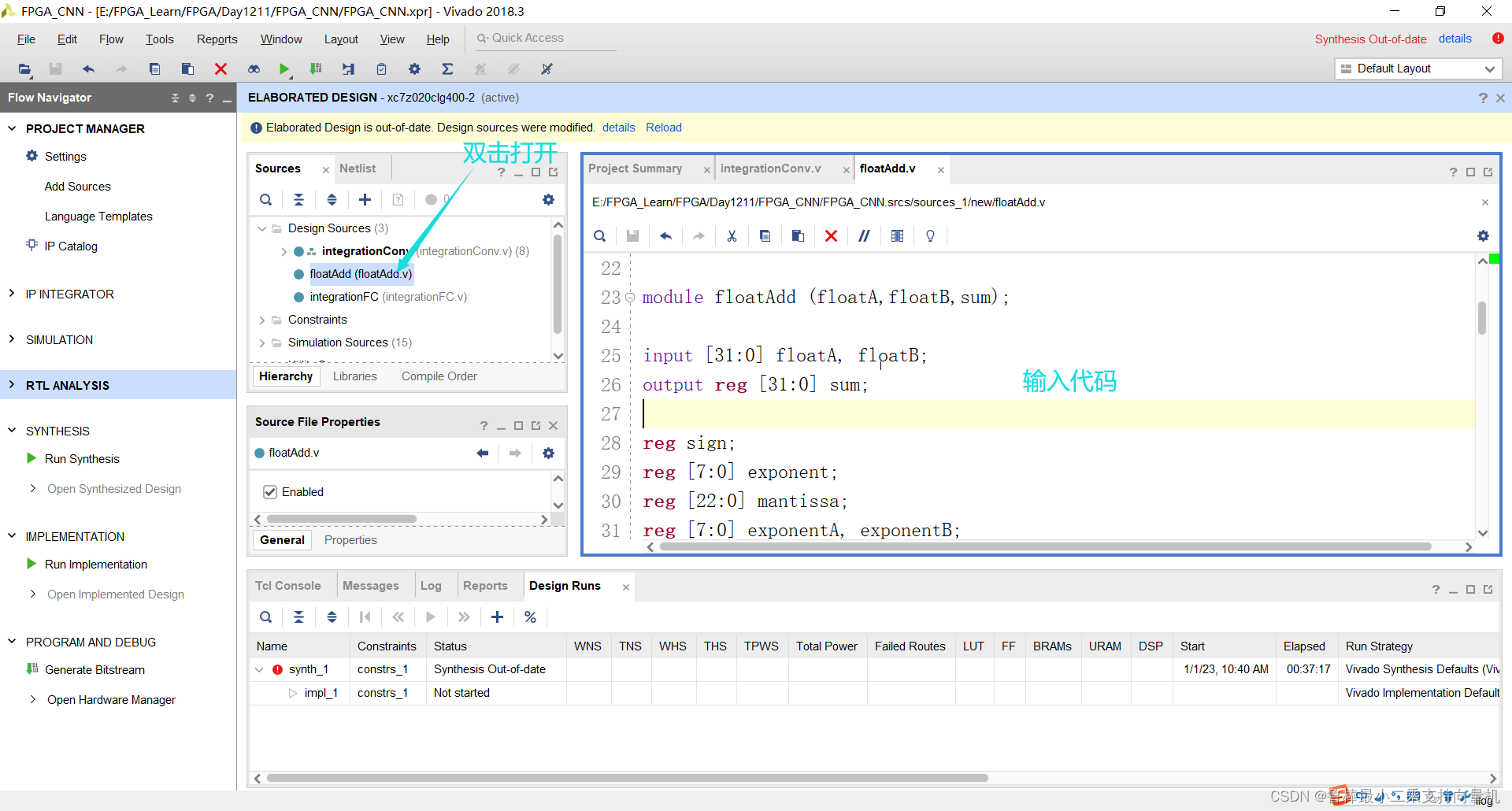
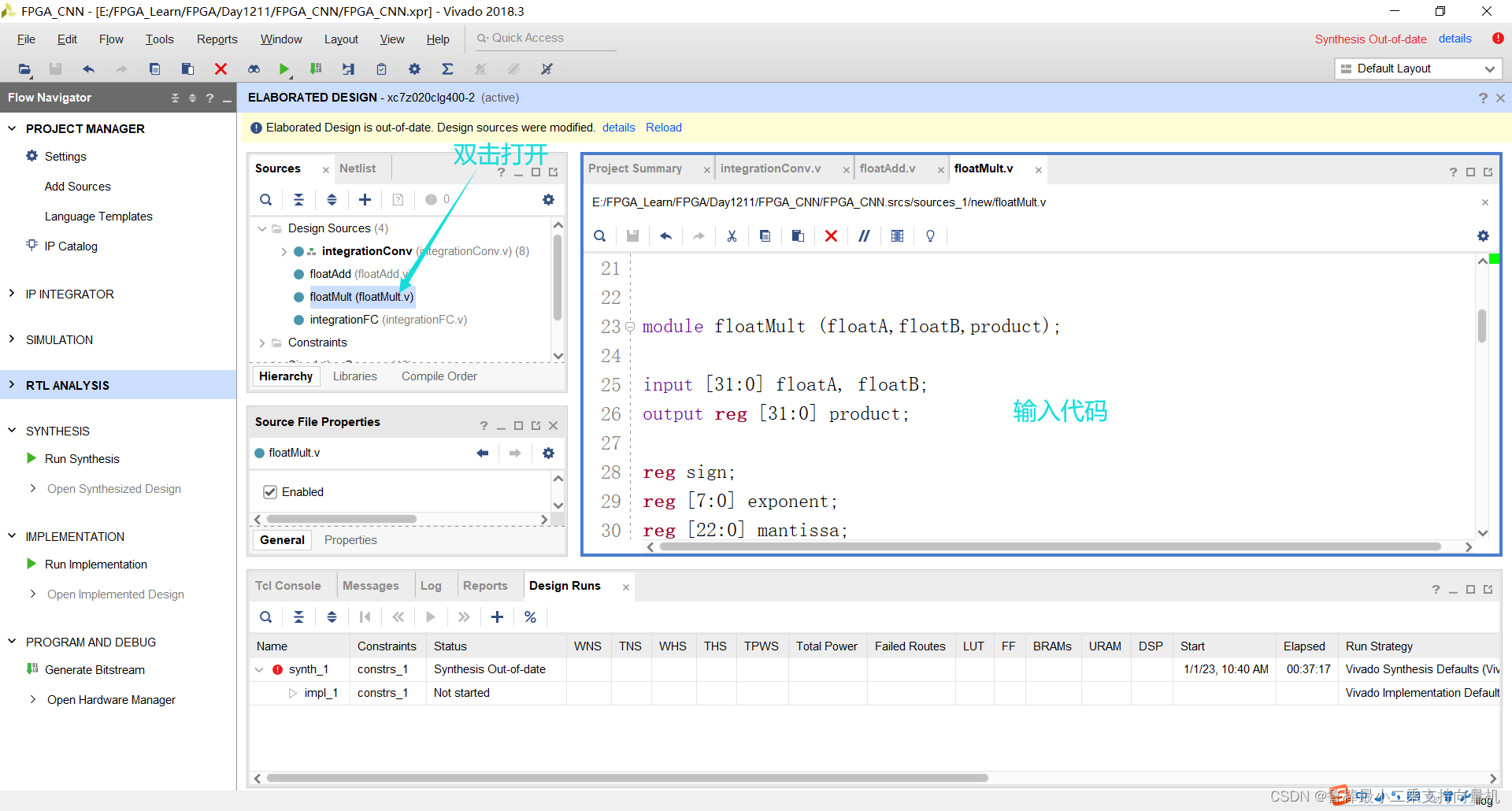
双击打开,输入代码:
module floatAdd (floatA,floatB,sum);

input [31:0] floatA, floatB;
output reg [31:0] sum;

reg sign;
reg [7:0] exponent;
reg [22:0] mantissa;
reg [7:0] exponentA, exponentB;
reg [23:0] fractionA, fractionB, fraction;	//fraction = {1,mantissa}
reg [7:0] shiftAmount;
reg cout;

always @ (floatA or floatB) begin
	exponentA = floatA[30:23];
	exponentB = floatB[30:23];
	fractionA = {1'b1,floatA[22:0]};
	fractionB = {1'b1,floatB[22:0]};

	exponent = exponentA;

	if (floatA == 0) begin						//special case (floatA = 0)
		sum = floatB;
	end else if (floatB == 0) begin					//special case (floatB = 0)
		sum = floatA;
	end else if (floatA[30:0] == floatB[30:0] && floatA[31]^floatB[31]==1'b1) begin
		sum=0;
	end else begin
		if (exponentB > exponentA) begin
			shiftAmount = exponentB - exponentA;
			fractionA = fractionA >> (shiftAmount);
			exponent = exponentB;
		end else if (exponentA > exponentB) begin
			shiftAmount = exponentA - exponentB;
			fractionB = fractionB >> (shiftAmount);
			exponent = exponentA;
		end
		if (floatA[31] == floatB[31]) begin			//same sign
			{cout,fraction} = fractionA + fractionB;
			if (cout == 1'b1) begin
				{cout,fraction} = {cout,fraction} >> 1;
				exponent = exponent + 1;
			end
			sign = floatA[31];
		end else begin						//different signs
			if (floatA[31] == 1'b1) begin
				{cout,fraction} = fractionB - fractionA;
			end else begin
				{cout,fraction} = fractionA - fractionB;
			end
			sign = cout;
			if (cout == 1'b1) begin
				fraction = -fraction;
			end else begin
			end
			if (fraction [23] == 0) begin
				if (fraction[22] == 1'b1) begin
					fraction = fraction << 1;
					exponent = exponent - 1;
				end else if (fraction[21] == 1'b1) begin
					fraction = fraction << 2;
					exponent = exponent - 2;
				end else if (fraction[20] == 1'b1) begin
					fraction = fraction << 3;
					exponent = exponent - 3;
				end else if (fraction[19] == 1'b1) begin
					fraction = fraction << 4;
					exponent = exponent - 4;
				end else if (fraction[18] == 1'b1) begin
					fraction = fraction << 5;
					exponent = exponent - 5;
				end else if (fraction[17] == 1'b1) begin
					fraction = fraction << 6;
					exponent = exponent - 6;
				end else if (fraction[16] == 1'b1) begin
					fraction = fraction << 7;
					exponent = exponent - 7;
				end else if (fraction[15] == 1'b1) begin
					fraction = fraction << 8;
					exponent = exponent - 8;
				end else if (fraction[14] == 1'b1) begin
					fraction = fraction << 9;
					exponent = exponent - 9;
				end else if (fraction[13] == 1'b1) begin
					fraction = fraction << 10;
					exponent = exponent - 10;
				end else if (fraction[12] == 1'b1) begin
					fraction = fraction << 11;
					exponent = exponent - 11;
				end else if (fraction[11] == 1'b1) begin
					fraction = fraction << 12;
					exponent = exponent - 12;
				end else if (fraction[10] == 1'b1) begin
					fraction = fraction << 13;
					exponent = exponent - 13;
				end else if (fraction[9] == 1'b1) begin
					fraction = fraction << 14;
					exponent = exponent - 14;
				end else if (fraction[8] == 1'b1) begin
					fraction = fraction << 15;
					exponent = exponent - 15;
				end else if (fraction[7] == 1'b1) begin
					fraction = fraction << 16;
					exponent = exponent - 16;
				end else if (fraction[6] == 1'b1) begin
					fraction = fraction << 17;
					exponent = exponent - 17;
				end else if (fraction[5] == 1'b1) begin
					fraction = fraction << 18;
					exponent = exponent - 18;
				end else if (fraction[4] == 1'b1) begin
					fraction = fraction << 19;
					exponent = exponent - 19;
				end else if (fraction[3] == 1'b1) begin
					fraction = fraction << 20;
					exponent = exponent - 20;
				end else if (fraction[2] == 1'b1) begin
					fraction = fraction << 21;
					exponent = exponent - 21;
				end else if (fraction[1] == 1'b1) begin
					fraction = fraction << 22;
					exponent = exponent - 22;
				end else if (fraction[0] == 1'b1) begin
					fraction = fraction << 23;
					exponent = exponent - 23;
				end
			end
		end
		mantissa = fraction[22:0];
		sum = {sign,exponent,mantissa};
	end
end

endmodule
如图所示:
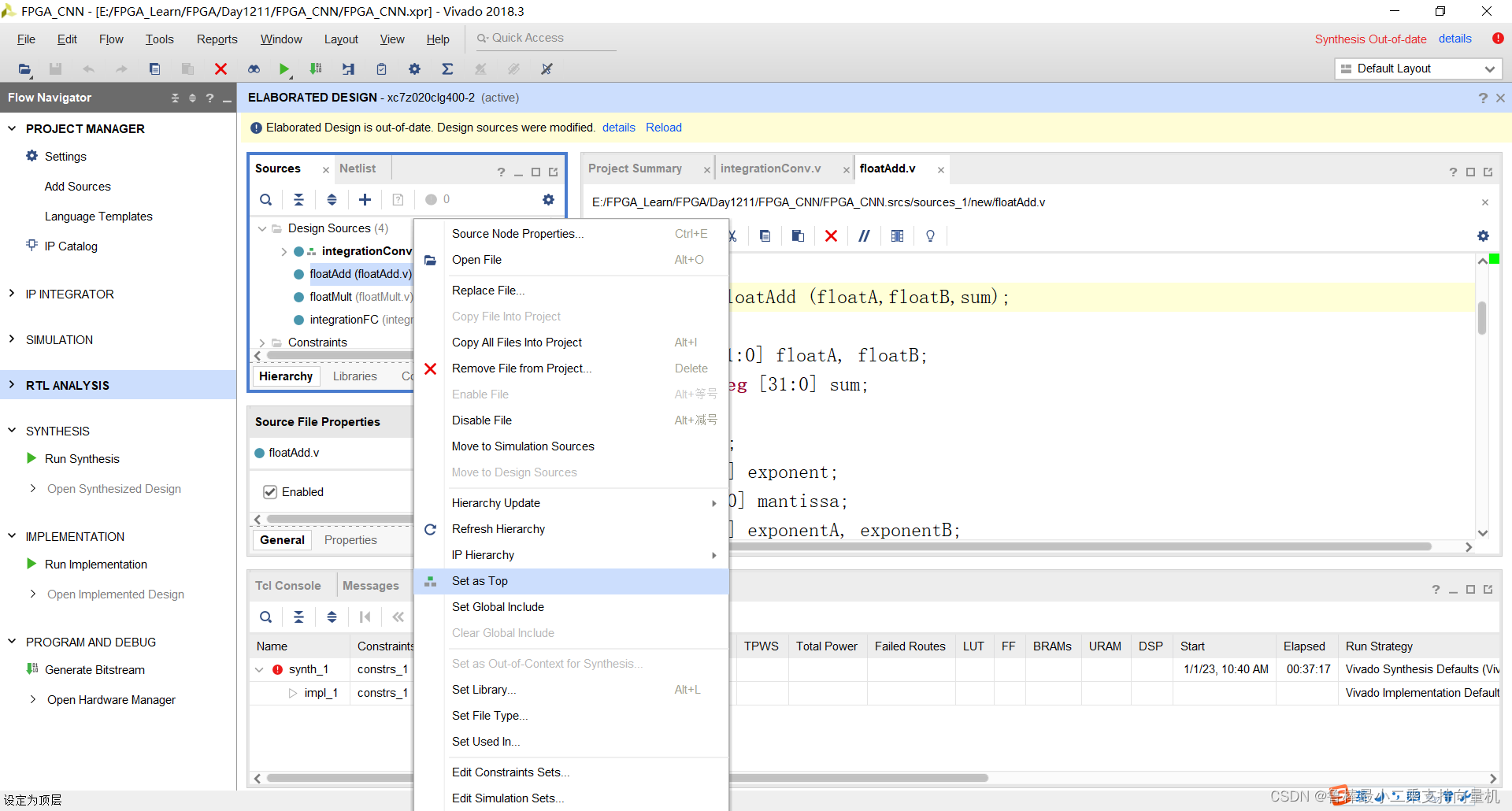
将floatAdd设置为顶层:
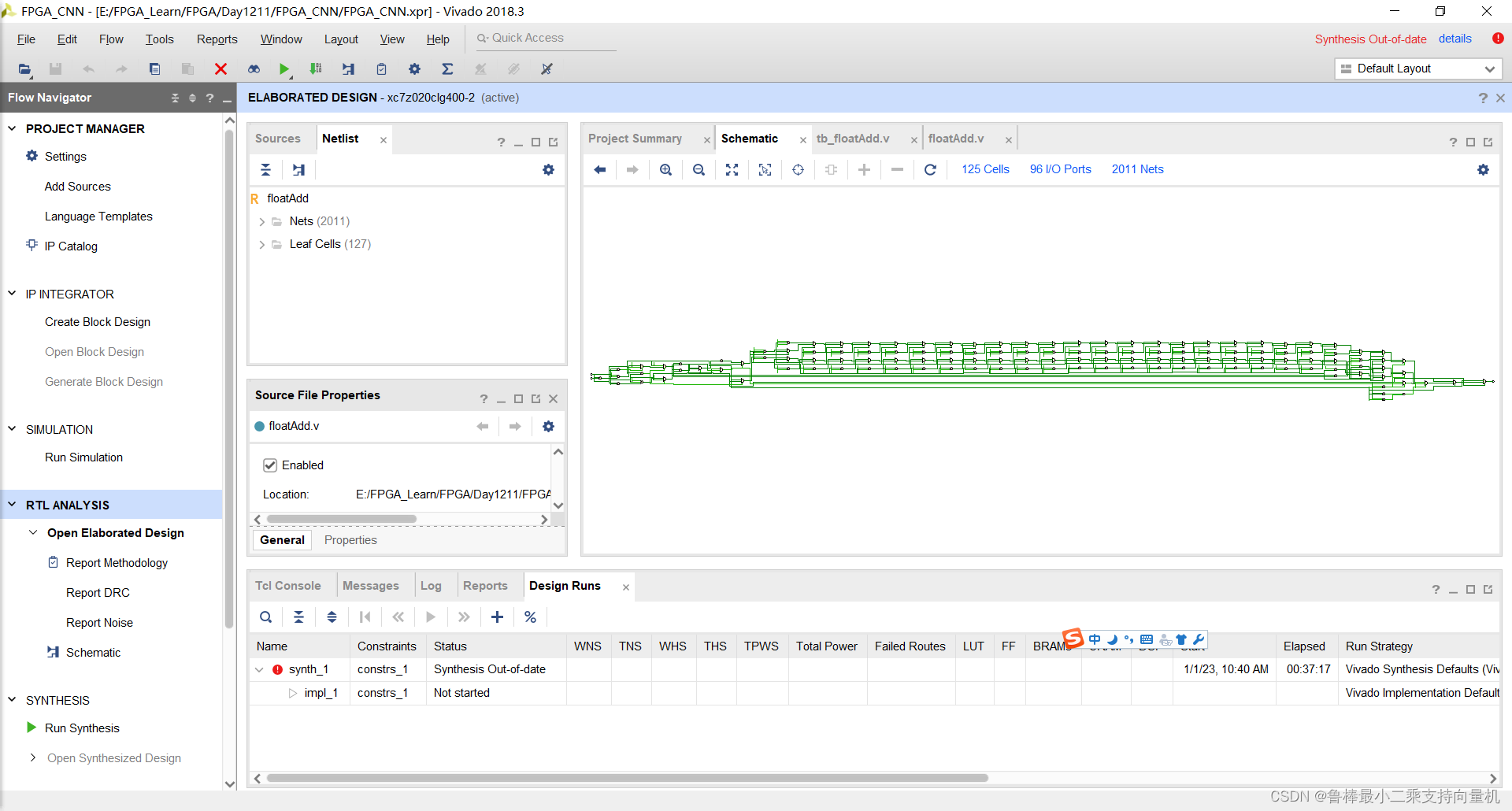
对设计进行分析,操作如图:
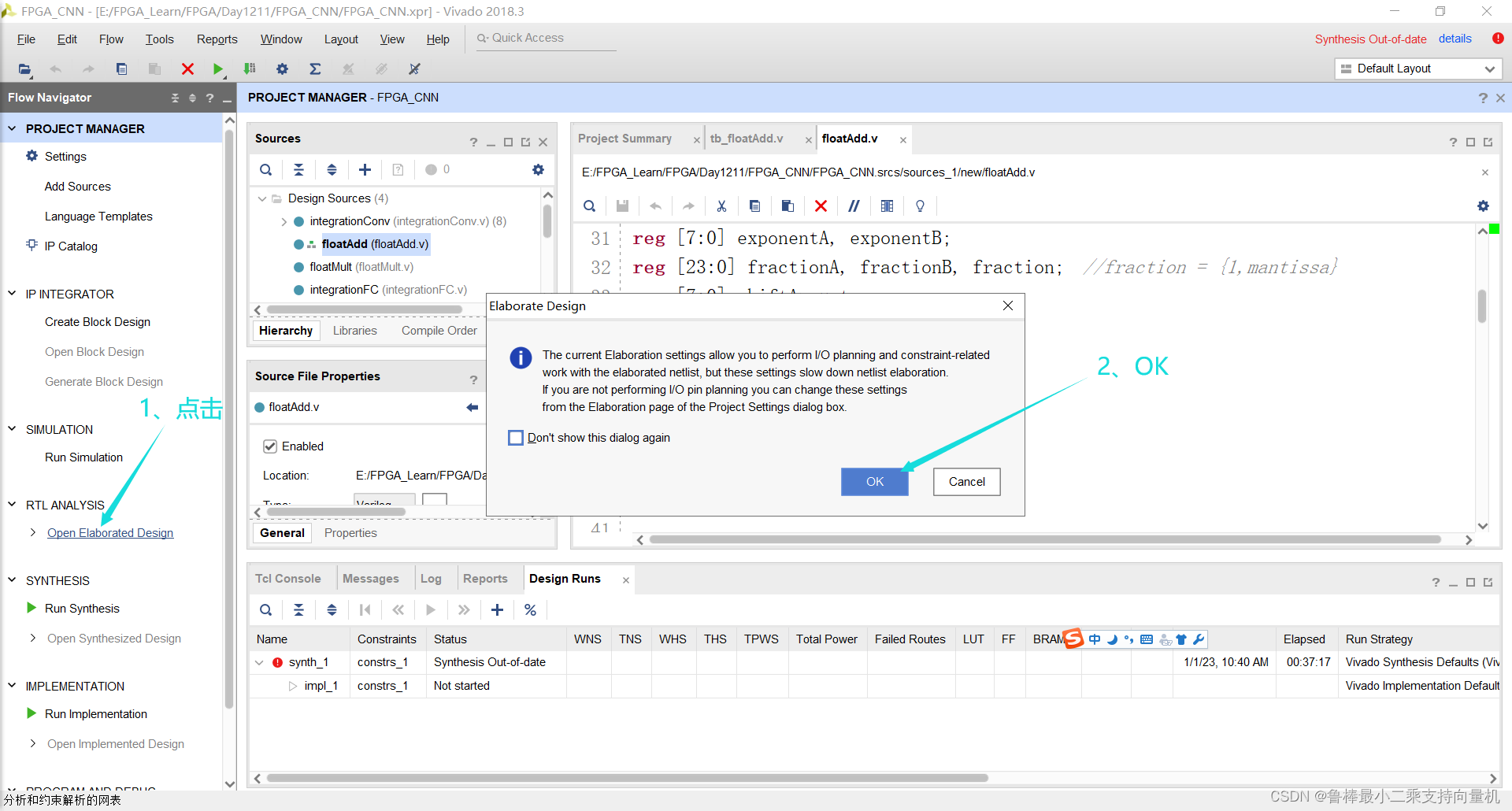
分析后的设计,Vivado自动生成原理图,如图:
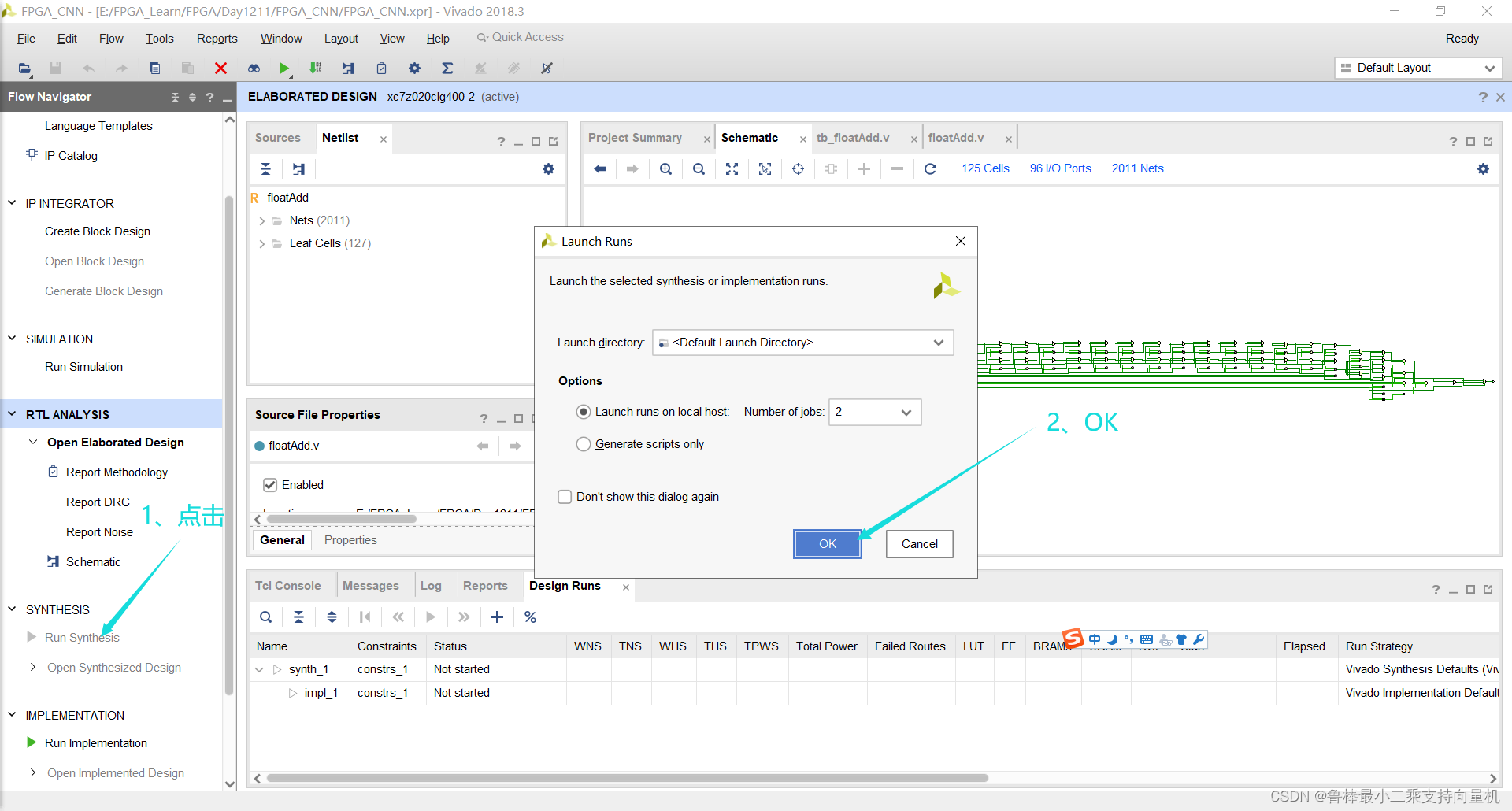
对设计进行综合,操作如图:
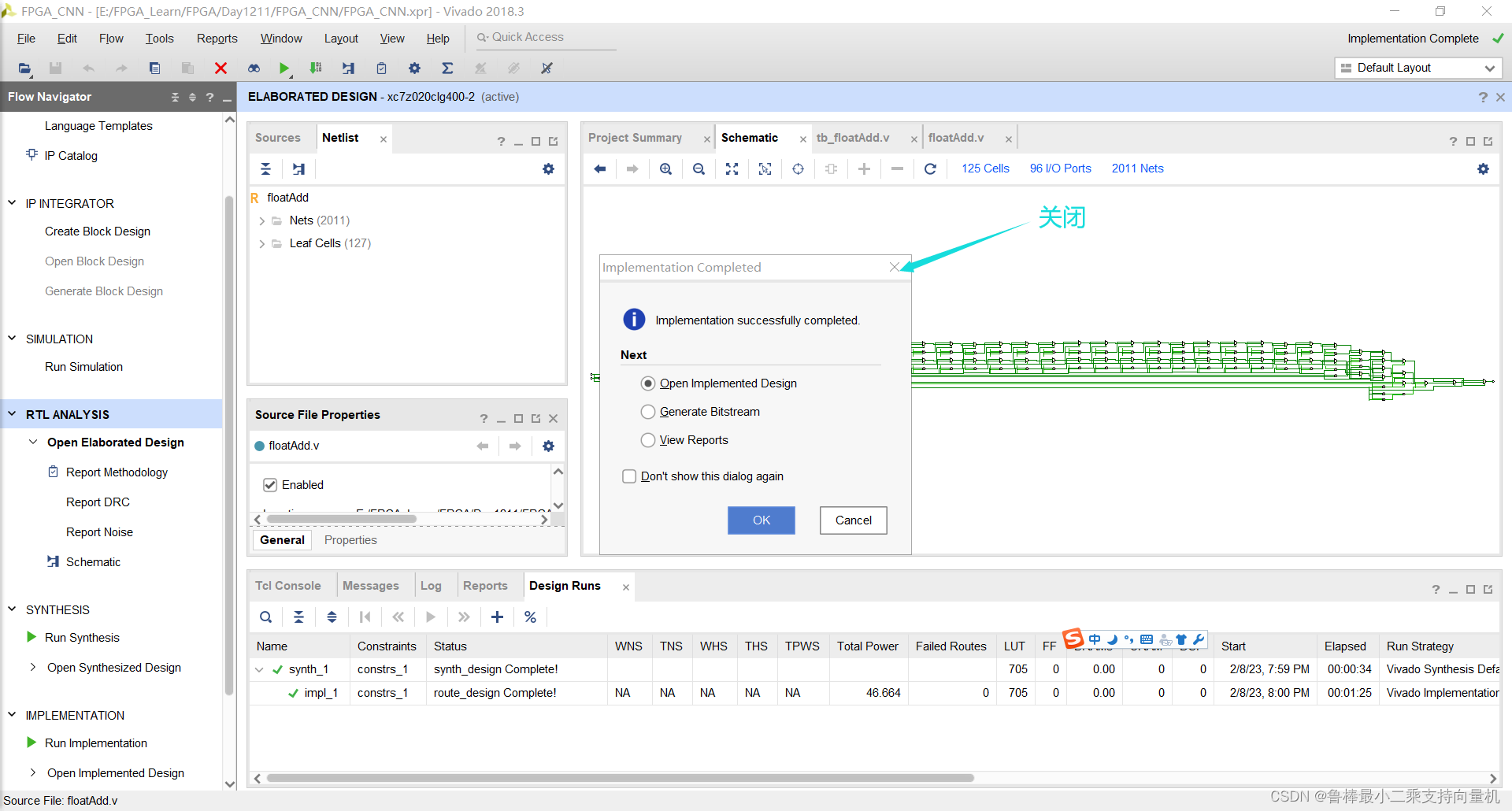
综合完成,关闭即可:
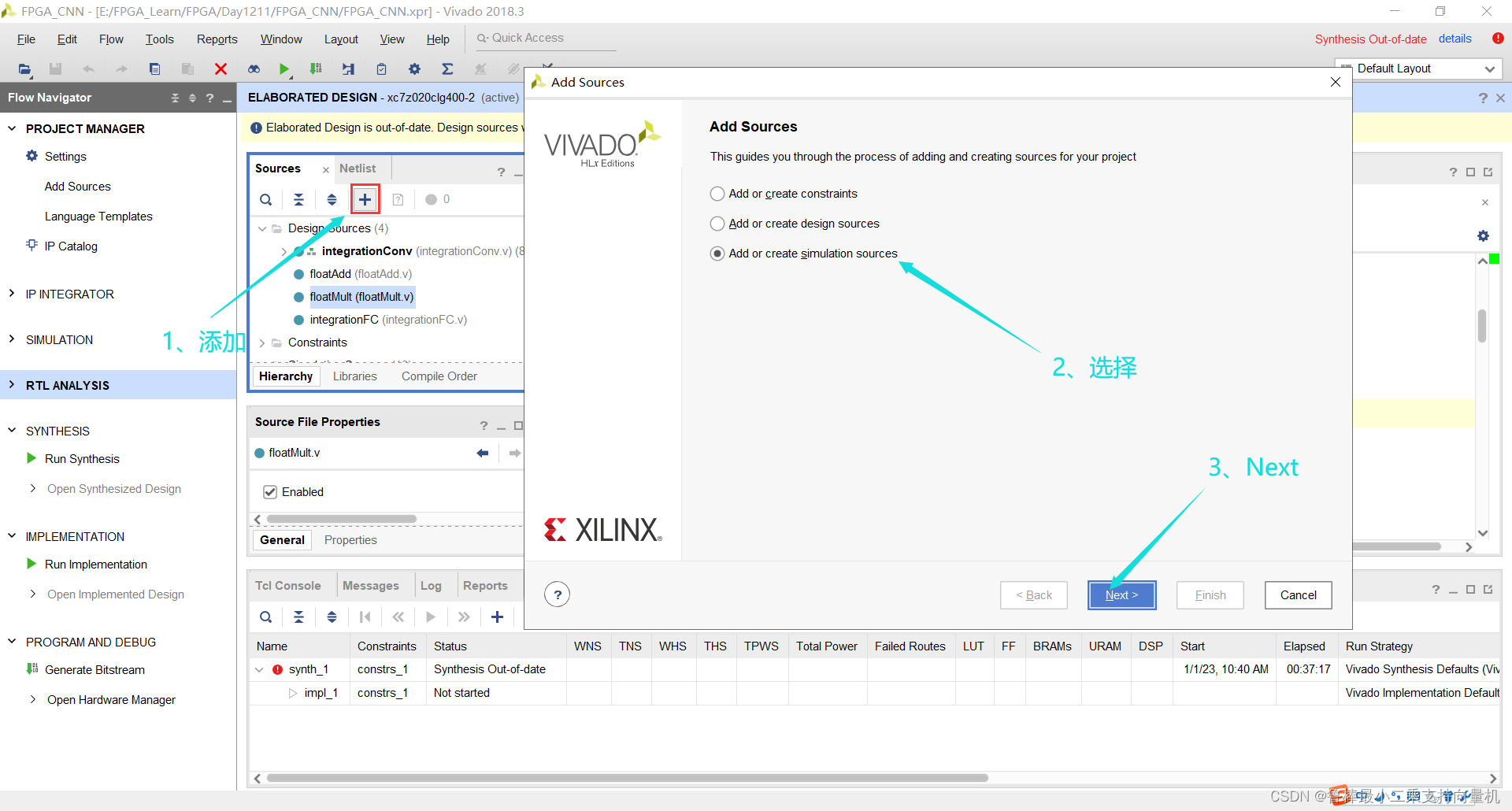
创建仿真激励文件,操作如图:
输入激励文件名:
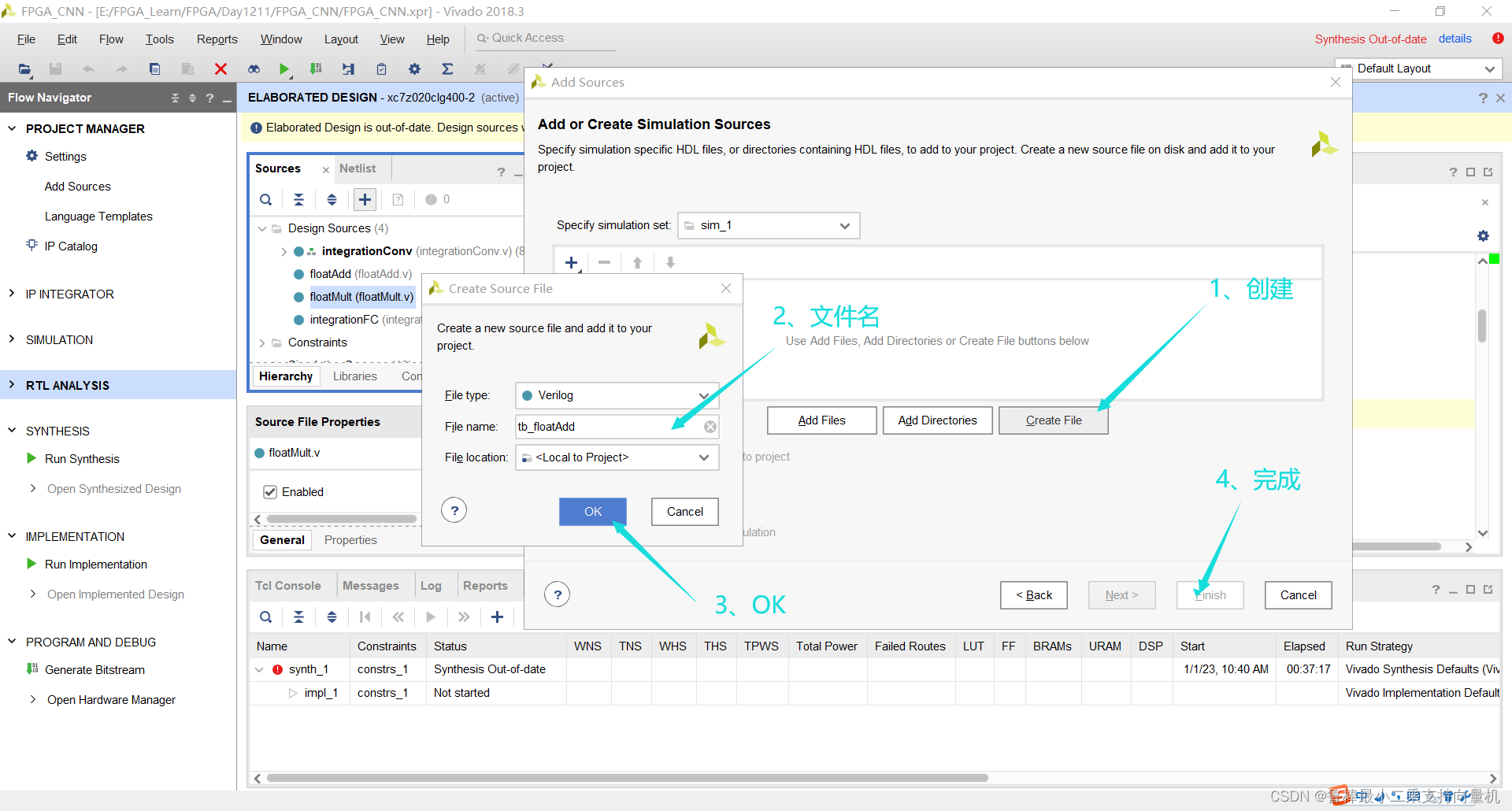
确认创建:
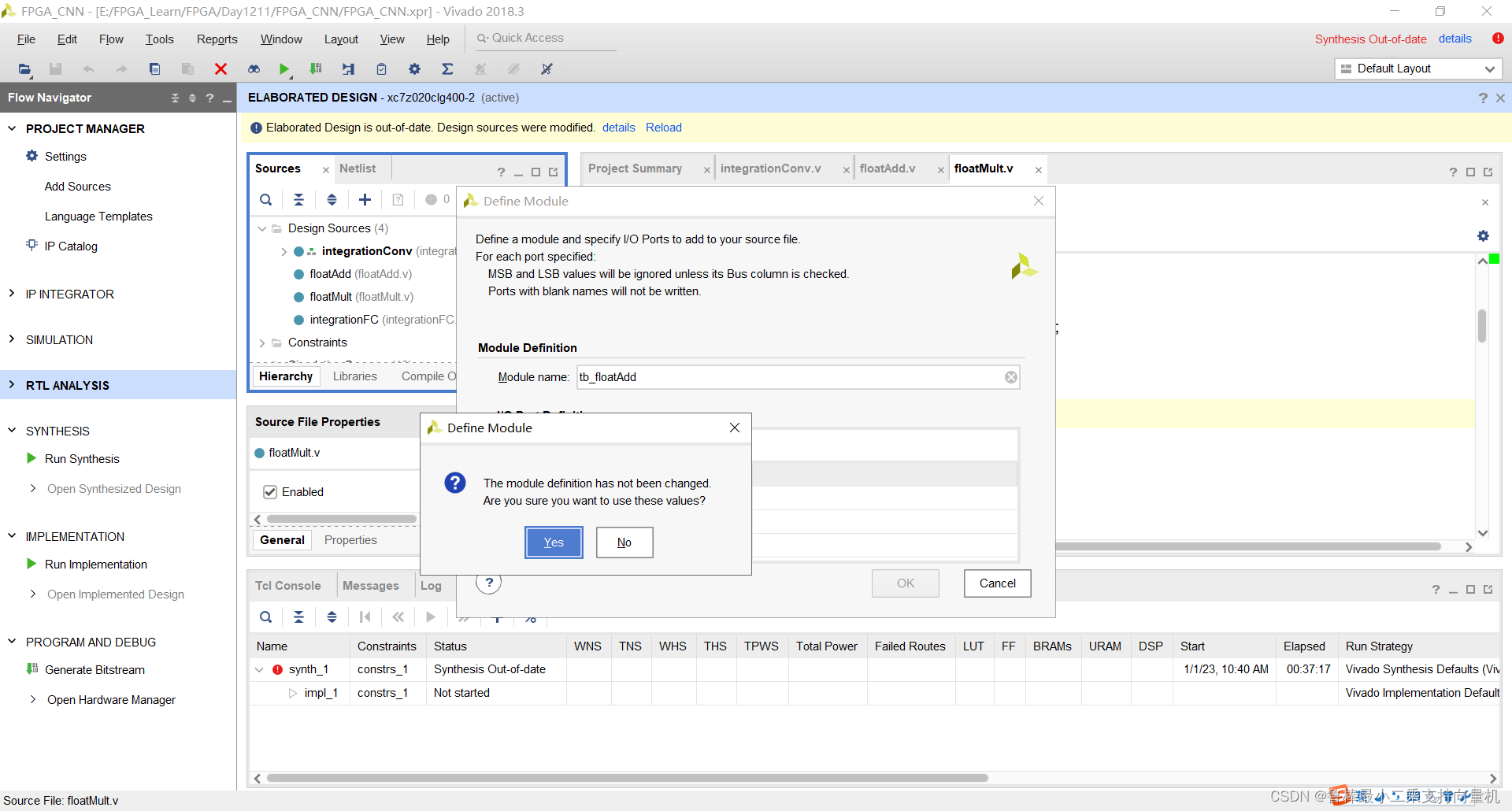
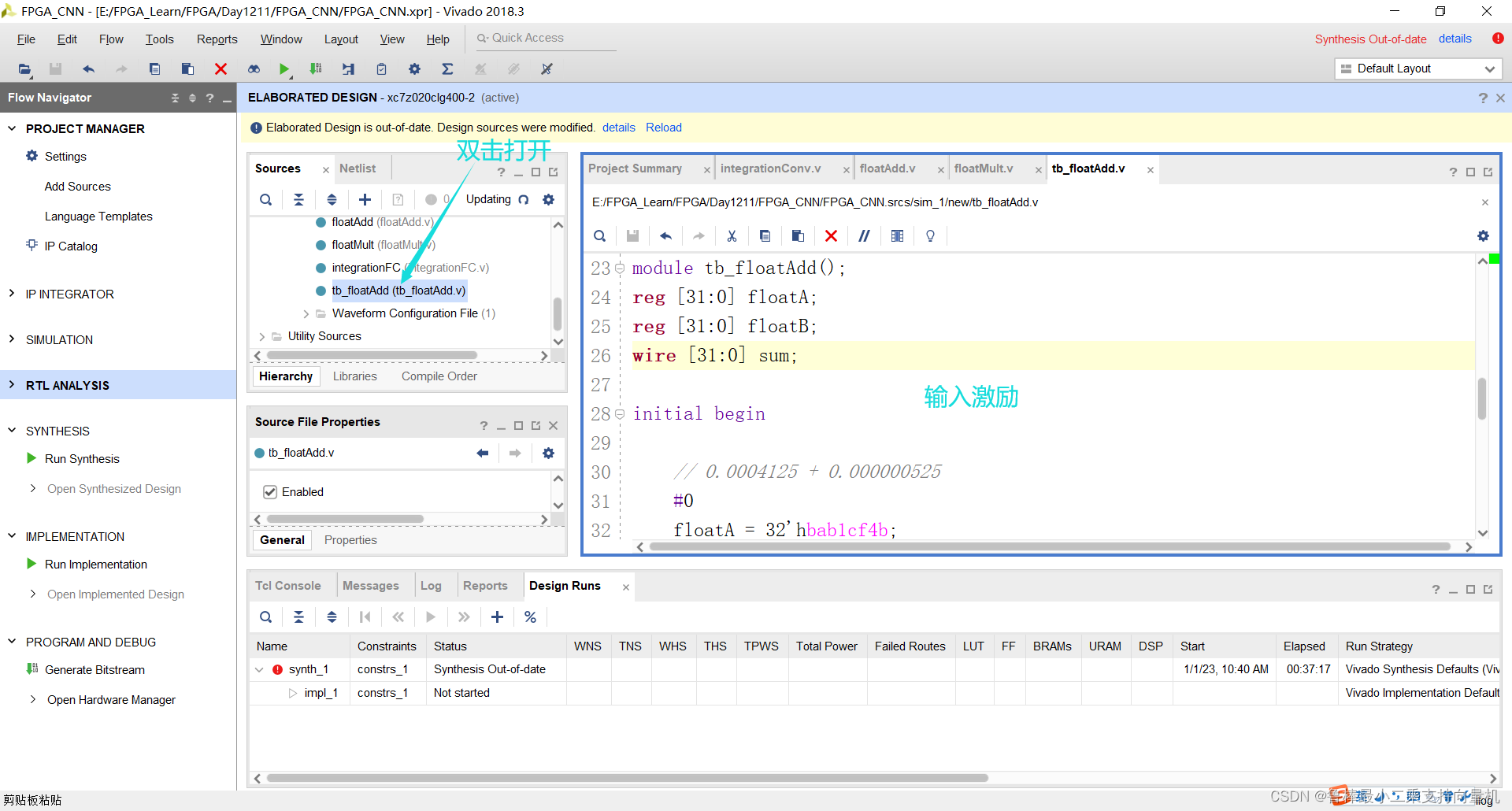
双击打开,输入激励代码:
`timescale 1ns / 1ps

module tb_floatAdd();
reg [31:0] floatA;
reg [31:0] floatB;
wire [31:0] sum;

initial begin

	// 0.0004125 + 0.000000525
	#0
	floatA = 32'hbab1cf4b;
	floatB = 32'h3aaaad74;

	// 0.0004125 + 0
	#10
	floatA = 32'b00111001110110000100010011010000;
	floatB = 32'b00000000000000000000000000000000;

	#10
	$stop;
end

floatAdd FADD
(
	.floatA(floatA),
	.floatB(floatB),
	.sum(sum)
);

endmodule
如图所示:
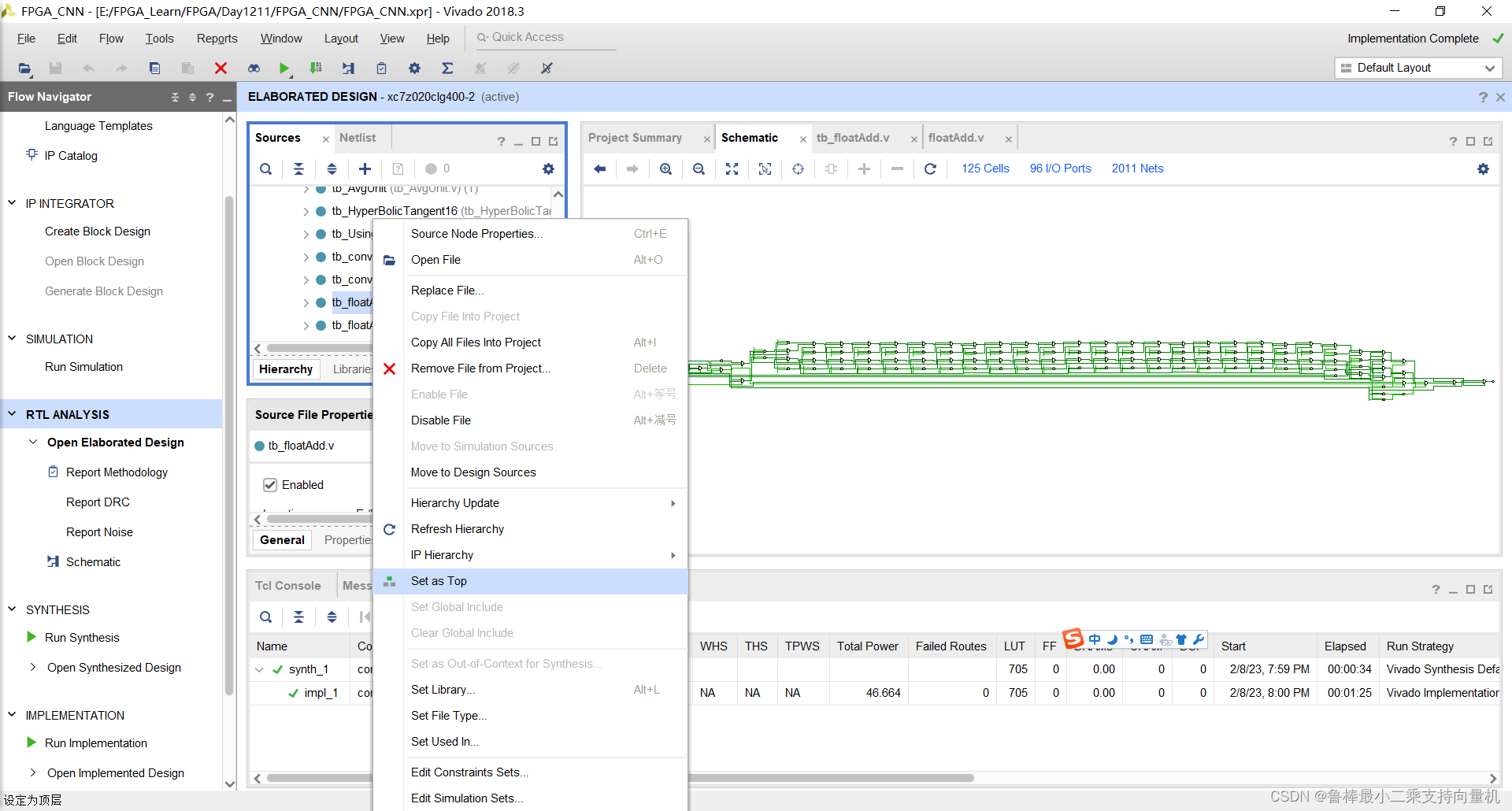
将tb_floatAdd设置为顶层:
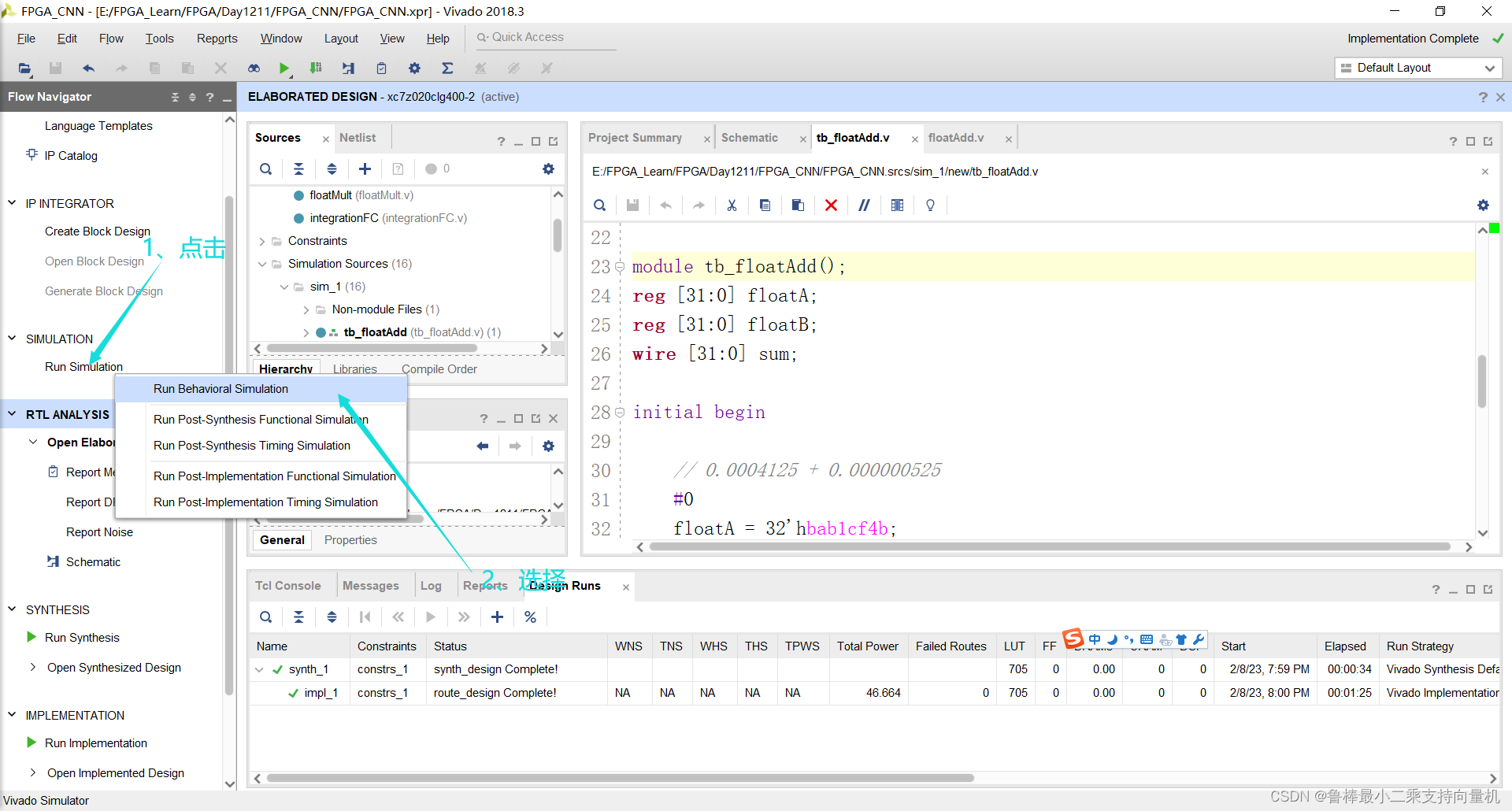
开始进行仿真,操作如下:
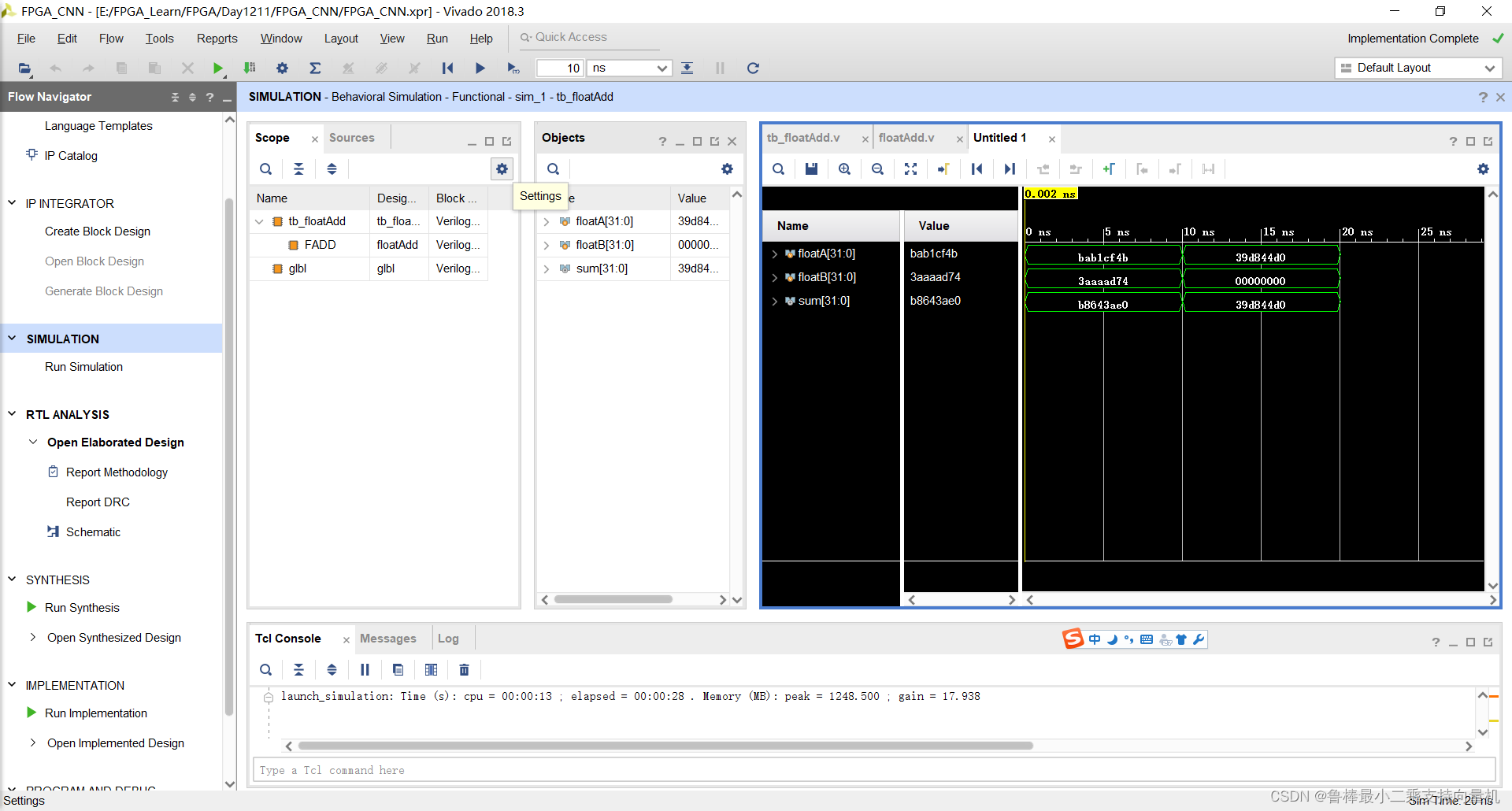
仿真波形,如图:
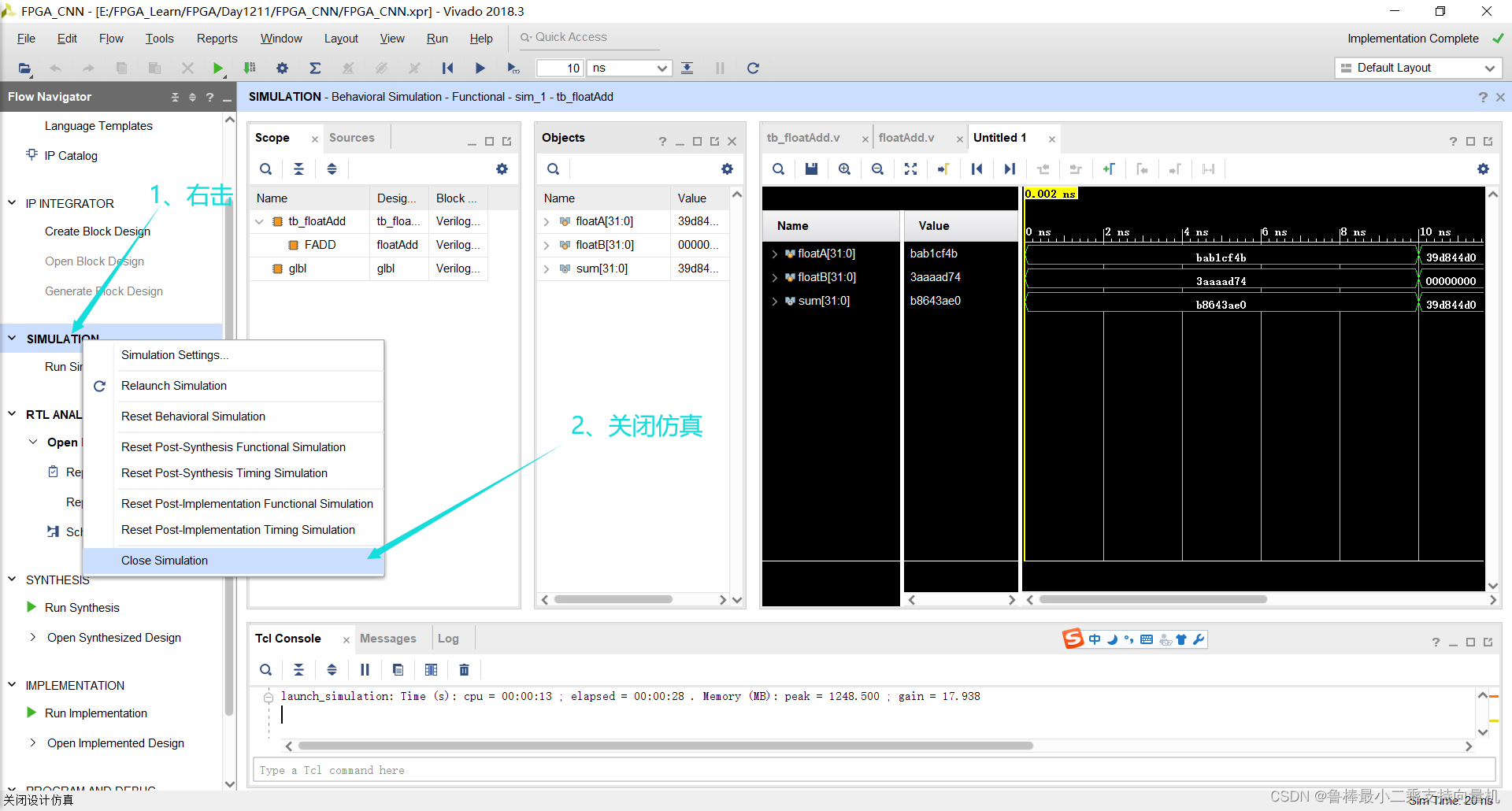
仿真结束,关闭仿真:
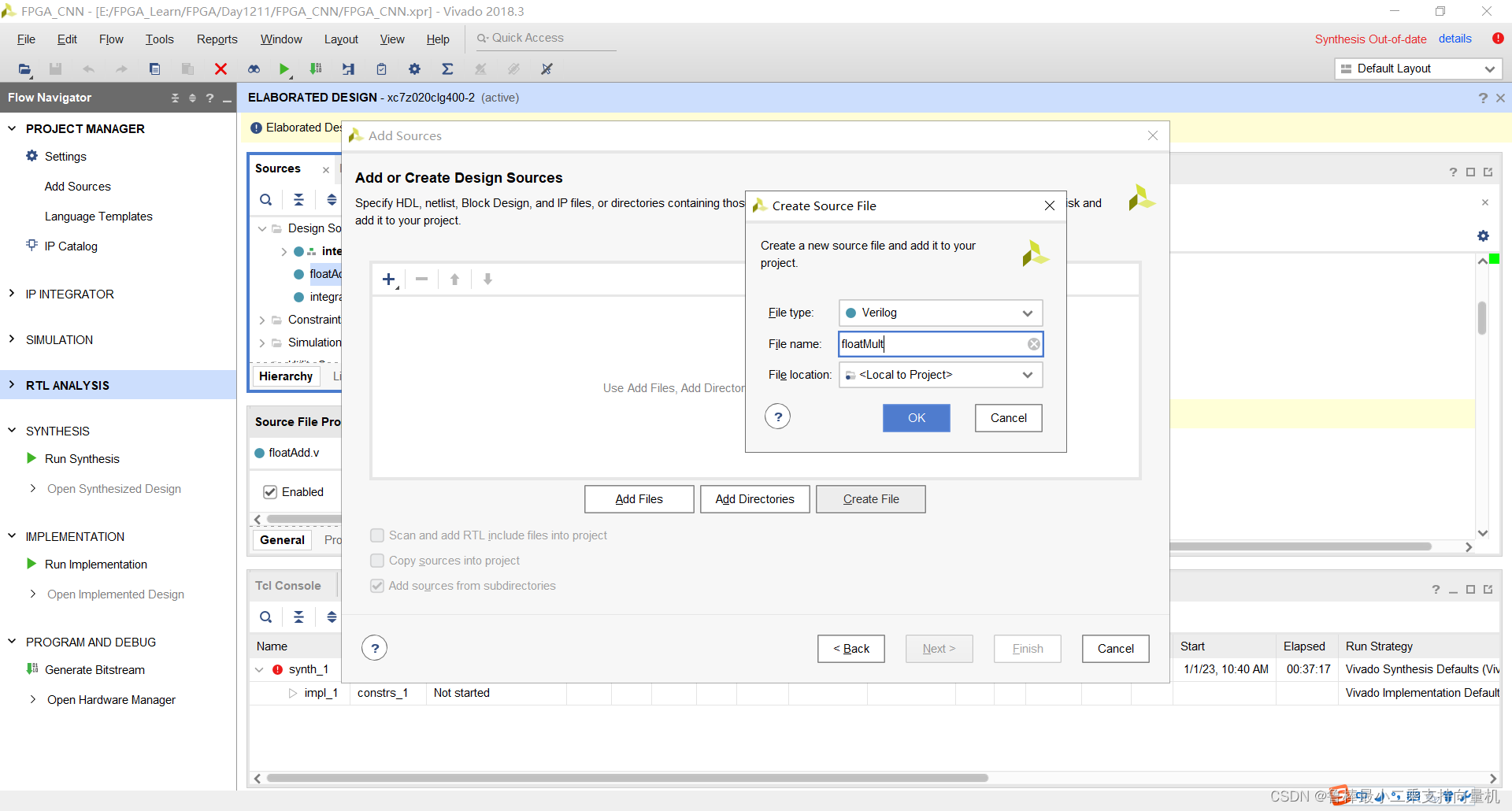
创建floatMult文件,操作如图:
双击打开,输入代码:
module floatMult (floatA,floatB,product);

input [31:0] floatA, floatB;
output reg [31:0] product;

reg sign;
reg [7:0] exponent;
reg [22:0] mantissa;
reg [23:0] fractionA, fractionB;	//fraction = {1,mantissa}
reg [47:0] fraction;

always @ (floatA or floatB) begin
	if (floatA == 0 || floatB == 0) begin
		product = 0;
	end else begin
		sign = floatA[31] ^ floatB[31];
		exponent = floatA[30:23] + floatB[30:23] - 8'd127 + 8'd2;

		fractionA = {1'b1,floatA[22:0]};
		fractionB = {1'b1,floatB[22:0]};
		fraction = fractionA * fractionB;

		if (fraction[47] == 1'b1) begin
			fraction = fraction << 1;
			exponent = exponent - 1;
		end else if (fraction[46] == 1'b1) begin
			fraction = fraction << 2;
			exponent = exponent - 2;
		end else if (fraction[45] == 1'b1) begin
			fraction = fraction << 3;
			exponent = exponent - 3;
		end else if (fraction[44] == 1'b1) begin
			fraction = fraction << 4;
			exponent = exponent - 4;
		end else if (fraction[43] == 1'b1) begin
			fraction = fraction << 5;
			exponent = exponent - 5;
		end else if (fraction[42] == 1'b1) begin
			fraction = fraction << 6;
			exponent = exponent - 6;
		end else if (fraction[41] == 1'b1) begin
			fraction = fraction << 7;
			exponent = exponent - 7;
		end else if (fraction[40] == 1'b1) begin
			fraction = fraction << 8;
			exponent = exponent - 8;
		end else if (fraction[39] == 1'b1) begin
			fraction = fraction << 9;
			exponent = exponent - 9;
		end else if (fraction[38] == 1'b0) begin
			fraction = fraction << 10;
			exponent = exponent - 10;
		end else if (fraction[37] == 1'b1) begin
			fraction = fraction << 11;
			exponent = exponent - 11;
		end else if (fraction[36] == 1'b1) begin
			fraction = fraction << 12;
			exponent = exponent - 12;
		end else if (fraction[35] == 1'b1) begin
			fraction = fraction << 13;
			exponent = exponent - 13;
		end else if (fraction[34] == 1'b1) begin
			fraction = fraction << 14;
			exponent = exponent - 14;
		end else if (fraction[33] == 1'b1) begin
			fraction = fraction << 15;
			exponent = exponent - 15;
		end else if (fraction[32] == 1'b1) begin
			fraction = fraction << 16;
			exponent = exponent - 16;
		end else if (fraction[31] == 1'b1) begin
			fraction = fraction << 17;
			exponent = exponent - 17;
		end else if (fraction[30] == 1'b1) begin
			fraction = fraction << 18;
			exponent = exponent - 18;
		end else if (fraction[29] == 1'b0) begin
			fraction = fraction << 19;
			exponent = exponent - 19;
		end else if (fraction[28] == 1'b1) begin
			fraction = fraction << 20;
			exponent = exponent - 20;
		end else if (fraction[27] == 1'b1) begin
			fraction = fraction << 21;
			exponent = exponent - 21;
		end else if (fraction[26] == 1'b1) begin
			fraction = fraction << 22;
			exponent = exponent - 22;
		end else if (fraction[27] == 1'b1) begin
			fraction = fraction << 23;
			exponent = exponent - 23;
		end

		mantissa = fraction[47:25];
		product = {sign,exponent,mantissa};
	end
end

endmodule
如图所示:
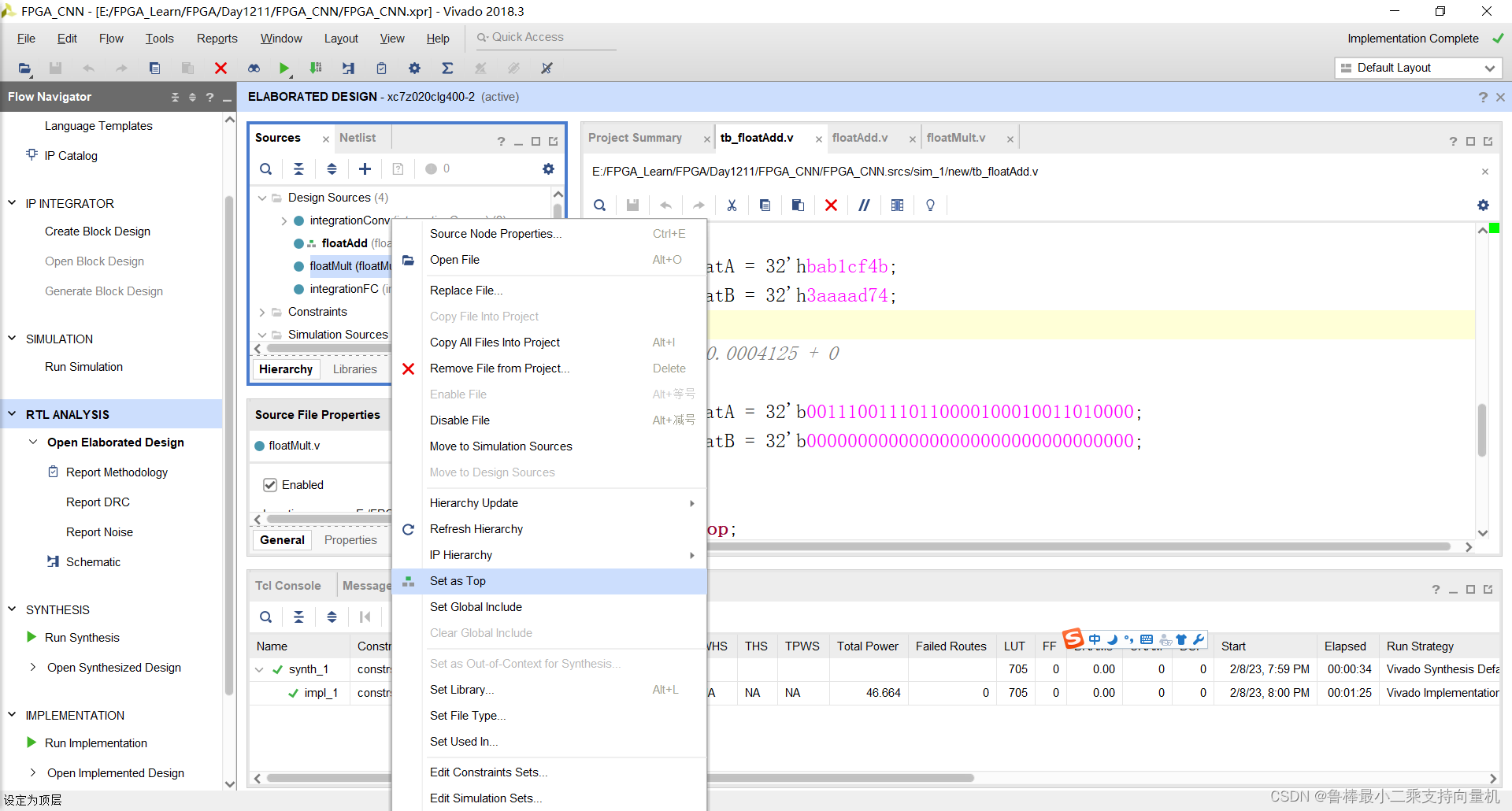
将floatMult设置为顶层:
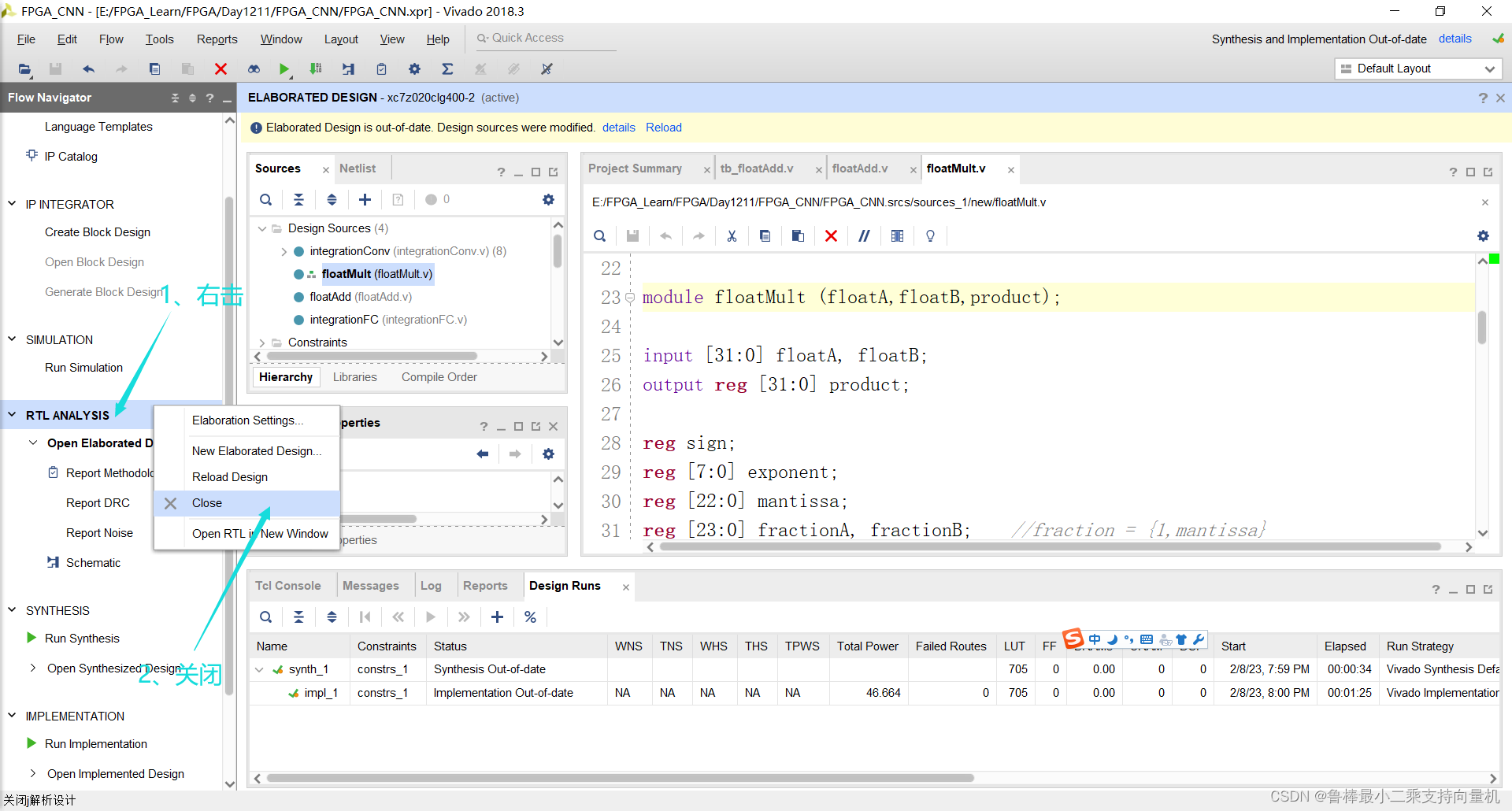
关闭上次的分析文件:
对设计进行分析,操作如图:
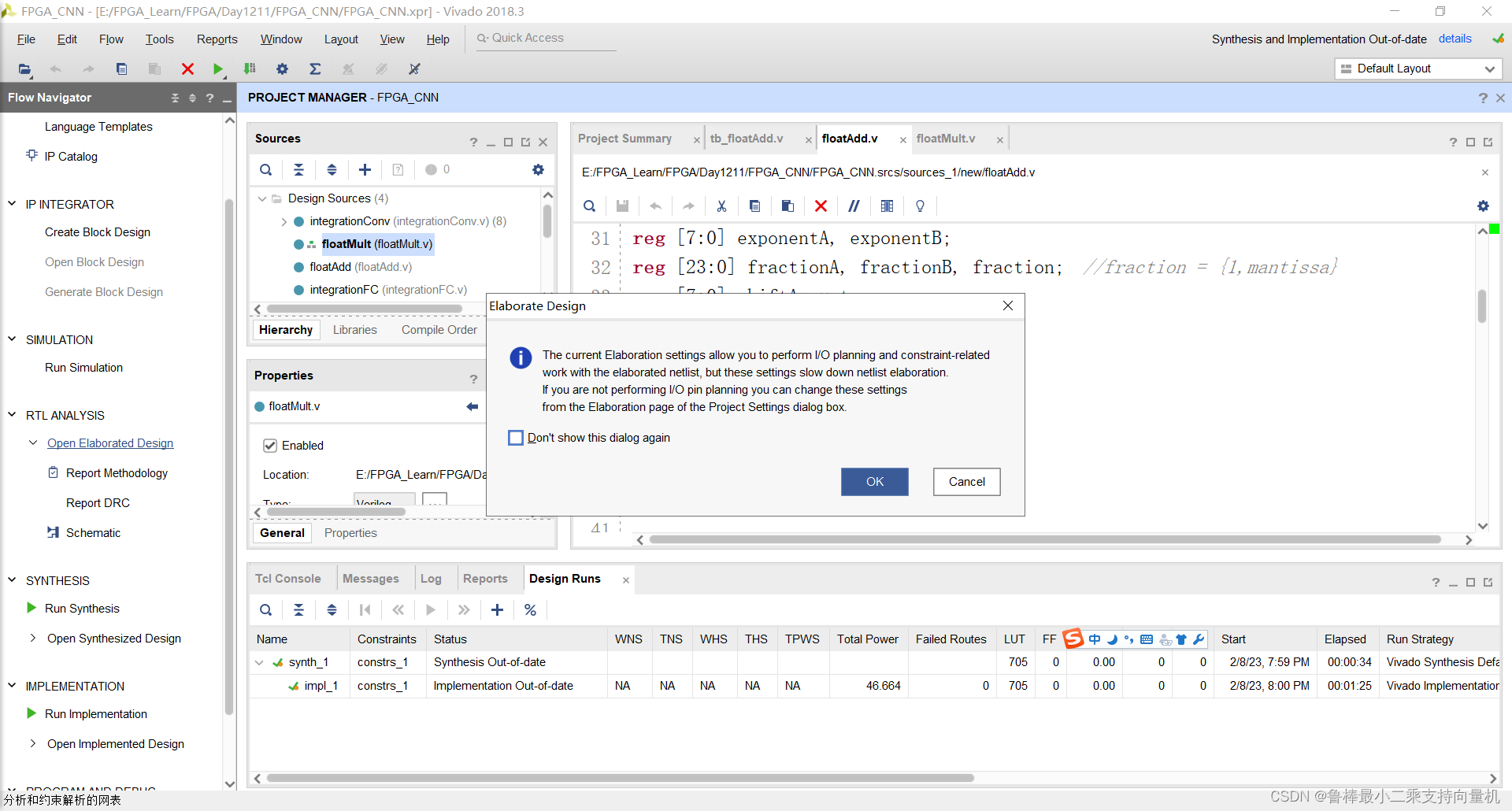
分析后的设计,Vivado自动生成原理图,如图:
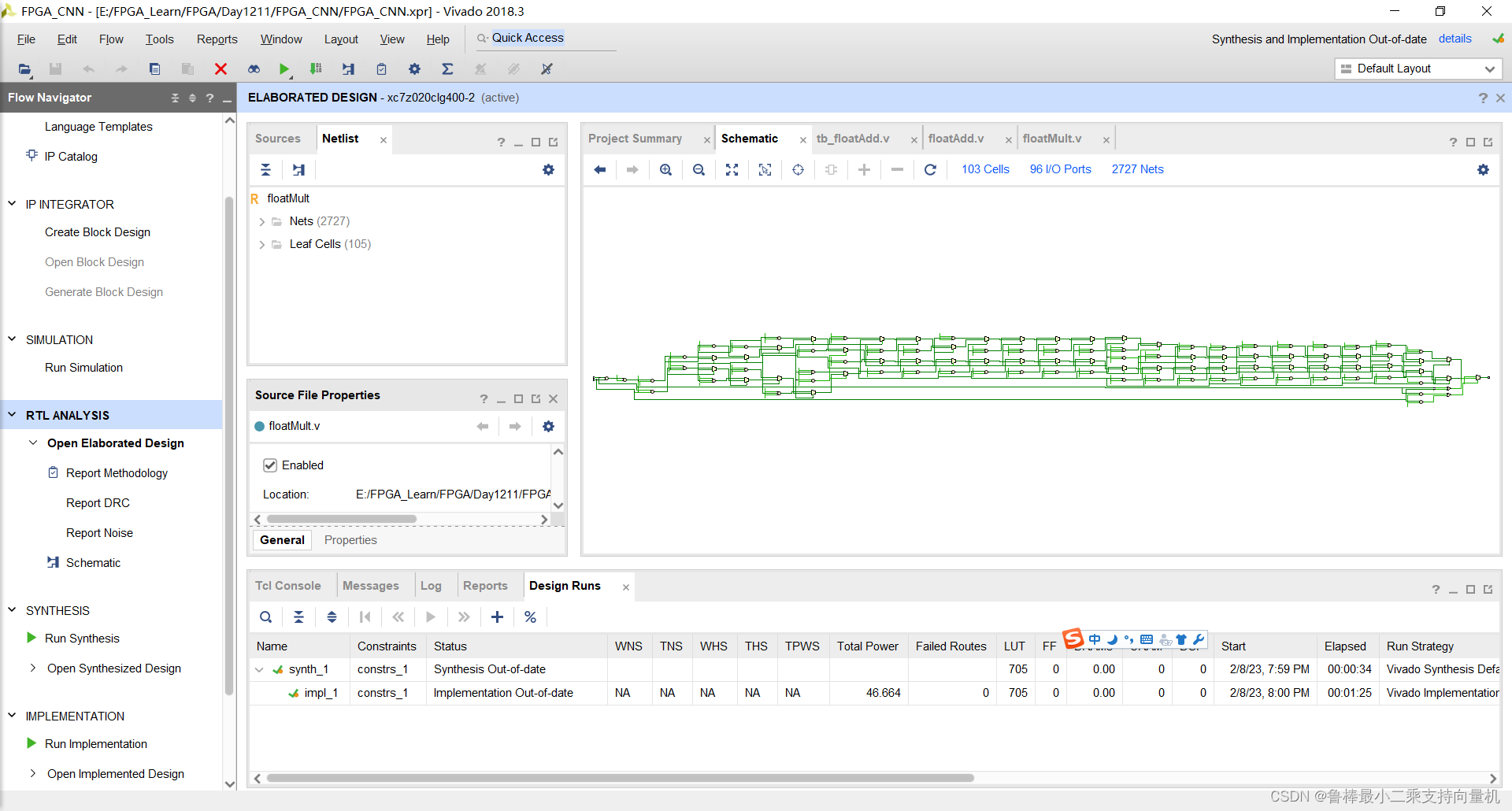
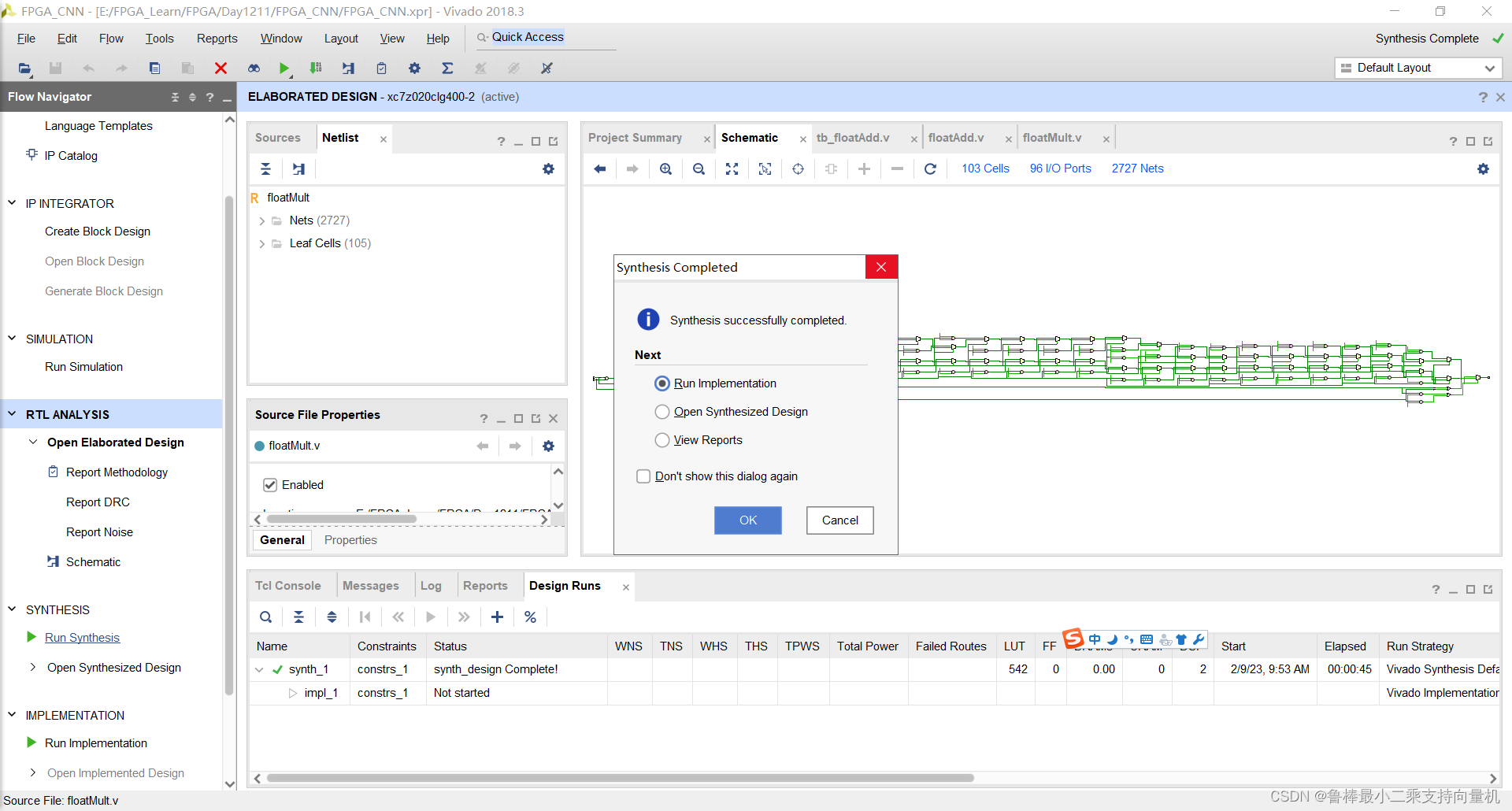
对设计进行综合,综合完成,关闭即可:
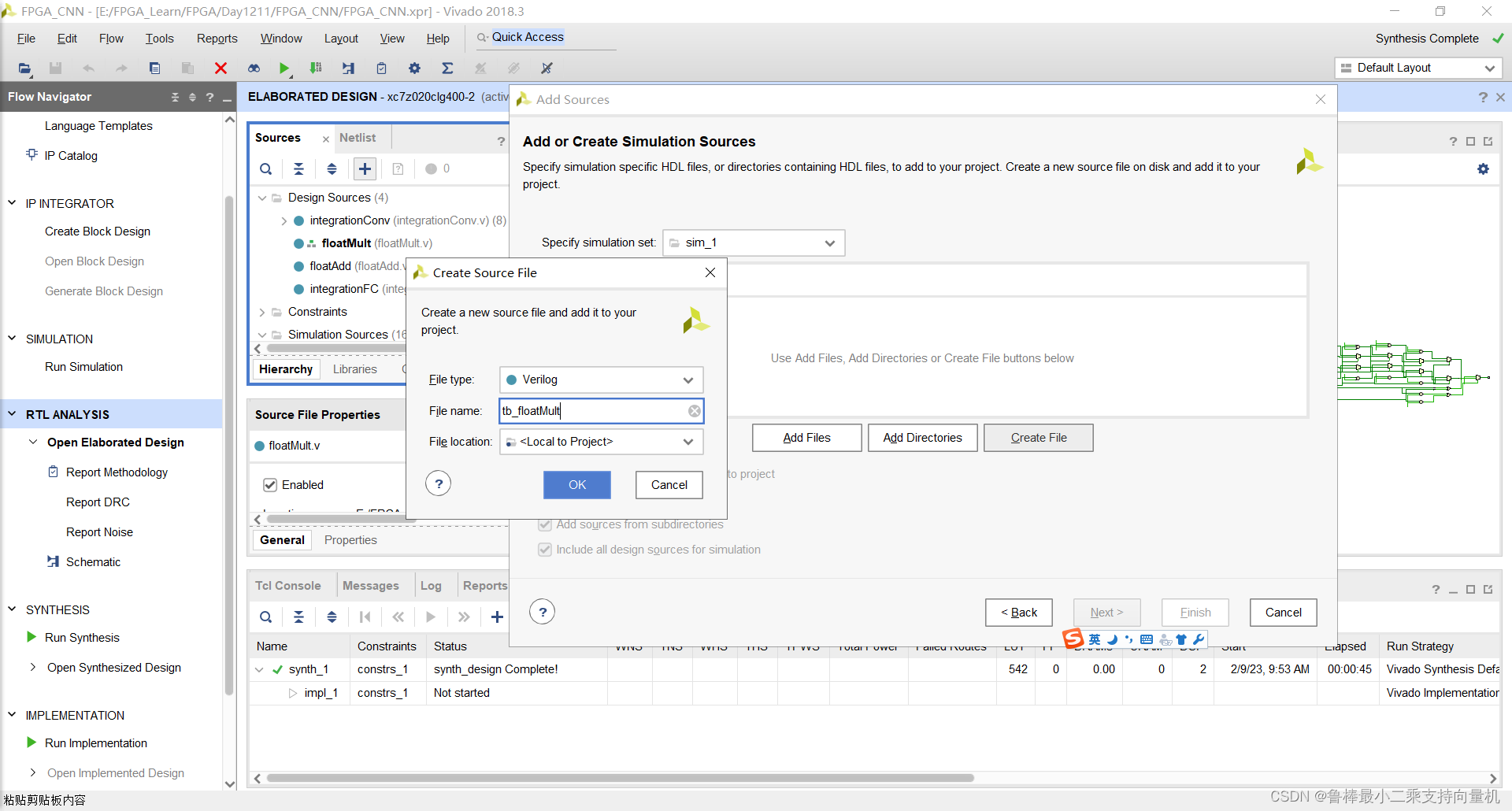
创建激励文件tb_floatMult:
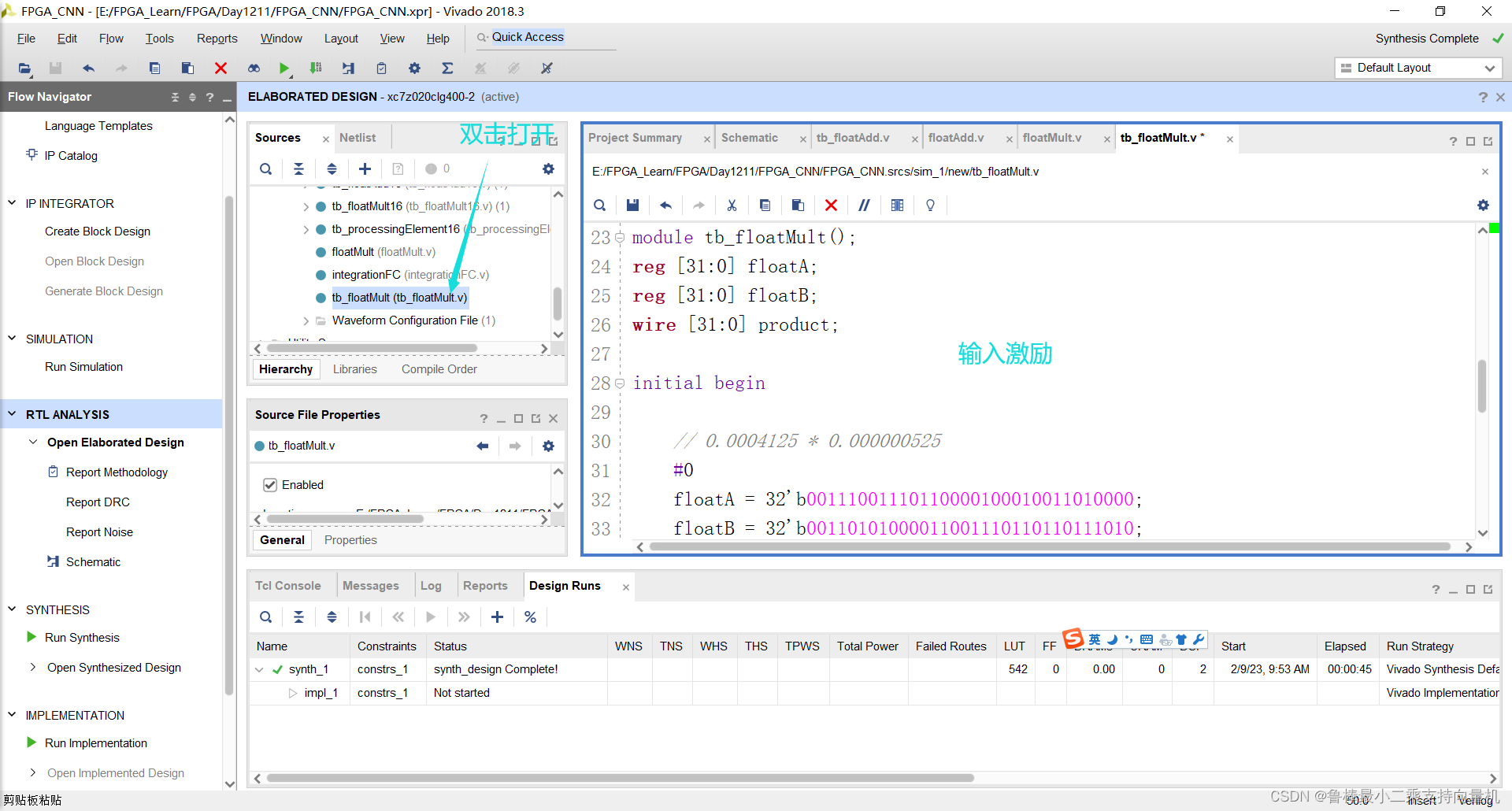
双击打开,输入激励:
`timescale 1ns / 1ps

module tb_floatMult();
reg [31:0] floatA;
reg [31:0] floatB;
wire [31:0] product;

initial begin

	// 0.0004125 * 0.000000525
	#0
	floatA = 32'b00111001110110000100010011010000;
	floatB = 32'b00110101000011001110110110111010;

	// 0.0004125 * 0
	#10
	floatA = 32'b00111001110110000100010011010000;
	floatB = 32'b00000000000000000000000000000000;

	#10
	$stop;
end

floatMult FM
(
	.floatA(floatA),
	.floatB(floatB),
	.product(product)
);

endmodule
如图所示:
将tb_floatMult设置为顶层:
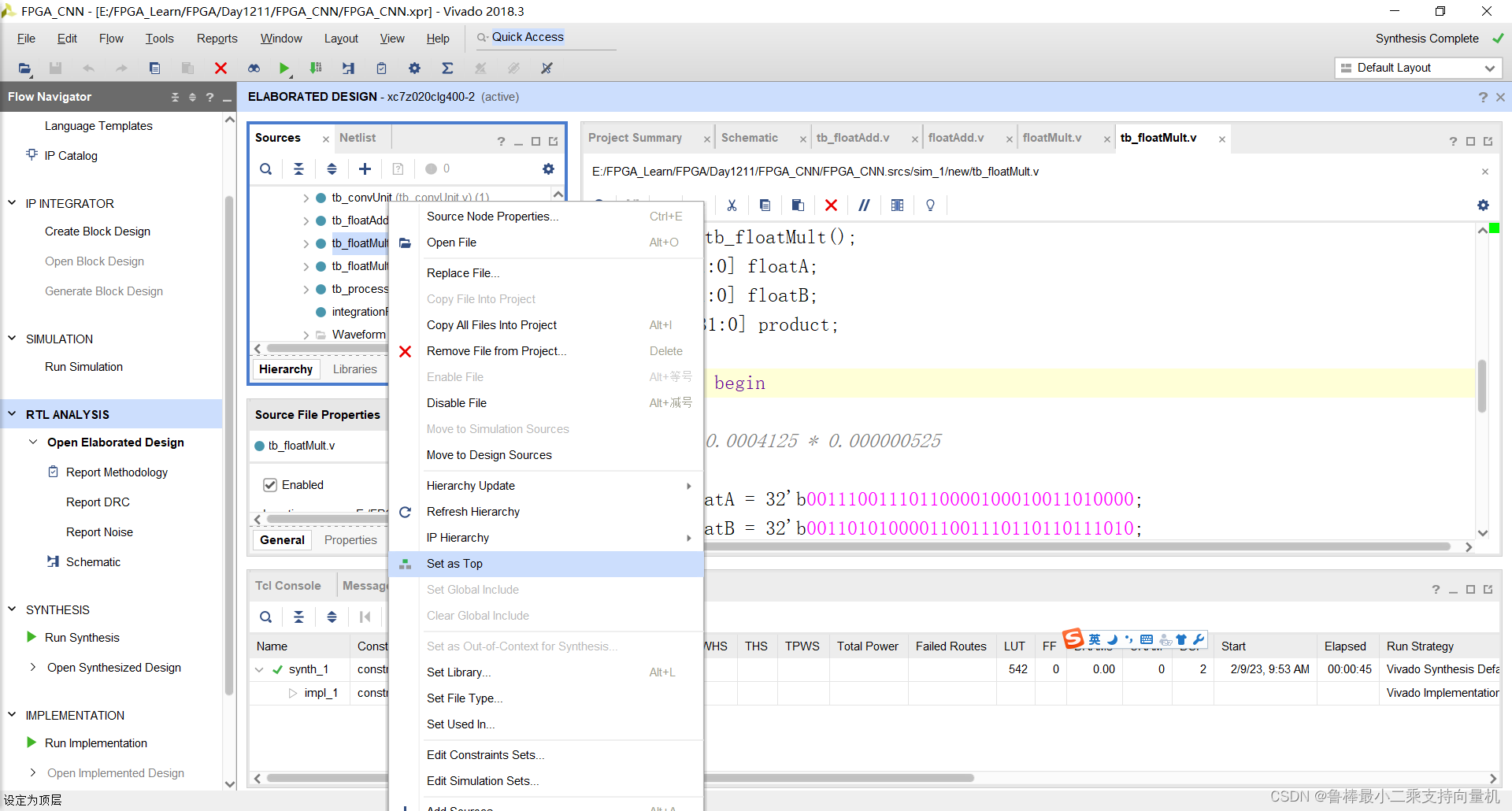
开始进行仿真:
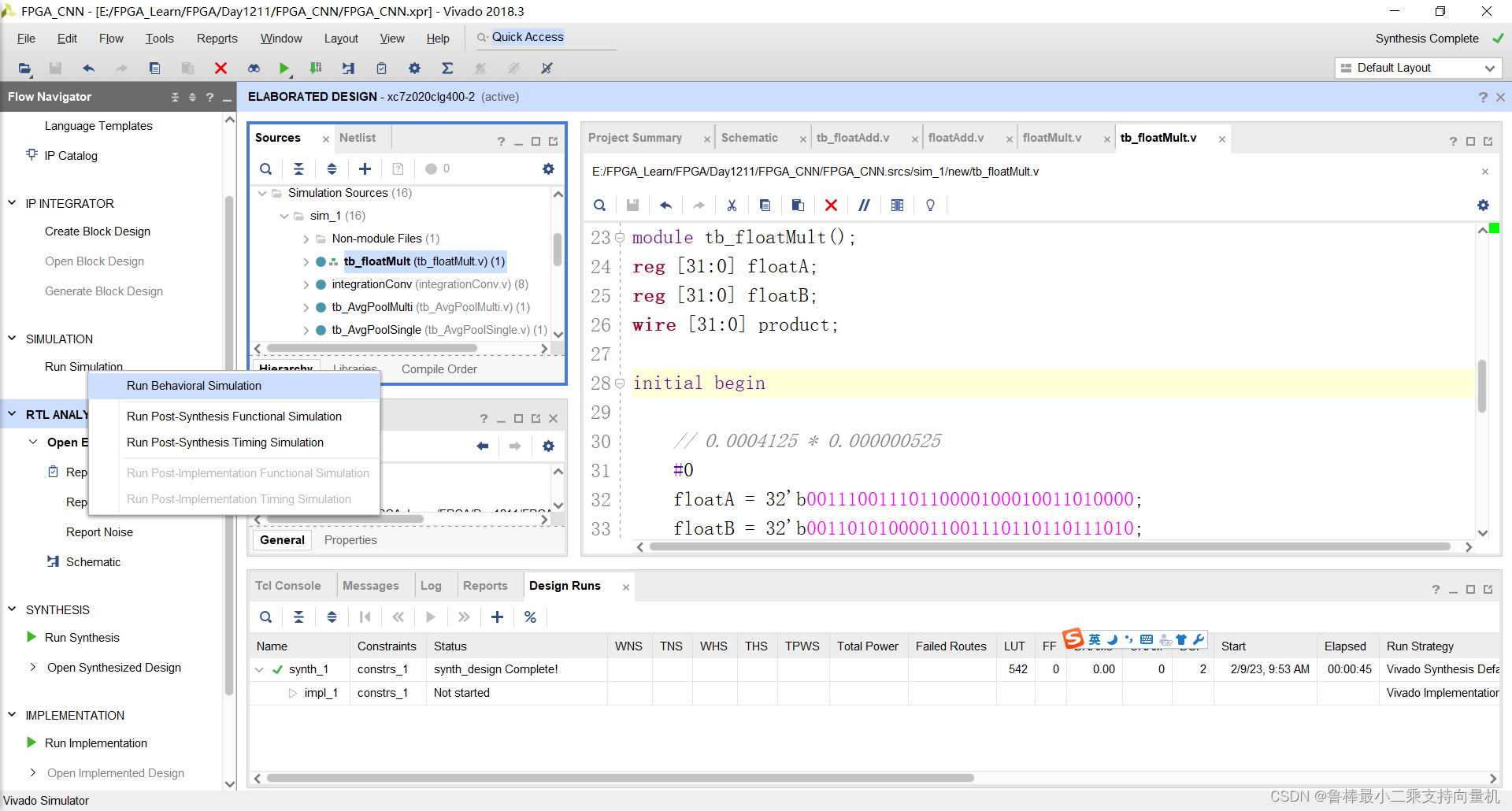
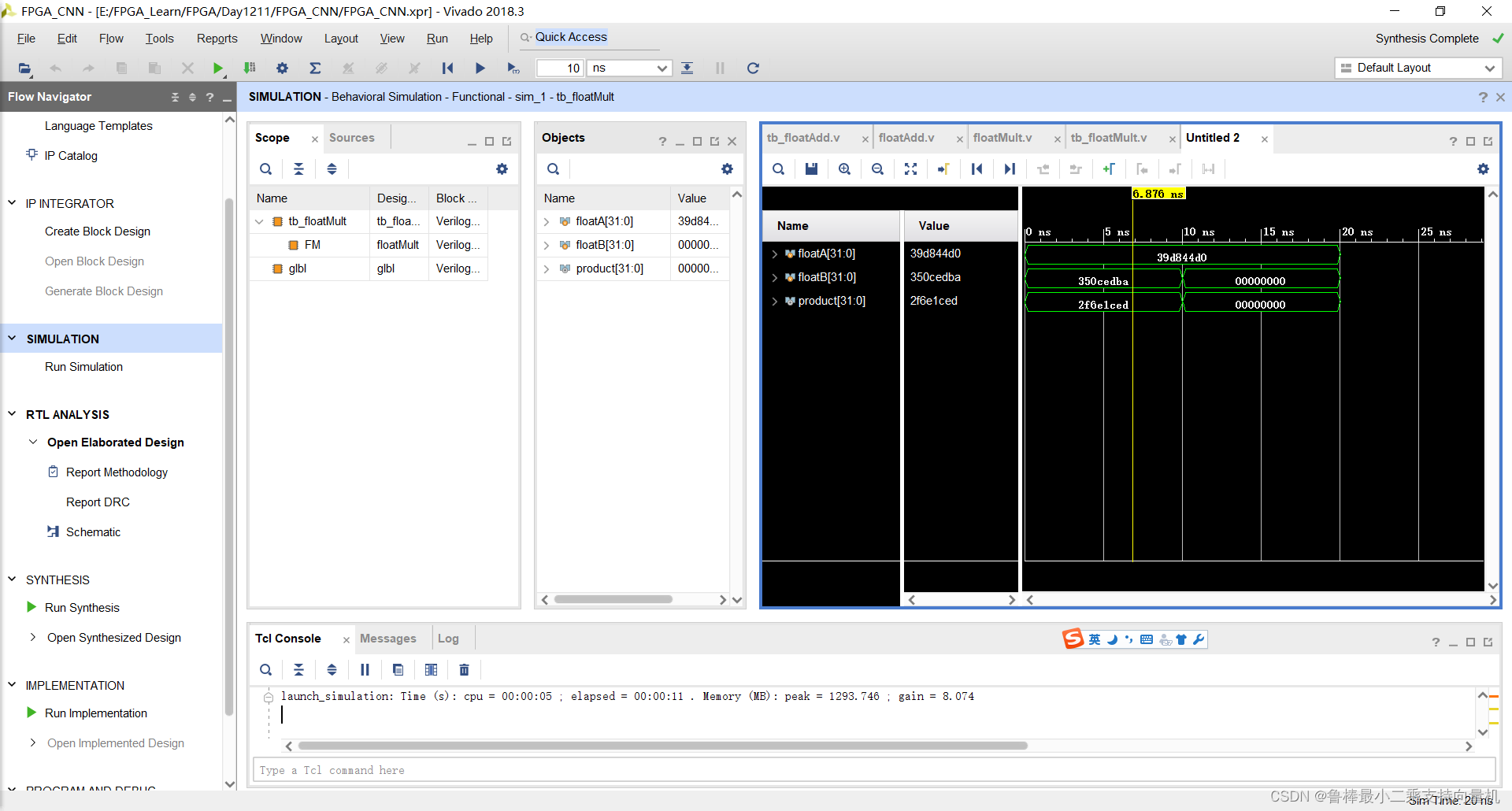
仿真波形如图:
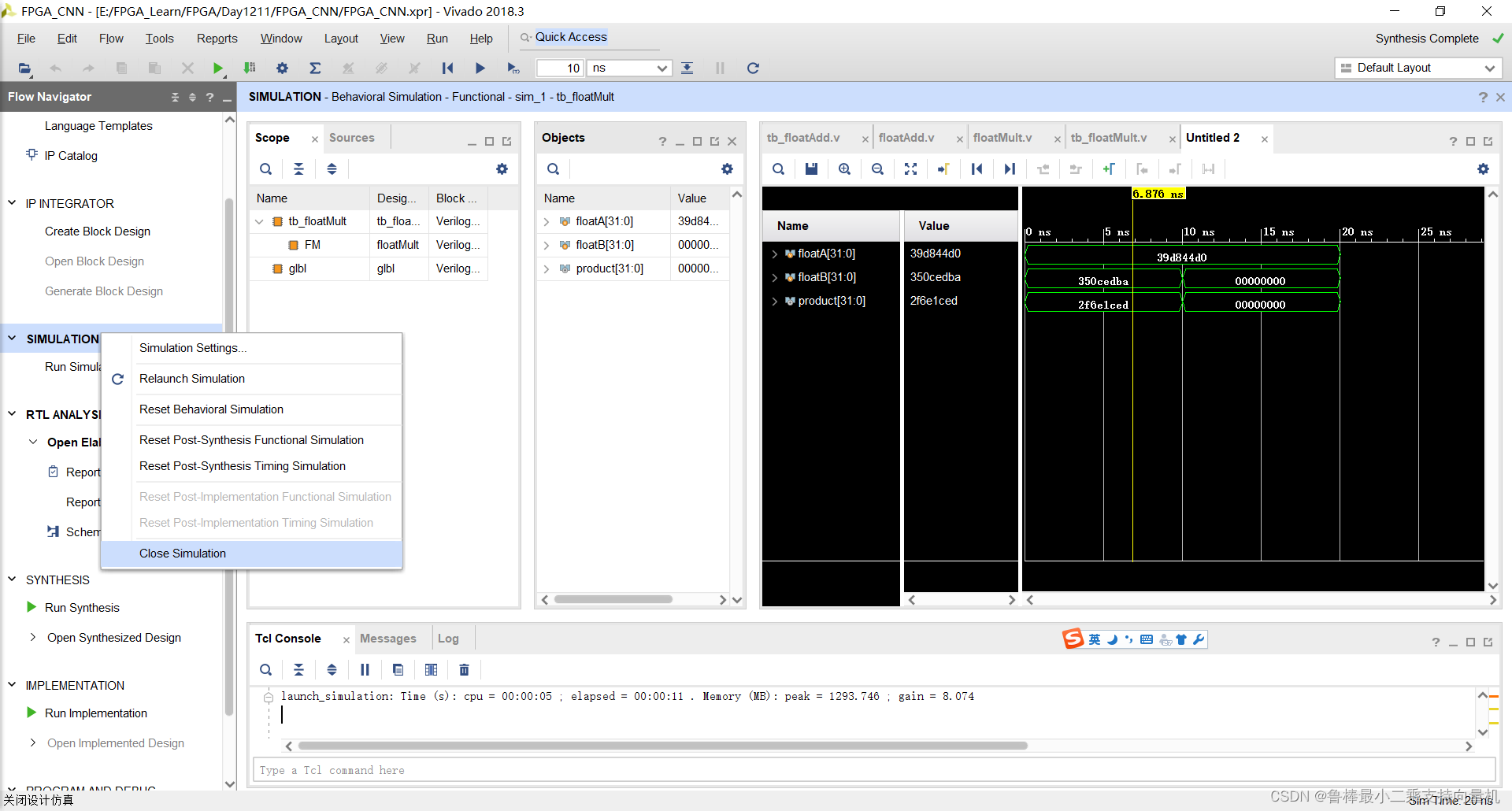
仿真结束,关闭仿真:
创建exponent文件,如图:
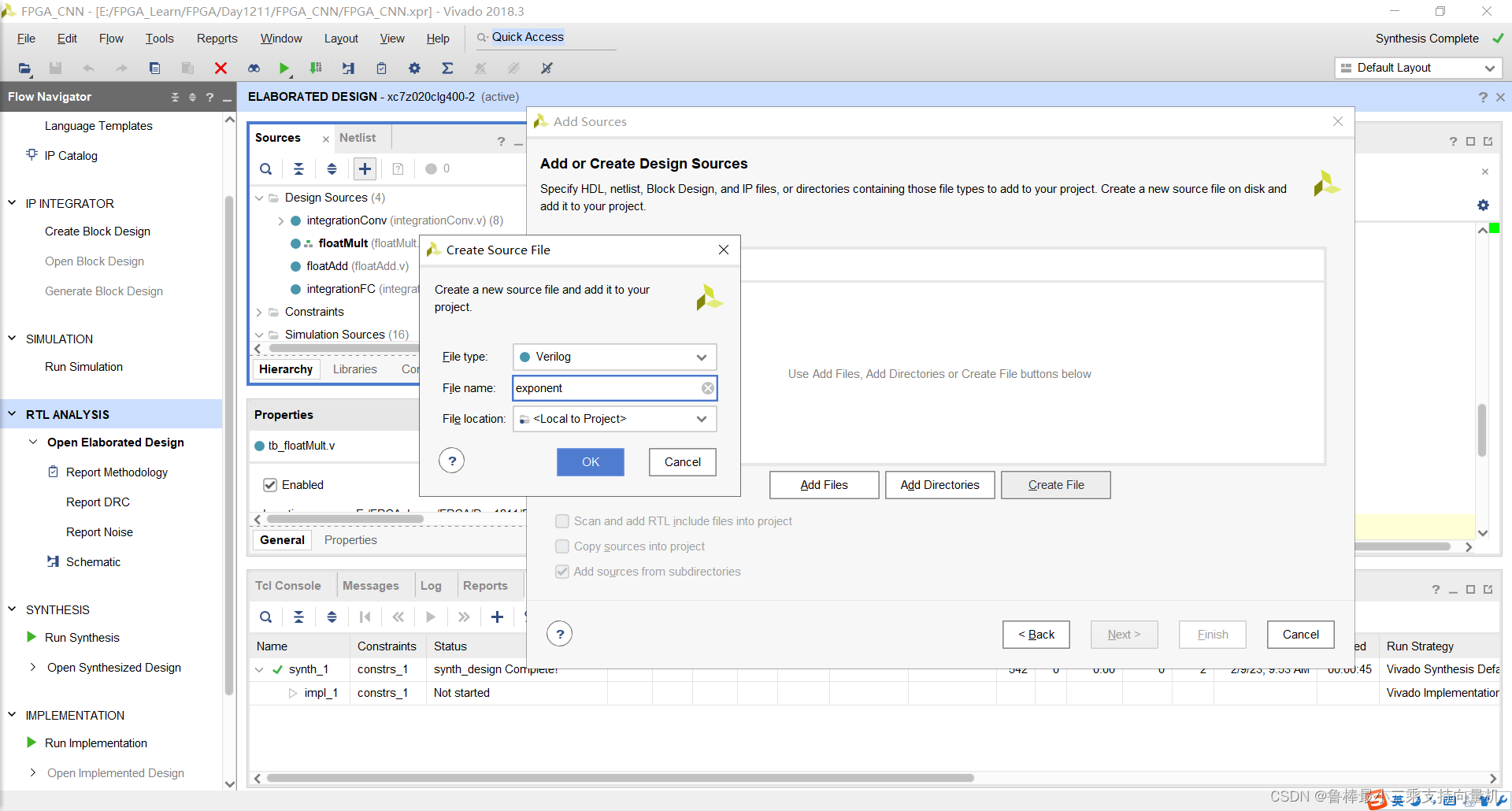
双击打开,输入代码:
module exponent (x,clk,enable,output_exp,ack);
parameter DATA_WIDTH=32;
localparam taylor_iter=7;
input [DATA_WIDTH-1:0] x;
input clk;
input enable;
output reg ack;
output reg [DATA_WIDTH-1:0] output_exp;

reg [DATA_WIDTH*taylor_iter-1:0] divisors; // 1/6 1/5 1/4 1/3 1/2 1 1
reg [DATA_WIDTH-1:0] mult1; //is 1 in the first cycle and then the output of the second multiplication in the rest
reg [DATA_WIDTH-1:0] one_or_x; //one in the first cycle and then x for the rest
wire [DATA_WIDTH-1:0] out_m1; //output of the first multiplication which is either with 1 or x
wire [DATA_WIDTH-1:0] out_m2; //the output of the second muliplication and the input of the first
wire [DATA_WIDTH-1:0] output_add1;
reg [DATA_WIDTH-1:0] out_reg; //the output of the Addition each cycle

floatMult FM1 (mult1,one_or_x,out_m1);
floatMult FM2 (out_m1,divisors[31:0],out_m2);
floatAdd FADD1 (out_m2,out_reg,output_add1);

always @ (posedge clk) begin
    if(enable==1'b0) begin
        one_or_x=32'b00111111100000000000000000000000; //initially 1
        mult1=32'b00111111100000000000000000000000; //initially 1
        out_reg=32'b00000000000000000000000000000000; //initially 0
        output_exp=32'b00000000000000000000000000000000; //output zero until ack is 1
        divisors=224'b00111110001010101010101010101011_00111110010011001100110011001101_00111110100000000000000000000000_00111110101010101010101010101011_00111111000000000000000000000000_00111111100000000000000000000000_00111111100000000000000000000000;
        ack=1'b0; // acknowledge is 0 at the beginning
    end
    else begin
	   one_or_x=x;
	   mult1=out_m2; //get the output of the second multiplication to multiply with x
	   divisors=divisors>>32; //shift 32 bit to divide the out_m1 with the new number to compute the factorial
	   out_reg=output_add1;
	   if(divisors==224'b00000000000000000000000000000000000000000000000000000000000000000000000000000000000000000000000000000000000000000000000000000000000000000000000000000000000000000000000000000000000000000000000000000000000000000000000000000000)
	   begin
		  output_exp=output_add1;
		  ack=1'b1;
	   end
	  end
end

endmodule
如图所示:
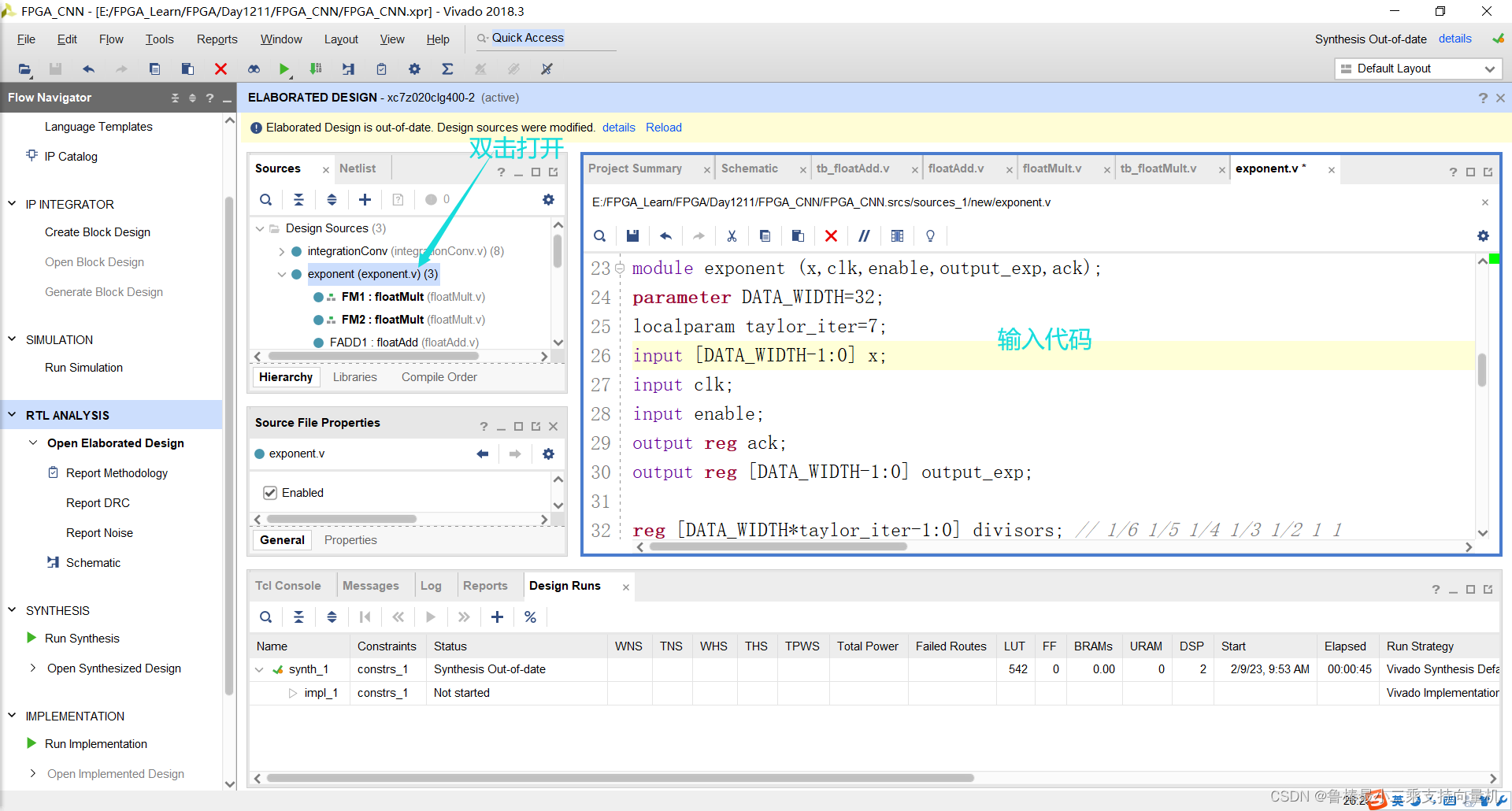
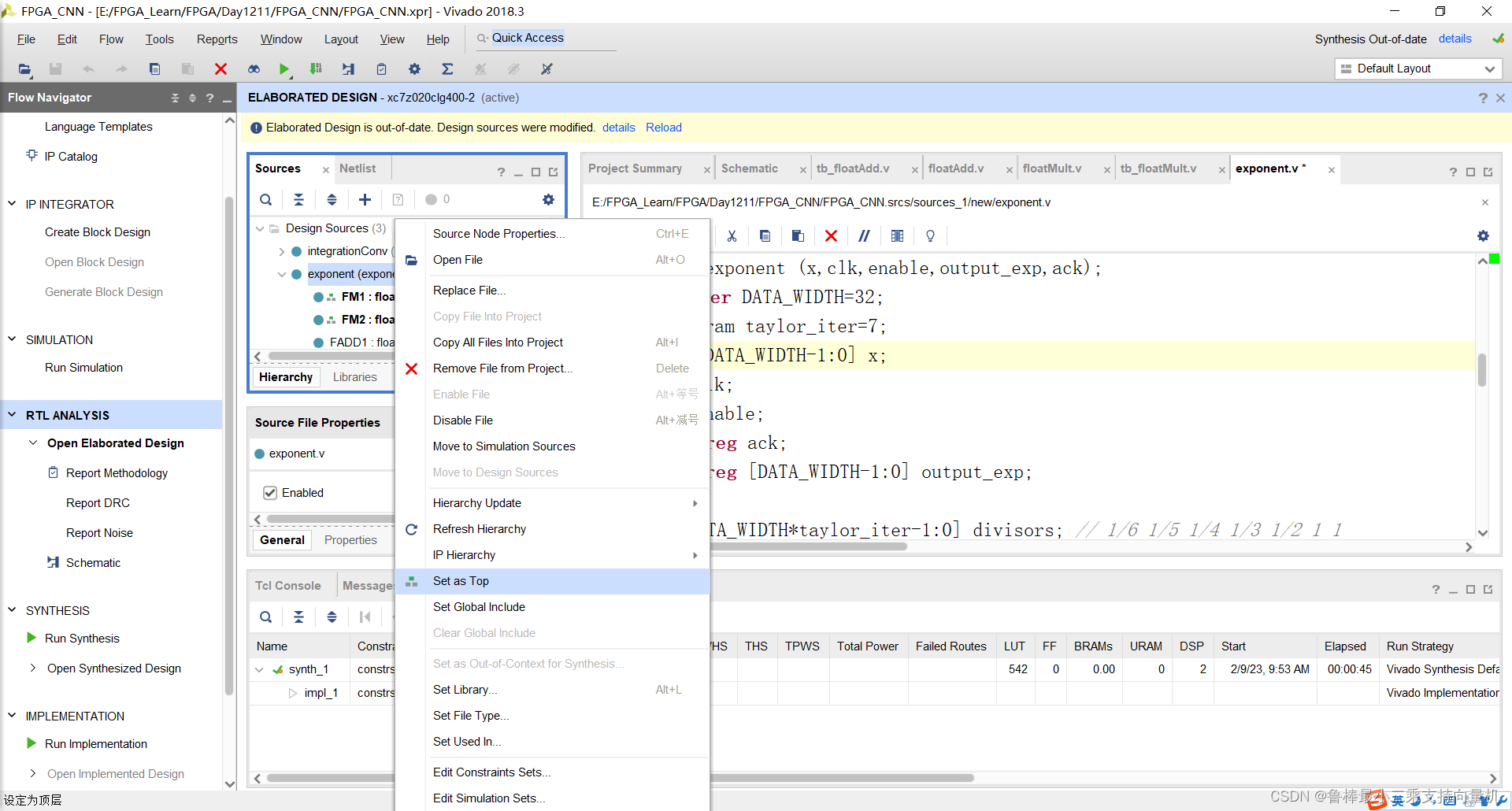
将exponent文件设置为顶层:
关闭上次的分析文件:
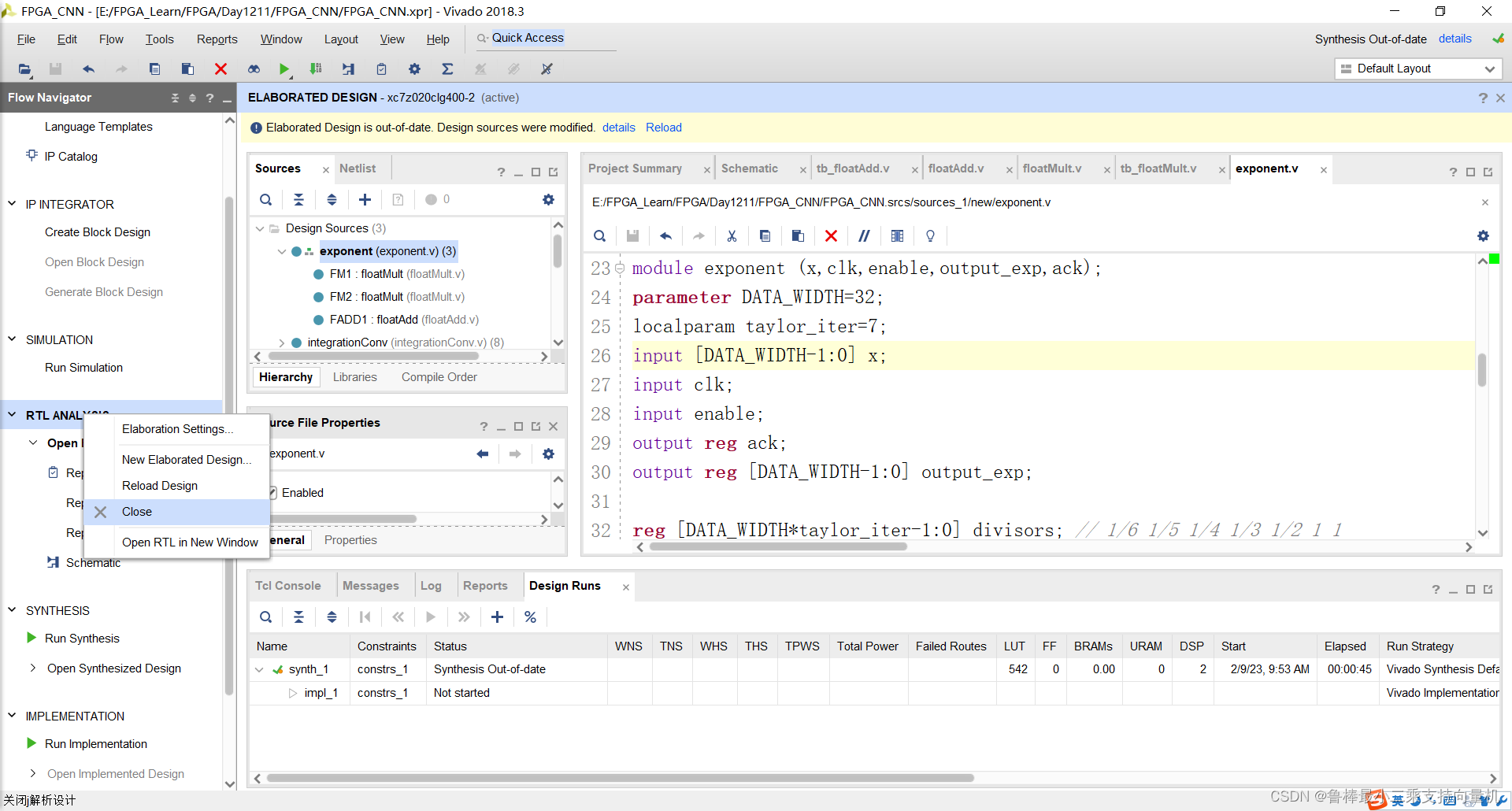
对本次设计进行分析,操作如图:
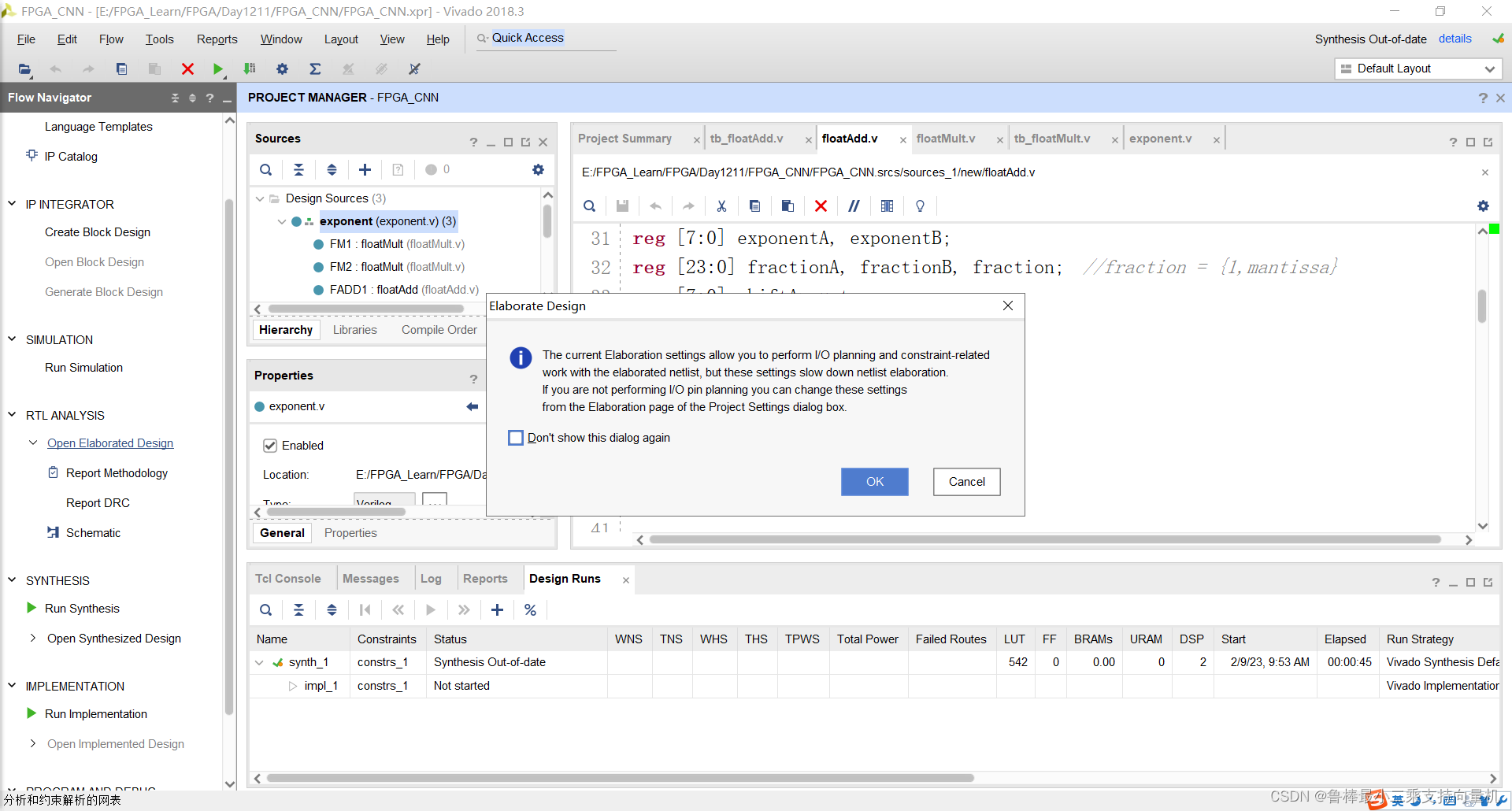
分析后的设计,Vivado自动生成原理图,如图:
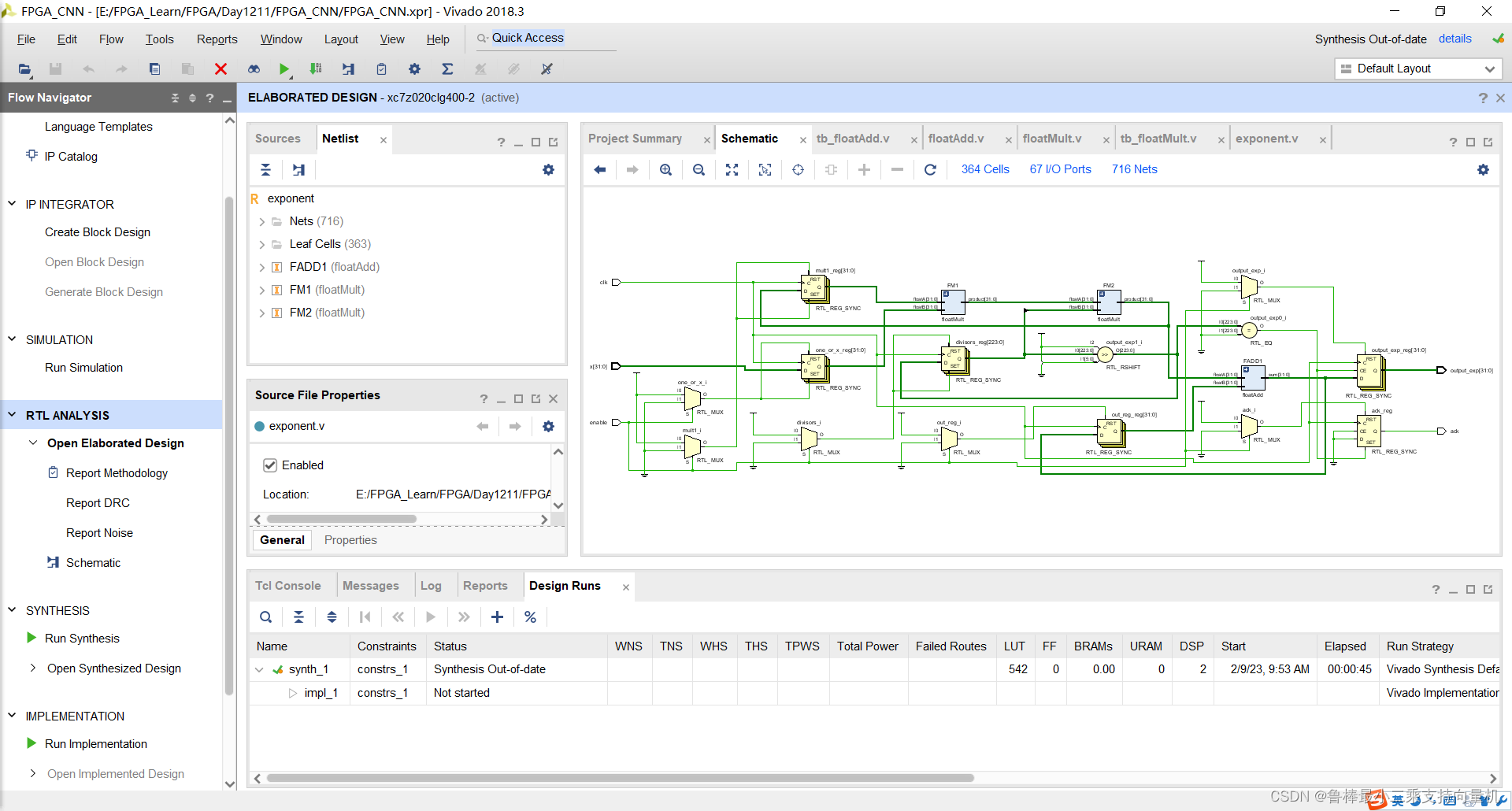
对设计进行综合,操作如图:
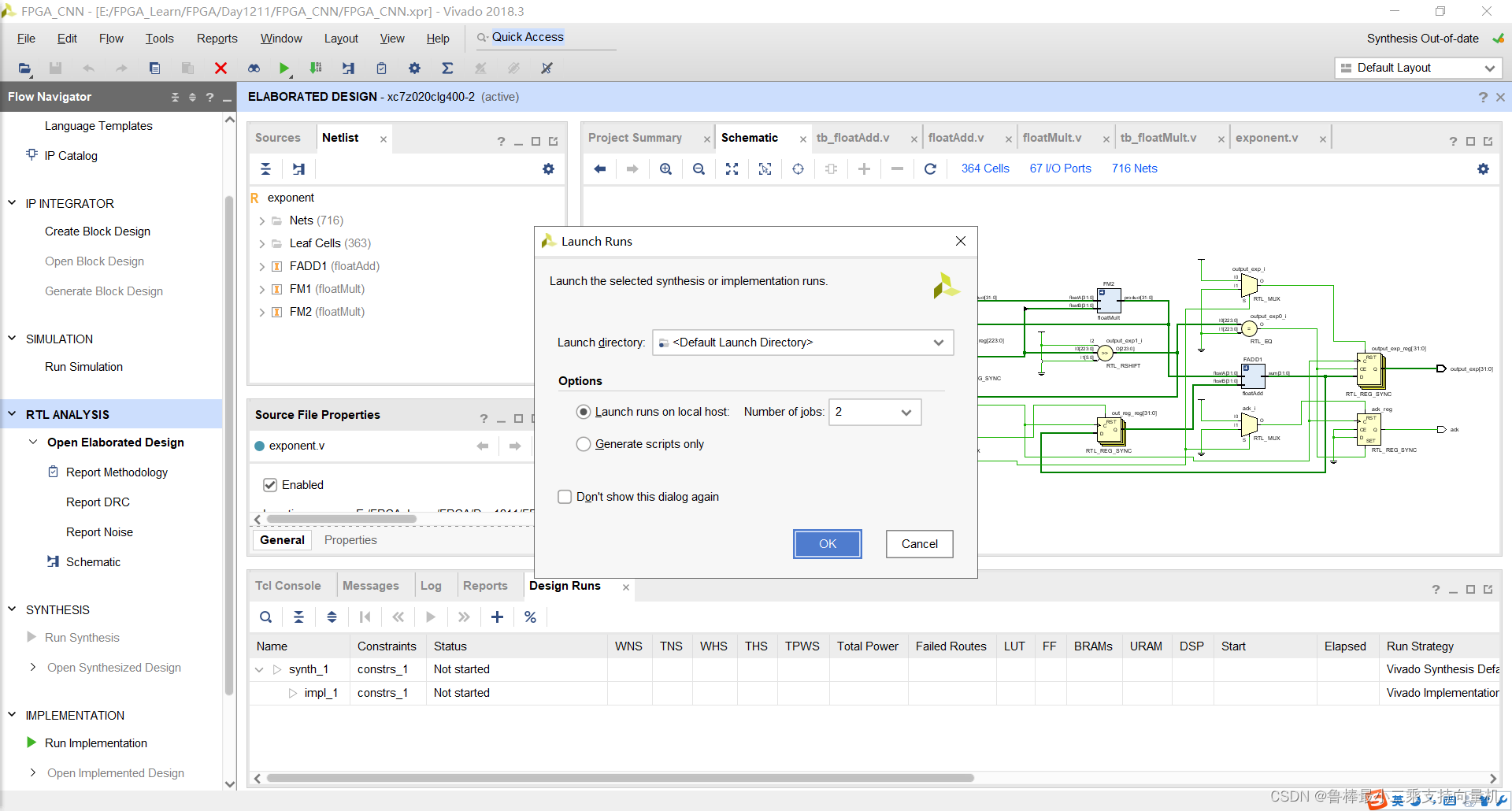
综合完成,关闭即可:
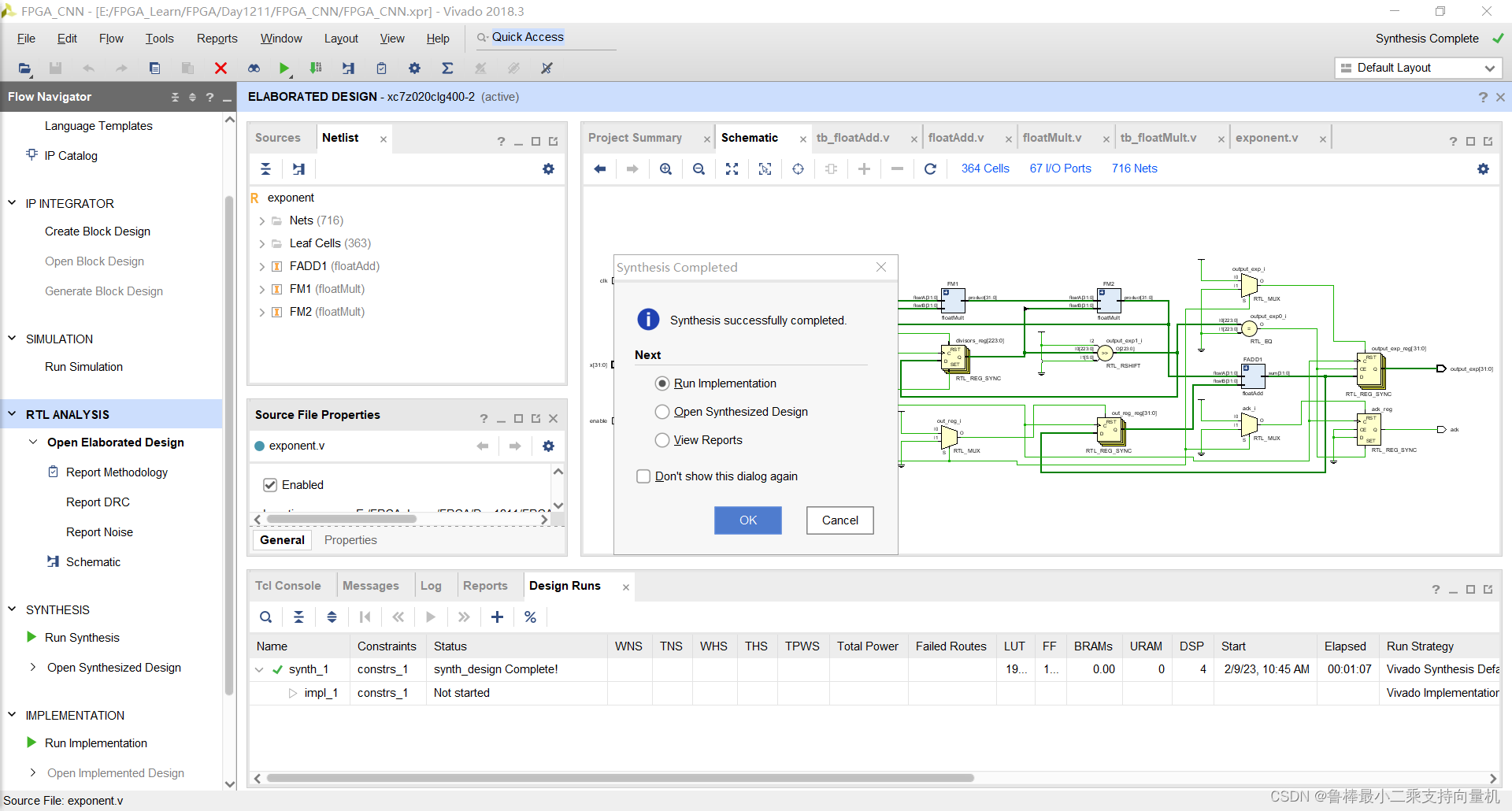
创建TestBench,操作如图所示:
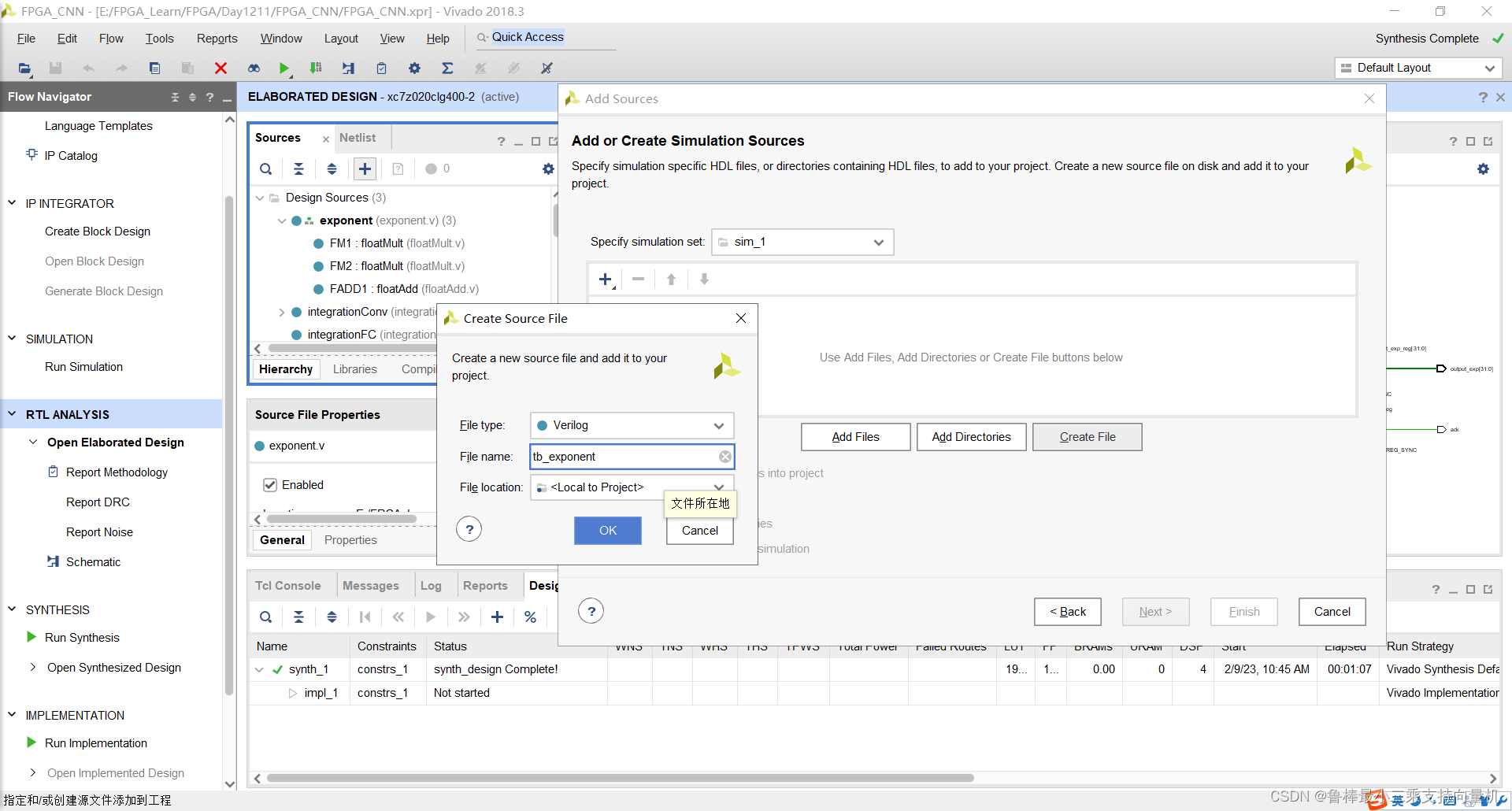
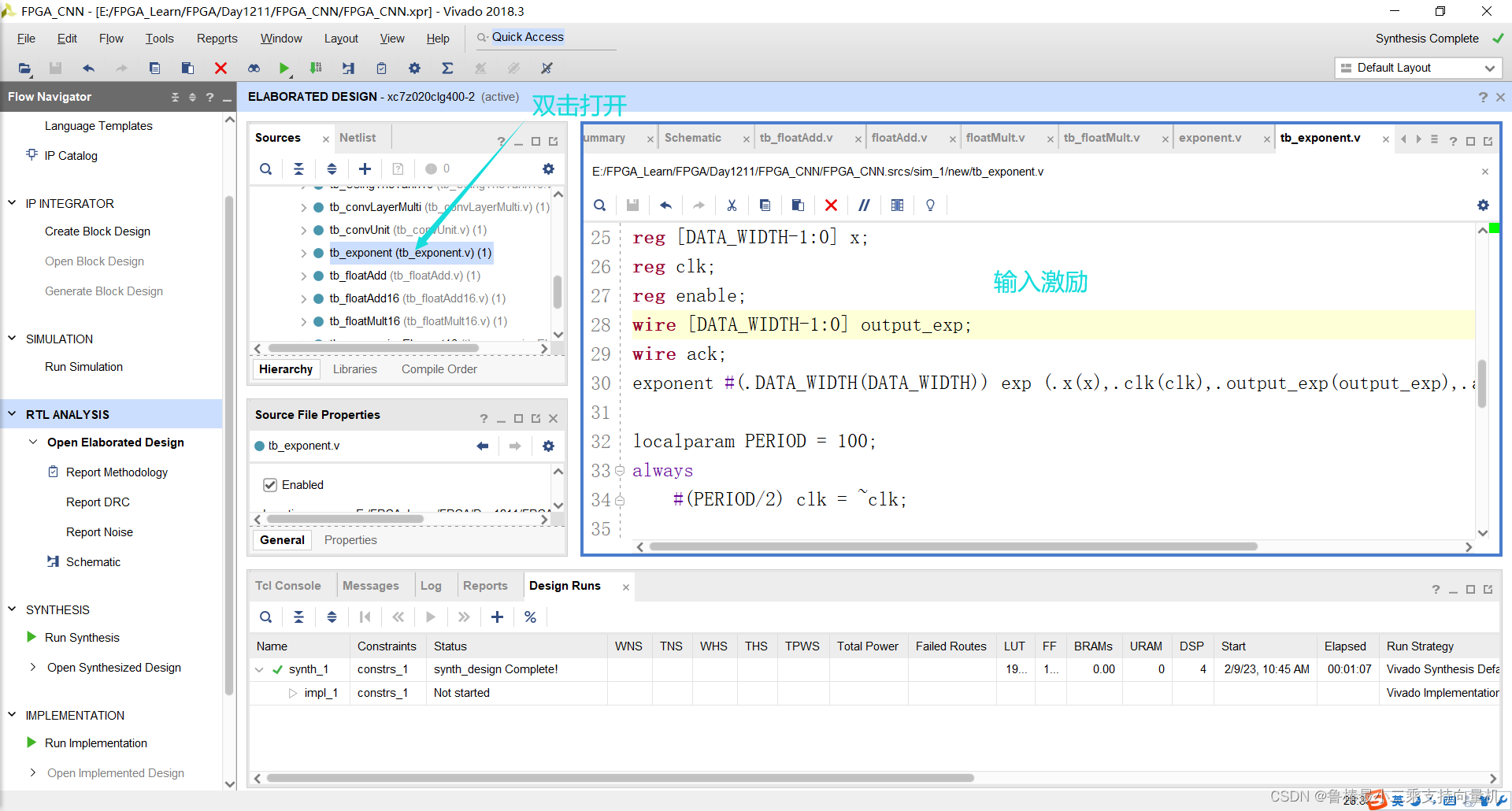
双击打开,输入激励代码:
`timescale 1ns / 1ps

module tb_exponent();
localparam DATA_WIDTH=32;
reg [DATA_WIDTH-1:0] x;
reg clk;
reg enable;
wire [DATA_WIDTH-1:0] output_exp;
wire ack;
exponent #(.DATA_WIDTH(DATA_WIDTH)) exp (.x(x),.clk(clk),.output_exp(output_exp),.ack(ack),.enable(enable));

localparam PERIOD = 100;
always
	#(PERIOD/2) clk = ~clk;

initial begin
	clk=1'b1;
	x=32'b00111111010101100110110011110100; //0.8376
	enable=1'b0;
	#(PERIOD);
	enable=1'b1;
	while (ack!=1'b1) begin //7 clock cycles to finish
		#(PERIOD);
	end
	//output is 2.31074953079 and real should be 2.310814361840001
	x=32'b10111111011101011100001010001111; //-0.96
	enable=1'b0;
   	#(PERIOD);
   	enable=1'b1;
    	while (ack!=1'b1) begin //7 clock cycles to finish
        	#(PERIOD);
    	end
	//output is 0.383025914431 and real should be 0.38289288597511206
end

endmodule
如图所示:
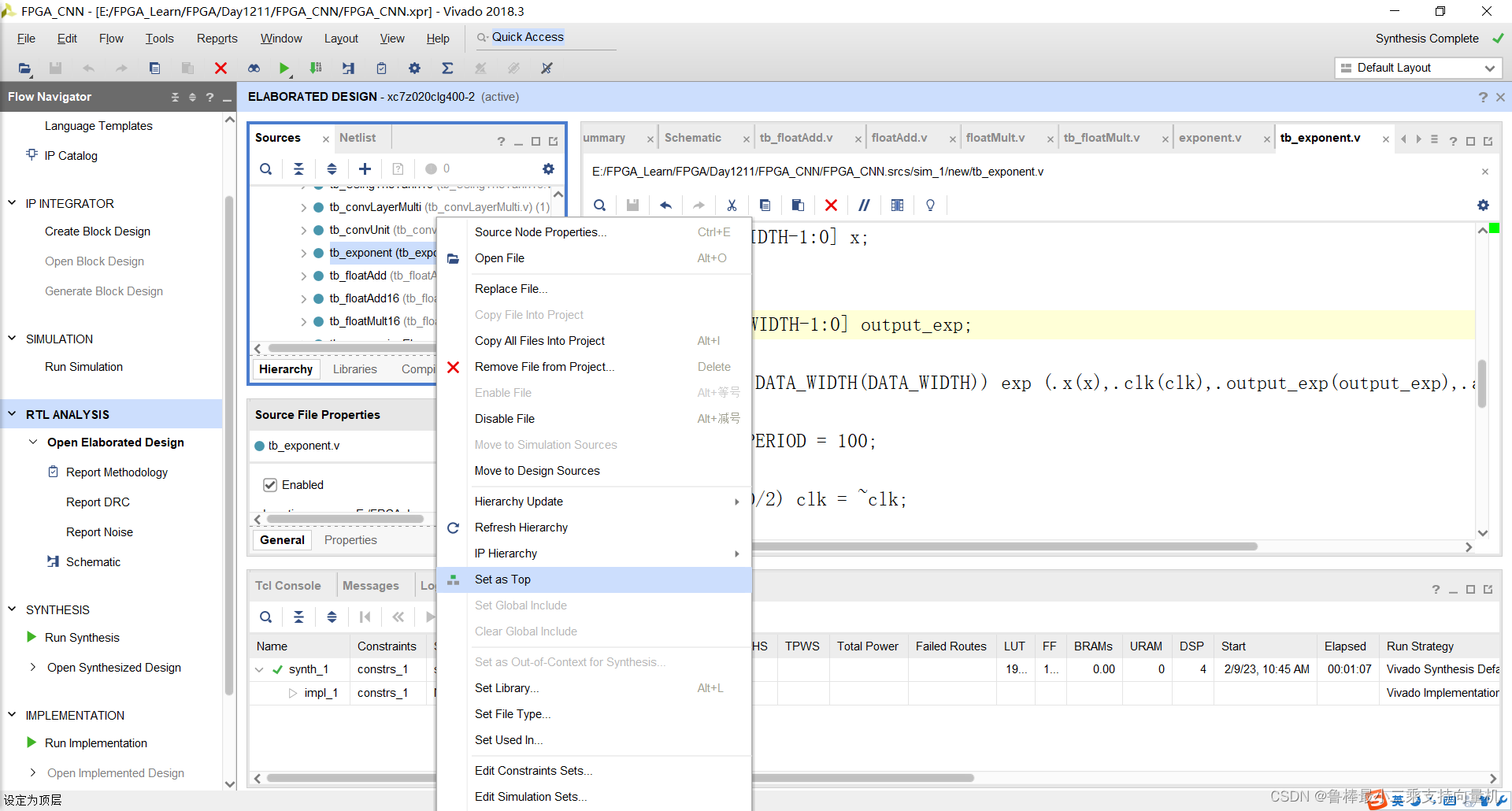
将tb_exponent设置为顶层:
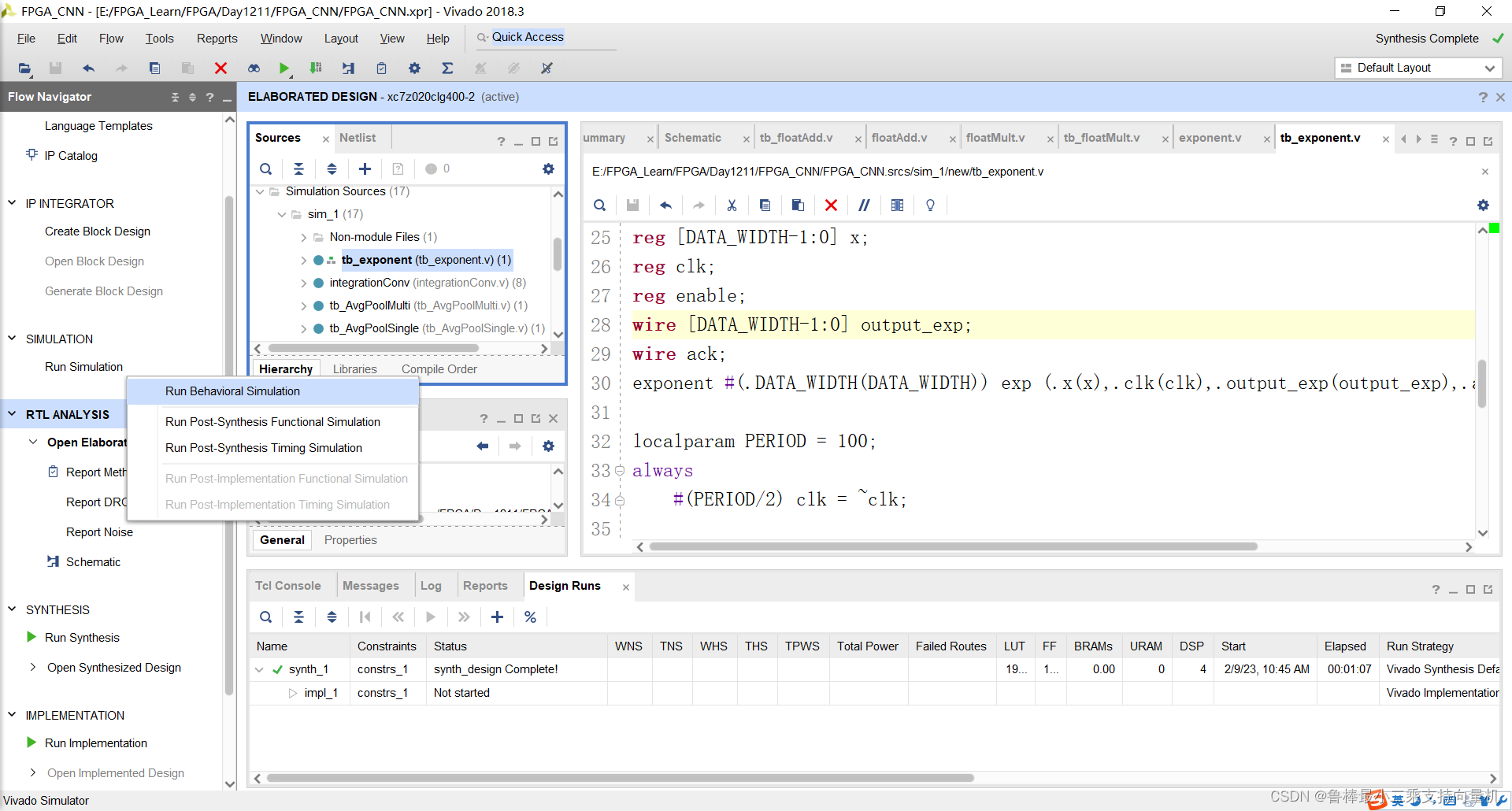
开始进行仿真,操作如图:
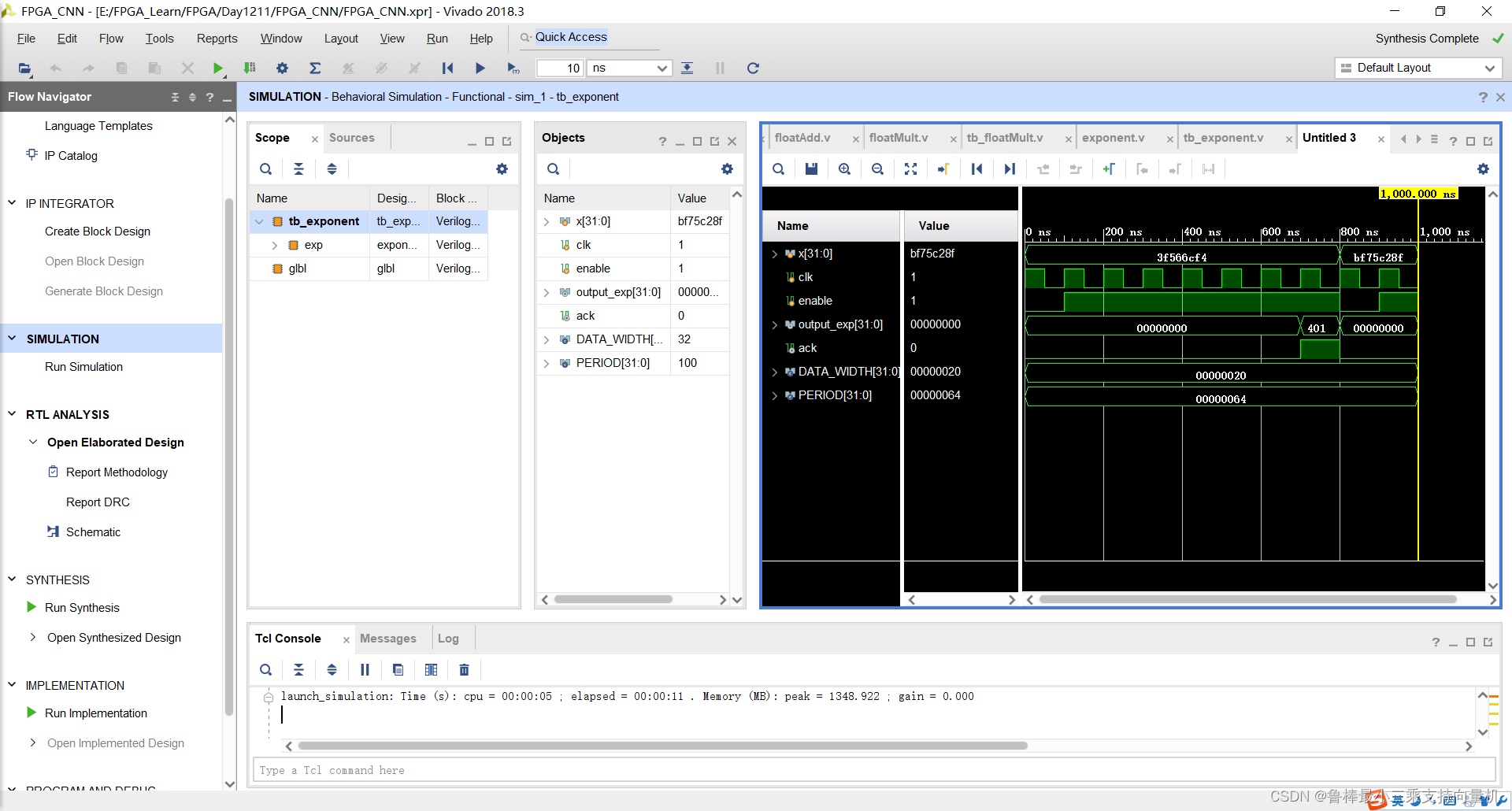
仿真波形,如图:
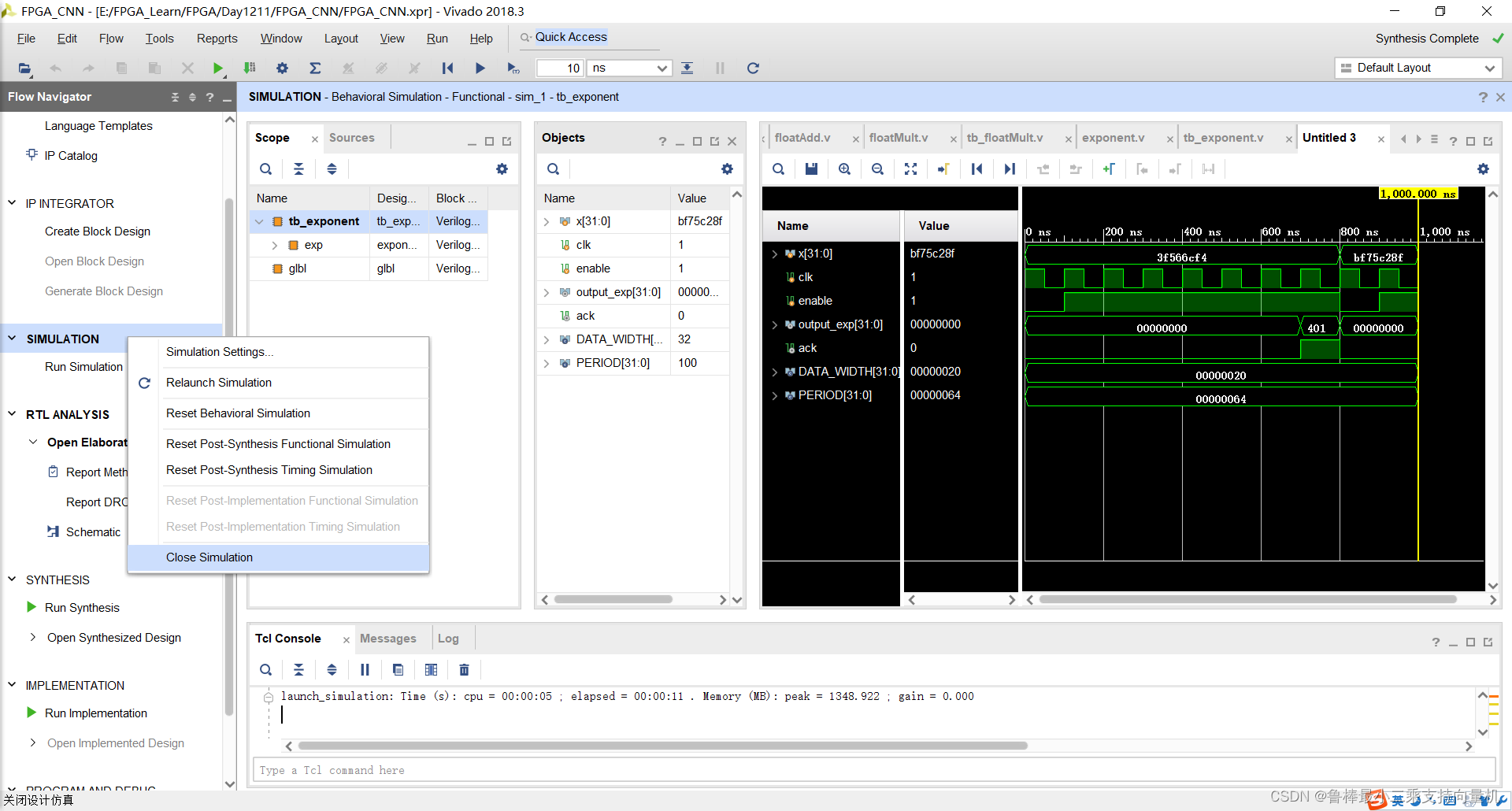
仿真完成,关闭:
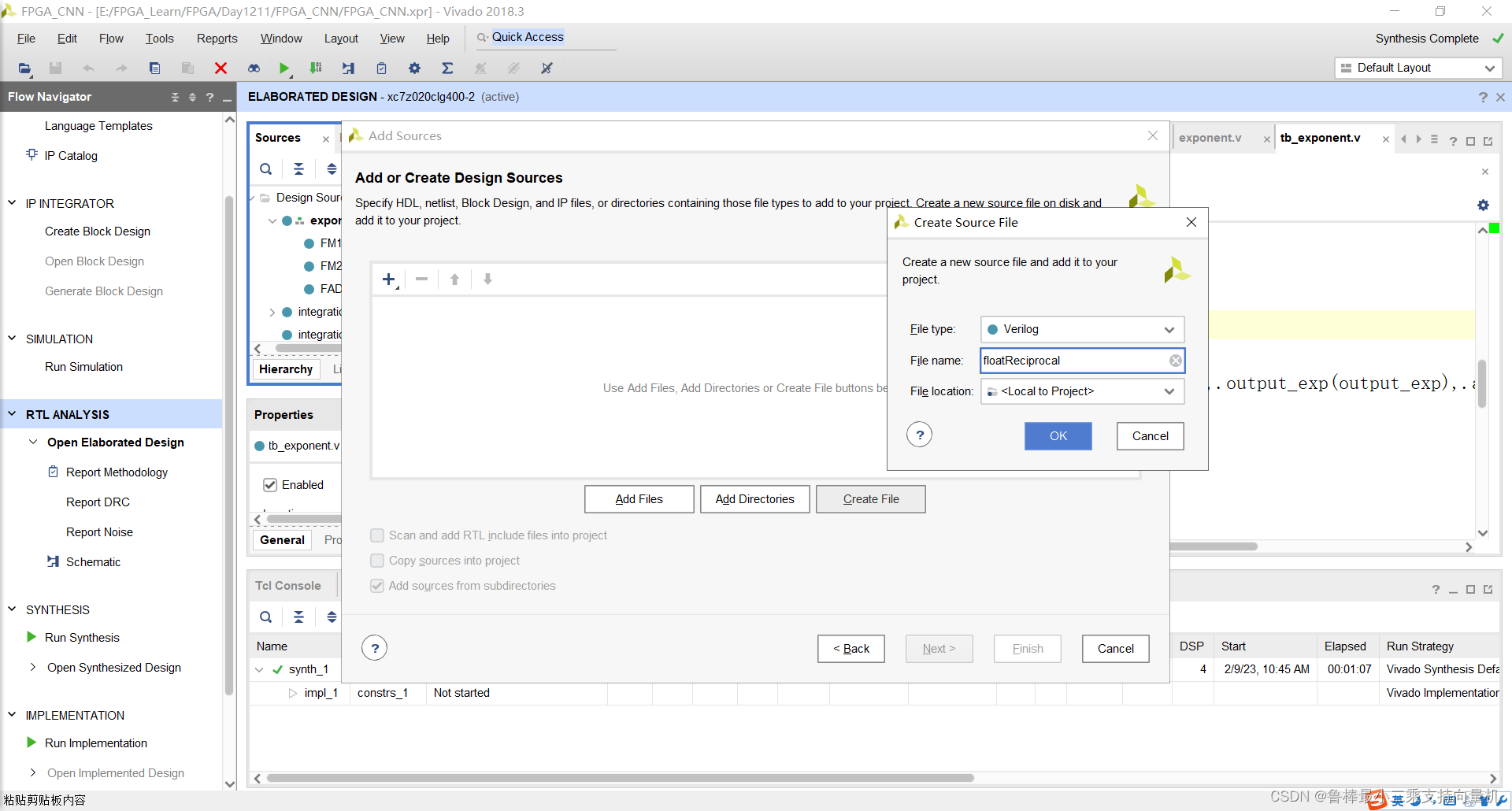
创建floatReciprocal文件,如图:
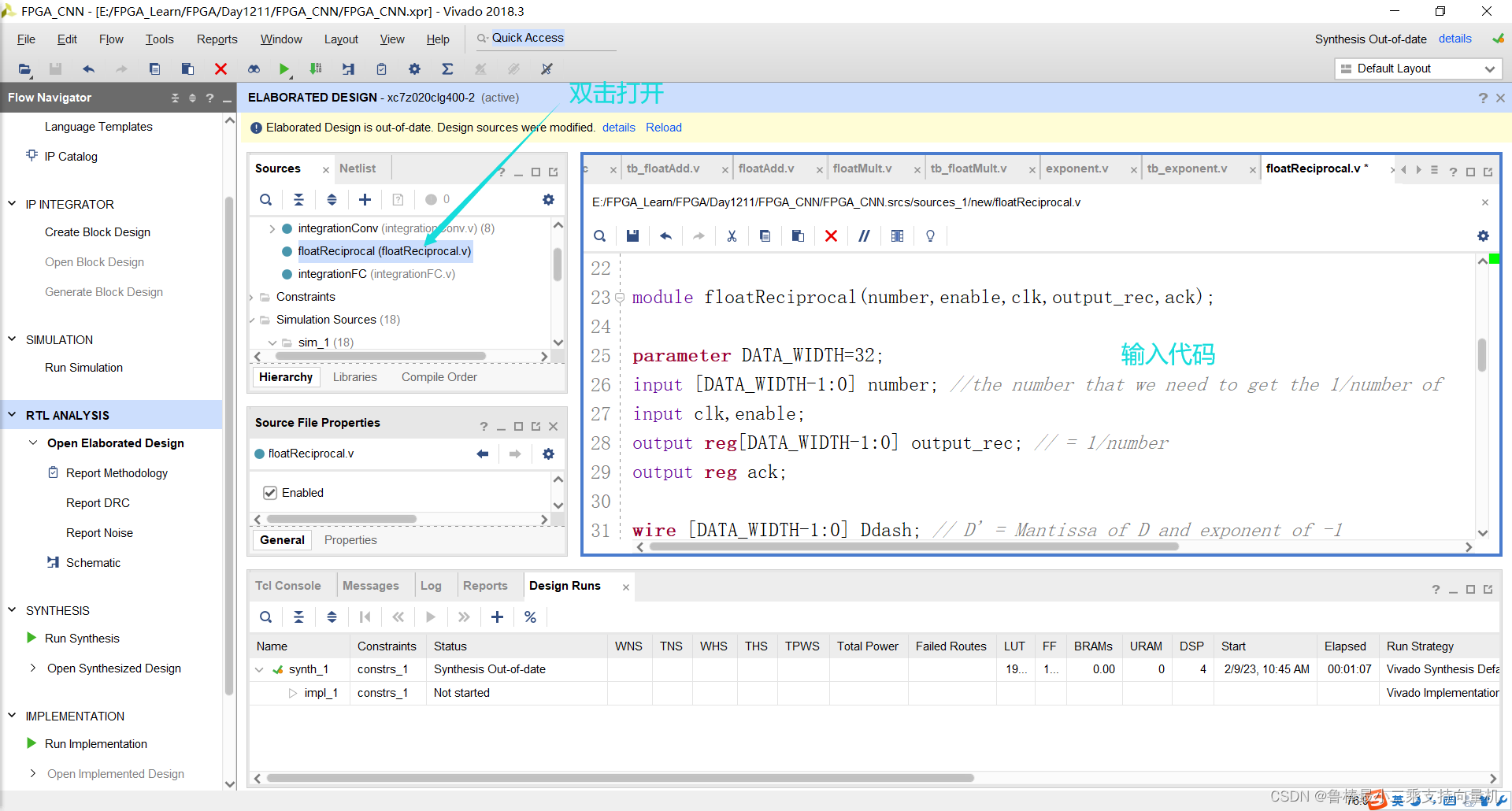
双击打开,输入代码:
module floatReciprocal(number,enable,clk,output_rec,ack);

parameter DATA_WIDTH=32;
input [DATA_WIDTH-1:0] number; //the number that we need to get the 1/number of
input clk,enable;
output reg[DATA_WIDTH-1:0] output_rec; // = 1/number
output reg ack;

wire [DATA_WIDTH-1:0] Ddash; // D' = Mantissa of D and exponent of -1
wire [DATA_WIDTH-1:0] P2Ddash; // (-32/17) * D'
wire [DATA_WIDTH-1:0] Xi ; // X[i]= 43/17 - (32/17)D'
wire [DATA_WIDTH-1:0] Xip1; //X[i+1]
wire [DATA_WIDTH-1:0] out0; // Xi*D
wire [DATA_WIDTH-1:0] out1; // 1-Xi*D
wire [DATA_WIDTH-1:0] out2; // X*(1-Xi*D)
reg  [DATA_WIDTH-1:0] mux;

localparam P1=32'b01000000001101001011010010110101; // 43/17
localparam P2=32'b10111111111100001111000011110001; // -32/17

assign Ddash={{1'b0,8'b01111110},number[22:0]};

floatMult FM1 (P2,Ddash,P2Ddash); // -(32/17)* D'
floatAdd FADD1 (P2Ddash,P1,Xi); // 43/17 * (-32/17)D'
floatMult FM2 (mux,Ddash,out0); // Xi*D'
floatAdd FSUB1 (32'b00111111100000000000000000000000,{1'b1,out0[DATA_WIDTH-2:0]},out1); // 1-Xi*D
floatMult FM3 (mux,out1,out2); // X*(1-Xi*D)
floatAdd FADD2 (mux,out2,Xip1); //Xi+Xi*(1-D*Xi)

/*always @(number) begin
	//when a new input is entered the ack signal is reset and the mux is Xi
	ack=1'b0; //reset finish bit
	reset=1'b1;
end*/


always @ (negedge clk) begin
	if (enable==1'b0) begin
		mux=Xi;
		ack=1'b0;
	end
	else begin
		if(mux==Xip1) begin
			ack=1'b1; //set ack bit to show that the division is done
			output_rec={{number[31],8'b11111101-number[30:23]},Xip1[22:0]}; //sign of number, new exponent, mantissa of Xip1
		end
		else begin
			mux=Xip1; //continue until ack is 1
		end
	end

end

endmodule
如图所示:
将floatReciprocal文件设置为顶层:
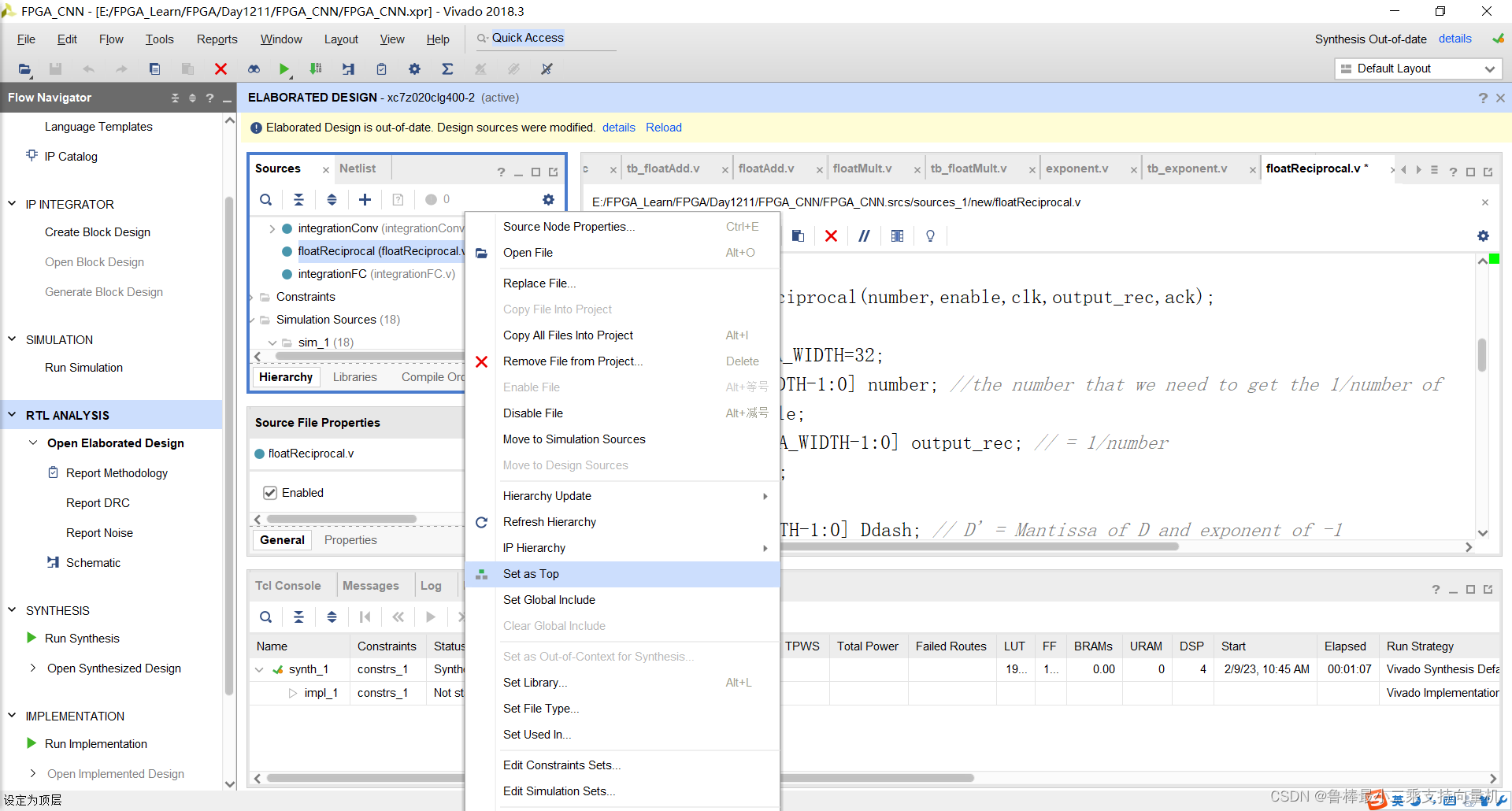
关闭上次的分析文件:
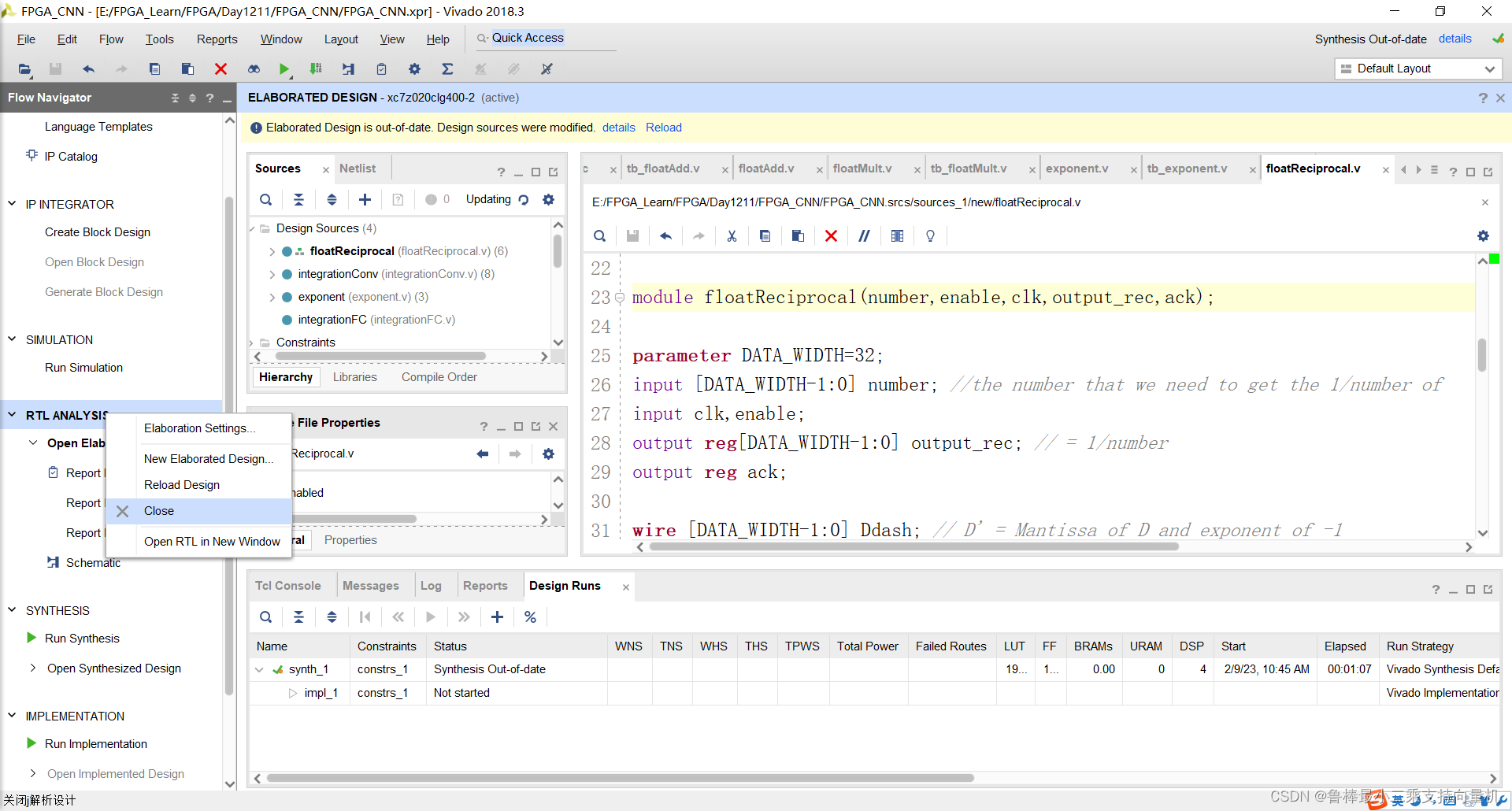
对设计进行分析,操作如图:
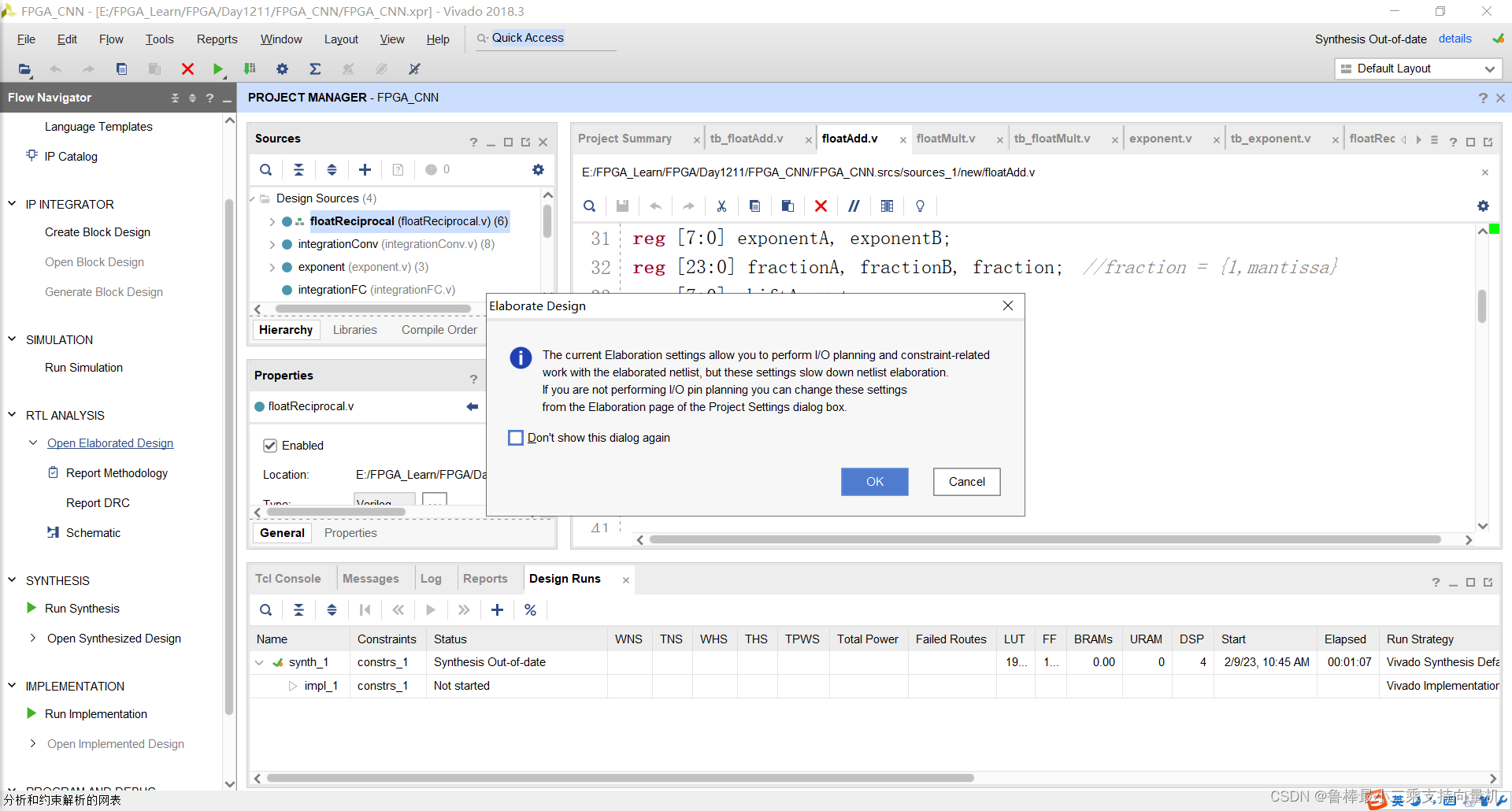
分析后的设计,Vivado自动生成原理图,如图:
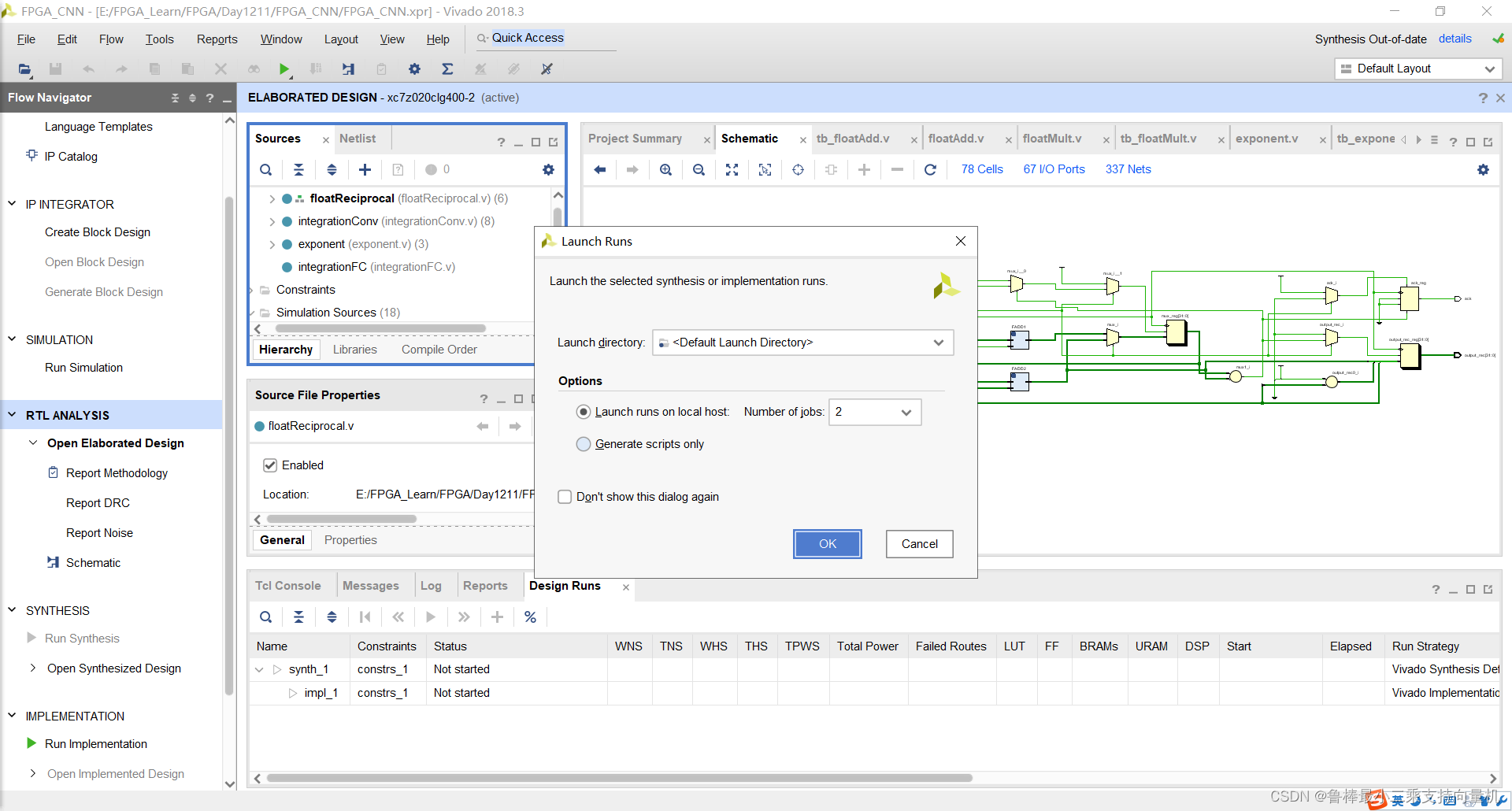
对设计进行综合,操作如图:
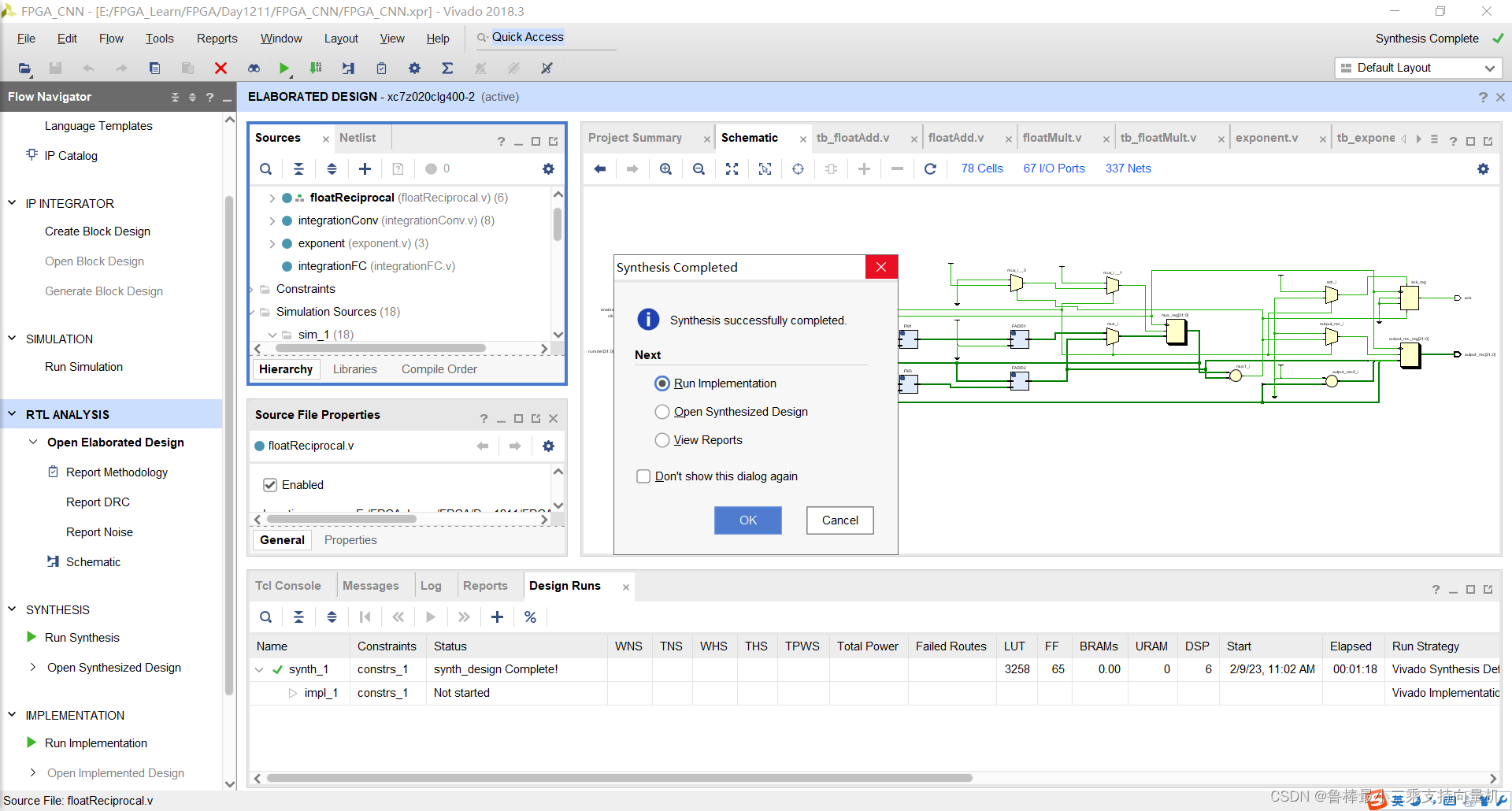
综合完成,关闭:
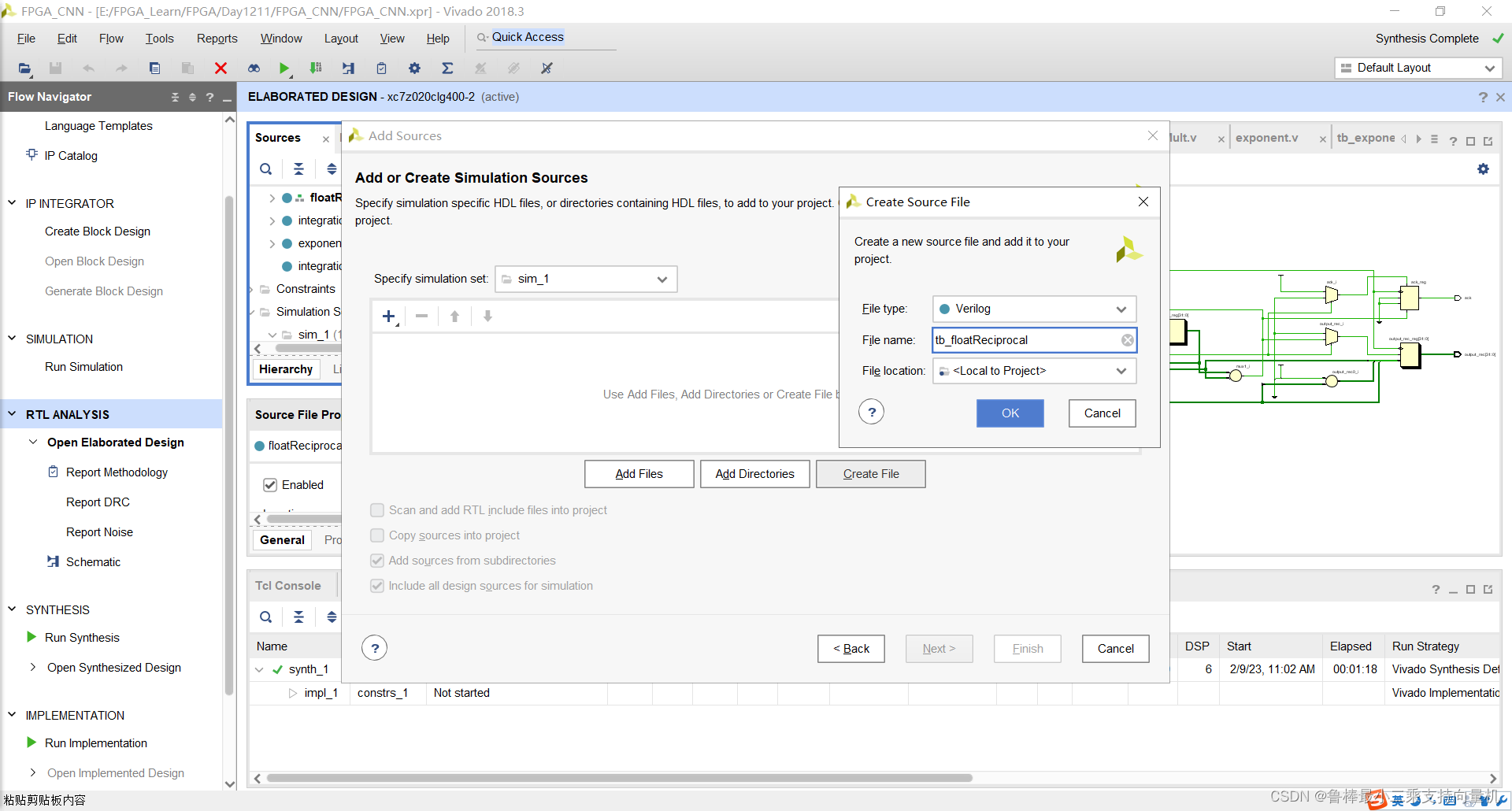
创建tb_floatReciprocal激励文件:
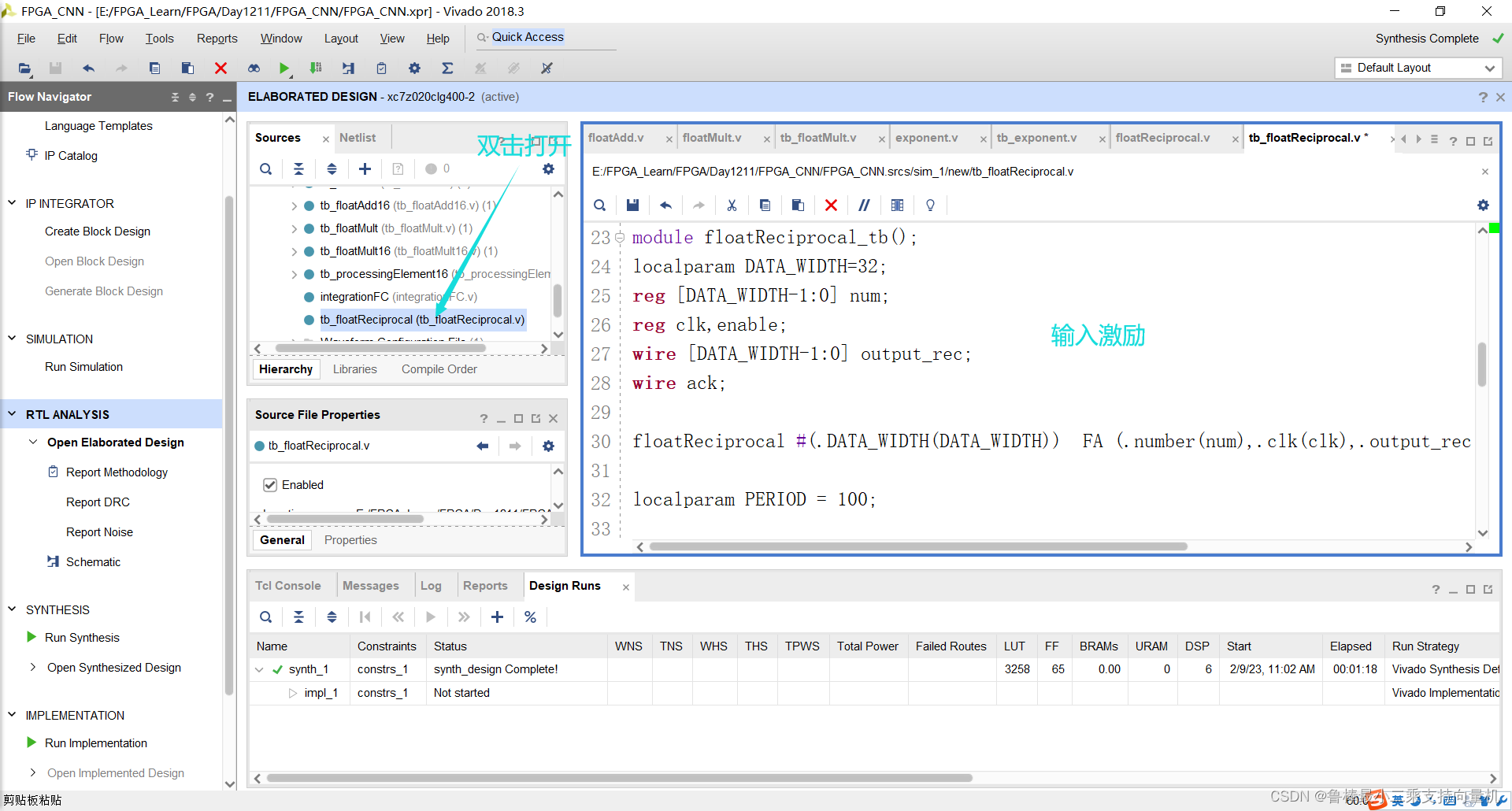
双击打开,输入激励代码:
`timescale 1ns / 1ps

module tb_floatReciprocal();
localparam DATA_WIDTH=32;
reg [DATA_WIDTH-1:0] num;
reg clk,enable;
wire [DATA_WIDTH-1:0] output_rec;
wire ack;

floatReciprocal #(.DATA_WIDTH(DATA_WIDTH))  FA (.number(num),.clk(clk),.output_rec(output_rec),.ack(ack),.enable(enable));

localparam PERIOD = 100;

always
	#(PERIOD/2) clk = ~clk;


initial begin
	clk=1'b1; //positive edge first
	num=32'b00111110101100001010001111010111; //0.345
	enable=1'b0;
	#(PERIOD);
	enable=1'b1;
	while( ack!=1'b1) begin
		#(PERIOD);
	end
	//output is 2.89855074883
	num=32'b10111110111111101111100111011011;
	enable=1'b0;
	#(PERIOD);
	enable=1'b1;
	while (ack!=1'b1) begin
		#(PERIOD);
	end
	//output is -2.00803232193
	$stop;
end

endmodule
如图所示:
将tb_floatReciprocal设置为顶层:
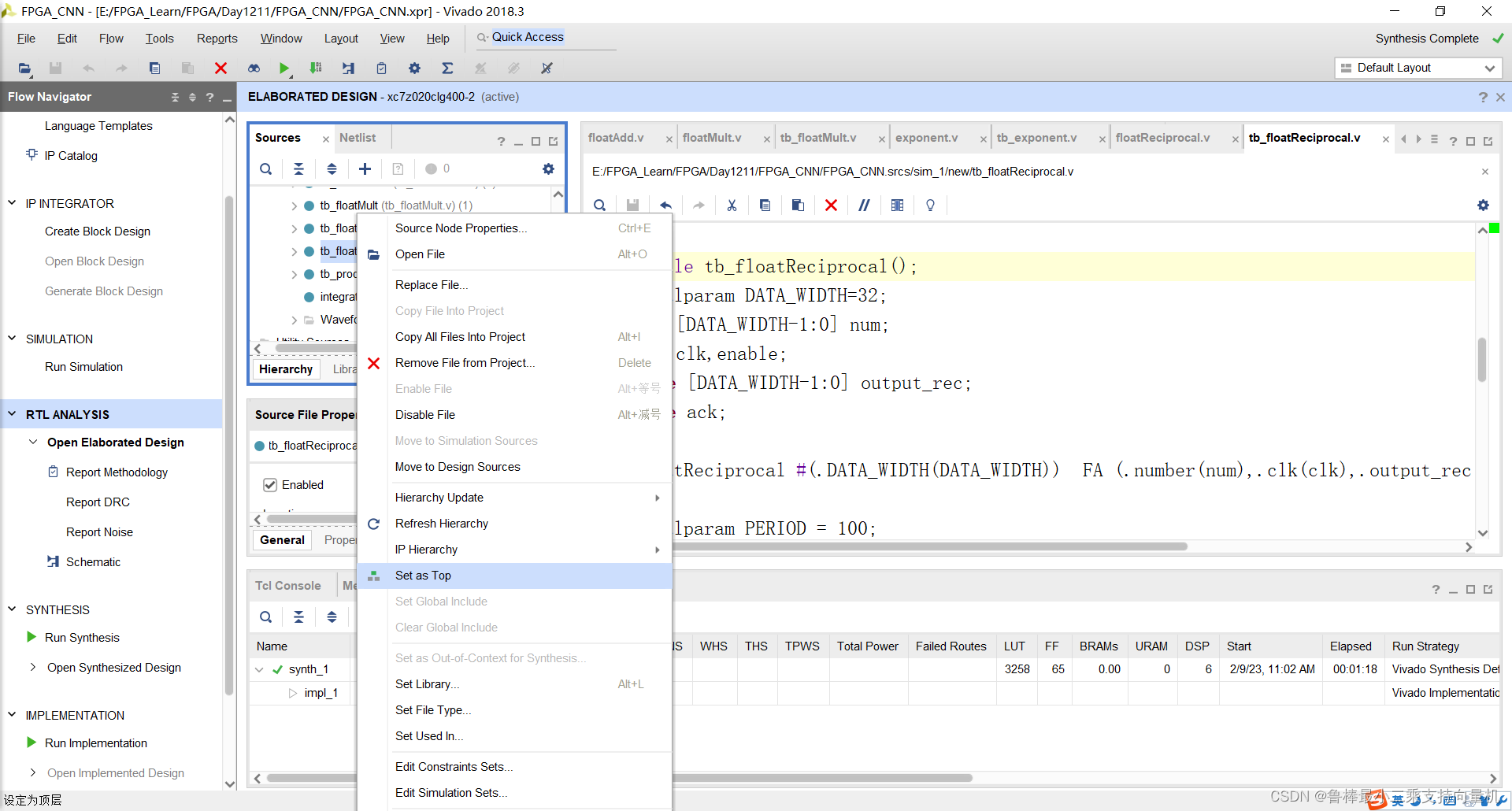
开始进行仿真,操作如图:
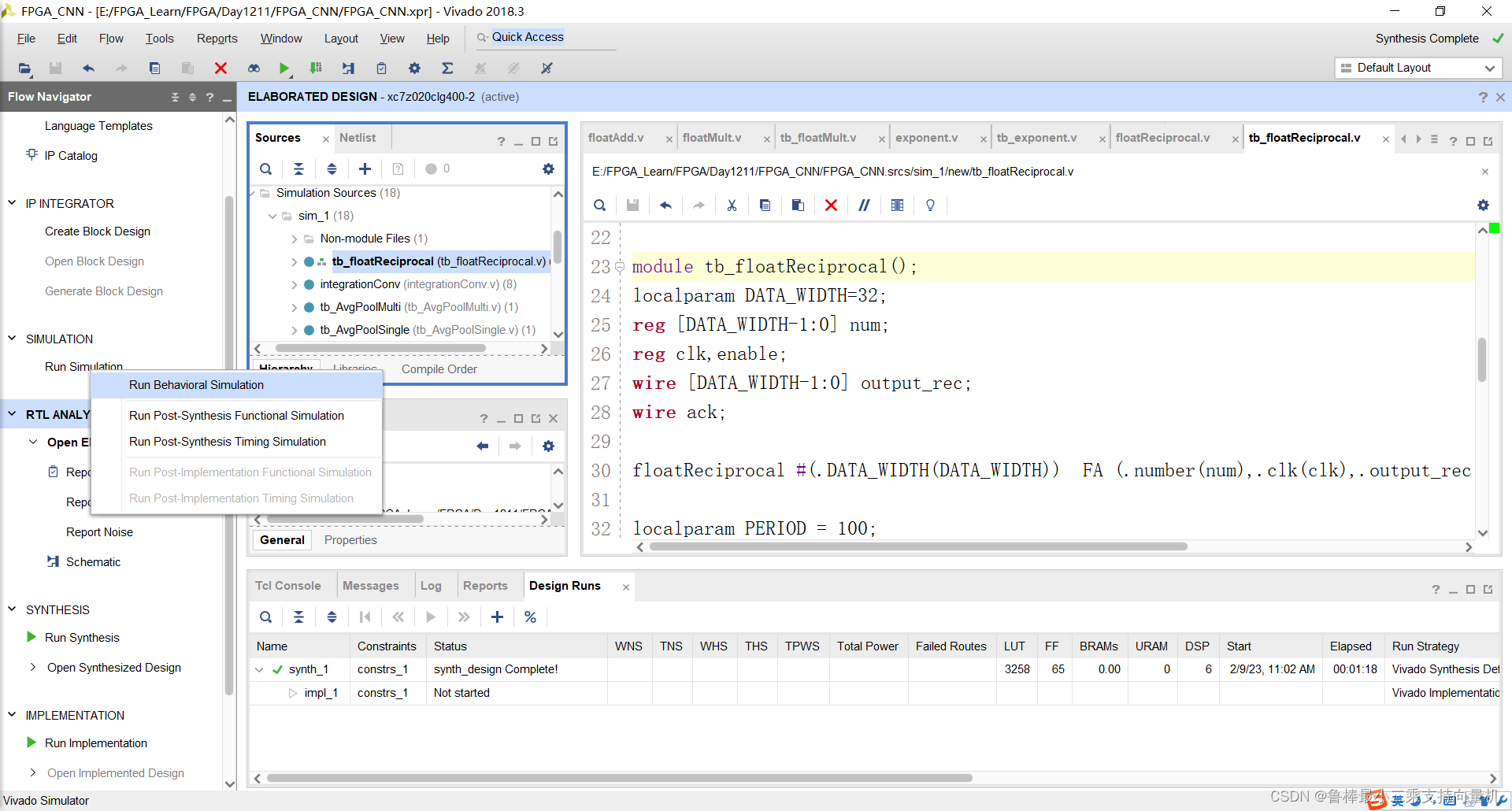
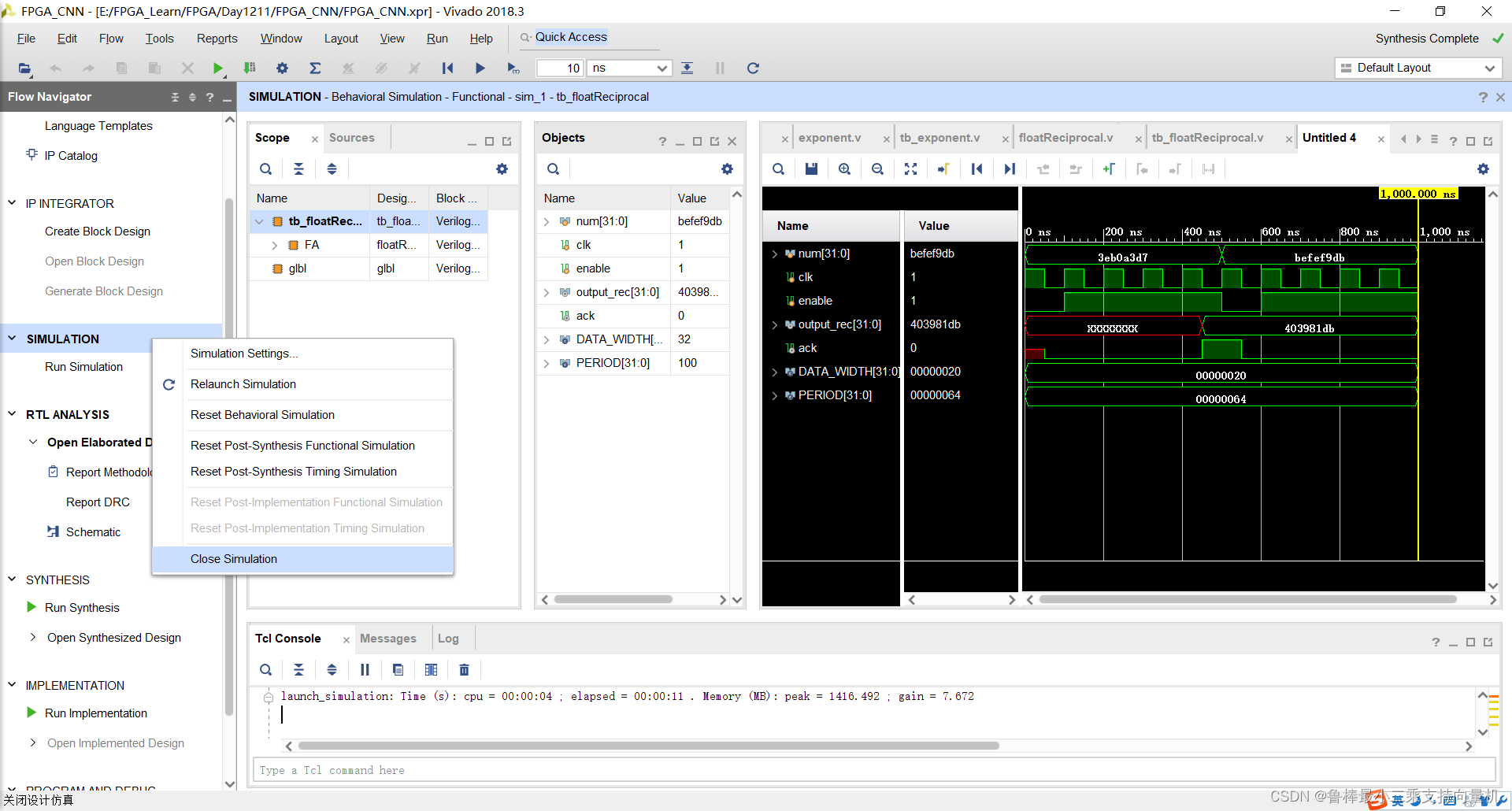
仿真波形,如图:
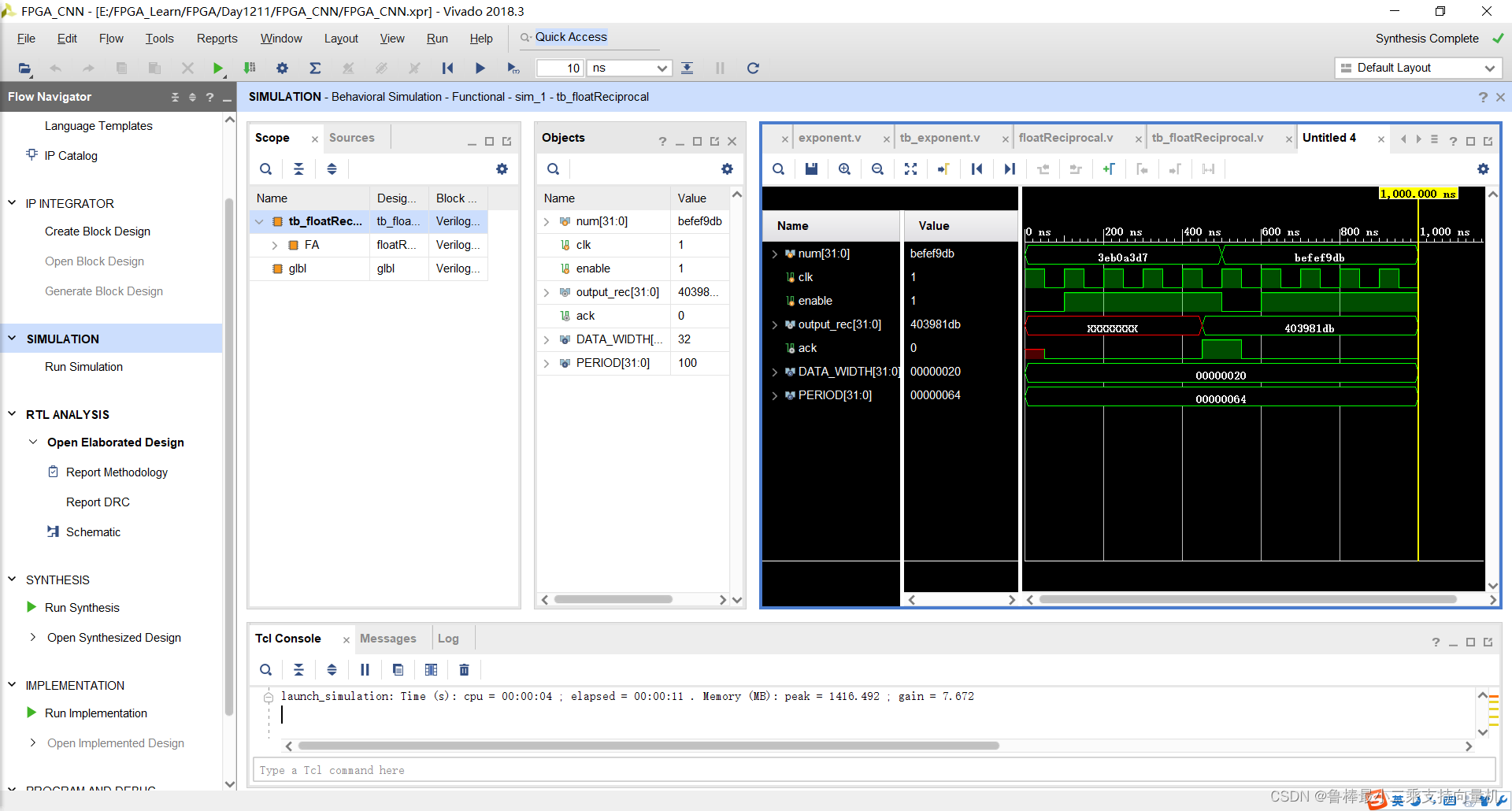
仿真结束,关闭仿真:
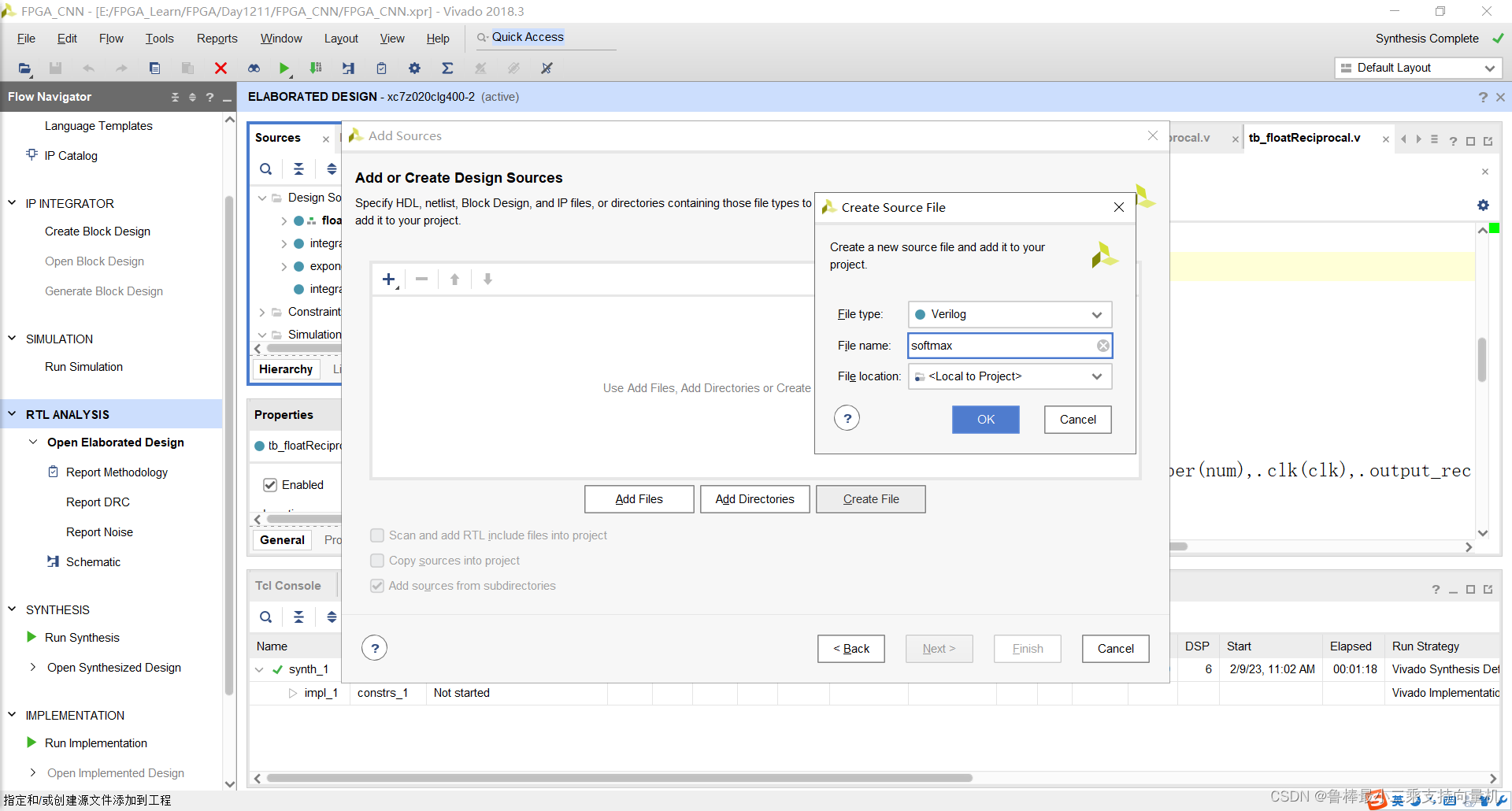
创建softmax文件,如图:
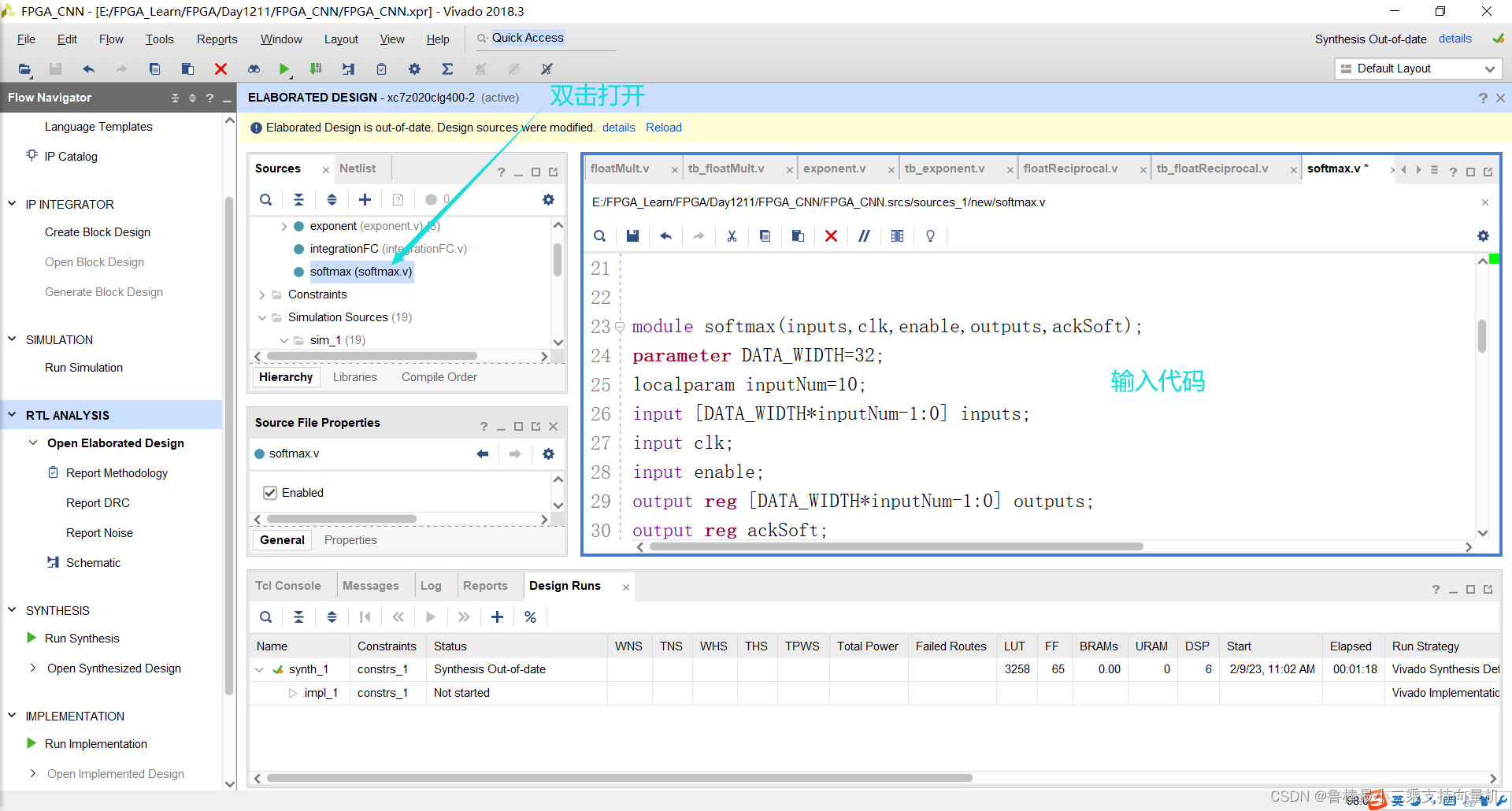
双击打开,输入代码:
module softmax(inputs,clk,enable,outputs,ackSoft);
parameter DATA_WIDTH=32;
localparam inputNum=10;
input [DATA_WIDTH*inputNum-1:0] inputs;
input clk;
input enable;
output reg [DATA_WIDTH*inputNum-1:0] outputs;
output reg ackSoft;

wire [DATA_WIDTH-1:0] expSum;
wire [DATA_WIDTH-1:0] expReciprocal;
wire [DATA_WIDTH-1:0] outMul;
wire [DATA_WIDTH*inputNum-1:0] exponents ;
wire [inputNum-1:0] acksExp; //acknowledge signals of exponents
wire ackDiv; //ack signal of the division unit

reg enableDiv; //signal to enable division unit initially zero
reg [DATA_WIDTH-1:0] outExpReg;
reg [3:0] mulCounter;
reg [3:0] addCounter;

genvar i;
generate
	for (i = 0; i < inputNum; i = i + 1) begin
		exponent #(.DATA_WIDTH(DATA_WIDTH)) exp (
		.x(inputs[DATA_WIDTH*i+:DATA_WIDTH]),
		.enable(enable),
		.clk(clk),
		.output_exp(exponents[DATA_WIDTH*i+:DATA_WIDTH]),
		.ack(acksExp[i]));
	end
endgenerate

floatAdd FADD1 (exponents[DATA_WIDTH*addCounter+:DATA_WIDTH],outExpReg,expSum);
floatReciprocal #(.DATA_WIDTH(DATA_WIDTH)) FR (.number(expSum),.clk(clk),.output_rec(expReciprocal),.ack(ackDiv),.enable(enableDiv));
floatMult FM1 (exponents[DATA_WIDTH*mulCounter+:DATA_WIDTH],expReciprocal,outMul); //multiplication with reciprocal

always @ (negedge clk) begin
	if(enable==1'b1) begin
		if(ackSoft==1'b0) begin
			if(acksExp[0]==1'b1) begin //if the exponents finished
				if(enableDiv==1'b0) begin //division still did not start
					if(addCounter<4'b1001) begin
						addCounter=addCounter+1;
						outExpReg=expSum;
					end
					else begin
						enableDiv=1'b1;
					end
				end
				else if(ackDiv==1'b1) begin //check if the reciprocal is ready
					if(mulCounter<4'b1010) begin
						outputs[DATA_WIDTH*mulCounter+:DATA_WIDTH]=outMul;
						mulCounter=mulCounter+1;
					end
					else begin
						ackSoft=1'b1;
					end
				end
			end
		end
	end
	else begin
		//if enable is off reset all counters and acks
		mulCounter=4'b0000;
		addCounter=4'b0000;
		outExpReg=32'b00000000000000000000000000000000;
		ackSoft=1'b0;
		enableDiv=1'b0;
	end

end

endmodule
如图所示:
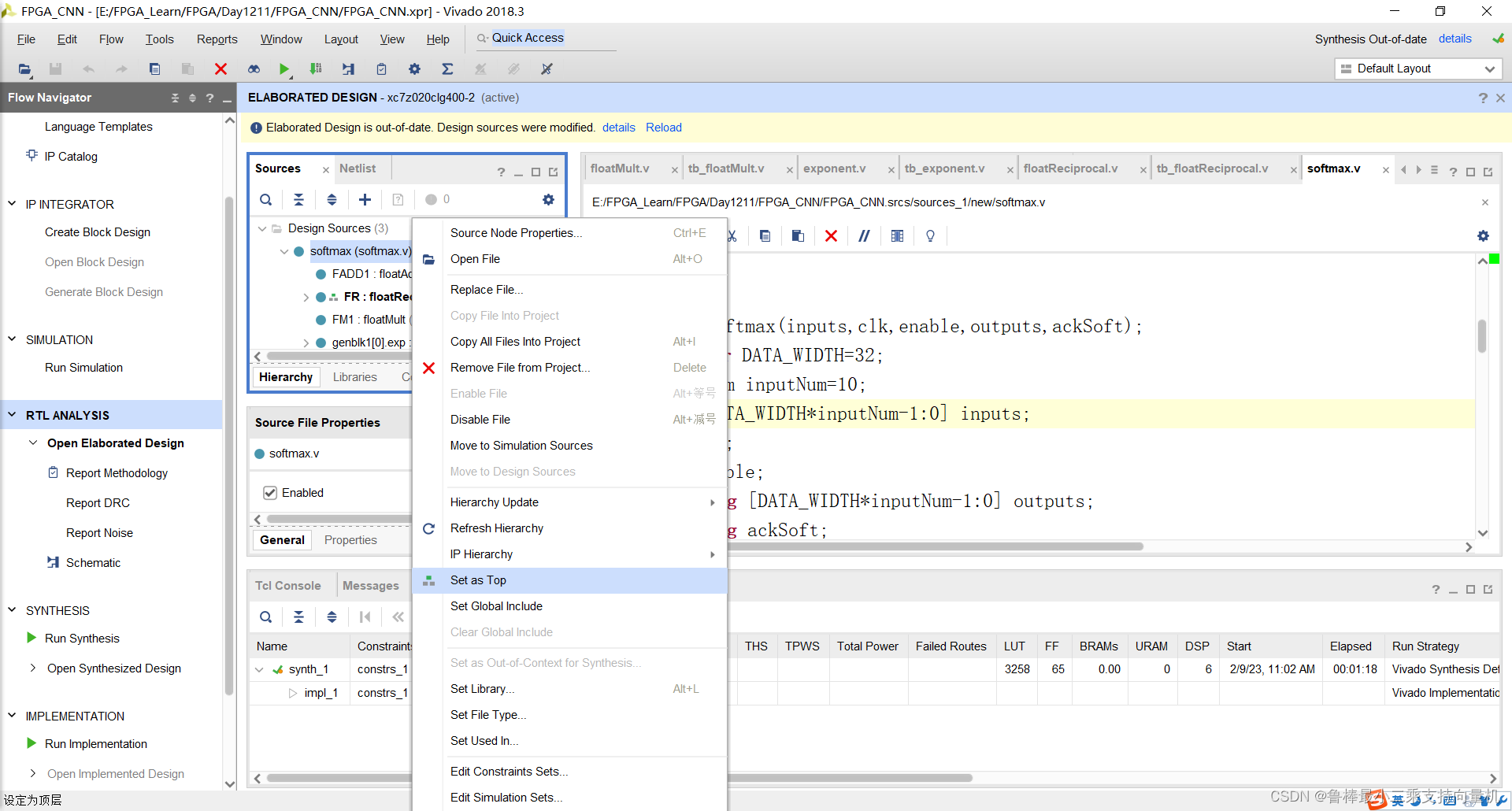
将softmax文件设置为顶层:
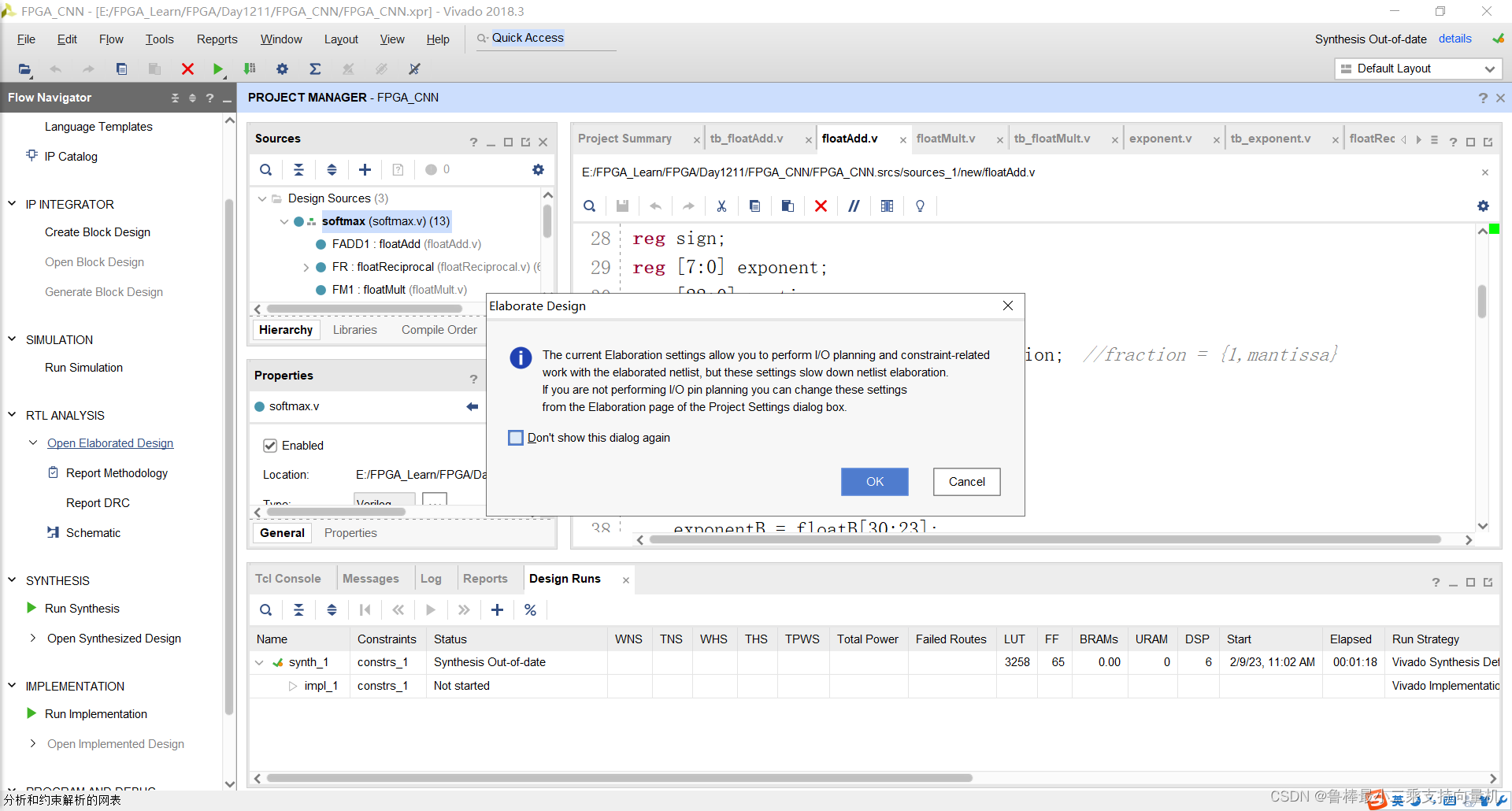
关闭上次的分析,操作如图:
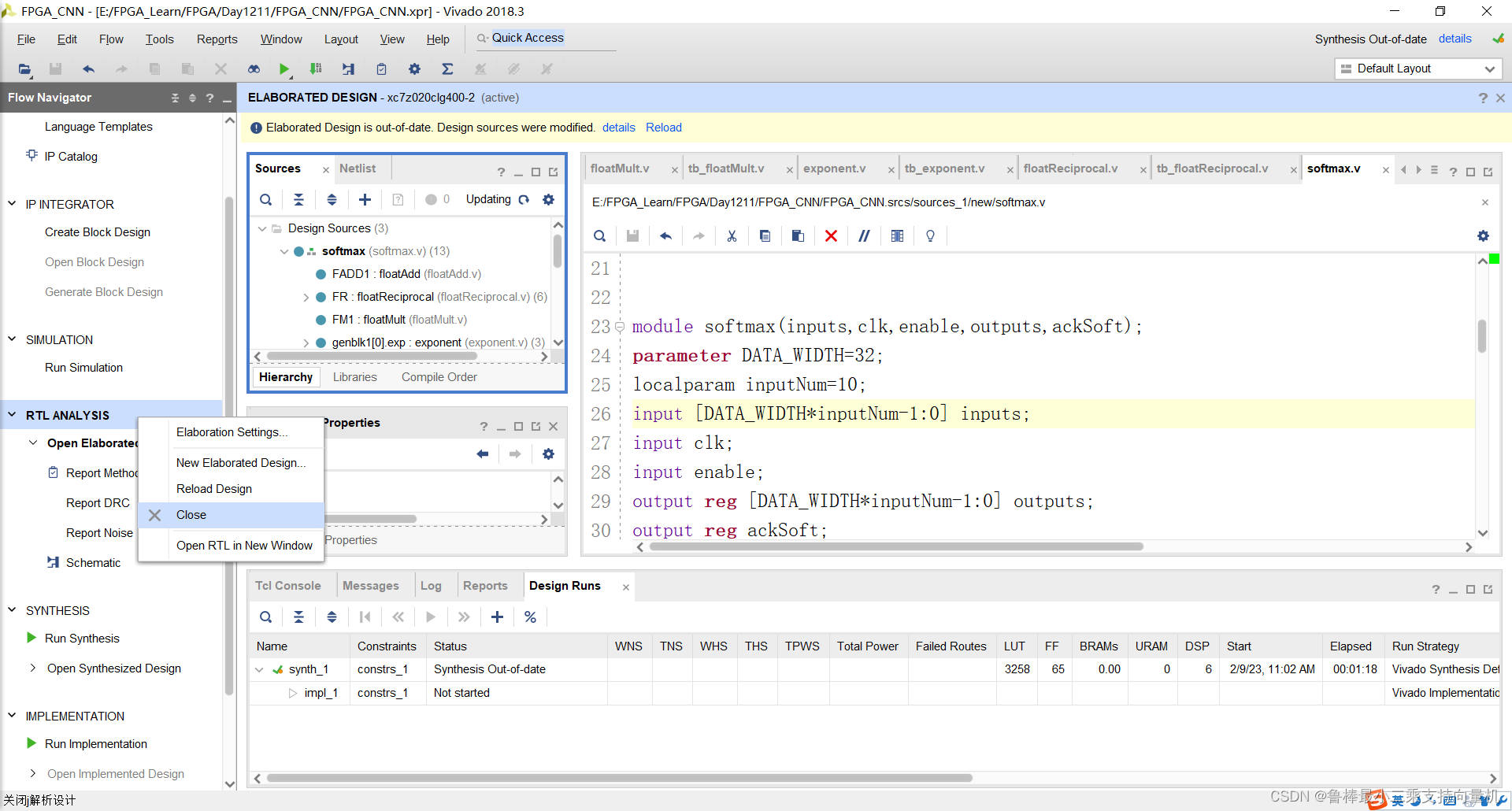
对设计进行分析,如图:
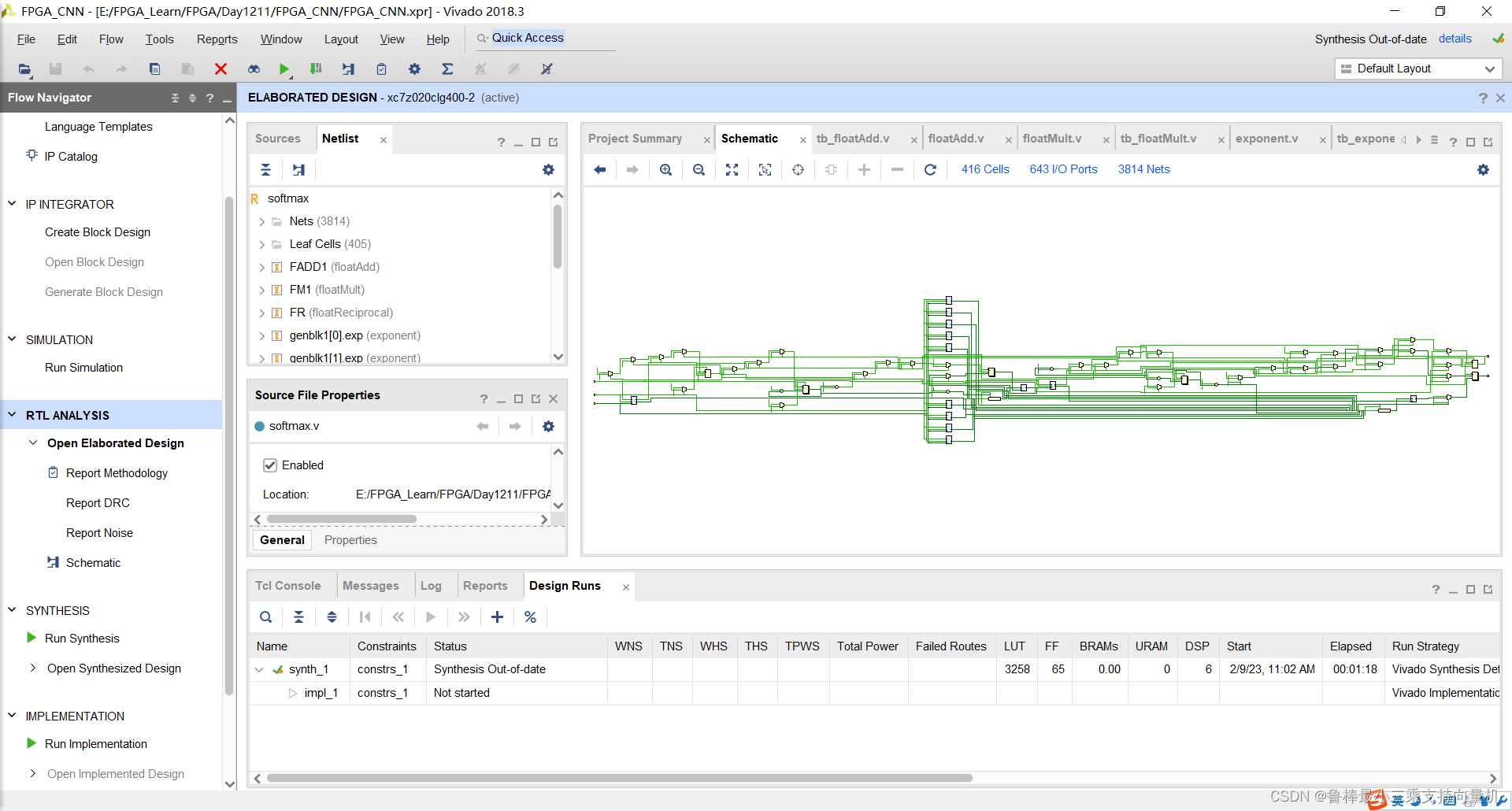
分析后的设计,Vivado自动生成原理图,如图:
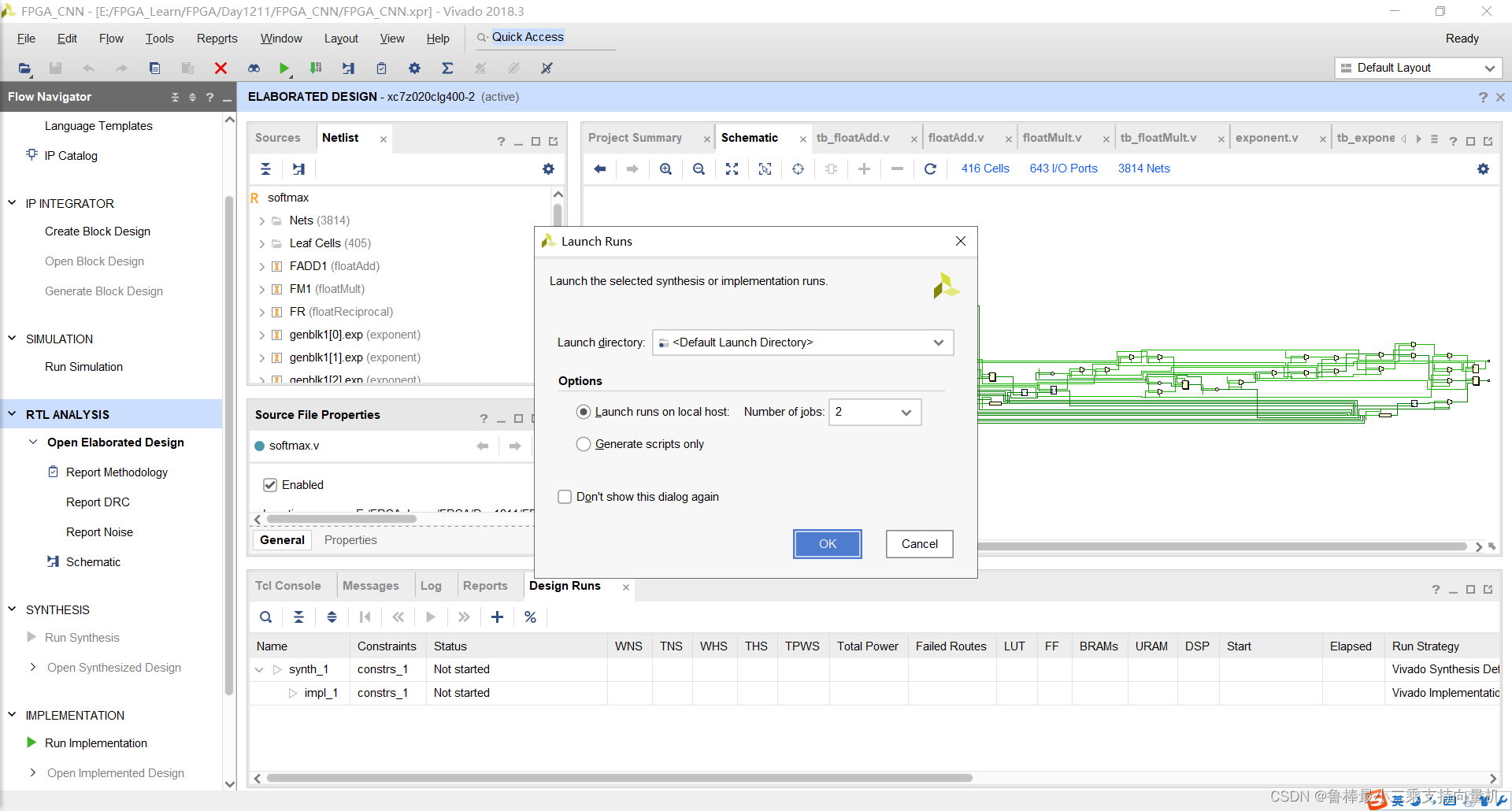
对设计进行综合,操作如图:
创建tb_softmax文件,如图:
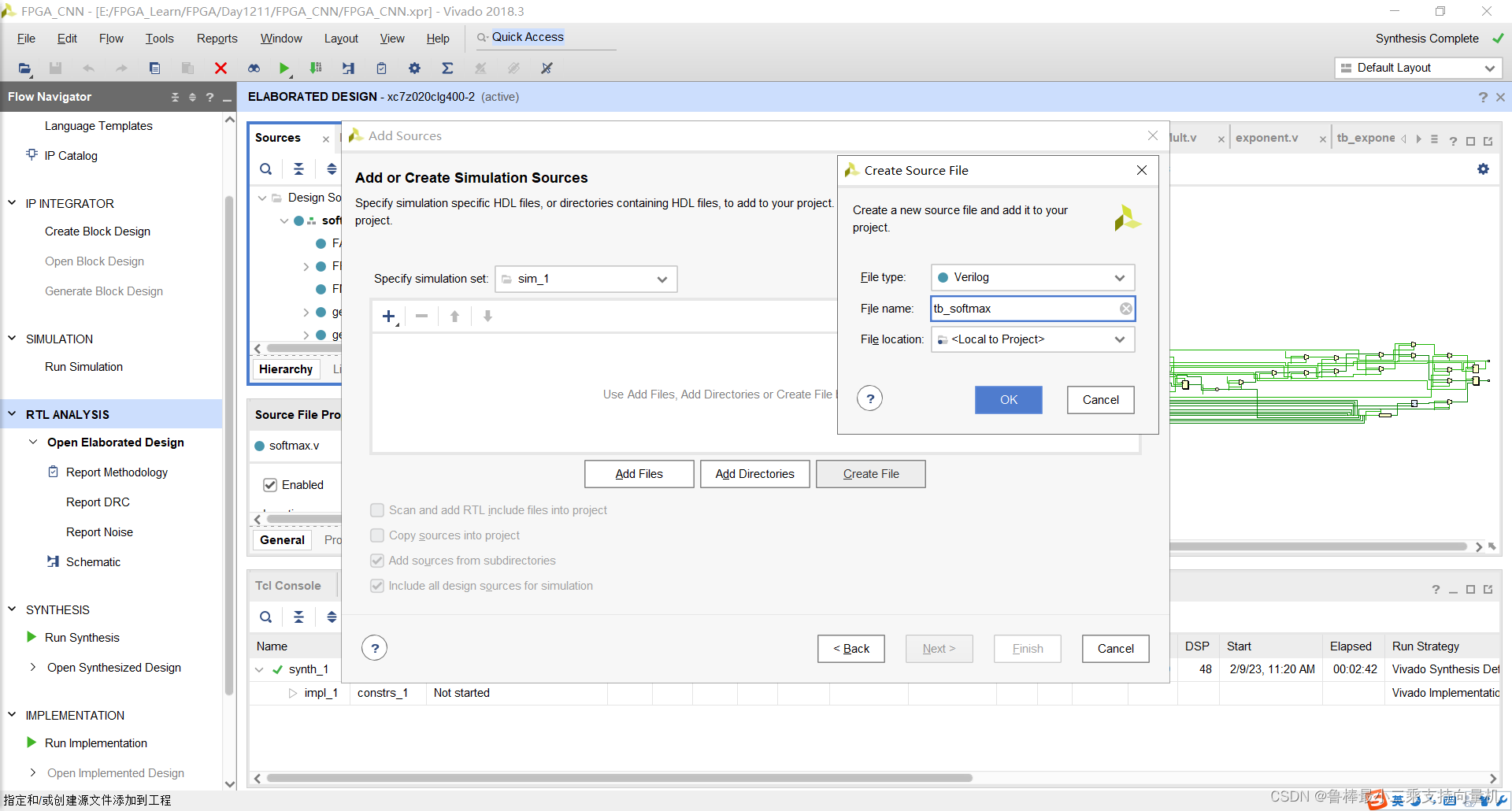
双击打开,输入激励代码:
`timescale 1ns / 1ps

module tb_softmax();
localparam DATA_WIDTH=32;
localparam inputNum=10;
reg [DATA_WIDTH*inputNum-1:0] inputs;
reg clk;
reg enable;
wire [DATA_WIDTH*inputNum-1:0] outputs;
wire ackSoft;
softmax #(.DATA_WIDTH(DATA_WIDTH)) soft(inputs,clk,enable,outputs,ackSoft);

localparam PERIOD = 100;
integer count;
always
	#(PERIOD/2) clk = ~clk;

initial begin
	clk=1'b1;
	inputs=320'b00111110010011001100110011001101_10111110010011001100110011001101_00111111100110011001100110011010_00111111101001100110011001100110_10111111011001100110011001100110_00111110100110011001100110011010_01000000010001100110011001100110_10111100101000111101011100001010_00111111100011100001010001111011_00111110101001010110000001000010;
	//inputs are 0.2 -0.2 1.2 1.3 -0.9 0.3 3.1 -0.02 1.11 0.323
	count=1;
	enable=1'b0;
	#(PERIOD);
	enable=1'b1;

	while(ackSoft!=1'b1) begin
		count=count+1;
		#(PERIOD);
	end
	//outputs are 0.03255, 0.02182, 0.08847, 0.09776, 0.0108, 0.0359, 0.5687,  0.02612, 0.0808, 0.03681

	inputs=320'b00111111001100001010001111010111_10111110010011001100110011001101_00111111100110011001100110011010_00111111101001100110011001100110_10111111011001100110011001100110_00111110100110011001100110011010_01000000010001100110011001100110_10111100101000111101011100001010_00111111100011100001010001111011_00111110101001010110000001000010;
	//inputs are 0.69 -0.2 1.2 1.3 -0.9 0.3 3.1 -0.02 1.11 0.323
	count=1;
	enable=1'b0;
	#(PERIOD);
	enable=1'b1;
	while(ackSoft!=1'b1) begin
		count=count+1;
		#(PERIOD);

	end
	//outputs are 0.05207118 0.0213835  0.0866926  0.09579553 0.01062096 0.03525543 0.5572659  0.0256007  0.07923851 0.0360757

end
endmodule
如图所示:
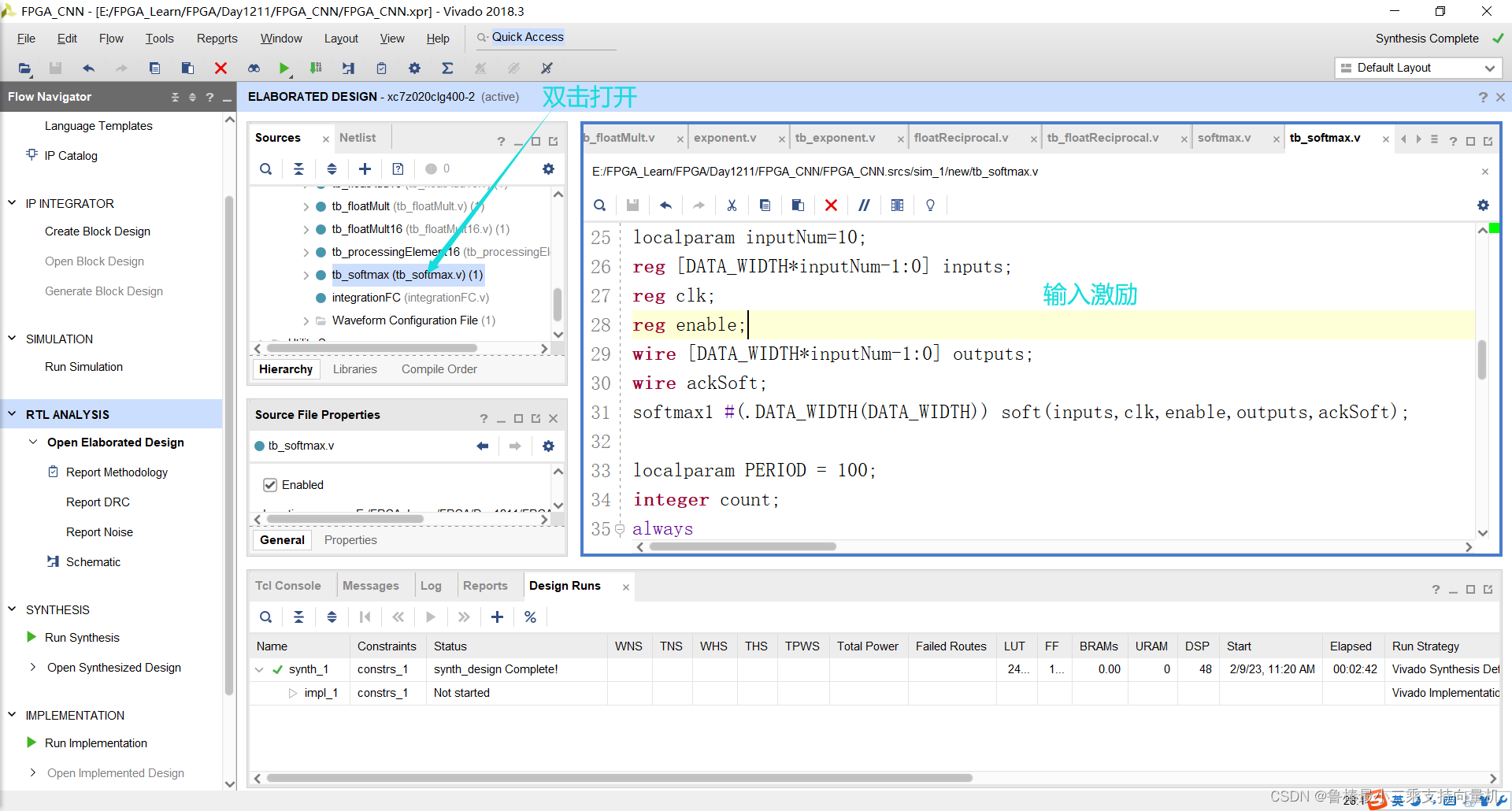
将tb_softmax文件设置为顶层:
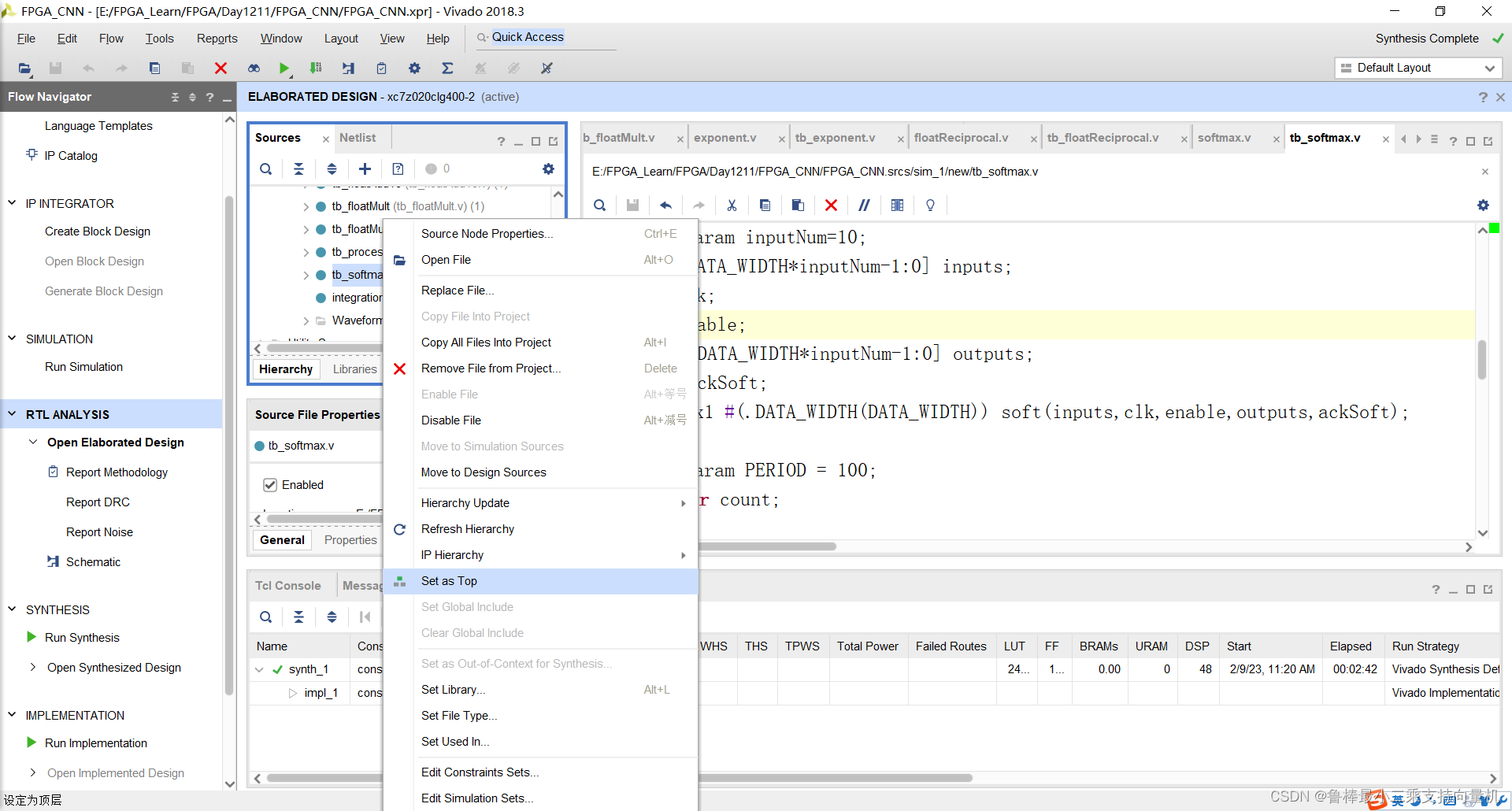
开始进行仿真,如图:
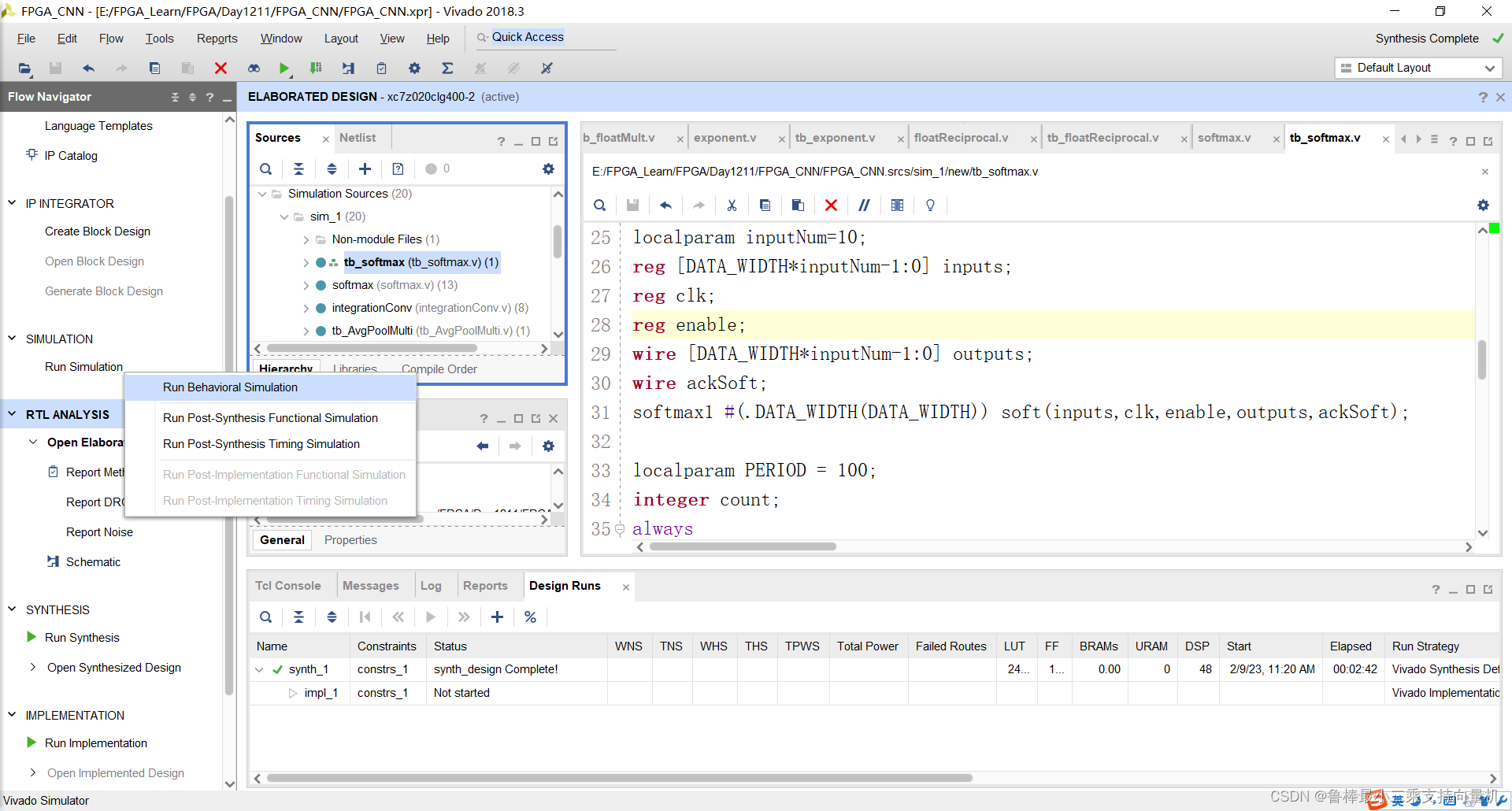
仿真波形:
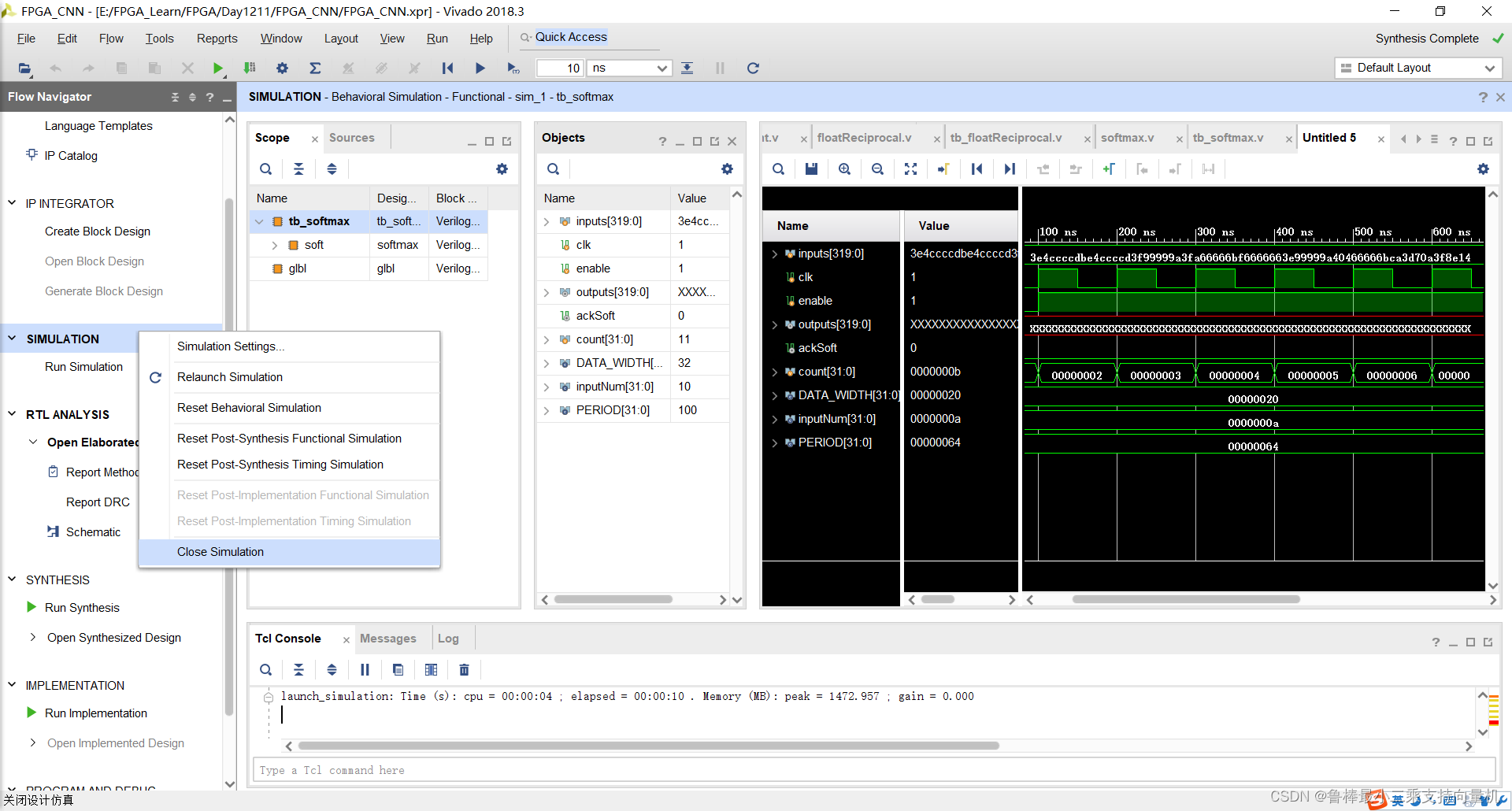
仿真结束,关闭:
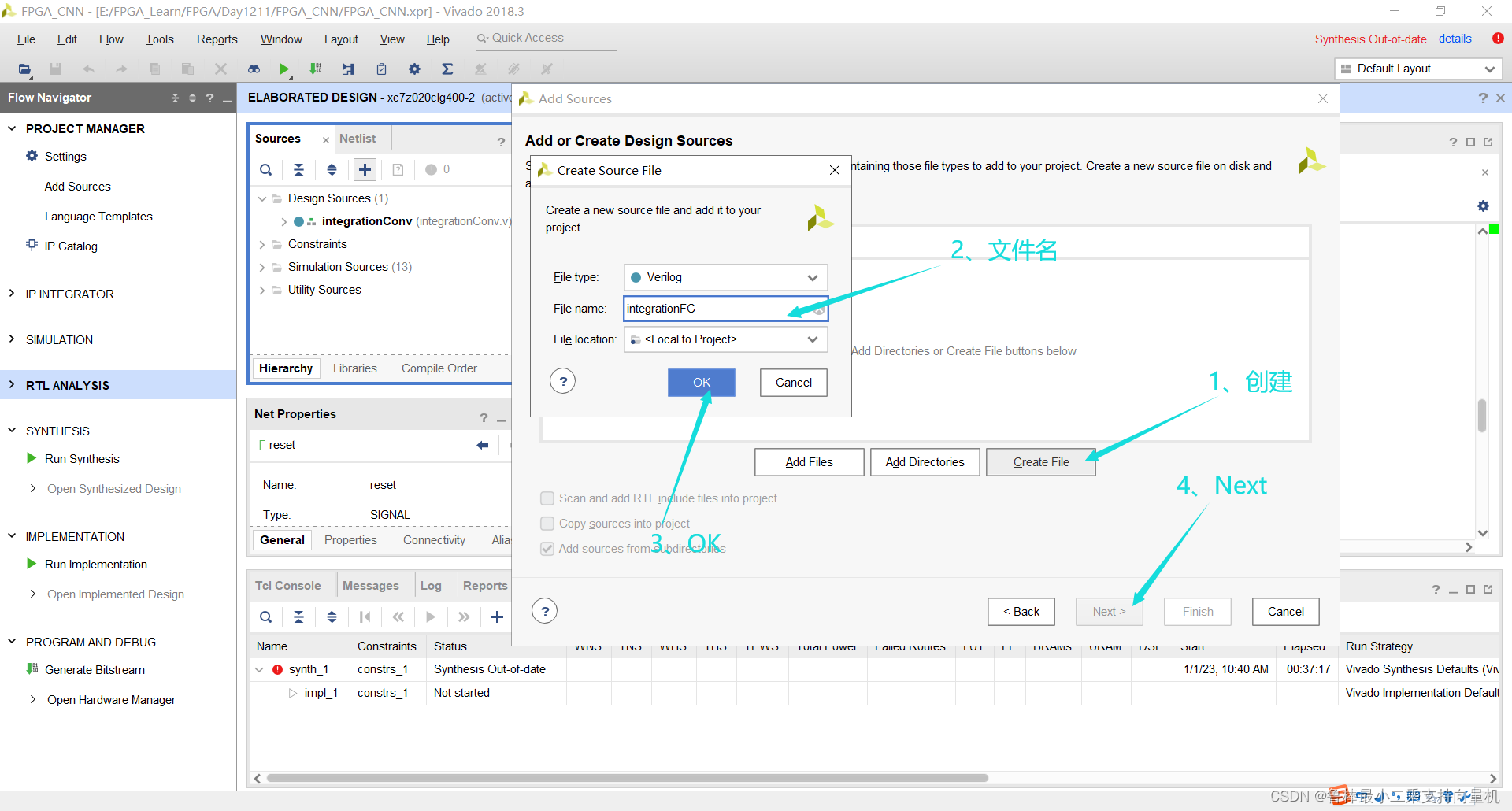
创建integrationFC文件,操作如图:
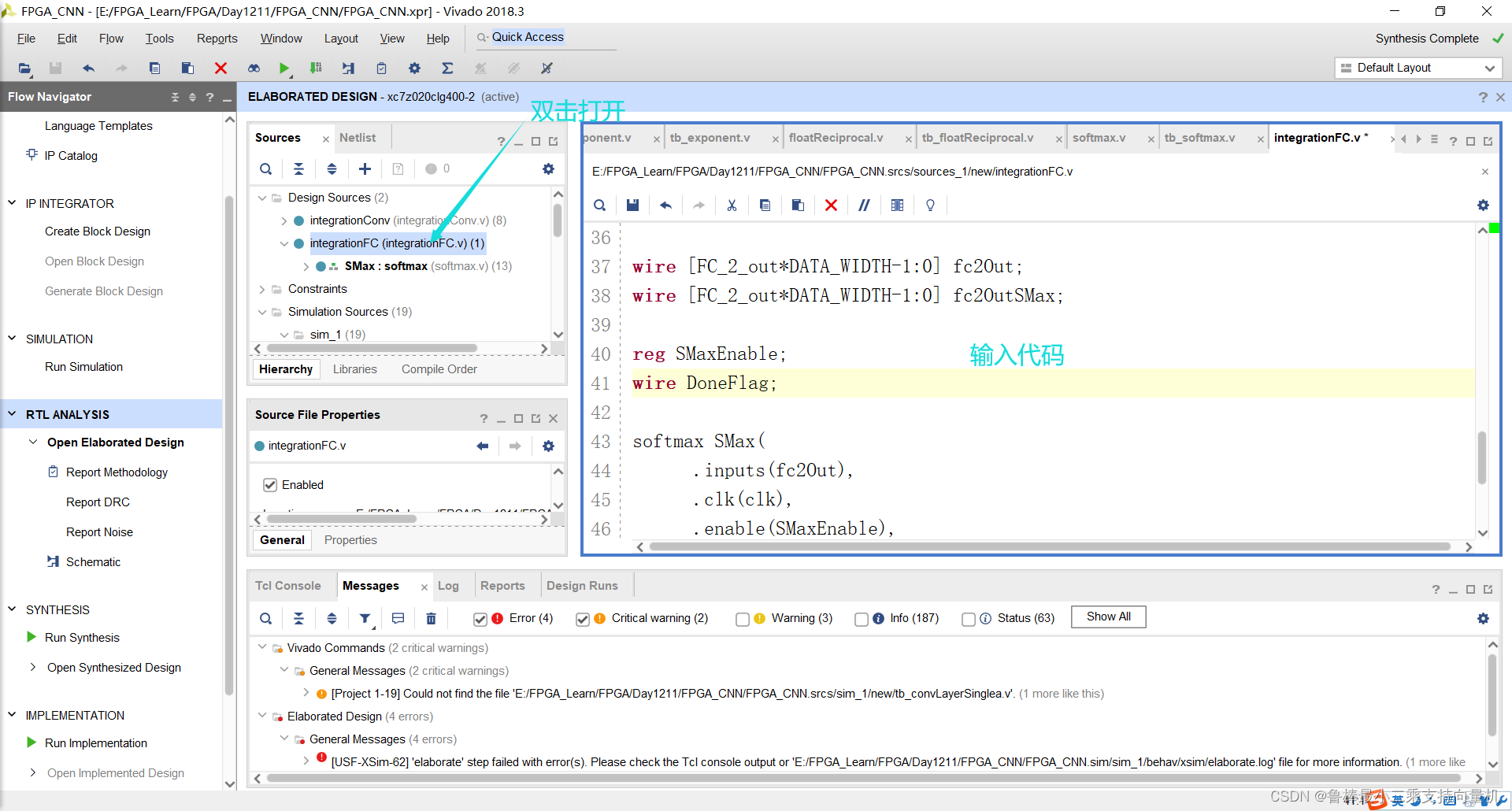
双击打开,输入代码:
module integrationFC(clk,reset,iFCinput,CNNoutput);

parameter DATA_WIDTH = 32;
parameter IntIn = 120;
parameter FC_1_out = 84;
parameter FC_2_out = 10;

input clk, reset;
input [IntIn*DATA_WIDTH-1:0] iFCinput;
output [FC_2_out*DATA_WIDTH-1:0] CNNoutput;

wire [FC_1_out*DATA_WIDTH-1:0] fc1Out;
wire [FC_1_out*DATA_WIDTH-1:0] fc1OutTanh;

wire [FC_2_out*DATA_WIDTH-1:0] fc2Out;
wire [FC_2_out*DATA_WIDTH-1:0] fc2OutSMax;

reg SMaxEnable;
wire DoneFlag;


softmax SMax(
      .inputs(fc2Out),
      .clk(clk),
      .enable(SMaxEnable),
      .outputs(CNNoutput),
      .ackSoft(DoneFlag)
      );

endmodule
如图所示:
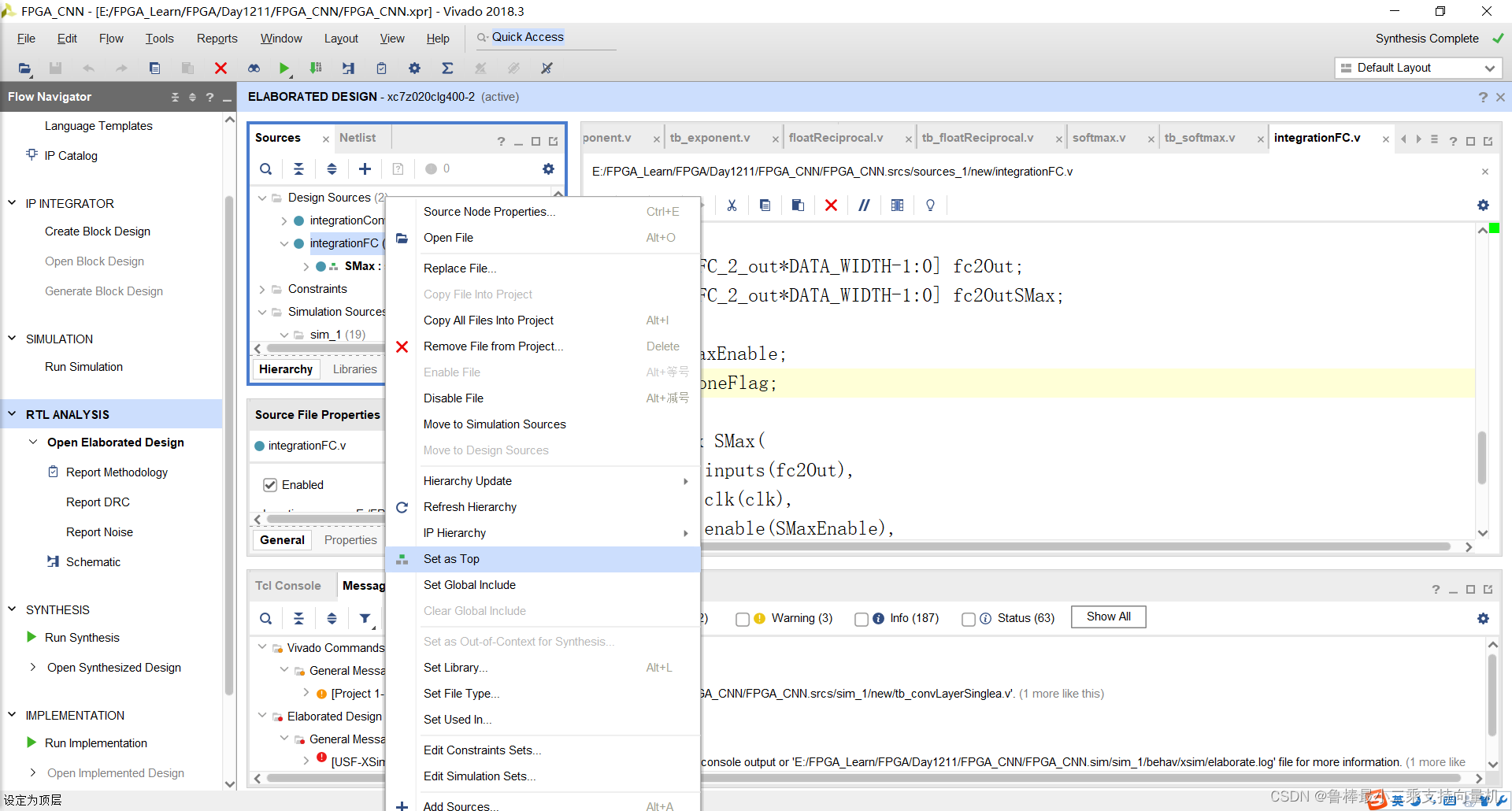
将integrationFC设置为顶层:
关闭上次的分析文件:
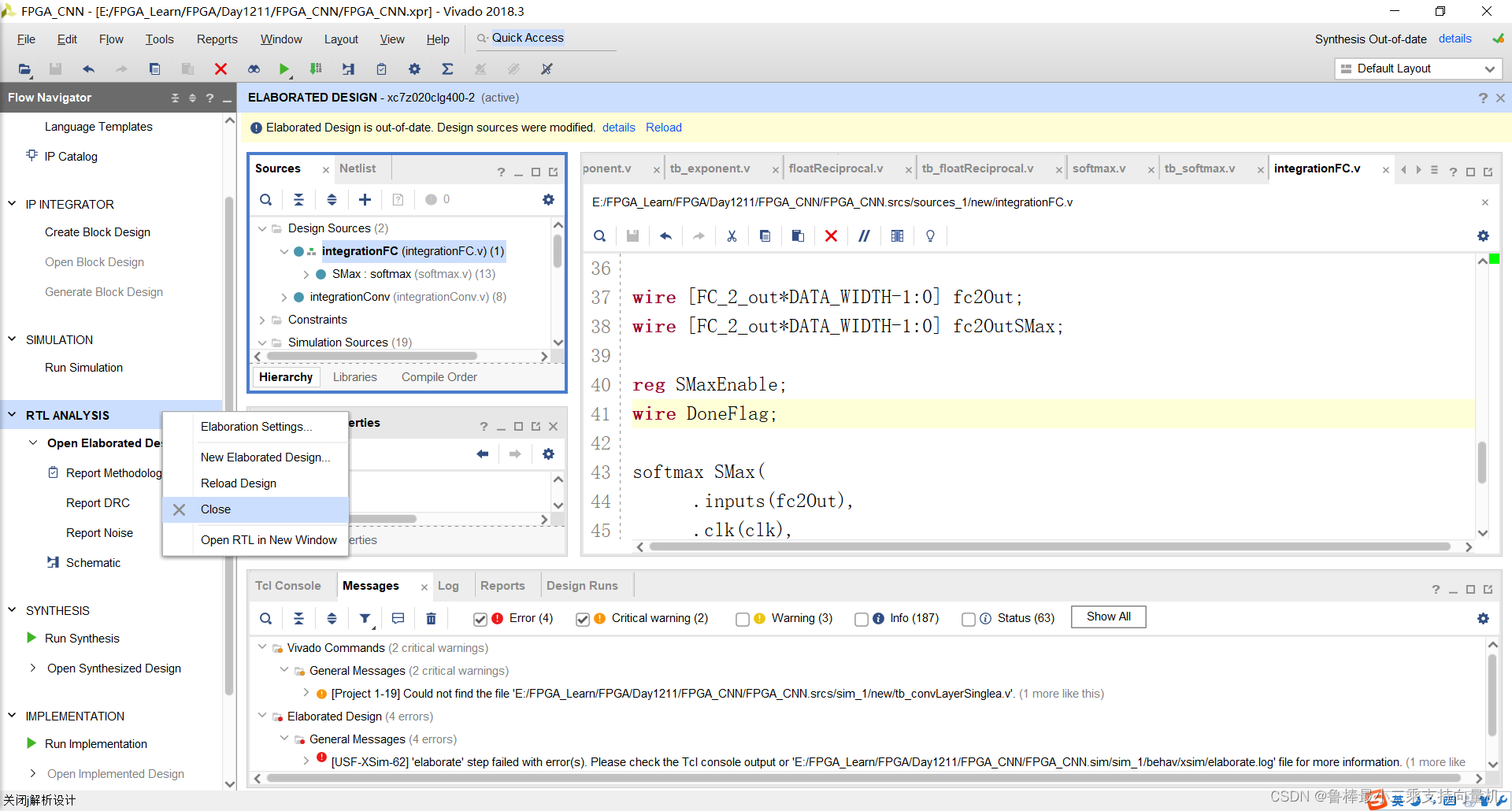
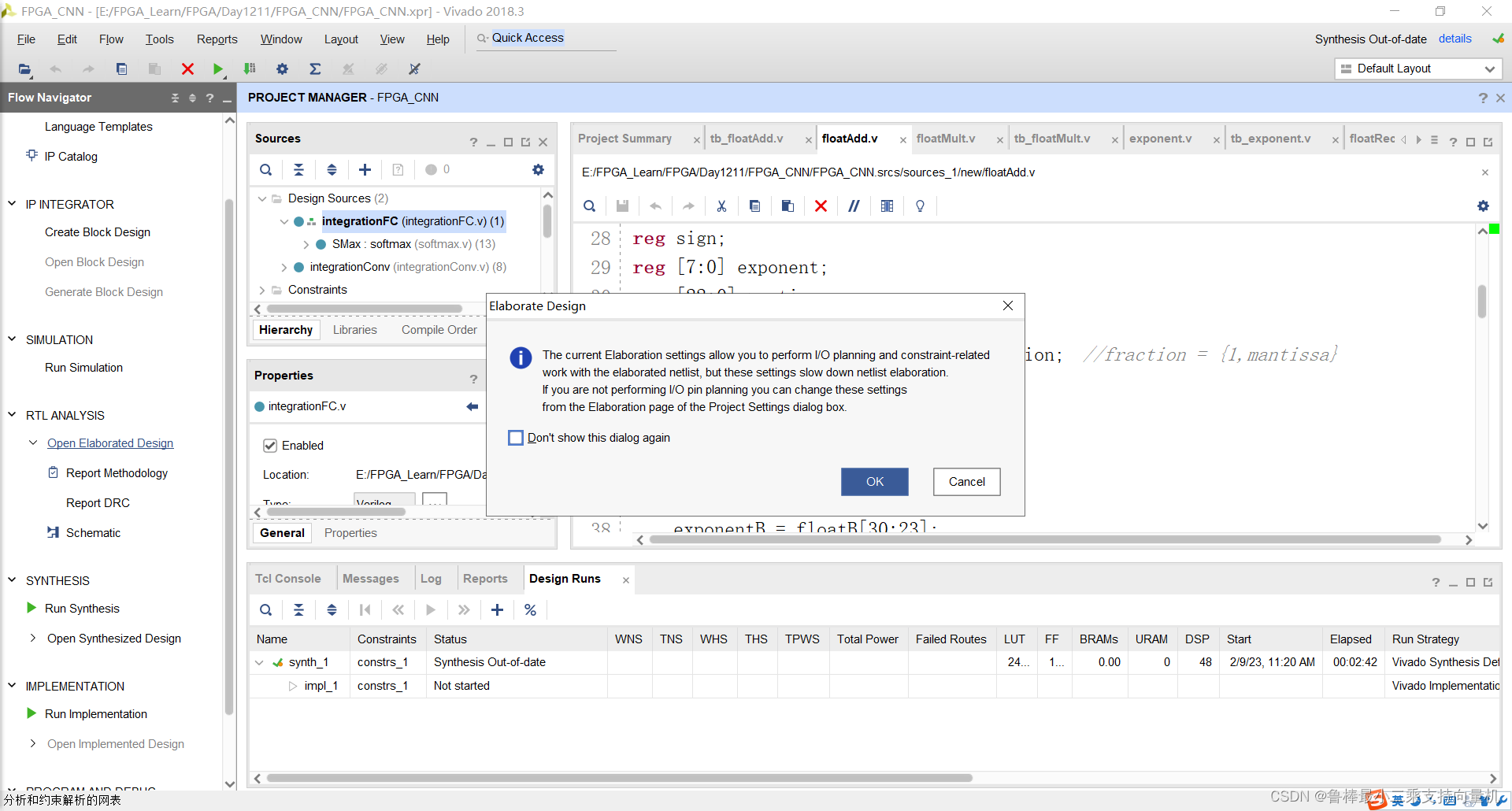
对设计进行分析,操作如图:
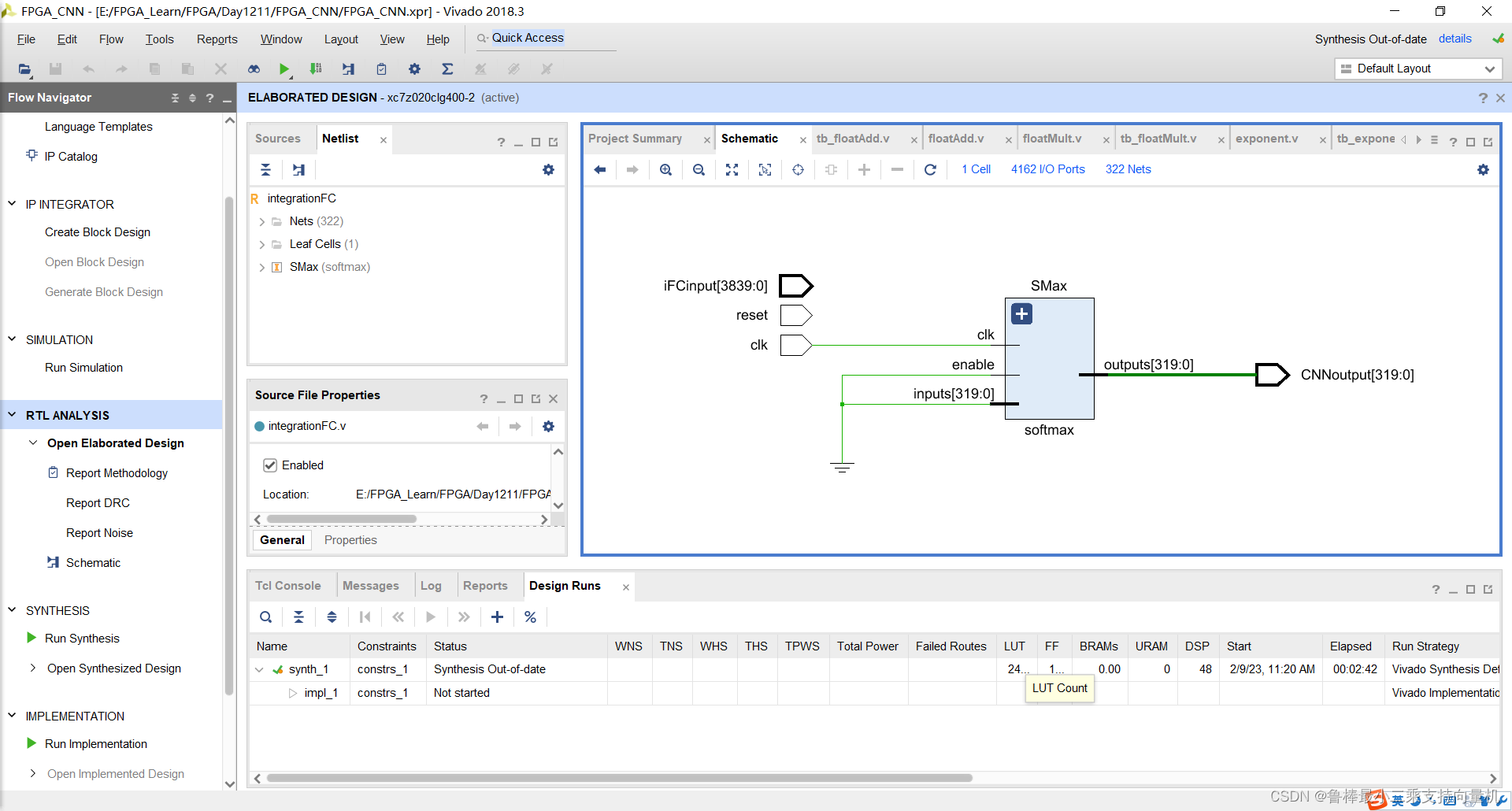
分析后的设计,Vivado生成原理图:
希望本文对大家有帮助,上文若有不妥之处,欢迎指正
分享决定高度,学习拉开差距
我有一个模型:classItem项目有一个属性“商店”基于存储的值,我希望Item对象对特定方法具有不同的行为。Rails中是否有针对此的通用设计模式?如果方法中没有大的if-else语句,这是如何干净利落地完成的? 最佳答案 通常通过Single-TableInheritance. 关于ruby-on-rails-Rails-子类化模型的设计模式是什么?,我们在StackOverflow上找到一个类似的问题: https://stackoverflow.co
我在我的项目目录中完成了compasscreate.和compassinitrails。几个问题:我已将我的.sass文件放在public/stylesheets中。这是放置它们的正确位置吗?当我运行compasswatch时,它不会自动编译这些.sass文件。我必须手动指定文件:compasswatchpublic/stylesheets/myfile.sass等。如何让它自动运行?文件ie.css、print.css和screen.css已放在stylesheets/compiled。如何在编译后不让它们重新出现的情况下删除它们?我自己编译的.sass文件编译成compiled/t
我将应用程序升级到Rails4,一切正常。我可以登录并转到我的编辑页面。也更新了观点。使用标准View时,用户会更新。但是当我添加例如字段:name时,它不会在表单中更新。使用devise3.1.1和gem'protected_attributes'我需要在设备或数据库上运行某种更新命令吗?我也搜索过这个地方,找到了许多不同的解决方案,但没有一个会更新我的用户字段。我没有添加任何自定义字段。 最佳答案 如果您想允许额外的参数,您可以在ApplicationController中使用beforefilter,因为Rails4将参数
如果我使用ruby版本2.5.1和Rails版本2.3.18会怎样?我有基于rails2.3.18和ruby1.9.2p320构建的rails应用程序,我只想升级ruby的版本,而不是rails,这可能吗?我必须面对哪些挑战? 最佳答案 GitHub维护apublicfork它有针对旧Rails版本的分支,有各种变化,它们一直在运行。有一段时间,他们在较新的Ruby版本上运行较旧的Rails版本,而不是最初支持的版本,因此您可能会发现一些关于需要向后移植的有用提示。不过,他们现在已经有几年没有使用2.3了,所以充其量只能让更
目录前言滤波电路科普主要分类实际情况单位的概念常用评价参数函数型滤波器简单分析滤波电路构成低通滤波器RC低通滤波器RL低通滤波器高通滤波器RC高通滤波器RL高通滤波器部分摘自《LC滤波器设计与制作》,侵权删。前言最近需要学习放大电路和滤波电路,但是由于只在之前做音乐频谱分析仪的时候简单了解过一点点运放,所以也是相当从零开始学习了。滤波电路科普主要分类滤波器:主要是从不同频率的成分中提取出特定频率的信号。有源滤波器:由RC元件与运算放大器组成的滤波器。可滤除某一次或多次谐波,最普通易于采用的无源滤波器结构是将电感与电容串联,可对主要次谐波(3、5、7)构成低阻抗旁路。无源滤波器:无源滤波器,又称
项目介绍随着我国经济迅速发展,人们对手机的需求越来越大,各种手机软件也都在被广泛应用,但是对于手机进行数据信息管理,对于手机的各种软件也是备受用户的喜爱小学生兴趣延时班预约小程序的设计与开发被用户普遍使用,为方便用户能够可以随时进行小学生兴趣延时班预约小程序的设计与开发的数据信息管理,特开发了小程序的设计与开发的管理系统。小学生兴趣延时班预约小程序的设计与开发的开发利用现有的成熟技术参考,以源代码为模板,分析功能调整与小学生兴趣延时班预约小程序的设计与开发的实际需求相结合,讨论了小学生兴趣延时班预约小程序的设计与开发的使用。开发环境开发说明:前端使用微信微信小程序开发工具:后端使用ssm:VU
Transformers开始在视频识别领域的“猪突猛进”,各种改进和魔改层出不穷。由此作者将开启VideoTransformer系列的讲解,本篇主要介绍了FBAI团队的TimeSformer,这也是第一篇使用纯Transformer结构在视频识别上的文章。如果觉得有用,就请点赞、收藏、关注!paper:https://arxiv.org/abs/2102.05095code(offical):https://github.com/facebookresearch/TimeSformeraccept:ICML2021author:FacebookAI一、前言Transformers(VIT)在图
我在我的项目中有一个用户和一个管理员角色。我使用Devise创建了身份验证。在我的管理员角色中,我没有任何确认。在我的用户模型中,我有以下内容:devise:database_authenticatable,:confirmable,:recoverable,:rememberable,:trackable,:validatable,:timeoutable,:registerable#Setupaccessible(orprotected)attributesforyourmodelattr_accessible:email,:username,:prename,:surname,:
我已经找到了几个使用datamapper的示例,并且能够让它们正常工作。不过,所有这些示例都是针对sqlite数据库的。我正在尝试将数据映射器与postgresql一起使用。我将datamapper中的调用从sqlite3更改为postgres,并且我已经安装了dm-postgres-adapter。但它仍然不起作用。我还需要做什么? 最佳答案 与SQLite不同,PostgreSQL不将数据库存储在单个文件中。在你拥有createdyourdatabase之后,尝试这样的事情:DataMapper.setup:default,{:
我经常将预配置的lambda插入可枚举的方法中,例如“map”、“select”等。但是“注入(inject)”的行为似乎有所不同。例如与mult4=lambda{|item|item*4}然后(5..10).map&mult4给我[20,24,28,32,36,40]但是,如果我制作一个2参数lambda用于像这样的注入(inject),multL=lambda{|product,n|product*n}我想说(5..10).inject(2)&multL因为“inject”有一个可选的单个初始值参数,但这给了我......irb(main):027:0>(5..10).inject
