原文阅读效果更佳:实战:Kind部署k8s集群-2022.12.6(成功测试) · 语雀 《实战:Kind部署k8s集群-2022.12.6(成功测试)》
Kind 是 Kubernetes in Docker 的简写,是一个使用 Docker 容器作为 Node 节点,在本地创建和运行Kubernetes 集群的工具。适用于在本机创建 Kubernetes 集群环境进行开发和测试。使用 Kind 搭建的集群无法在生产中使用,但是如果你只是想在本地简单的玩玩 K8s,不想占用太多的资源,那么使用 Kind 是你不错的选择。
Kind 内部也是使用 Kubeadm 创建和启动集群节点,并使用 Containerd 作为容器运行时,所以弃用 dockershim对 Kind 没有什么影响。
Kind 的架构图如下所示,它将 Docker 容器作为 Kubernetes 的 Node 节点,并在该 Node 中安装 Kubernetes组件,包括一个或者多个 Control Plane 和一个或者多个 Work Nodes。这就解决了在本机运行多个 Node 的问题,而不需要虚拟化。

官方网站

实验环境
docker v20.10.21
kind v0.17.0
实验软件
链接:百度网盘 请输入提取码
提取码:we3l
--来自百度网盘超级会员V7的分享
2022.12.6-kind-software

1、安装docker
要使用 Kind 的前提是提供一个 Docker 环境,可以使用下面的命令快速安装。
sudo sh -c "$(curl -fsSL https://get.docker.com)"
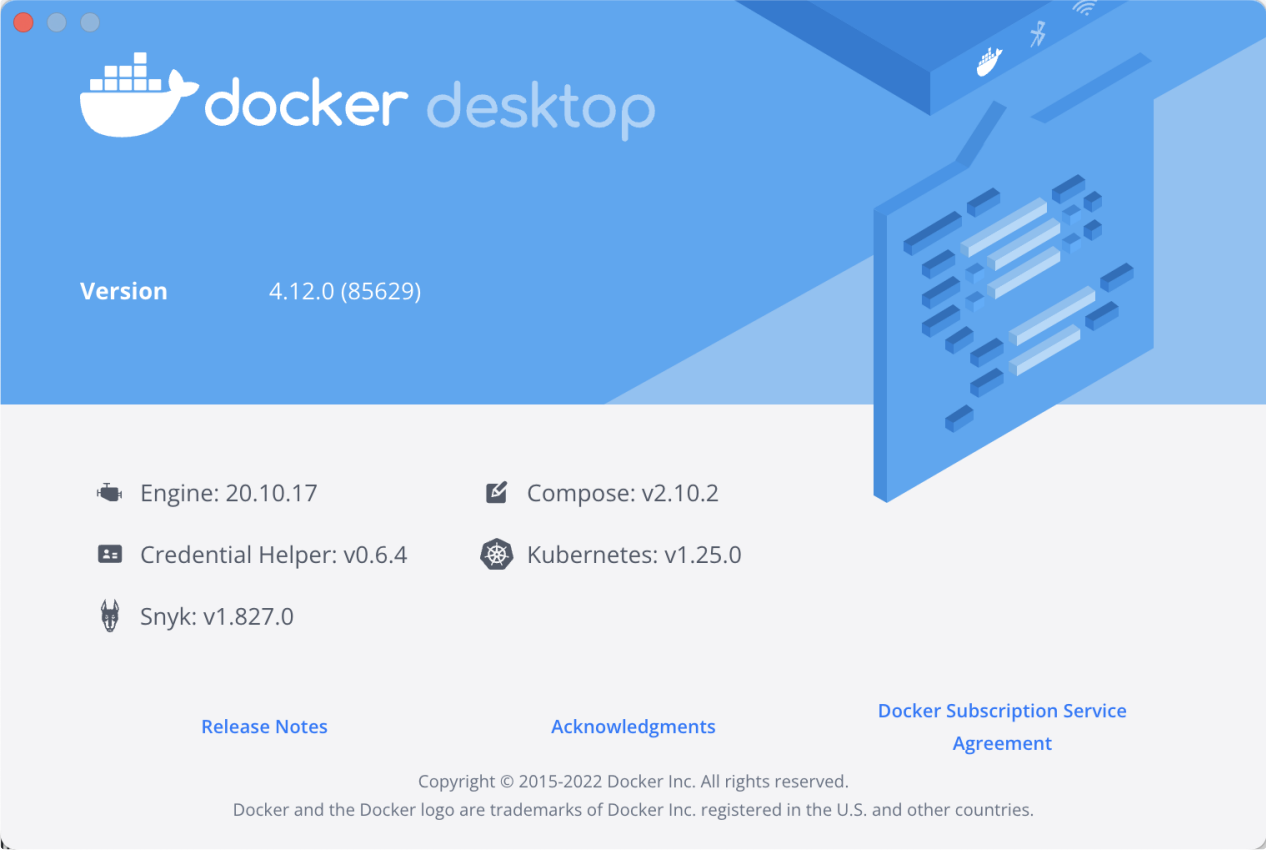
当然也可以使用桌面版,比如我本地是 Mac m1 环境,安装了 Docker Desktop 版本。
具体安装docker过程,请看如下文档:
实战:centos在线安装docker(成功测试)-2022.8.4 · 语雀 《1、实战:centos在线安装docker(成功测试)-2022.8.4》

Docker 安装过后接下来可以安装一个 kubectl 工具,Kind 本身不需要 kubectl,安装 kubectl 可以在本机直接管理 Kubernetes 集群。
2、安装kubectl
Linux 系统
[root@docker ~]#curl -LO "https://dl.k8s.io/release/$(curl -L -s https://dl.k8s.io/release/stable.txt)/bin/linux/amd64/kubectl"
  % Total    % Received % Xferd  Average Speed   Time    Time     Time  Current
                                 Dload  Upload   Total   Spent    Left  Speed
100   138  100   138    0     0    253      0 --:--:-- --:--:-- --:--:--   252
100 42.9M  100 42.9M    0     0  10.6M      0  0:00:04  0:00:04 --:--:-- 15.9M

[root@docker ~]#sudo install -o root -g root -m 0755 kubectl /usr/local/bin/kubectl

#验证版本
[root@docker ~]# kubectl version  --client
WARNING: This version information is deprecated and will be replaced with the output from kubectl version --short.  Use --output=yaml|json to get the full version.
Client Version: version.Info{Major:"1", Minor:"25", GitVersion:"v1.25.4", GitCommit:"872a965c6c6526caa949f0c6ac028ef7aff3fb78", GitTreeState:"clean", BuildDate:"2022-11-09T13:36:36Z", GoVersion:"go1.19.3", Compiler:"gc", Platform:"linux/amd64"}
Kustomize Version: v4.5.7
MacOS 系统
brew install kubectl

#验证版本
kubectl version client
3、安装Kind
接下来就可以安装 Kind 了,最简单的方式是在 Github Release 页面 直接下载对应的安装包即可,比如我们这里安装最新的 v0.17.0 版本:
[root@docker ~]# wget https://github.com/kubernetes-sigs/kind/releases/download/v0.17.0/kind-linux-amd64

# 可以使用下面的命令加速
# wget https://ghps.cc/https://github.com/kubernetes-sigs/kind/releases/download/v0.17.0/kind-darwin-amd64

[root@docker ~]#chmod +x kind-linux-amd64
[root@docker ~]#sudo mv kind-linux-amd64 /usr/local/bin/kind

# 验证版本
[root@docker ~]#kind version
kind v0.17.0 go1.19.2 linux/amd64

安装成功。😘
对于 Mac 系统也可以使用 brew install kind 进行一键安装。
要了解 Kind 的操作,最简单的方式就是直接执行一条 kind 命令,或者 kind -h,这也是我们了解任何 CLI 工具最基础的方法:
[root@docker ~]#kind -h
kind creates and manages local Kubernetes clusters using Docker container 'nodes'

Usage:
  kind [command]

Available Commands:
  build       Build one of [node-image]
  completion  Output shell completion code for the specified shell (bash, zsh or fish)
  create      Creates one of [cluster]
  delete      Deletes one of [cluster]
  export      Exports one of [kubeconfig, logs]
  get         Gets one of [clusters, nodes, kubeconfig]
  help        Help about any command
  load        Loads images into nodes
  version     Prints the kind CLI version

Flags:
  -h, --help              help for kind
      --loglevel string   DEPRECATED: see -v instead
  -q, --quiet             silence all stderr output
  -v, --verbosity int32   info log verbosity, higher value produces more output
      --version           version for kind

Use "kind [command] --help" for more information about a command.
从上面的命令可以看出 kind 工具包含很多可用的命令,比如 build 、create、 delete、load 等等。
其中最重要的应该属于 create 命令了,该命令可以用来创建一个集群,用同样的方式我们可以继续查看 kind create 命令的使用方法:
[root@docker ~]#kind create -h
Creates one of local Kubernetes cluster (cluster)

Usage:
  kind create [flags]
  kind create [command]

Available Commands:
  cluster     Creates a local Kubernetes cluster

Flags:
  -h, --help   help for create

Global Flags:
      --loglevel string   DEPRECATED: see -v instead
  -q, --quiet             silence all stderr output
  -v, --verbosity int32   info log verbosity, higher value produces more output

Use "kind create [command] --help" for more information about a command.
可以看出只有一个 cluster 子命令可用,但是该子命令后面如何操作呢?
[root@docker ~]#kind create cluster -h
Creates a local Kubernetes cluster using Docker container 'nodes'

Usage:
  kind create cluster [flags]

Flags:
      --config string       path to a kind config file
  -h, --help                help for cluster
      --image string        node docker image to use for booting the cluster
      --kubeconfig string   sets kubeconfig path instead of $KUBECONFIG or $HOME/.kube/config
  -n, --name string         cluster name, overrides KIND_CLUSTER_NAME, config (default kind)
      --retain              retain nodes for debugging when cluster creation fails
      --wait duration       wait for control plane node to be ready (default 0s)

Global Flags:
      --loglevel string   DEPRECATED: see -v instead
  -q, --quiet             silence all stderr output
  -v, --verbosity int32   info log verbosity, higher value produces more output
可以看到 create cluster 后面没有可用的子命令了,但是有一些 Flags 标志可以传递,但其实不传递任何的参数也可以创建一个 K8s 集群,这属于最简单创建 K8s 的方式,只需要执行如下所示的命令即可创建一个默认的集群(目前最新版本只支持到 K8s v1.25.3 版本):
[root@docker ~]#kind create cluster
Creating cluster "kind" ...
 ✓ Ensuring node image (kindest/node:v1.25.3) 🖼
 ✓ Preparing nodes 📦
 ✓ Writing configuration 📜
 ✓ Starting control-plane 🕹️
 ✓ Installing CNI 🔌
 ✓ Installing StorageClass 💾
Set kubectl context to "kind-kind"
You can now use your cluster with:

kubectl cluster-info --context kind-kind

Not sure what to do next? 😅  Check out https://kind.sigs.k8s.io/docs/user/quick-start/
创建完成后就可以直接使用 kubectl 命令管理该 K8s 集群了:
[root@docker ~]#kubectl get node
NAME                 STATUS   ROLES           AGE   VERSION
kind-control-plane   Ready    control-plane   56s   v1.25.3
[root@docker ~]#kubectl get po -A
NAMESPACE            NAME                                         READY   STATUS    RESTARTS   AGE
kube-system          coredns-565d847f94-k2db5                     1/1     Running   0          42s
kube-system          coredns-565d847f94-v4vhc                     1/1     Running   0          42s
kube-system          etcd-kind-control-plane                      1/1     Running   0          56s
kube-system          kindnet-6599x                                1/1     Running   0          42s
kube-system          kube-apiserver-kind-control-plane            1/1     Running   0          56s
kube-system          kube-controller-manager-kind-control-plane   1/1     Running   0          56s
kube-system          kube-proxy-gpf4b                             1/1     Running   0          42s
kube-system          kube-scheduler-kind-control-plane            1/1     Running   0          56s
local-path-storage   local-path-provisioner-684f458cdd-wjlwr      1/1     Running   0          42s

#kind create cluster,kind创建集群的时候从,他会自动去配置kubeconfig文件,所以可直接使用kubectl管理kind创建的集群。
#kindnet是kind安装k8s集群是已经默认配置好的cni插件;
默认的集群名称为 kind,在创建的时候我们可以使用参数 --name 指定创建的集群名称,可以创建多个群集:
[root@docker ~]#kind create cluster --name kind-2
Creating cluster "kind-2" ...
 ✓ Ensuring node image (kindest/node:v1.25.3) 🖼
 ✓ Preparing nodes 📦
 ✓ Writing configuration 📜
 ✓ Starting control-plane 🕹️
 ✓ Installing CNI 🔌
 ✓ Installing StorageClass 💾
Set kubectl context to "kind-kind-2"
You can now use your cluster with:

kubectl cluster-info --context kind-kind-2

Not sure what to do next? 😅  Check out https://kind.sigs.k8s.io/docs/user/quick-start/
此外还可以指定启动集群的 Node 镜像:
[root@docker ~]#kind create cluster --name kind-3 --image kindest/node:v1.23.4
Creating cluster "kind-3" ...
 ✓ Ensuring node image (kindest/node:v1.23.4) 🖼
 ✓ Preparing nodes 📦
 ✓ Writing configuration 📜
 ✓ Starting control-plane 🕹️
 ✓ Installing CNI 🔌
 ✓ Installing StorageClass 💾
Set kubectl context to "kind-kind-3"
You can now use your cluster with:

kubectl cluster-info --context kind-kind-3

Thanks for using kind! 😊

[root@docker ~]#kubectl get node
NAME                   STATUS   ROLES                  AGE     VERSION
kind-3-control-plane   Ready    control-plane,master   4m49s   v1.23.4
然后可以使用 kind get clusters 命令来获取集群列表:
[root@docker ~]#kind get clusters
kind
kind-2
当有多个集群的时候,我们可以使用 kubectl 来切换要管理的集群:
# 切换到集群 `kind`
[root@docker ~]#kubectl config use-context kind-kind
Switched to context "kind-kind".

# 切换到集群 `kind-2`
[root@docker ~]#kubectl config use-context kind-kind-2
Switched to context "kind-kind-2".
要删除集群也非常简单,比如要删除 kind-2 集群:
[root@docker ~]#kind delete cluster --name kind-2
Deleting cluster "kind-2" ...
Kind 集群中的 Docker 镜像可以从互联网直接拉取,有时候可能比较缓慢,我们可以将本机镜像导入到 Kind 集群中去,比如使用如下命令可以将镜像导入到 kind-control-plane 节点去:
[root@docker ~]# kind load docker-image --nodes kind-control-plane nginx:mainline-alpine
Image: "" with ID "sha256:cc44224bfe208a46fbc45471e8f9416f66b75d6307573e29634e7f42e27a9268" not yet present on node "kind-control-plane", loading...


#测试过程:
1、宿主机拉取测试镜像
[root@docker ~]#docker images
REPOSITORY     TAG       IMAGE ID       CREATED        SIZE
kindest/node   <none>    d8644f660df0   5 weeks ago    898MB
kindest/node   v1.23.4   6b76f7b7813a   9 months ago   1.47GB
[root@docker ~]#docker pull  nginx:mainline-alpine
mainline-alpine: Pulling from library/nginx
59bf1c3509f3: Pull complete
f3322597df46: Pull complete
d09cf91cabdc: Pull complete
3a97535ac2ef: Pull complete
919ade35f869: Pull complete
40e5d2fe5bcd: Pull complete
Digest: sha256:eb05700fe7baa6890b74278e39b66b2ed1326831f9ec3ed4bdc6361a4ac2f333
Status: Downloaded newer image for nginx:mainline-alpine
docker.io/library/nginx:mainline-alpine
[root@docker ~]#docker images
REPOSITORY     TAG               IMAGE ID       CREATED         SIZE
kindest/node   <none>            d8644f660df0   5 weeks ago     898MB
kindest/node   v1.23.4           6b76f7b7813a   9 months ago    1.47GB
nginx          mainline-alpine   cc44224bfe20   11 months ago   23.5MB

2、进入到kind节点(容器)
[root@docker ~]#kubectl get node
NAME                 STATUS   ROLES           AGE   VERSION
kind-control-plane   Ready    control-plane   26m   v1.25.3
[root@docker ~]#docker ps
CONTAINER ID   IMAGE                  COMMAND                  CREATED          STATUS          PORTS                       NAMES
24c2e3b39d3b   kindest/node:v1.25.3   "/usr/local/bin/entr…"   27 minutes ago   Up 26 minutes   127.0.0.1:46202->6443/tcp   kind-control-plane
[root@docker ~]#docker exec -it kind-control-plane /bin/sh
# ctr -n k8s.io i ls -q
docker.io/kindest/kindnetd:v20221004-44d545d1
docker.io/kindest/local-path-helper:v20220607-9a4d8d2a
docker.io/kindest/local-path-provisioner:v0.0.22-kind.0
import-2022-10-25@sha256:0dae4b69c2aa90e6c24691ebbe2e860e2a1ae68463a622c627fb58110153d950
import-2022-10-25@sha256:1c35781a4b6011d5c27bedbba7ca130db72c4aaf74d108c60bc77ae49130e5e4
import-2022-10-25@sha256:4002c19dafb94b1995fc598fae590f70cac10135f61ca2551bd97aae37ed9c4a
import-2022-10-25@sha256:409b0e81d9aecf59df96df445a3171f43e2ae834ef6c9e77b1492c4d19bfd78d
registry.k8s.io/coredns/coredns:v1.9.3
registry.k8s.io/etcd:3.5.4-0
registry.k8s.io/kube-apiserver:v1.25.3
registry.k8s.io/kube-controller-manager:v1.25.3
registry.k8s.io/kube-proxy:v1.25.3
registry.k8s.io/kube-scheduler:v1.25.3
registry.k8s.io/pause:3.7
sha256:221177c6082a88ea4f6240ab2450d540955ac6f4d5454f0e15751b653ebda165
sha256:4bc1b1e750e34e3fbb542febefe990232575c949ccc07836125e23f3b1881a56
sha256:4c1e997385b8fb4ad4d1d3c7e5af7ff3f882e94d07cf5b78de9e889bc60830e6
sha256:5185b96f0becf59032b8e3646e99f84d9655dff3ac9e2605e0dc77f9c441ae4a
sha256:5225724a11400a83db6efe486e37aeaec871f0e15b19e82c9160b7c3de880875
sha256:580dca99efc3bb79350e610acca6242f13442633087f3187f7264adbddfbda07
sha256:86063cd68dfc91a931a6e095a0f796643990ce18d7edf0bbc3385c85bc95c1ab
sha256:a8a176a5d5d698f9409dc246f81fa69d37d4a2f4132ba5e62e72a78476b27f66
sha256:d2f902e939cc38784e56ec30c102ef01a019e13a3b31d4c23332ffdd0244a632
sha256:d6e3e26021b60c625f0ef5b2dd3f9e22d2d398e05bccc4fdd7d59fbbb6a04d3f
# ctr -n k8s.io i ls -q|grep nginx
#

3、导入镜像
[root@docker ~]# kind load docker-image --nodes kind-control-plane nginx:mainline-alpine
Image: "" with ID "sha256:cc44224bfe208a46fbc45471e8f9416f66b75d6307573e29634e7f42e27a9268" not yet present on node "kind-control-plane", loading...


4、验证
# ctr -n k8s.io i ls -q|grep nginx
docker.io/library/nginx:mainline-alpine
上面我们介绍的是 kind 命令的一些常用操作,此外我们还可以通过一个文件来配置要创建的 K8s 集群,比如定义一个如下所示的 config.yaml 文件:
[root@docker ~]#vim config.yaml
# config.yaml
kind: Cluster
apiVersion: kind.x-k8s.io/v1alpha4
name: demo
nodes:
 - role: control-plane
 - role: worker
 - role: worker
该配置文件表示我们一共要创建 3 个节点,一个控制节点,两个工作节点,在创建集群的时候只需要通过 --config 参数指定该文件即可:
[root@docker ~]#kind create cluster --config config.yaml
Creating cluster "demo" ...
 ✓ Ensuring node image (kindest/node:v1.25.3) 🖼
 ✓ Preparing nodes 📦 📦 📦
 ✓ Writing configuration 📜
 ✓ Starting control-plane 🕹️
 ✓ Installing CNI 🔌
 ✓ Installing StorageClass 💾
 ✓ Joining worker nodes 🚜
Set kubectl context to "kind-demo"
You can now use your cluster with:

kubectl cluster-info --context kind-demo

Not sure what to do next? 😅  Check out https://kind.sigs.k8s.io/docs/user/quick-start/
创建后的集群名称为 demo ,一共包括 3 个节点:
[root@docker ~]#kubectl get node
NAME                 STATUS   ROLES           AGE   VERSION
demo-control-plane   Ready    control-plane   74s   v1.25.3
demo-worker          Ready    <none>          34s   v1.25.3
demo-worker2         Ready    <none>          34s   v1.25.3
[root@docker ~]#kubectl get  po -A
NAMESPACE            NAME                                         READY   STATUS    RESTARTS   AGE
kube-system          coredns-565d847f94-8snf4                     1/1     Running   0          62s
kube-system          coredns-565d847f94-dwdn6                     1/1     Running   0          62s
kube-system          etcd-demo-control-plane                      1/1     Running   0          76s
kube-system          kindnet-jjj7l                                1/1     Running   0          63s
kube-system          kindnet-l69rg                                1/1     Running   0          37s
kube-system          kindnet-sljw7                                1/1     Running   0          34s
kube-system          kube-apiserver-demo-control-plane            1/1     Running   0          74s
kube-system          kube-controller-manager-demo-control-plane   1/1     Running   0          77s
kube-system          kube-proxy-2rlsr                             1/1     Running   0          63s
kube-system          kube-proxy-s8cmz                             1/1     Running   0          34s
kube-system          kube-proxy-sdskq                             1/1     Running   0          37s
kube-system          kube-scheduler-demo-control-plane            1/1     Running   0          74s
local-path-storage   local-path-provisioner-684f458cdd-x97z8      1/1     Running   0          62s
创建一个 HA 模式的控制平面的k8s集群
如果想创建一个 HA 模式的控制平面,那么我们可以定义如下所示的配置文件,只需要指定 3 个(奇数个) control-plane 角色的节点即可:
kind: Cluster
apiVersion: kind.x-k8s.io/v1alpha4
nodes:
 - role: control-plane
 - role: control-plane
 - role: control-plane
 - role: worker
 - role: worker
 - role: worker

# 注意:这里是的HA是用ha-proxy来实现的。
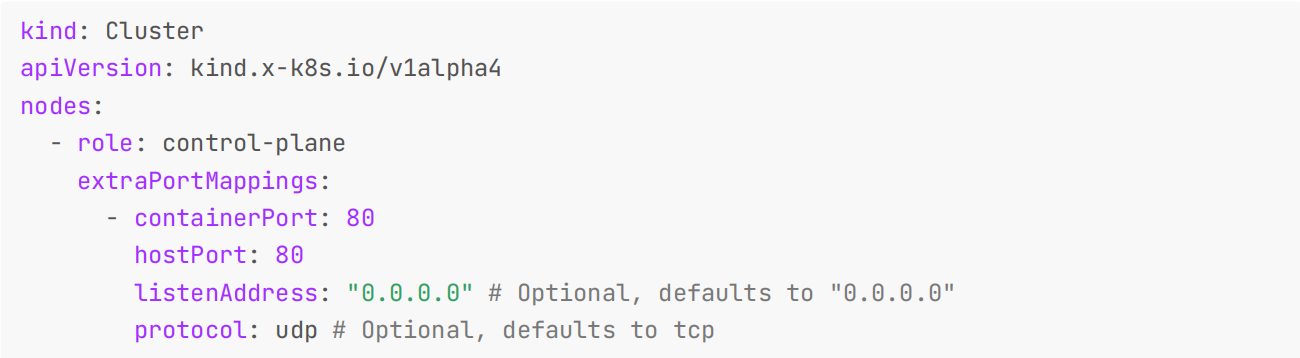
此外我们还可以将 Node 的端口映射到宿主机,通过配置文件中的 extraPortMappings 属性可以实现该功能,如下所示配置可以将 control-plane 节点 80 端口映射到宿主机的 80 端口上:
kind: Cluster
apiVersion: kind.x-k8s.io/v1alpha4
nodes:
 - role: control-plane
   extraPortMappings:
     - containerPort: 80
       hostPort: 80
       listenAddress: "0.0.0.0" # Optional, defaults to "0.0.0.0"
       protocol: udp # Optional, defaults to tcp
如果要将端口映射与 NodePort 一起使用,kind 节点的 containerPort 和 Service 的 nodePort 需要相等。
kind: Cluster
apiVersion: kind.x-k8s.io/v1alpha4
nodes:
 - role: control-plane
 extraPortMappings:
 - containerPort: 30950
 hostPort: 80
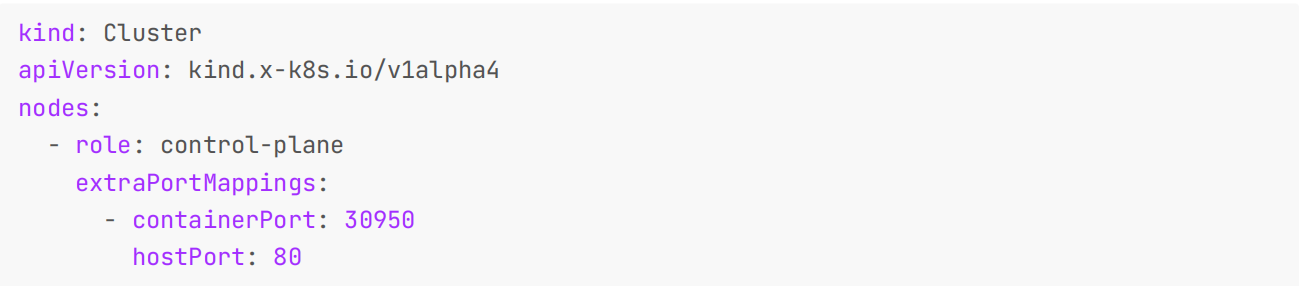
然后将 nodePort 设置为 30950。
kind: Pod
apiVersion: v1
metadata:
 name: foo
 labels:
 app: foo

 spec:
 containers:
 - name: foo
 image: hashicorp/http-echo:0.2.3
 args:
 - "-text=foo"
 ports:
 - containerPort: 5678
""+
apiVersion: v1
kind: Service
metadata:
 name: foo
spec:
 type: NodePort
 ports:
 - name: http
 nodePort: 30950
 port: 5678
 selector:
 app: foo

同样我们也可以在配置文件中指定 Node 的容器镜像版本运行指定版本的 Kubernetes 群集。可以在官方 release 页面中中查找需要镜像 tag,带上 sha256 shasum(非必须),例如:
kind: Cluster
apiVersion: kind.x-k8s.io/v1alpha4
nodes:
 - role: control-plane
 image:
kindest/node:v1.18.15@sha256:5c1b980c4d0e0e8e7eb9f36f7df525d079a96169c8a8f20d8bd108c0d08
89cc4
 - role: worker
 image:
kindest/node:v1.18.15@sha256:5c1b980c4d0e0e8e7eb9f36f7df525d079a96169c8a8f20d8bd108c0d08
89cc4
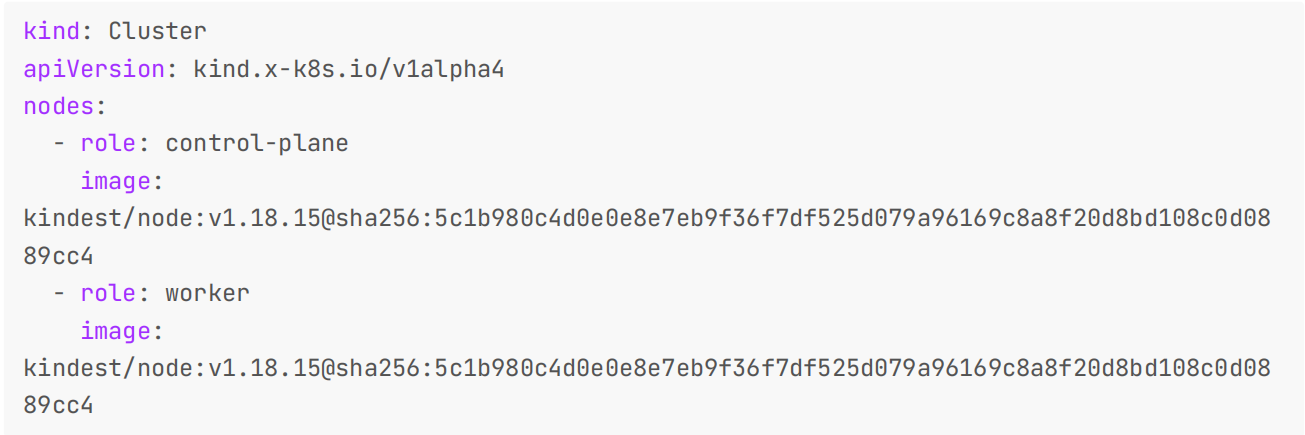
此外还有一些其他定制操作,比如 Kind 创建的集群默认自带一个轻量级的 CNI 插件 kindnetd ,我们也可以禁用默认设置来安装其他 CNI,比如 Calico。
kind: Cluster
apiVersion: kind.x-k8s.io/v1alpha4
networking:
# the default CNI will not be installed
 disableDefaultCNI: true

还可以在 iptables 和 ipvs 之间配置将要使用的 kube-proxy 模式,默认情况下使用 iptables :
kind: Cluster
apiVersion: kind.x-k8s.io/v1alpha4
networking:
 kubeProxyMode: "ipvs"

另外我们可以讲宿主机的路径挂载到某个节点上用于数据持久化等。
kind: Cluster
apiVersion: kind.x-k8s.io/v1alpha4
nodes:
 - role: control-plane
# add a mount from /path/to/my/files on the host to /files on the node
 extraMounts:
 - hostPath: /path/to/my/files
 containerPath: /files

我们还可以给节点定制不同的标签,这对于节点筛选非常有用,只需要在节点中添加 labels 配置即可。
kind: Cluster
apiVersion: kind.x-k8s.io/v1alpha4
nodes:
 - role: control-plane
 - role: worker
 extraPortMappings:
 - containerPort: 30950
 hostPort: 80
 labels:
 tier: frontend
 - role: worker
 labels:
 tier: backend
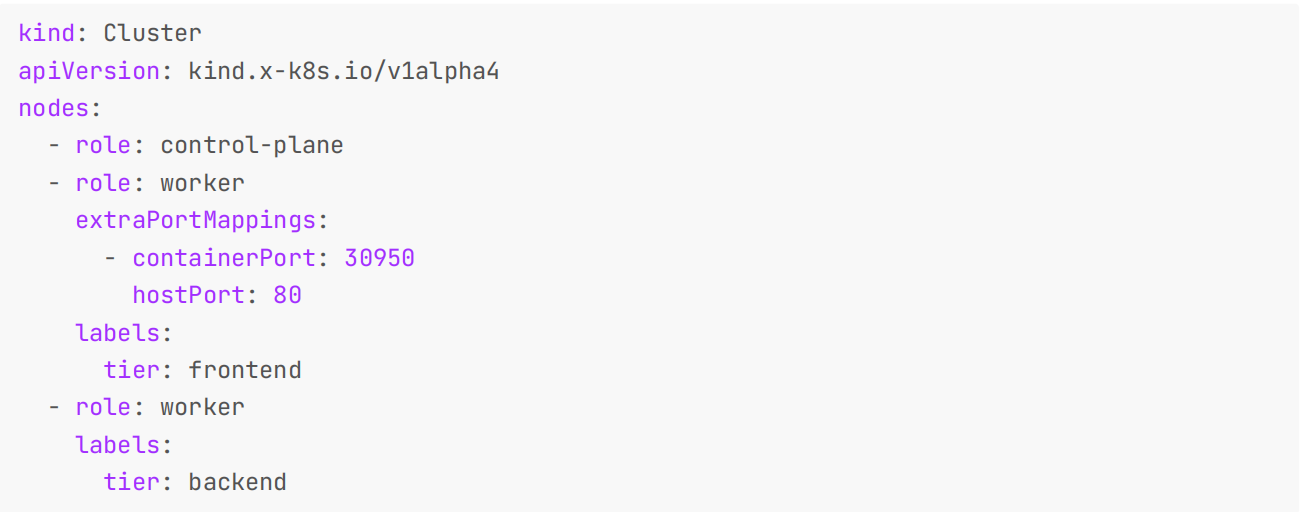
Kind 使用 Kubeadm 来配置的集群节点,他会在第一个控制平面节点上运行 kubeadm init 命令,我们可以使用kubeadm InitConfiguration 来进行一些定制。
kind: Cluster
apiVersion: kind.x-k8s.io/v1alpha4
nodes:
 - role: control-plane
 kubeadmConfigPatches:
 - |
 kind: InitConfiguration
 nodeRegistration:
 kubeletExtraArgs:
 node-labels: "my-label=true"
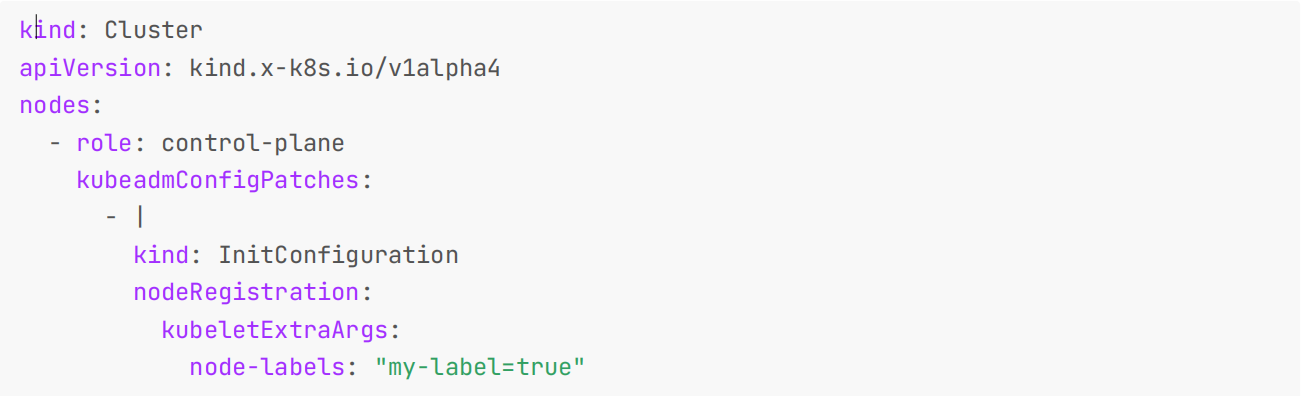
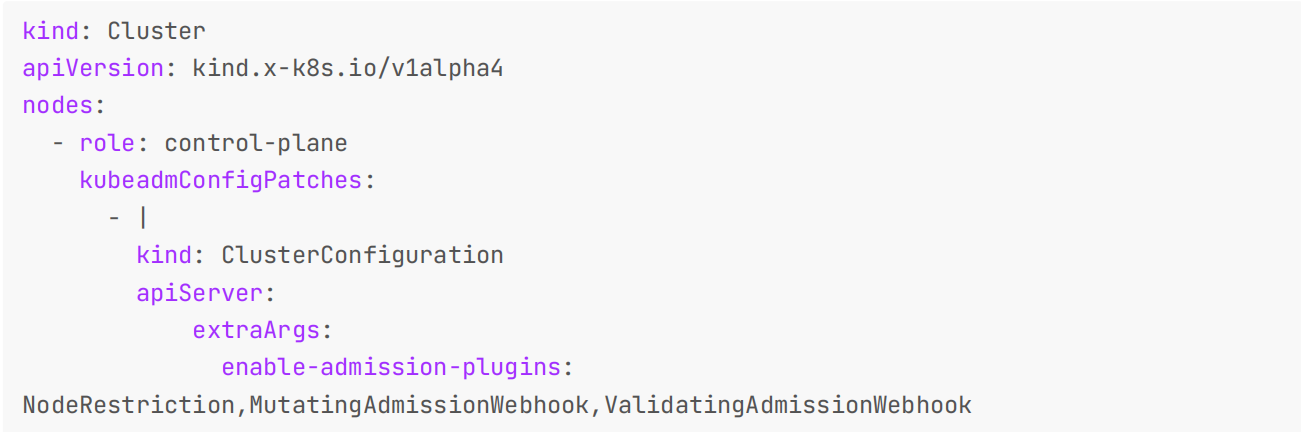
如果你想进行更多的定制,那么在 kubeadm init 期间有四种配置类型可用: InitConfiguration 、ClusterConfiguration 、 KubeProxyConfiguration、 KubeletConfiguration。例如,我们可以使用kubeadm ClusterConfiguration 来覆盖 apiserver 标志:
kind: Cluster
apiVersion: kind.x-k8s.io/v1alpha4
nodes:
 - role: control-plane
 kubeadmConfigPatches:
 - |
 kind: ClusterConfiguration
 apiServer:
 extraArgs:
 enable-admission-plugins:
NodeRestriction,MutatingAdmissionWebhook,ValidatingAdmissionWebhook
在 Kind 集群中的 worker 或控制平面(在 HA 模式下)节点上,Kind 会执行 kubeadm join 命令,我们也可以使用JoinConfiguration (spec) 来进行定制:
kind: Cluster
apiVersion: kind.x-k8s.io/v1alpha4
nodes:
 - role: control-plane
 - role: worker
 - role: worker
 kubeadmConfigPatches:
 - |
 kind: JoinConfiguration
 nodeRegistration:
 kubeletExtraArgs:
 node-labels: "my-label2=true"
 - role: control-plane
 kubeadmConfigPatches:
 - |
 kind: JoinConfiguration
 nodeRegistration:
 kubeletExtraArgs:
 node-labels: "my-label3=true"

此外 Kind 还有很多其他的实践方式,在后续课程中我们也会慢慢接触到。
我的博客主旨:
🍀 微信二维码
x2675263825 (舍得), qq:2675263825。

🍀 微信公众号
《云原生架构师实战》

🍀 语雀
语雀博客 · 语雀 《语雀博客》
🍀 博客
www.onlyyou520.com

🍀 csdn
一念一生~one的博客_CSDN博客-k8s,Linux,git领域博主

🍀 知乎

好了,关于本次就到这里了,感谢大家阅读,最后祝大家生活快乐,每天都过的有意义哦,我们下期见!

很好奇,就使用rubyonrails自动化单元测试而言,你们正在做什么?您是否创建了一个脚本来在cron中运行rake作业并将结果邮寄给您?git中的预提交Hook?只是手动调用?我完全理解测试,但想知道在错误发生之前捕获错误的最佳实践是什么。让我们理所当然地认为测试本身是完美无缺的,并且可以正常工作。下一步是什么以确保他们在正确的时间将可能有害的结果传达给您? 最佳答案 不确定您到底想听什么,但是有几个级别的自动代码库控制:在处理某项功能时,您可以使用类似autotest的内容获得关于哪些有效,哪些无效的即时反馈。要确保您的提
我正在编写一个包含C扩展的gem。通常当我写一个gem时,我会遵循TDD的过程,我会写一个失败的规范,然后处理代码直到它通过,等等......在“ext/mygem/mygem.c”中我的C扩展和在gemspec的“扩展”中配置的有效extconf.rb,如何运行我的规范并仍然加载我的C扩展?当我更改C代码时,我需要采取哪些步骤来重新编译代码?这可能是个愚蠢的问题,但是从我的gem的开发源代码树中输入“bundleinstall”不会构建任何native扩展。当我手动运行rubyext/mygem/extconf.rb时,我确实得到了一个Makefile(在整个项目的根目录中),然后当
我有一个围绕一些对象的包装类,我想将这些对象用作散列中的键。包装对象和解包装对象应映射到相同的键。一个简单的例子是这样的:classAattr_reader:xdefinitialize(inner)@inner=innerenddefx;@inner.x;enddef==(other)@inner.x==other.xendenda=A.new(o)#oisjustanyobjectthatallowso.xb=A.new(o)h={a=>5}ph[a]#5ph[b]#nil,shouldbe5ph[o]#nil,shouldbe5我试过==、===、eq?并散列所有无济于事。
我有一些Ruby代码,如下所示:Something.createdo|x|x.foo=barend我想编写一个测试,它使用double代替block参数x,这样我就可以调用:x_double.should_receive(:foo).with("whatever").这可能吗? 最佳答案 specify'something'dox=doublex.should_receive(:foo=).with("whatever")Something.should_receive(:create).and_yield(x)#callthere
Sinatra新手;我正在运行一些rspec测试,但在日志中收到了一堆不需要的噪音。如何消除日志中过多的噪音?我仔细检查了环境是否设置为:test,这意味着记录器级别应设置为WARN而不是DEBUG。spec_helper:require"./app"require"sinatra"require"rspec"require"rack/test"require"database_cleaner"require"factory_girl"set:environment,:testFactoryGirl.definition_file_paths=%w{./factories./test/
我遵循MichaelHartl的“RubyonRails教程:学习Web开发”,并创建了检查用户名和电子邮件长度有效性的测试(名称最多50个字符,电子邮件最多255个字符)。test/helpers/application_helper_test.rb的内容是:require'test_helper'classApplicationHelperTest在运行bundleexecraketest时,所有测试都通过了,但我看到以下消息在最后被标记为错误:ERROR["test_full_title_helper",ApplicationHelperTest,1.820016791]test
我已经构建了一些serverspec代码来在多个主机上运行一组测试。问题是当任何测试失败时,测试会在当前主机停止。即使测试失败,我也希望它继续在所有主机上运行。Rakefile:namespace:specdotask:all=>hosts.map{|h|'spec:'+h.split('.')[0]}hosts.eachdo|host|begindesc"Runserverspecto#{host}"RSpec::Core::RakeTask.new(host)do|t|ENV['TARGET_HOST']=hostt.pattern="spec/cfengine3/*_spec.r
我在app/helpers/sessions_helper.rb中有一个帮助程序文件,其中包含一个方法my_preference,它返回当前登录用户的首选项。我想在集成测试中访问该方法。例如,这样我就可以在测试中使用getuser_path(my_preference)。在其他帖子中,我读到这可以通过在测试文件中包含requiresessions_helper来实现,但我仍然收到错误NameError:undefinedlocalvariableormethod'my_preference'.我做错了什么?require'test_helper'require'sessions_hel
这里有一个很好的答案解释了如何在Ruby中下载文件而不将其加载到内存中:https://stackoverflow.com/a/29743394/4852737require'open-uri'download=open('http://example.com/image.png')IO.copy_stream(download,'~/image.png')我如何验证下载文件的IO.copy_stream调用是否真的成功——这意味着下载的文件与我打算下载的文件完全相同,而不是下载一半的损坏文件?documentation说IO.copy_stream返回它复制的字节数,但是当我还没有下
我是Google云的新手,我正在尝试对其进行首次部署。我的第一个部署是RubyonRails项目。我基本上是在关注thisguideinthegoogleclouddocumentation.唯一的区别是我使用的是我自己的项目,而不是他们提供的“helloworld”项目。这是我的app.yaml文件runtime:customvm:trueentrypoint:bundleexecrackup-p8080-Eproductionconfig.ruresources:cpu:0.5memory_gb:1.3disk_size_gb:10当我转到我的项目目录并运行gcloudprevie
