用于location段
allow:设定允许哪台或哪些主机访问,多个参数间用空格隔开
deny: 设定禁止哪台或哪些主机访问,多个参数间用空格隔开
//测试
[root@nginx ~]# cd /usr/local/nginx/html/
[root@nginx html]# ls
50x.html  index.html
[root@nginx html]# echo 'hello world' > index.html
[root@nginx html]# systemctl restart nginx

//虚拟机访问
[root@nginx html]# curl 192.168.111.141
hello world
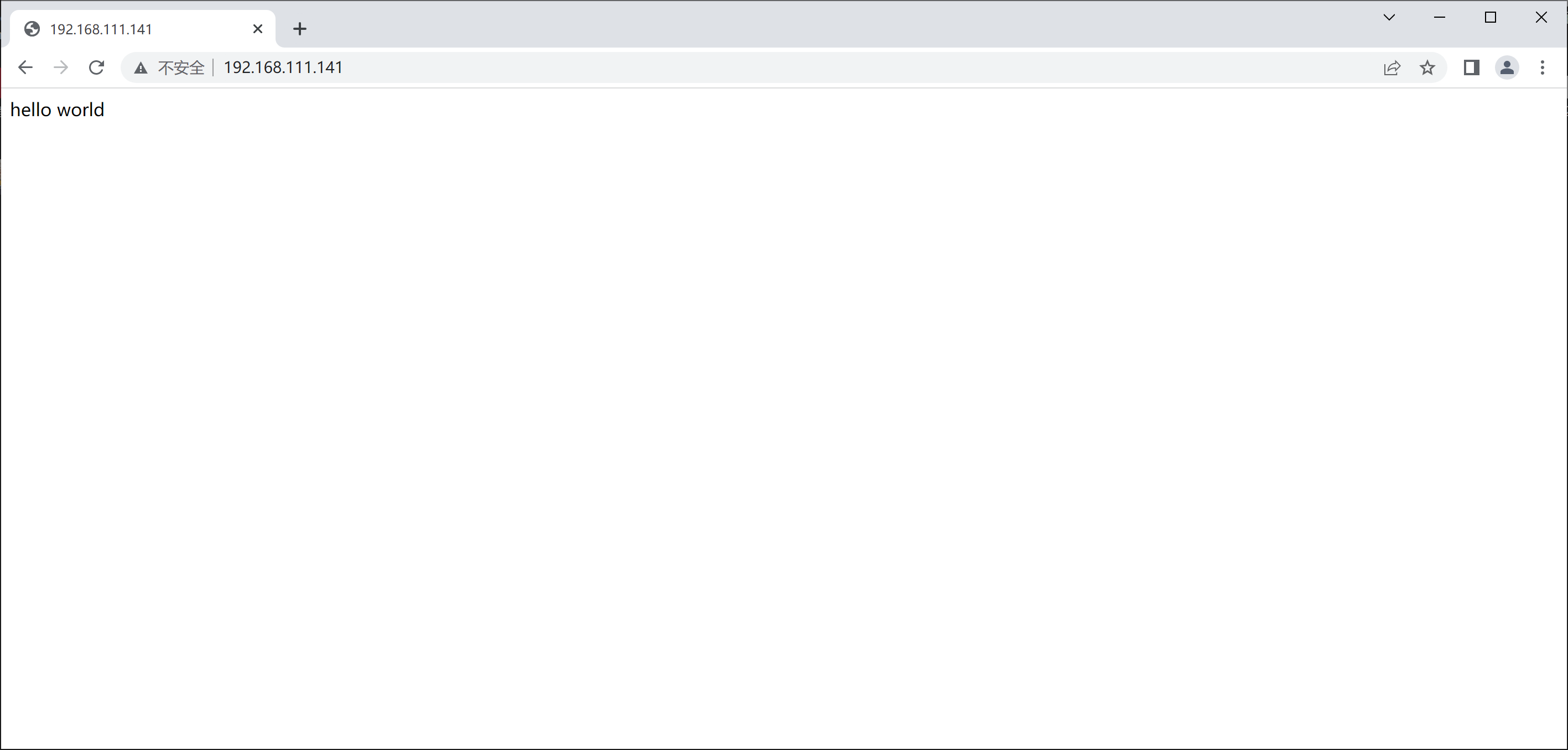
访问测试
//修改配置文件
[root@nginx html]# cd ..
[root@nginx nginx]# vim conf/nginx.conf
        location / {
            allow 192.168.111.141;		//只允许虚拟机访问
            deny all;
            root   html;
            index  index.html index.htm;
        }
[root@nginx nginx]# systemctl restart nginx

//虚拟机访问
[root@nginx nginx]# curl 192.168.111.141
hello world
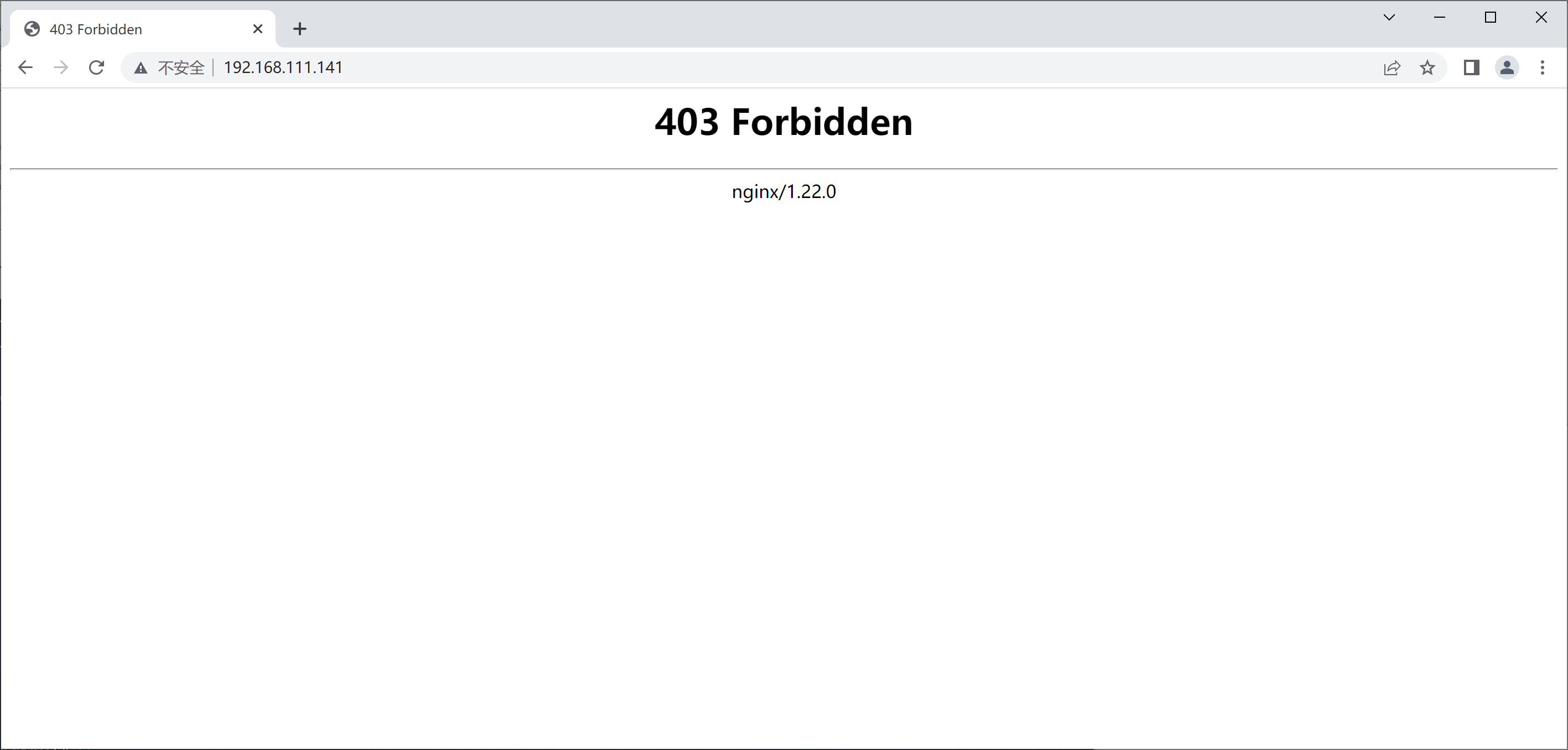
访问测试
//安装httpd工具包
[root@nginx ~]# yum -y install httpd-tools

//修改配置文件
[root@nginx ~]# cd /usr/local/nginx/conf/
[root@nginx conf]# vim nginx.conf
        location / {
            root   html;
            index  index.html index.htm;
        }

        location /abc {
             auth_basic "ABC";
             auth_basic_user_file "/usr/local/nginx/conf/.pass"; 	//密码位置
             root html;
             index index.html;
        }

//生成用户密码
[root@nginx conf]# htpasswd -cm /usr/local/nginx/conf/.pass runtime
New password:
Re-type new password:
Adding password for user runtime
[root@nginx conf]# cat .pass
runtime:$apr1$nPzAshNM$nvmalzBcNQlagDB3ipABc1		//加密后的密码
[root@nginx conf]# systemctl restart nginx
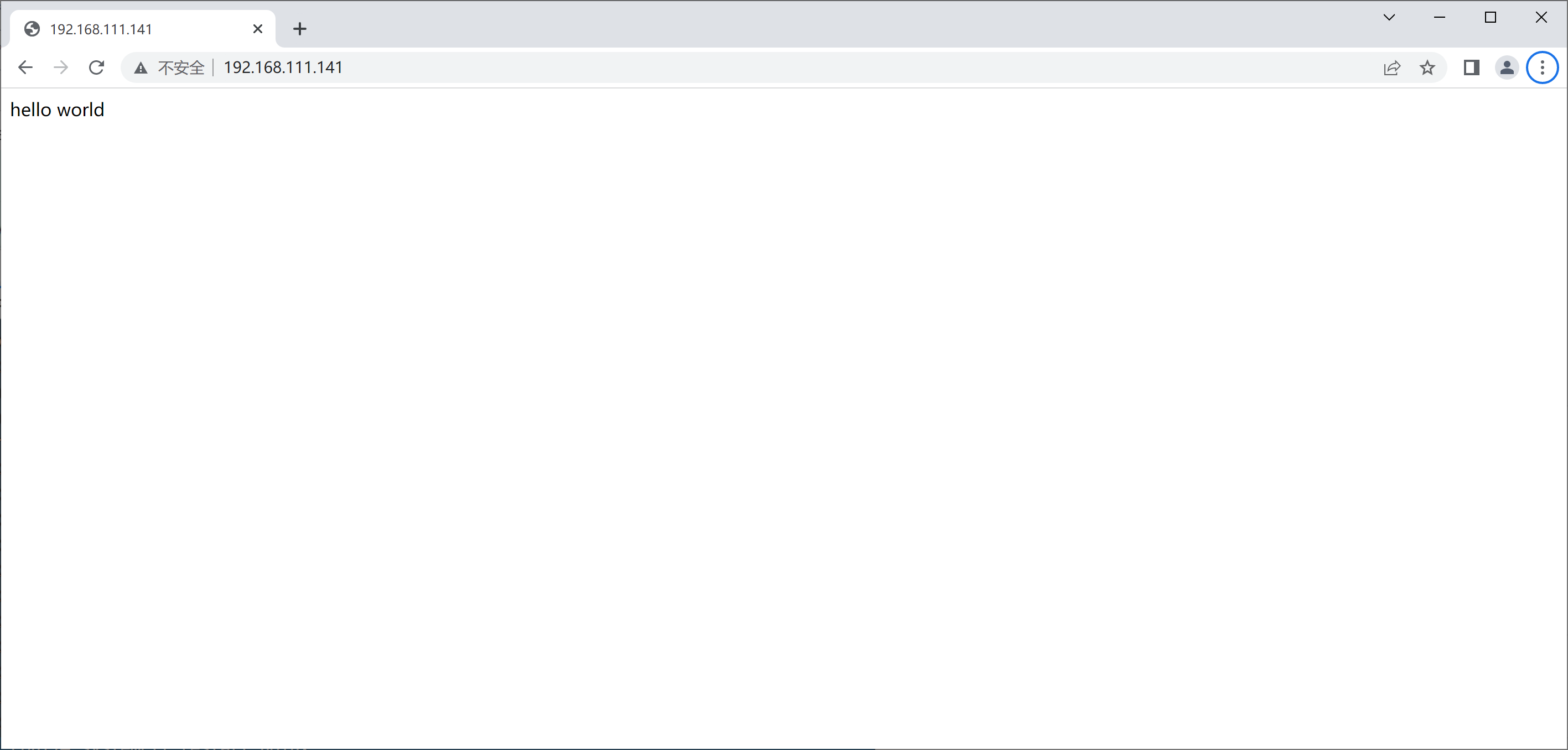
直接访问
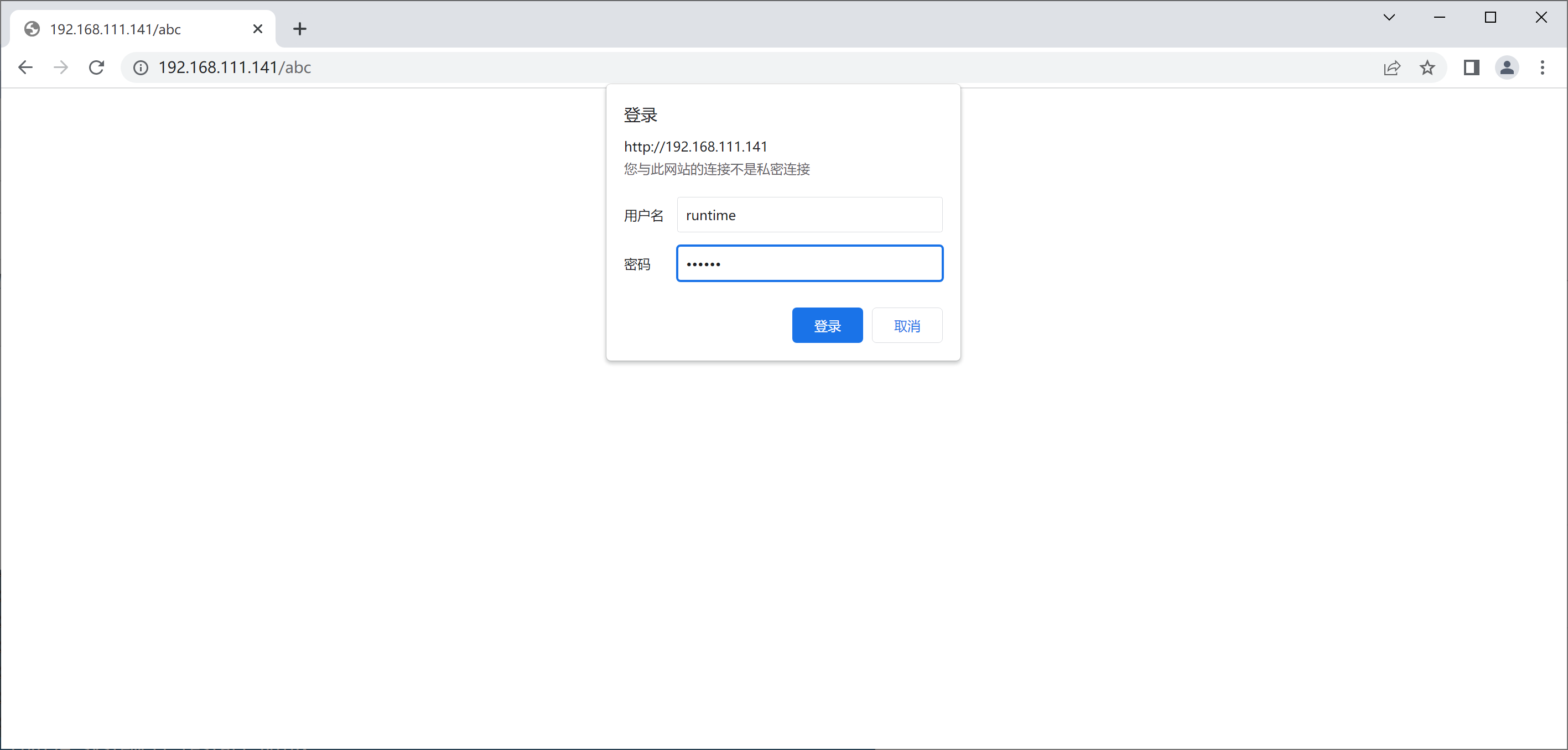
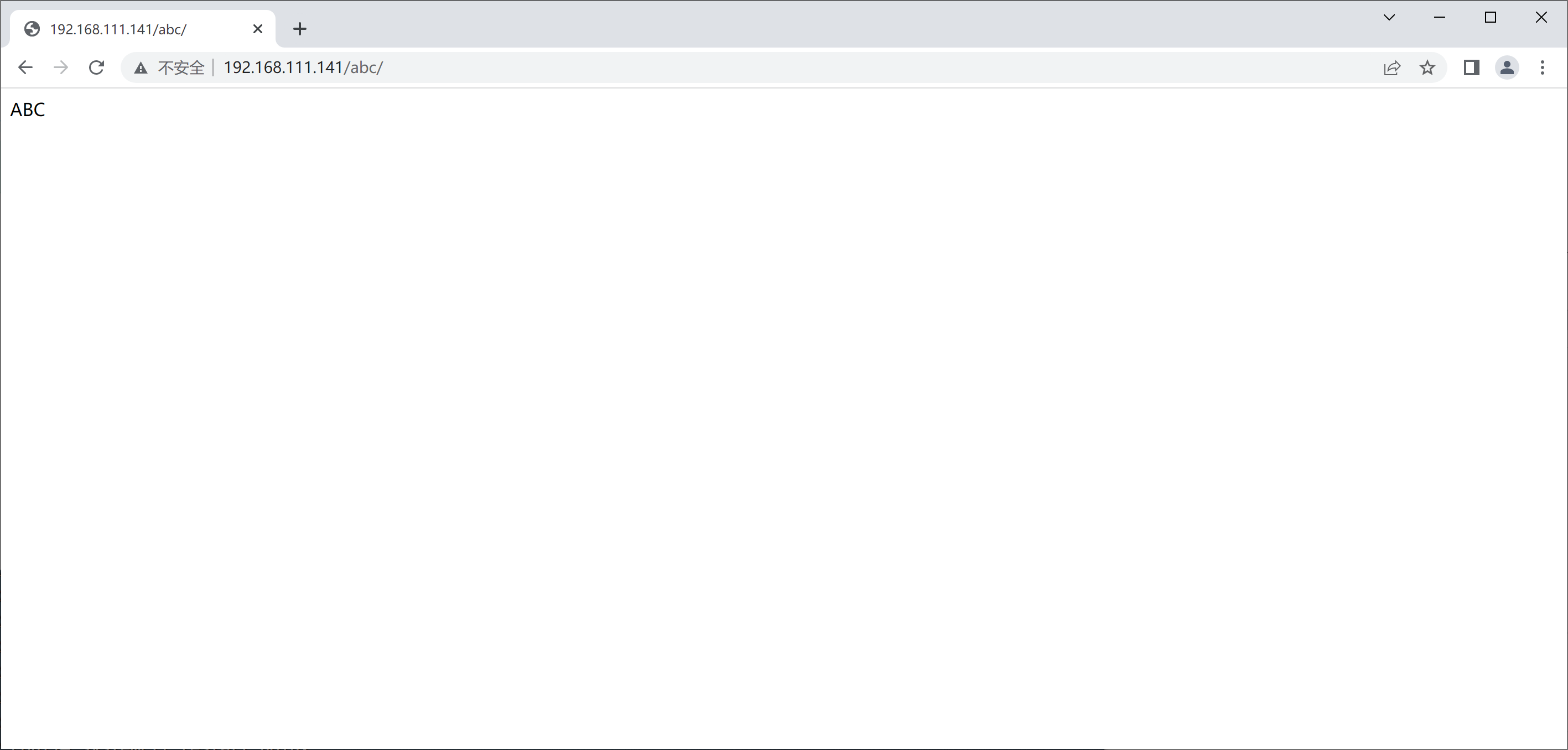
访问根下的abc
证书申请及签署步骤
a) 生成申请请求 b) RA核验c) CA签署 d) 获取证书
//生成证书
[root@nginx ~]# cd /etc/pki/
[root@nginx pki]# mkdir CA
[root@nginx pki]# cd CA/
[root@nginx CA]# mkdir private
[root@nginx CA]# (umask 077;openssl genrsa -out private/cakey.pem 2048)		//括号必须要
Generating RSA private key, 2048 bit long modulus (2 primes)
........+++++
............................................................................+++++
e is 65537 (0x010001)
[root@nginx CA]# ls private/
cakey.pem

//CA生成自签署证书
[root@nginx CA]# openssl req -new -x509 -key private/cakey.pem -out cacert.pem -days 365
You are about to be asked to enter information that will be incorporated
into your certificate request.
What you are about to enter is what is called a Distinguished Name or a DN.
There are quite a few fields but you can leave some blank
For some fields there will be a default value,
If you enter '.', the field will be left blank.
-----
Country Name (2 letter code) [XX]:CN     //国家
State or Province Name (full name) []:HB  //省份
Locality Name (eg, city) [Default City]:WH   //市
Organization Name (eg, company) [Default Company Ltd]:TX
Organizational Unit Name (eg, section) []:www.example.com   //域名
Common Name (eg, your name or your server's hostname) []:www.example.com
Email Address []:1@2.com
[root@nginx CA]# mkdir certs newcerts crl
[root@nginx CA]# touch index.txt && echo 01 > serial

//生成密钥
[root@nginx CA]# cd /usr/local/nginx/conf/
[root@nginx conf]# mkdir ssl
[root@nginx conf]# cd ssl
[root@nginx ssl]# (umask 077;openssl genrsa -out nginx.key 2048)
Generating RSA private key, 2048 bit long modulus (2 primes)
..................................................+++++
..................................+++++
e is 65537 (0x010001)

//证书签署请求
[root@nginx ssl]# openssl req -new -key nginx.key -days 365 -out nginx.csr
Ignoring -days; not generating a certificate
You are about to be asked to enter information that will be incorporated
into your certificate request.
What you are about to enter is what is called a Distinguished Name or a DN.
There are quite a few fields but you can leave some blank
For some fields there will be a default value,
If you enter '.', the field will be left blank.
-----
Country Name (2 letter code) [XX]:CN
State or Province Name (full name) []:HB
Locality Name (eg, city) [Default City]:WH
Organization Name (eg, company) [Default Company Ltd]:TX
Organizational Unit Name (eg, section) []:www.example.com
Common Name (eg, your name or your server's hostname) []:www.example.com
Email Address []:1@2.com

Please enter the following 'extra' attributes
to be sent with your certificate request
A challenge password []:
An optional company name []:

//签署证书
[root@nginx ssl]# openssl ca -in nginx.csr -out nginx.crt -days 365
Using configuration from /etc/pki/tls/openssl.cnf
Check that the request matches the signature
Signature ok
Certificate Details:
        Serial Number: 1 (0x1)
        Validity
            Not Before: Oct 13 06:50:03 2022 GMT
            Not After : Oct 13 06:50:03 2023 GMT
        Subject:
            countryName               = CN
            stateOrProvinceName       = HB
            organizationName          = www.example.com
            organizationalUnitName    = www.example.com
            commonName                = www.example.com
            emailAddress              = 1@2.com
        X509v3 extensions:
            X509v3 Basic Constraints:
                CA:FALSE
            Netscape Comment:
                OpenSSL Generated Certificate
            X509v3 Subject Key Identifier:
                DA:A8:6A:71:7F:86:76:C8:A2:99:C2:D4:D1:79:F9:43:95:4C:41:12
            X509v3 Authority Key Identifier:
                keyid:DB:B7:F5:00:4D:A0:A3:A7:CB:D1:70:FE:B6:CD:71:D0:F1:55:AB:DC

Certificate is to be certified until Oct 13 06:50:03 2023 GMT (365 days)
Sign the certificate? [y/n]:y


1 out of 1 certificate requests certified, commit? [y/n]y
Write out database with 1 new entries
Data Base Updated
[root@nginx ssl]# ls
nginx.crt  nginx.csr  nginx.key

//修改配置文件加入生成的密钥和证书
[root@nginx ssl]# cd ..
[root@nginx conf]# vim nginx.conf
//先取消注释
    server {
        listen       443 ssl;
        server_name  www.example.com;

        ssl_certificate      /usr/local/nginx/conf/ssl/nginx.crt;	//修改为密钥和证书的位置
        ssl_certificate_key  /usr/local/nginx/conf/ssl/nginx.key;

        ssl_session_cache    shared:SSL:1m;
        ssl_session_timeout  5m;

        ssl_ciphers  HIGH:!aNULL:!MD5;
        ssl_prefer_server_ciphers  on;

        location / {
            root   html;
            index  index.html index.htm;
        }
    }

}
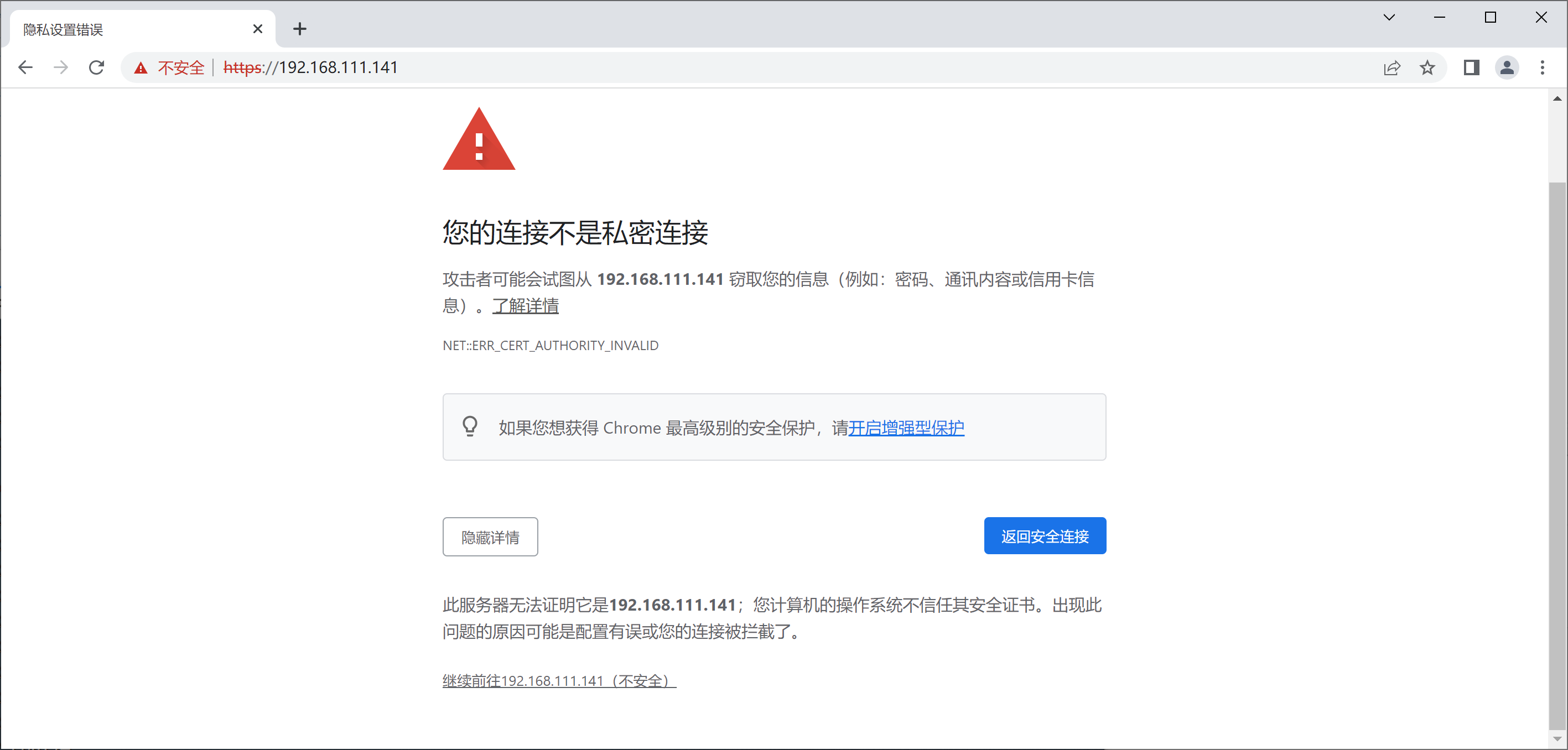
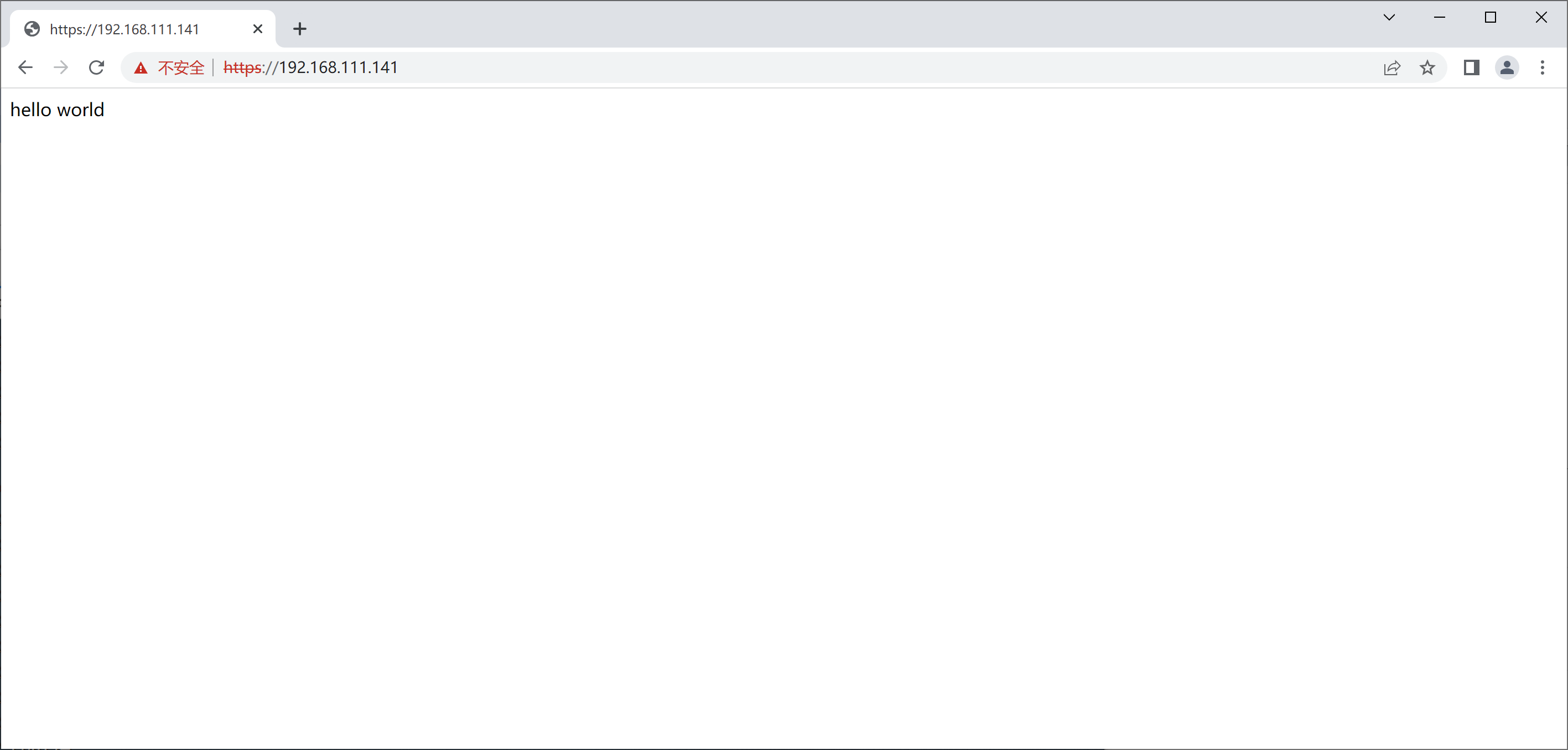
[root@nginx conf]# systemctl restart nginx
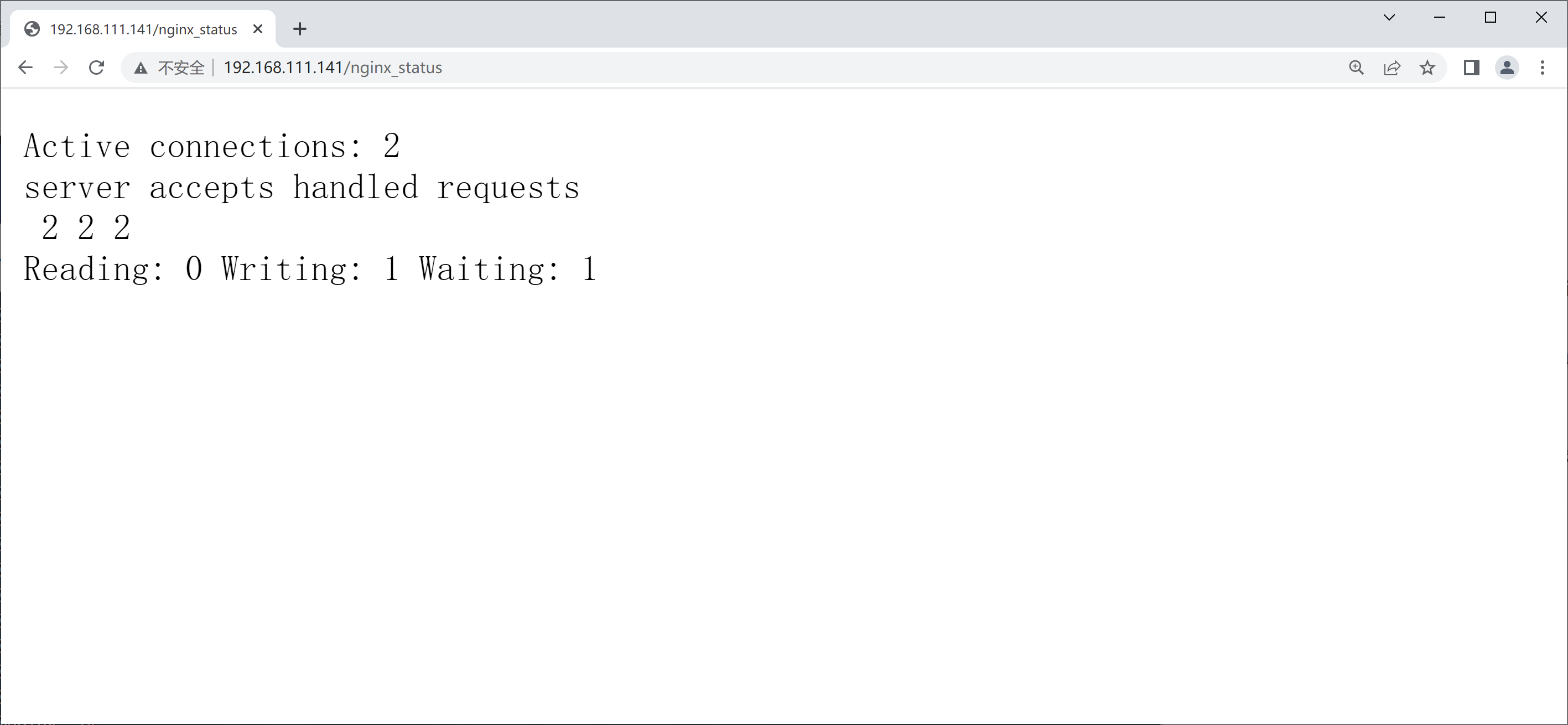
状态页面信息详解:
| 状态码 | 表示的意义 |
|---|---|
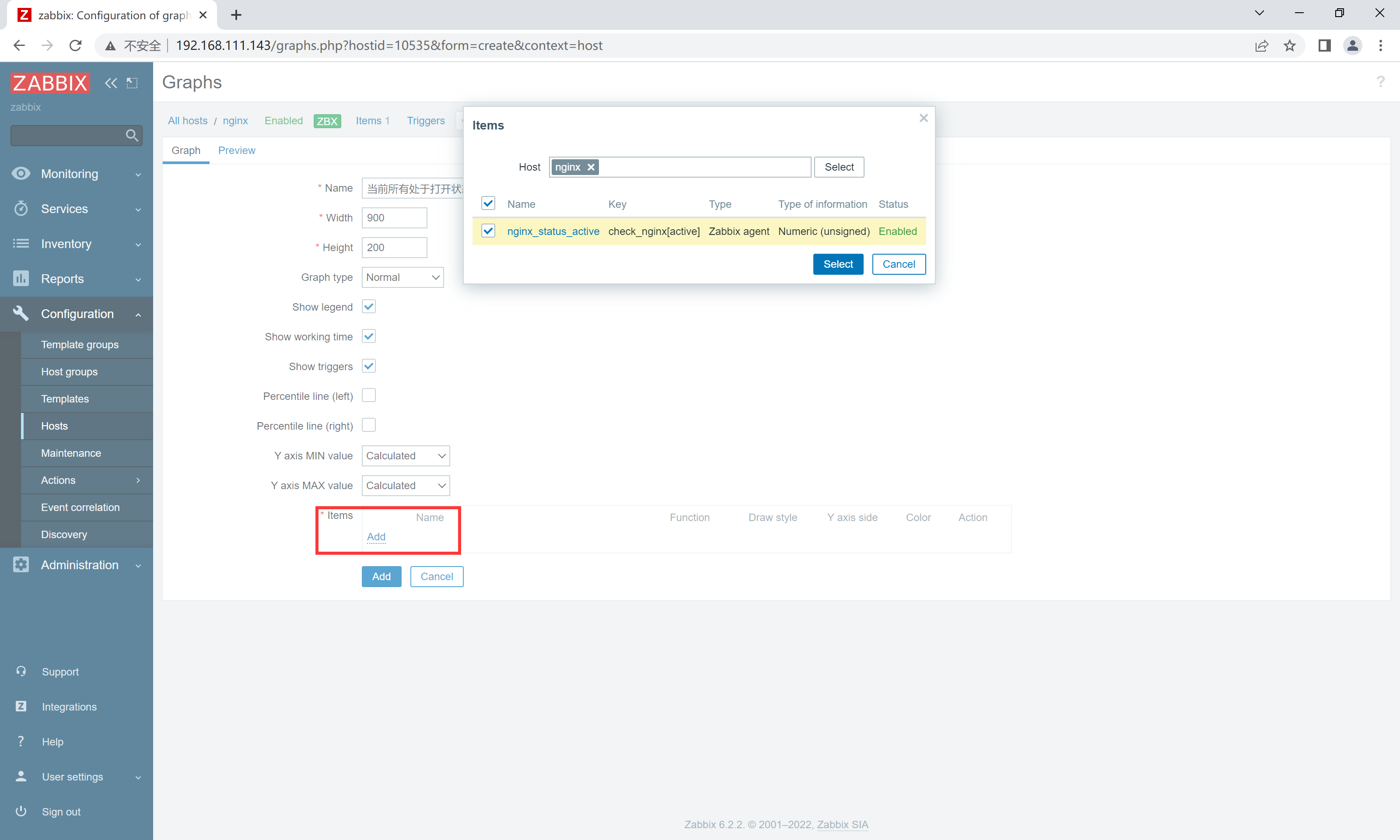
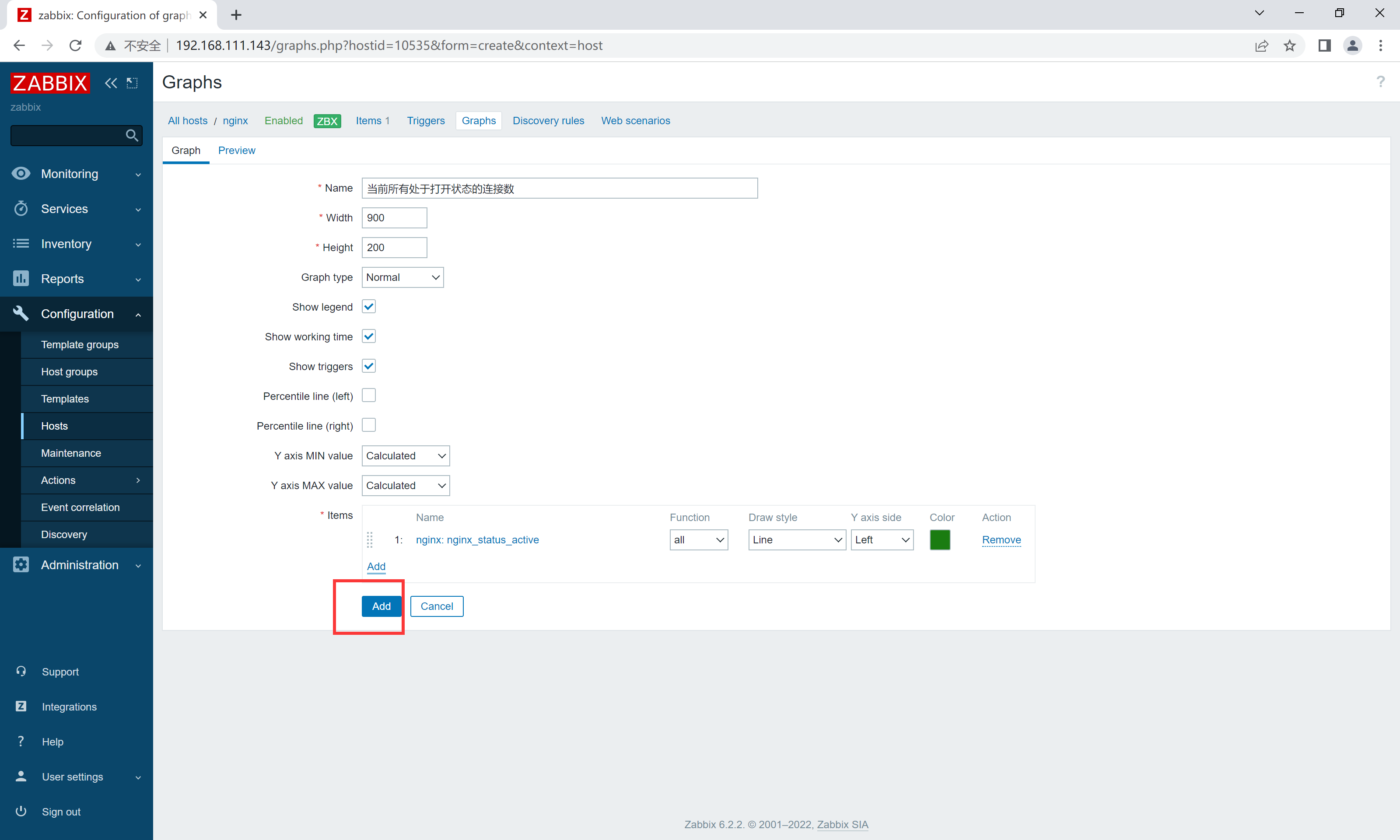
| Active connections 2 | 当前所有处于打开状态的连接数 |
| accepts | 总共处理了多少个连接 |
| handled | 成功创建多少握手 |
| requests | 总共处理了多少个请求 |
| Reading | nginx读取到客户端的Header信息数,表示正处于接收请求状态的连接数 |
| Writing | nginx返回给客户端的Header信息数,表示请求已经接收完成, 且正处于处理请求或发送响应的过程中的连接数 |
| Waiting | 开启keep-alive的情况下,这个值等于active - (reading + writing), 意思就是Nginx已处理完正在等候下一次请求指令的驻留连接 |
环境说明:
| 系统 | 主机名 | IP | 服务 |
|---|---|---|---|
| centos8 | nginx | 192.168.111.141 | nginx zabbix-agentd |
| centos8 | zabbix | 192.168.111.143 | LAMP zabbix-server zabbix-agentd |
部署zabbix监控链接:部署zabbix监控服务
//修改配置文件
[root@nginx ~]# vim /usr/local/nginx/conf/nginx.conf
        location /nginx_status {
            stub_status on;			//开启status
        }
[root@nginx ~]# systemctl restart nginx
//修改zabbix配置文件
[root@nginx ~]# vim /usr/local/etc/zabbix_agentd.conf
Server=192.168.111.143     //服务端ip
ServerActive=192.168.111.143  //服务端ip
Hostname=test   //监控主机名

//编写脚本
[root@nginx ~]# mkdir /scripts
[root@nginx ~]# cd /scripts/
[root@nginx scripts]# vim check_nginx.sh
#Script to fetch nginx statuses for monitoring systems

HOST="127.0.0.1"
PORT="80"

function ping {
    /sbin/pidof nginx | wc -l
}

function active {
    /usr/bin/curl "http://$HOST:$PORT/nginx_status/" 2>/dev/null| grep 'Active' | awk '{print $NF}'
}
function reading {
    /usr/bin/curl "http://$HOST:$PORT/nginx_status/" 2>/dev/null| grep 'Reading' | awk '{print $2}'
}
function writing {
    /usr/bin/curl "http://$HOST:$PORT/nginx_status/" 2>/dev/null| grep 'Writing' | awk '{print $4}'
}
function waiting {
    /usr/bin/curl "http://$HOST:$PORT/nginx_status/" 2>/dev/null| grep 'Waiting' | awk '{print $6}'
}
function accepts {
    /usr/bin/curl "http://$HOST:$PORT/nginx_status/" 2>/dev/null| awk NR==3 | awk '{print $1}'
}
function handled {
    /usr/bin/curl "http://$HOST:$PORT/nginx_status/" 2>/dev/null| awk NR==3 | awk '{print $2}'
}
function requests {
    /usr/bin/curl "http://$HOST:$PORT/nginx_status/" 2>/dev/null| awk NR==3 | awk '{print $3}'
}
$1
[root@nginx scripts]# chmod +x check_nginx.sh
[root@nginx scripts]# ll
total 4
-rwxr-xr-x 1 root root 968 Oct 13 15:17 check_nginx.sh

//开启自定义监控
[root@nginx ~]# vim /usr/local/etc/zabbix_agentd.conf
UnsafeUserParameters=1   		//添加
UserParameter=check_nginx[*],/bin/bash /scripts/check_nginx.sh $1 	//添加

//重启服务
[root@nginx ~]# pkill zabbix
[root@nginx ~]# zabbix_agentd
[root@nginx ~]# ss -anlt
State        Recv-Q       Send-Q               Local Address:Port                Peer Address:Port       Process
LISTEN       0            128                        0.0.0.0:80                       0.0.0.0:*
LISTEN       0            128                        0.0.0.0:22                       0.0.0.0:*
LISTEN       0            128                        0.0.0.0:443                      0.0.0.0:*
LISTEN       0            128                        0.0.0.0:10050                    0.0.0.0:*
LISTEN       0            128                           [::]:22                          [::]:*


//服务端进行测试
[root@zabbix ~]# zabbix_get -s 192.168.111.141 -k check_nginx[active]		//修改中括号内想要查看的状态名称即可
1
[root@zabbix ~]# zabbix_get -s 192.168.111.141 -k check_nginx[accepts]
4
[root@zabbix ~]# zabbix_get -s 192.168.111.141 -k check_nginx[handled]
5
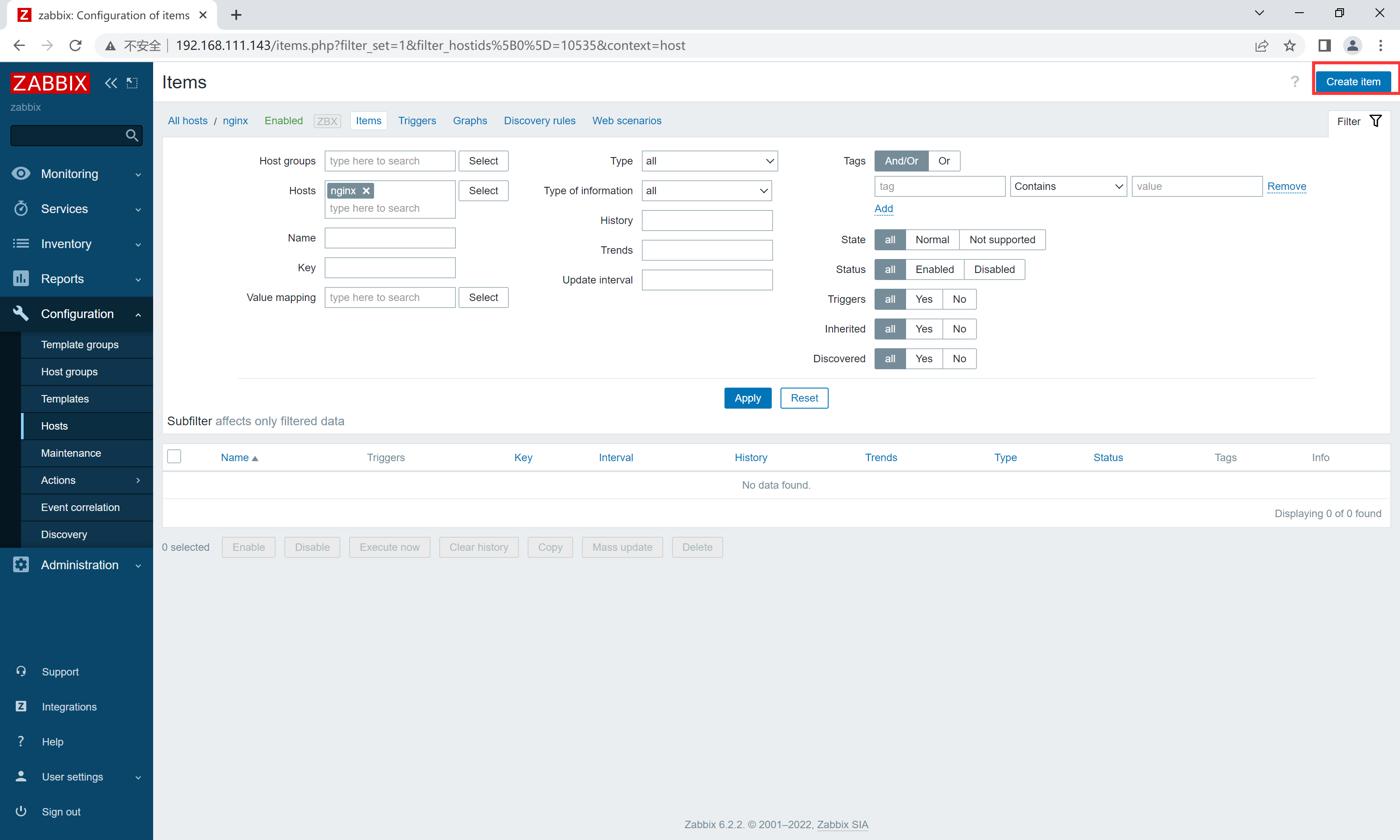
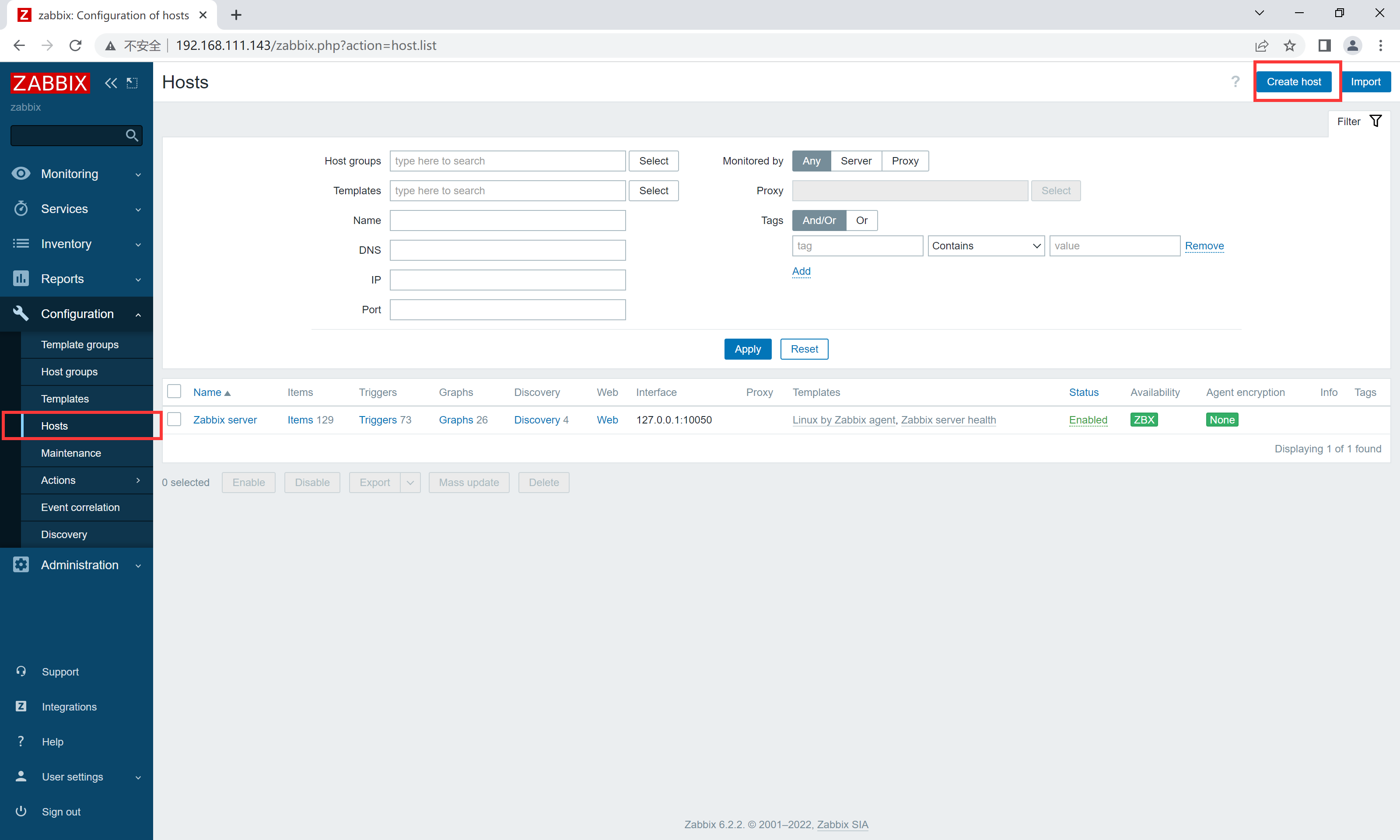
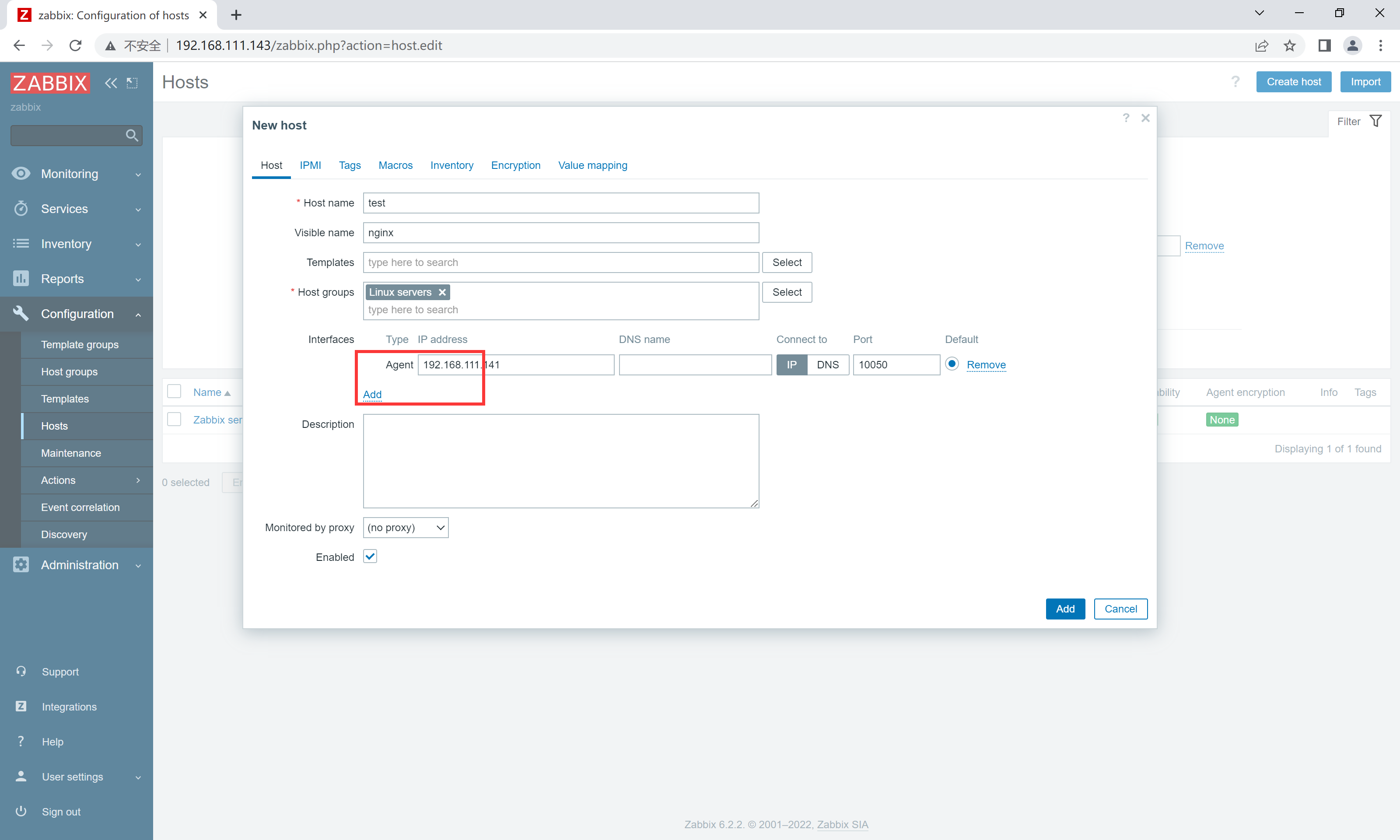
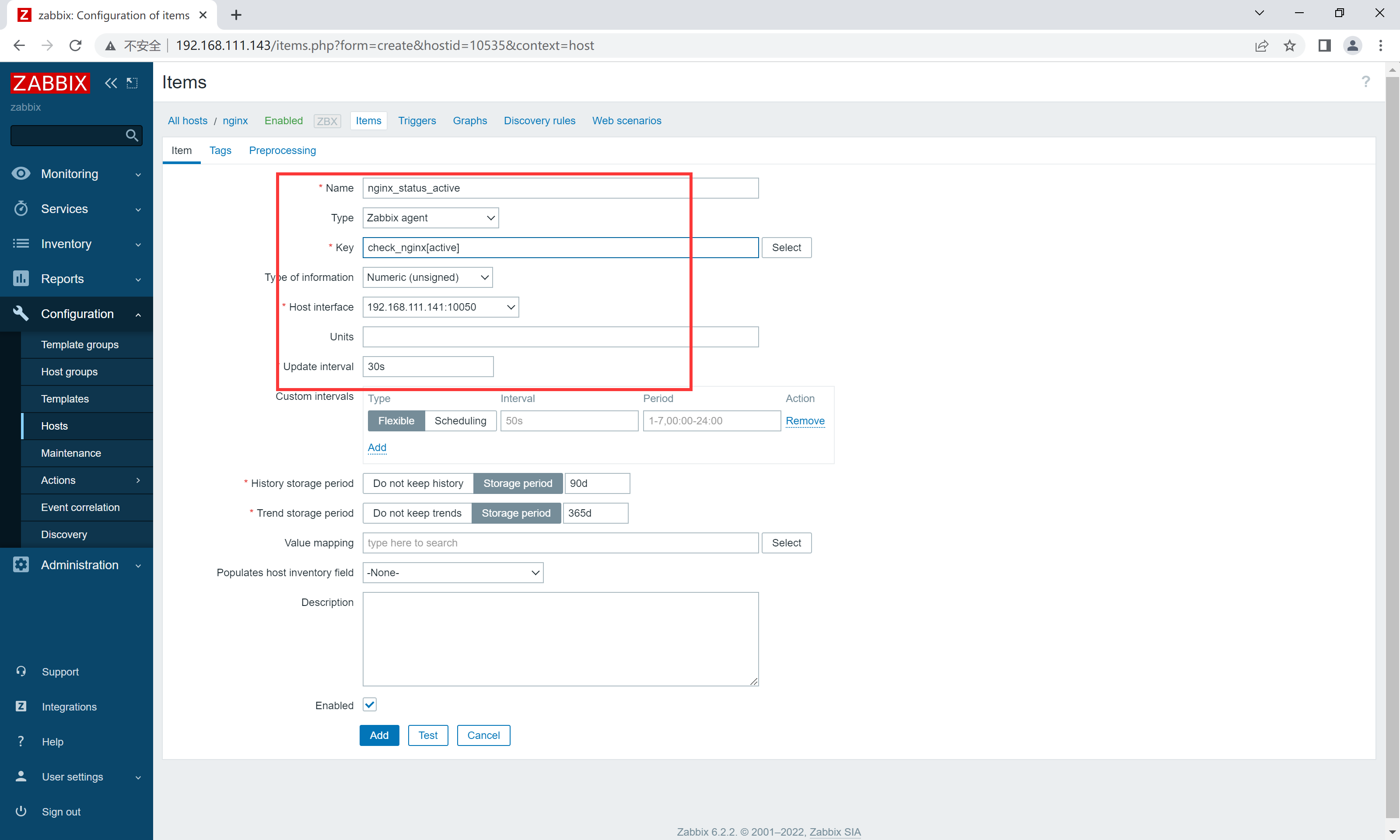
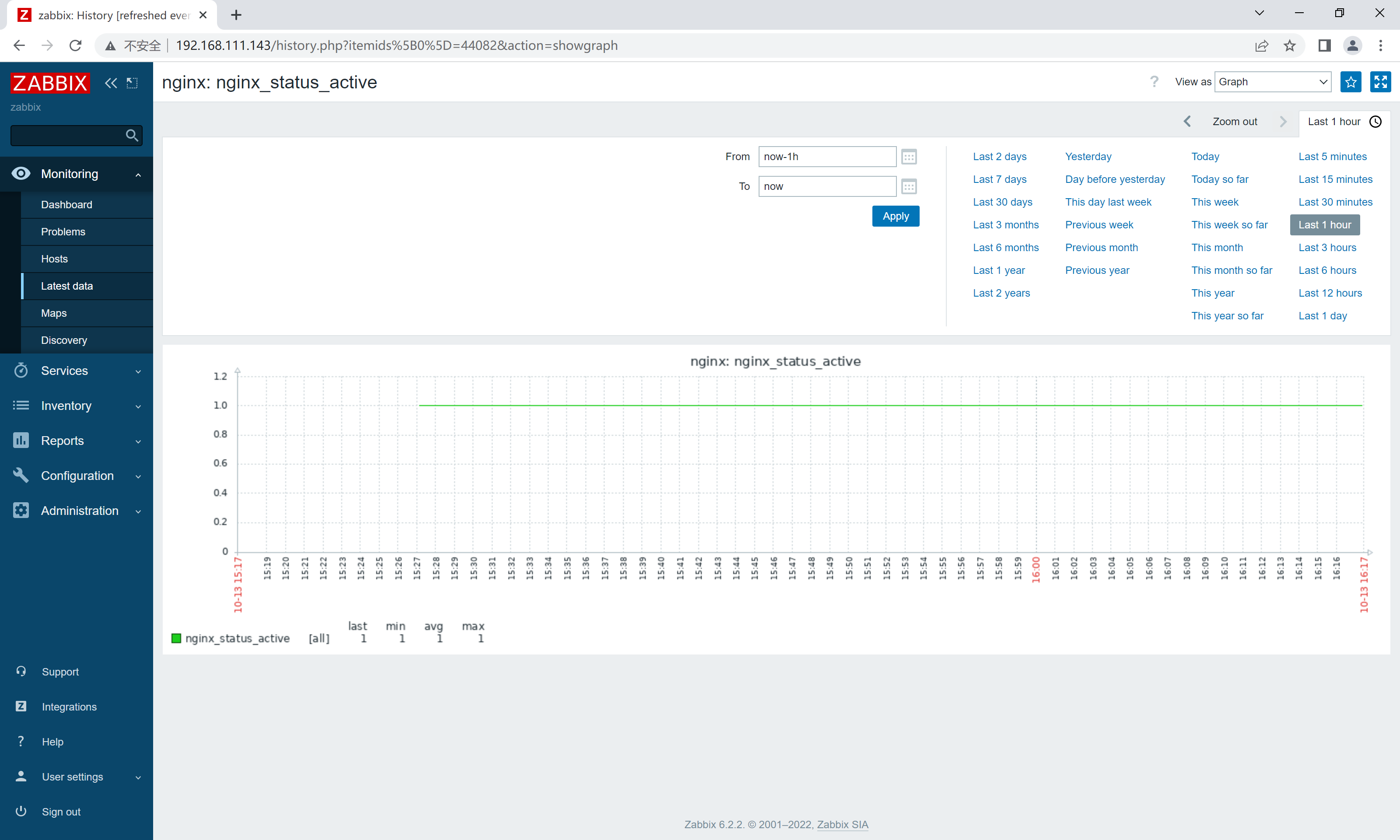
创建监控主机
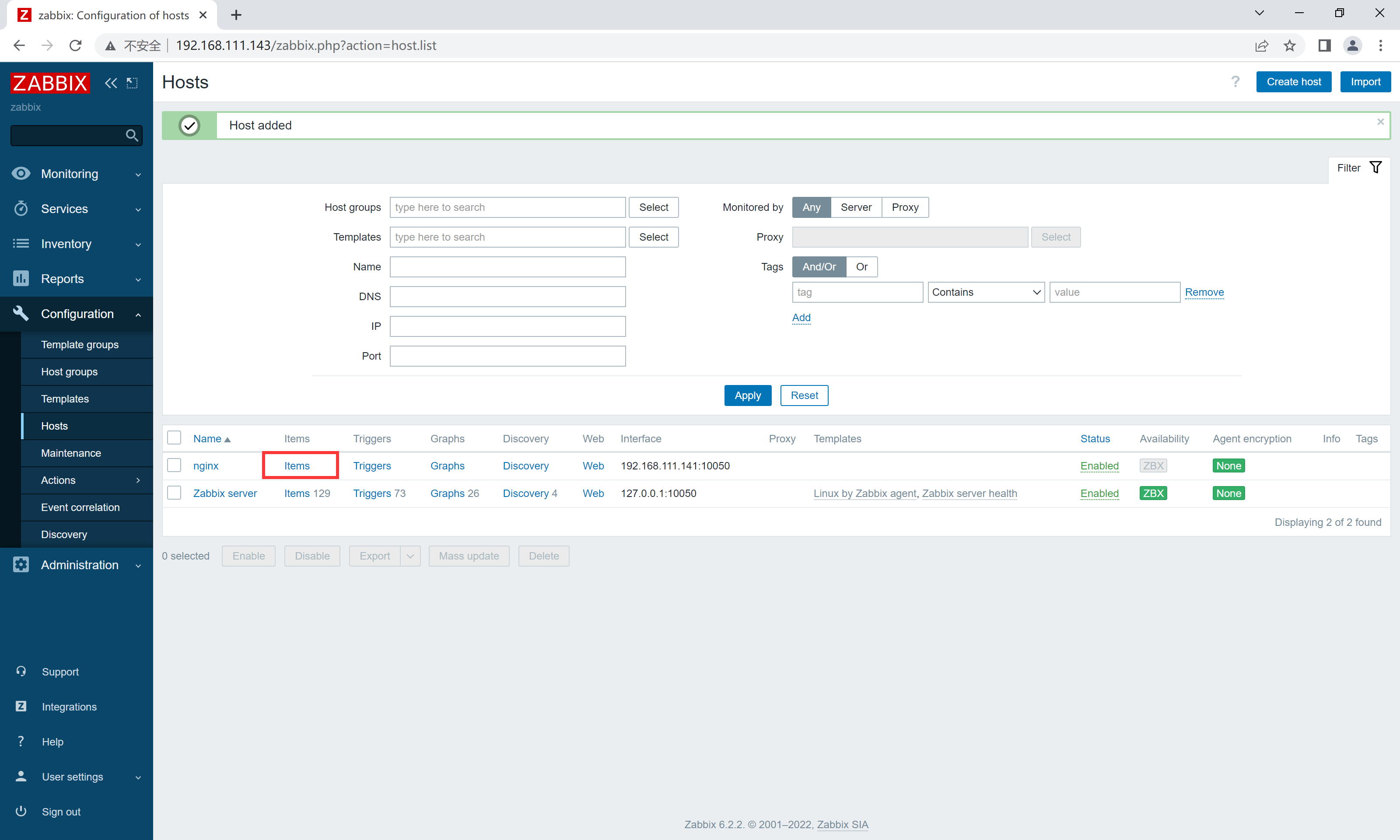
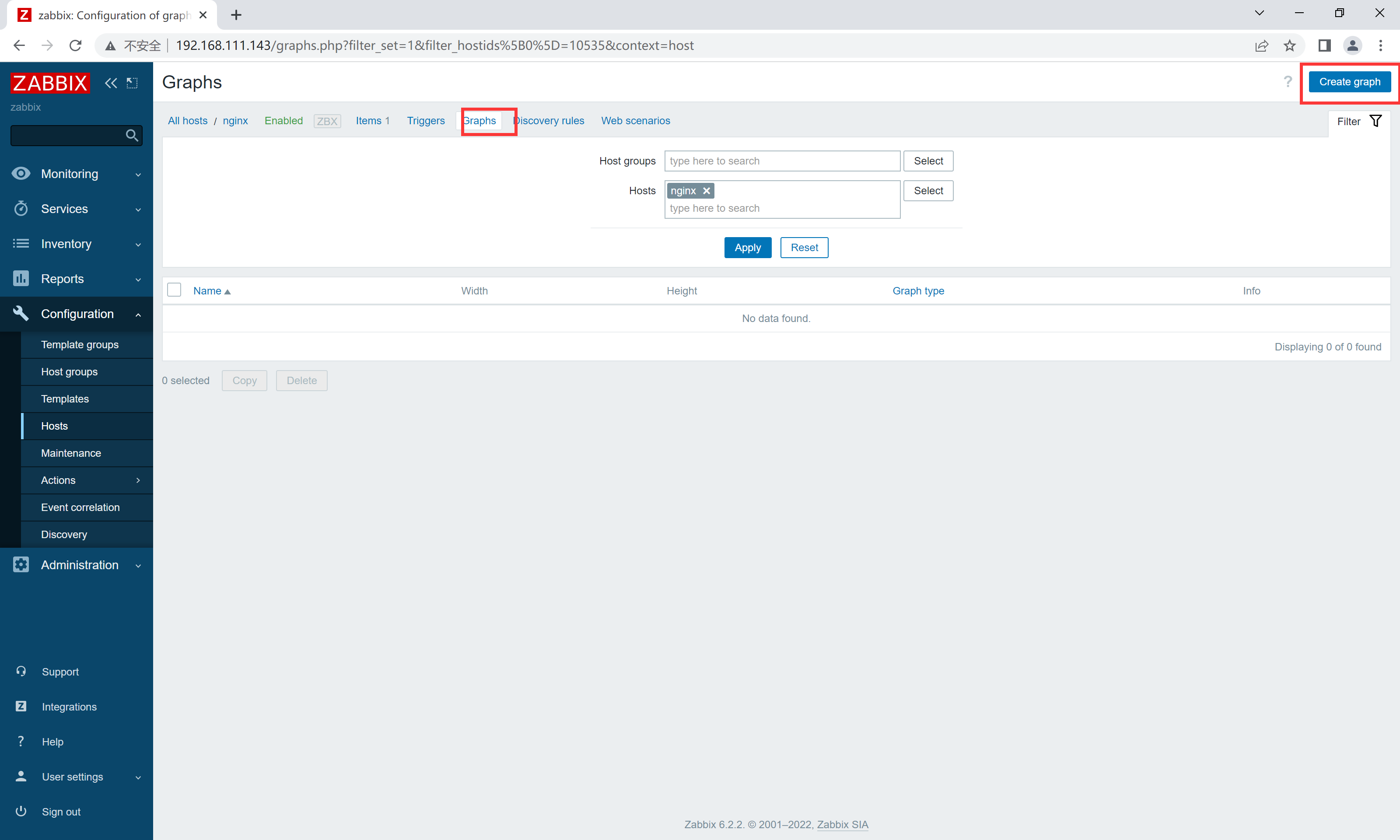
配置监控项
类classAprivatedeffooputs:fooendpublicdefbarputs:barendprivatedefzimputs:zimendprotecteddefdibputs:dibendendA的实例a=A.new测试a.foorescueputs:faila.barrescueputs:faila.zimrescueputs:faila.dibrescueputs:faila.gazrescueputs:fail测试输出failbarfailfailfail.发送测试[:foo,:bar,:zim,:dib,:gaz].each{|m|a.send(m)resc
我需要在客户计算机上运行Ruby应用程序。通常需要几天才能完成(复制大备份文件)。问题是如果启用sleep,它会中断应用程序。否则,计算机将持续运行数周,直到我下次访问为止。有什么方法可以防止执行期间休眠并让Windows在执行后休眠吗?欢迎任何疯狂的想法;-) 最佳答案 Here建议使用SetThreadExecutionStateWinAPI函数,使应用程序能够通知系统它正在使用中,从而防止系统在应用程序运行时进入休眠状态或关闭显示。像这样的东西:require'Win32API'ES_AWAYMODE_REQUIRED=0x0
我有一个包含模块的模型。我想在模块中覆盖模型的访问器方法。例如:classBlah这显然行不通。有什么想法可以实现吗? 最佳答案 您的代码看起来是正确的。我们正在毫无困难地使用这个确切的模式。如果我没记错的话,Rails使用#method_missing作为属性setter,因此您的模块将优先,阻止ActiveRecord的setter。如果您正在使用ActiveSupport::Concern(参见thisblogpost),那么您的实例方法需要进入一个特殊的模块:classBlah
我的瘦服务器配置了nginx,我的ROR应用程序正在它们上运行。在我发布代码更新时运行thinrestart会给我的应用程序带来一些停机时间。我试图弄清楚如何优雅地重启正在运行的Thin实例,但找不到好的解决方案。有没有人能做到这一点? 最佳答案 #Restartjustthethinserverdescribedbythatconfigsudothin-C/etc/thin/mysite.ymlrestartNginx将继续运行并代理请求。如果您将Nginx设置为使用多个上游服务器,例如server{listen80;server
我正在使用Sequel构建一个愿望list系统。我有一个wishlists和itemstable和一个items_wishlists连接表(该名称是续集选择的名称)。items_wishlists表还有一个用于facebookid的额外列(因此我可以存储opengraph操作),这是一个NOTNULL列。我还有Wishlist和Item具有续集many_to_many关联的模型已建立。Wishlist类也有:selectmany_to_many关联的选项设置为select:[:items.*,:items_wishlists__facebook_action_id].有没有一种方法可以
当我在Rails控制台中按向上或向左箭头时,出现此错误:irb(main):001:0>/Users/me/.rvm/gems/ruby-2.0.0-p247/gems/rb-readline-0.4.2/lib/rbreadline.rb:4269:in`blockin_rl_dispatch_subseq':invalidbytesequenceinUTF-8(ArgumentError)我使用rvm来管理我的ruby安装。我正在使用=>ruby-2.0.0-p247[x86_64]我使用bundle来管理我的gem,并且我有rb-readline(0.4.2)(人们推荐的最少
我将应用程序升级到Rails4,一切正常。我可以登录并转到我的编辑页面。也更新了观点。使用标准View时,用户会更新。但是当我添加例如字段:name时,它不会在表单中更新。使用devise3.1.1和gem'protected_attributes'我需要在设备或数据库上运行某种更新命令吗?我也搜索过这个地方,找到了许多不同的解决方案,但没有一个会更新我的用户字段。我没有添加任何自定义字段。 最佳答案 如果您想允许额外的参数,您可以在ApplicationController中使用beforefilter,因为Rails4将参数
我正在使用Ruby2.1.1和Rails4.1.0.rc1。当执行railsc时,它被锁定了。使用Ctrl-C停止,我得到以下错误日志:~/.rvm/gems/ruby-2.1.1/gems/spring-1.1.2/lib/spring/client/run.rb:47:in`gets':Interruptfrom~/.rvm/gems/ruby-2.1.1/gems/spring-1.1.2/lib/spring/client/run.rb:47:in`verify_server_version'from~/.rvm/gems/ruby-2.1.1/gems/spring-1.1.
当我的预订模型通过rake任务在状态机上转换时,我试图找出如何跳过对ActiveRecord对象的特定实例的验证。我想在reservation.close时跳过所有验证!叫做。希望调用reservation.close!(:validate=>false)之类的东西。仅供引用,我们正在使用https://github.com/pluginaweek/state_machine用于状态机。这是我的预订模型的示例。classReservation["requested","negotiating","approved"])}state_machine:initial=>'requested
我将我的Rails应用程序部署到OpenShift,它运行良好,但我无法在生产服务器上运行“Rails控制台”。它给了我这个错误。我该如何解决这个问题?我尝试更新rubygems,但它也给出了权限被拒绝的错误,我也无法做到。railsc错误:Warning:You'reusingRubygems1.8.24withSpring.UpgradetoatleastRubygems2.1.0andrun`gempristine--all`forbetterstartupperformance./opt/rh/ruby193/root/usr/share/rubygems/rubygems
