Python + C# + kinect SDK2.0 + 共享内存 驱动kinect2
使用python来读取kinect的彩色图/深度图等信息。支持python-opencv, pygame显示
实际上使用python驱动kinect已经不是新鲜事。为什么要做这件事呢,笔者最初做这件事的时候是在2017年,那时候好像还没有pykinect之类的包来支持我在python下读取kinect的信息, openNI也没有整明白。。。于是我基于kinect1.8 SDK 在c#环境下写基本驱动,将读取的信息以共享内存的方式传递给python。在今年6月的时候,偶然的机会需要用到kinect(已经升级到2.0),于是把以前的程序进行了升级,使其支持kinect2, 并且改用了python3。
这个包的特点是,核心驱动kinect均以sdk的例子为基础,采取原生支持的c++或者c#实现,因此所有的功能可得。然后利用共享内存机制将所需要的信息传递给python。符合高效(运行)和高效率(开发)的特点。
最后,我发现网上好像没人这么干。。。果然这属于野路子。。。但是肯定好使,于是提供大家学习交流。
pip install pykinectv2-1.0-py3-none-any.whl
from pykinectv2.pykinect import KinectV2
import cv2
def demo_cv_color():
    '''
    a simple demo for presenting how to show color stream with opencv
    '''
    kk = KinectV2()
    while True:
        frame = kk.get_color_as_cvframe()
        cv2.imshow("kinectv2", frame)
        if cv2.waitKey(1) & 0xFF == ord('q'):
            break
    kk.release()
    cv2.destroyAllWindows()
新建c#控制台工程,引用添加kinect,还添加了windows.forms(因为用到了messagebox)。至此,可以开发kinect了。
直接上代码,还是比较容易懂的。定义了一个KinectV2的类,在读取到colorframe和depthframe之后,将数据转换到byte数组,并写入共享内存中。关于c#的共享内存,获得我的源码,看到有一个专门用来创建共享内存的类。基本用法就是创建共享内存,然后往里写数据。
namespace KinectV2ns
{
    using System;
    using System.ComponentModel;
    using System.Diagnostics;
    using System.Globalization;
    using System.IO;
    using System.Windows;
    using Microsoft.Kinect;
    using ShareMemLib;
    using System.Windows.Forms;

    class KinectV2
    {
        private const int MapDepthToByte = 8000 / 256;

        private KinectSensor kinectSensor = null;
        private ColorFrameReader colorFrameReader = null;
        private DepthFrameReader depthFrameReader = null;
        private FrameDescription colorFrameDescription, depthFrameDescription;
        private ColorFrame colorFrame;
        private DepthFrame depthFrame;

        private byte[] colorPixels = null;
        private ushort[] depthData = null;  //16位数据
        private byte[] depthPixels = null;
        private ShareMem SHcolor, SHdepth, SHpointcloud, SHcolor_indx, SHdepth_indx, SHpointcloud_indx;

        //空间映射
        private CoordinateMapper coordinateMapper = null;
        private ColorSpacePoint[] depth_colors = null;
        private CameraSpacePoint[] camera_points = null;
        private float[] pc = null;

        private int color_id = 0;
        private int depth_id = 0;
        private int pc_id = 0;
        private byte[] color_id_bytes, depth_id_bytes, pc_id_bytes;

        private Stopwatch sw;
        private bool vergin = true;
        private int count = 0;

        public KinectV2()
        {
            this.kinectSensor = KinectSensor.GetDefault();
            this.sw = new Stopwatch();
            Console.WriteLine("该程序用于提供kinectv2和python的交互");
            Console.WriteLine("by mrtang @2022.06.30 changsha");
            Console.WriteLine("program is running...");
        }

        public void Start()
        {
            //color
            this.colorFrameReader = this.kinectSensor.ColorFrameSource.OpenReader();
            this.colorFrameDescription = this.kinectSensor.ColorFrameSource.CreateFrameDescription(ColorImageFormat.Bgra);
            this.colorPixels = new byte[this.colorFrameDescription.LengthInPixels * this.colorFrameDescription.BytesPerPixel];

            //depth
            this.depthFrameReader = this.kinectSensor.DepthFrameSource.OpenReader();
            this.depthFrameDescription = this.kinectSensor.DepthFrameSource.FrameDescription;
            this.depthData = new ushort[this.depthFrameDescription.LengthInPixels];
            this.depthPixels = new byte[this.depthFrameDescription.LengthInPixels*3]; //rgb

            //空间映射转换
            this.coordinateMapper = this.kinectSensor.CoordinateMapper;
            this.depth_colors = new ColorSpacePoint[this.depthFrameDescription.LengthInPixels];
            this.camera_points = new CameraSpacePoint[this.depthFrameDescription.LengthInPixels];
            this.pc = new float[this.depthFrameDescription.LengthInPixels*5];

            //shared memory
            this.color_id_bytes = new byte[4];
            this.depth_id_bytes = new byte[4];
            this.pc_id_bytes = new byte[8];

            this.SHcolor = new ShareMem();
            this.SHcolor_indx = new ShareMem();
            this.SHdepth = new ShareMem();
            this.SHdepth_indx = new ShareMem();
            this.SHpointcloud = new ShareMem();
            this.SHpointcloud_indx = new ShareMem();

            if (this.SHcolor.Init("_sharemem_for_colorpixels_", this.colorFrameDescription.LengthInPixels * this.colorFrameDescription.BytesPerPixel) != 0
                || this.SHdepth.Init("_sharemem_for_depthpixels_", this.depthFrameDescription.LengthInPixels*3) != 0
                || this.SHpointcloud.Init("_sharemem_for_point_cloud_", this.depthFrameDescription.LengthInPixels * 5 * sizeof(float)) != 0
                || this.SHcolor_indx.Init("_sharemem_for_colorpixels_indx_", 4) != 0
                || this.SHdepth_indx.Init("_sharemem_for_depthpixels_indx_", 4) != 0
                || this.SHpointcloud_indx.Init("_sharemem_for_point_cloud_indx", 8) != 0)
            {
                this.quit("警告", "共享内存创建失败!");
            }


            //绑定事件-委托
            this.colorFrameReader.FrameArrived += this.Reader_ColorFrameArrived;
            this.depthFrameReader.FrameArrived += this.Reader_DepthFrameArrived;
            //开启kinect,当kienct可用后,委托可以自动运行
            this.kinectSensor.Open();
        }

        private void Reader_ColorFrameArrived(object sender, ColorFrameArrivedEventArgs e)
        {
            // ColorFrame is IDisposable
            using (this.colorFrame = e.FrameReference.AcquireFrame())
            {
                if (this.colorFrame != null)
                {
                    this.colorFrameDescription = this.colorFrame.FrameDescription;
                    //将colorframe转换到rgba格式的byte数组
                    this.colorFrame.CopyConvertedFrameDataToArray(this.colorPixels,ColorImageFormat.Rgba);

					//将color数组写入共享内存,这里还设置了一个id,用来指示是否有更新
                    this.color_id_bytes = BitConverter.GetBytes(this.color_id++);
                    this.SHcolor.Write(this.colorPixels,0, this.colorPixels.Length);
                    this.SHcolor_indx.Write(this.color_id_bytes,0,4);
                }
            }
        }

        private void Reader_DepthFrameArrived(object sender, DepthFrameArrivedEventArgs e)
        {
            using (this.depthFrame = e.FrameReference.AcquireFrame())
            {
                if (this.depthFrame != null)
                {
                    using (Microsoft.Kinect.KinectBuffer depthBuffer = depthFrame.LockImageBuffer())
                    {
                        this.ProcessDepthFrameData(depthBuffer.UnderlyingBuffer, depthBuffer.Size, depthFrame.DepthMinReliableDistance, depthFrame.DepthMaxReliableDistance);
                    }
                }
            }
        }

        //来自demo,用于将原始数据写入到byte型数组,便于显示深度图
        private unsafe void ProcessDepthFrameData(IntPtr depthFrameData, uint depthFrameDataSize, ushort minDepth, ushort maxDepth)
        {
            // 指针类型强制转换
            ushort* frameData = (ushort*)depthFrameData;

            //将16位深度映射到色彩空间上
            for (int i = 0; i < (int)(depthFrameDataSize / this.depthFrameDescription.BytesPerPixel); ++i)
            {
                ushort depth = frameData[i];
                var dd = (byte)(depth >= minDepth && depth <= maxDepth ? (depth / MapDepthToByte) : 0);
                this.depthPixels[3*i] = this.depthPixels[3*i+1] = this.depthPixels[3*i+2] = dd;
            }

            //写共享内存
            this.depth_id_bytes = BitConverter.GetBytes(this.depth_id++);
            this.SHdepth.Write(this.depthPixels,0, this.depthPixels.Length);
            this.SHdepth_indx.Write(this.depth_id_bytes, 0, 4);
        }

        private void quit(string level, string info)
        {
            MessageBox.Show(info,level);
            Process.GetCurrentProcess().Kill();
        }
    }
}
主函数代码就是把这个类用起来,编译之后得到KinectV2Server.exe
using System;
using System.ComponentModel;
using System.Diagnostics;
using System.Globalization;
using System.IO;
using System.Windows;
using Microsoft.Kinect;
using ShareMemLib;
using KinectV2ns;
using System.Threading;

class Program
{
    static void Main(string[] args)
    {
        KinectV2 server = new KinectV2();
        server.Start();
        SpinWait.SpinUntil(() => false, -1); //自旋,无限等待,占资源少
    }
}
pykinectv2
|---- setup.py
|---- pykinectv2
       |---- __init__.py  (内容空白)
       |---- demo.py
       |---- pykinect.py
       |---- data_files
             |---- KinectV2Server.exe (C#工程生成的可执行文件)
基本原理是首先将KinectV2Server.exe运行起来,它运行起来之后,共享内存中就会有源源不断的数据写进去,这时候我们就可以在python端读到这些数据了。
ps: python3.8以后,对共享内存模块进行了更新,更加安全和好用了。
#!/usr/bin/env python
# -*- encoding: utf-8 -*-
'''
@File    : pykinect.py
@Time    : 2019/04/29 09:53
@Author  : mrtang
@Version : 1.0
@Contact : mrtang_cs@163.com
@License : (C) All Rights Reserved

@description: module for getting video stream and point cloud, and for positioning target
'''

import sys
if sys.version_info.major >=3 and sys.version_info.minor >= 8:    pass
else:    raise Exception('[error] Python >=3.8 is required!')

import os
import pygame
from pygame.locals import *
import time
import cv2
import win32api, win32con
import win32com.client
from multiprocessing import shared_memory
import numpy as np
import subprocess


# KinectV2Server.exe路径
rootdir = os.path.dirname(os.path.abspath(__file__))
kpath = os.path.join(rootdir, r'./data_files/')

class KinectV2(object):
    """
    author: mrtang
    date: 2017.5
    version: 1.0
    email: mrtang_cs@163.com

    update:
        added opencv support

    update: 2022.07.01
        support kinectv2 change python to >=3.8
    """

    def __init__(self):
        self.servername = 'KinectV2Server.exe'
        # 查看是否已经运行了该程序
        if not check_exsit(self.servername):
            subprocess.Popen([os.path.join(kpath, self.servername)],shell=True,creationflags=subprocess.SW_HIDE)
            print('[kinect server] is running...')
            time.sleep(2)

        # 连接到共享内存
        self.SHrgb = shared_memory.SharedMemory(name="_sharemem_for_colorpixels_")
        self.SHrgb_indx = shared_memory.SharedMemory(name="_sharemem_for_colorpixels_indx_")
        self.SHdepth = shared_memory.SharedMemory(name="_sharemem_for_depthpixels_")
        self.SHdepth_indx = shared_memory.SharedMemory(name="_sharemem_for_depthpixels_indx_")

        # color
        # 建立对象到内存的绑定
        self.rawcolor_surface = pygame.image.frombuffer(self.SHrgb.buf, (1920, 1080), 'RGBA')
        self.rawcolor_cvframe = np.ndarray((1080,1920,4),dtype=np.uint8,buffer=self.SHrgb.buf)
        self.color_indx = np.ndarray((1,),dtype=np.int32,buffer=self.SHrgb_indx.buf)

        self.color_surface = pygame.surface.Surface((1920, 1080))
        self.color_cvframe = np.ndarray((1080,1920,3),dtype=np.uint8)

        # depth
        # 建立对象到内存的绑定
        self.rawdepth_surface = pygame.image.frombuffer(self.SHdepth.buf, (512, 424), 'RGB')
        self.depth_cvframe = np.ndarray((424,512,3), dtype=np.uint8, buffer=self.SHdepth.buf)
        self.depth_indx = np.ndarray((1,), dtype=np.int32, buffer=self.SHdepth_indx.buf)

        self.depth_surface = pygame.surface.Surface((512, 424))

        self.lst_color_indx = self.lst_depth_indx = -1

    def release(self):
        if check_exsit(self.servername):
            kill_process(self.servername)
            self.SHrgb.close()
            self.SHdepth.close()
            self.SHdepth_indx.close()
            self.SHrgb_indx.close()

    def is_color_update(self):
        '''
        指示是否有更新,以便进行动作
        '''
        if self.lst_color_indx != self.color_indx[0]:  #color updated
            self.lst_color_indx = self.color_indx[0]
            return True
        else:
            return False

    def is_depth_update(self):
        '''
        指示是否有更新,以便进行动作
        '''
        if self.lst_depth_indx != self.depth_indx[0]:  # depth updated
            self.lst_depth_indx = self.depth_indx[0]
            return True
        else:
            return False

    def get_color_as_pgsurface(self,flipx = True, flipy = False):
        if self.is_color_update():
            if flipx or flipy:  self.color_surface = pygame.transform.flip(self.rawcolor_surface,flipy,flipy)
            self.color_surface = self.color_surface.convert() #依据当前显示模式进行转换,否则图像会闪烁
        return self.color_surface

    def get_color_as_cvframe(self):
        if self.is_color_update():
            self.color_cvframe = cv2.cvtColor(self.rawcolor_cvframe, cv2.COLOR_BGR2RGB)
        return self.color_cvframe

    def get_depth_as_pgsurface(self, flipx=True, flipy=False):
        if self.is_depth_update():
            if flipx or flipy:  self.depth_surface = pygame.transform.flip(self.rawdepth_surface, flipy, flipy)
            self.depth_surface = self.depth_surface.convert()  # 依据当前显示模式进行转换,否则图像会闪烁
        return self.depth_surface

    def get_depth_as_cvframe(self):
        return self.depth_cvframe

def check_exsit(process_name):
    '''
    check if a process is exist
    '''
    WMI = win32com.client.GetObject('winmgmts:')
    processCodeCov = WMI.ExecQuery('select * from Win32_Process where Name="%s"' % process_name)
    if len(processCodeCov) > 0:
        return 1
    else:
        return 0


def kill_process(process_name):
    '''
    kill a process by name
    '''
    if os.system('taskkill /f /im ' + process_name) == 0:
        return 1
    else:
        return 0
demo 如何使用?
#coding:utf-8

from .pykinect import KinectV2
import cv2
import pygame
from pygame.locals import *

def demo_cv_color():
    '''
    a simple demo for presenting how to show color stream with opencv
    '''
    kk = KinectV2()
    while True:
        frame = kk.get_color_as_cvframe()
        cv2.imshow("kinectv2", frame)
        if cv2.waitKey(1) & 0xFF == ord('q'):
            break
    kk.release()
    cv2.destroyAllWindows()

def demo_cv_depth():
    '''
    a simple demo for presenting how to show color stream with opencv
    '''
    kk = KinectV2()
    while True:
        frame = kk.get_depth_as_cvframe()
        cv2.imshow("kinectv2", frame)
        if cv2.waitKey(1) & 0xFF == ord('q'):
            break
    kk.release()
    cv2.destroyAllWindows()

def demo_pg_color():
    '''
    a simple demo for presenting how to show color stream with pygame
    '''
    pygame.init()
    clk = pygame.time.Clock()
    kk = KinectV2()
    screen = pygame.display.set_mode((1920, 1080), 0, 24)
    END = 0
    while not END:
        screen.blit(kk.get_color_as_pgsurface(), (0, 0))

        ev = pygame.event.get()
        for e in ev:
            if e.type == QUIT:
                END = 1
            elif e.type == KEYUP:
                if e.key == K_ESCAPE:
                    END = True
        pygame.display.update()
        clk.tick(60)
    kk.release()
    pygame.quit()

def demo_pg_depth():
    '''
    a simple demo for presenting how to show color stream with pygame
    '''
    pygame.init()
    clk = pygame.time.Clock()
    kk = KinectV2()
    screen = pygame.display.set_mode((512, 424), 0, 24)
    END = 0
    while not END:
        screen.blit(kk.get_depth_as_pgsurface(), (0, 0))

        ev = pygame.event.get()
        for e in ev:
            if e.type == QUIT:
                END = 1
            elif e.type == KEYUP:
                if e.key == K_ESCAPE:
                    END = True
        pygame.display.update()
        clk.tick(60)
    kk.release()
    pygame.quit()
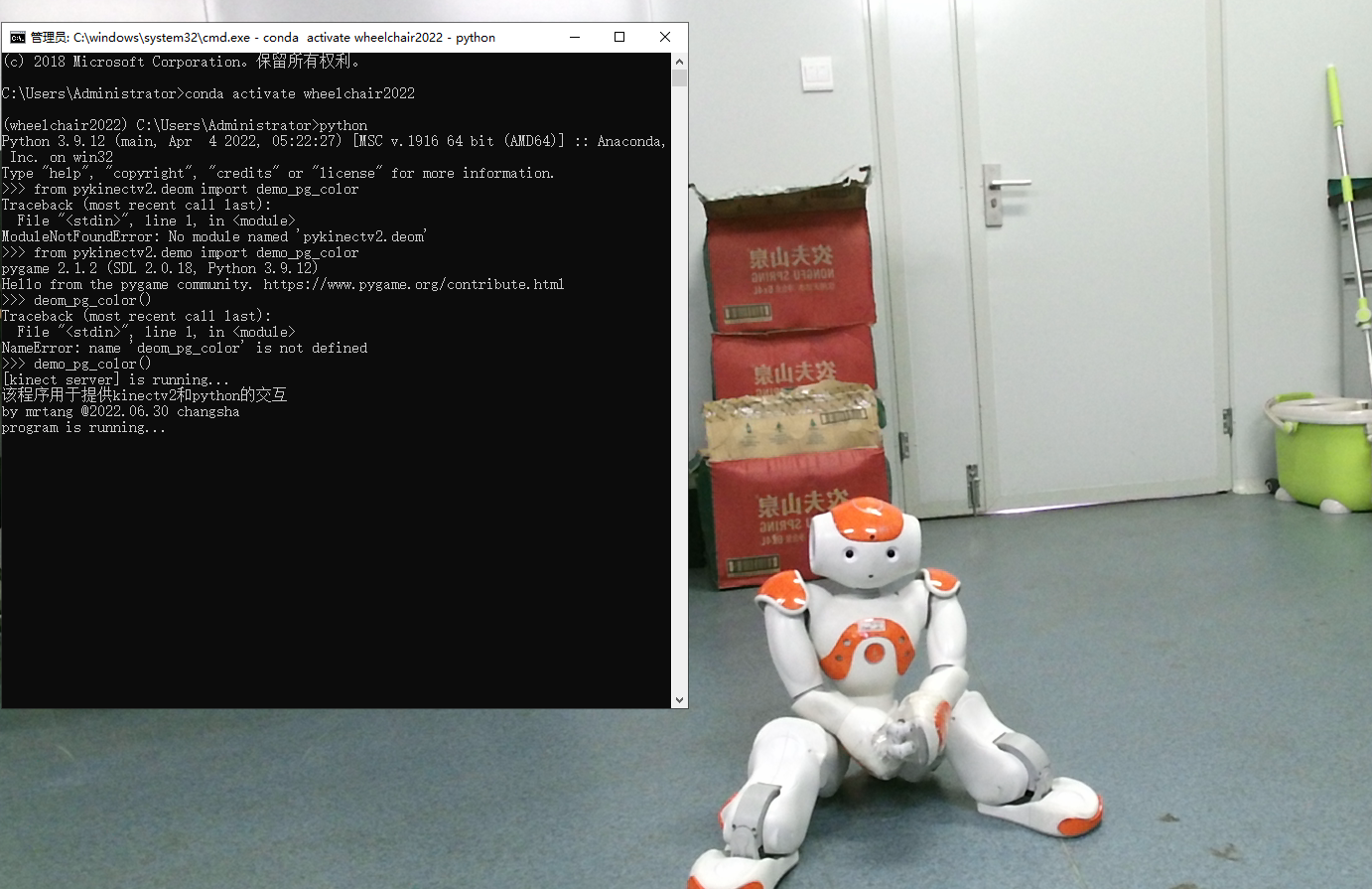
当然,demo也可以作为一个模块来使用,比如在控制台中这样用
python3.8
>>> from pykinectv2.demo import demo_cv_color
>>> demo_cv_color()
setup.py文件的内容如下:
from setuptools import setup, find_packages

files = ['./pykinectv2/KinectV2Server.exe']

setup(
    name = "pykinectv2",
    version = "1.0",
    author = 'mrtang',
    author_email = 'mrtang_cs@163.com',
    description = 'for python program to acquire kinect data',
    install_requires = ['pywin32','pygame'], #依赖包
    packages = find_packages(),
    package_data = {'pykinectv2':['data_files/KinectV2Server.exe']},
    include_package_data = True,
)
运用命令python setup.py bdist_wheel打包,将得到whl文件,到此,我们可以愉快的使用python来驱动kinect啦。
使用共享内存的方式实现两个进程间数据的交换,完全没有性能的损失,至少我认为是这样。而在python3.8以上的版本中,使用共享内存,也几乎没有大家担心的安全性问题,至少我在使用过程中没有遇到过问题。
另外,由于真正的驱动在c#程序里面,所以只要是sdk里面可以提供的功能,我们都可以得到。并且还可以把比较耗时的部分放在c#里面,比如在上一个版本的驱动里面,对深度图和彩色图对齐的时候,需要一个一个点进行映射,这就需要很多次循环,当时我就是把循环部分放在c#里面,c#直接提供对准的深度图,以及我算好的点云。不过新版sdk的映射函数多了很多,在1.8版的时候,那些函数都还没有实现,只有个函数名而已。
最后是源码地址:https://gitee.com/guoguomumu/pykinect.git
作为我的Rails应用程序的一部分,我编写了一个小导入程序,它从我们的LDAP系统中吸取数据并将其塞入一个用户表中。不幸的是,与LDAP相关的代码在遍历我们的32K用户时泄漏了大量内存,我一直无法弄清楚如何解决这个问题。这个问题似乎在某种程度上与LDAP库有关,因为当我删除对LDAP内容的调用时,内存使用情况会很好地稳定下来。此外,不断增加的对象是Net::BER::BerIdentifiedString和Net::BER::BerIdentifiedArray,它们都是LDAP库的一部分。当我运行导入时,内存使用量最终达到超过1GB的峰值。如果问题存在,我需要找到一些方法来更正我的代
关闭。这个问题是opinion-based.它目前不接受答案。想要改进这个问题?更新问题,以便editingthispost可以用事实和引用来回答它.关闭4年前。Improvethisquestion我想在固定时间创建一系列低音和高音调的哔哔声。例如:在150毫秒时发出高音调的蜂鸣声在151毫秒时发出低音调的蜂鸣声200毫秒时发出低音调的蜂鸣声250毫秒的高音调蜂鸣声有没有办法在Ruby或Python中做到这一点?我真的不在乎输出编码是什么(.wav、.mp3、.ogg等等),但我确实想创建一个输出文件。
我正在编写一个gem,我必须在其中fork两个启动两个webrick服务器的进程。我想通过基类的类方法启动这个服务器,因为应该只有这两个服务器在运行,而不是多个。在运行时,我想调用这两个服务器上的一些方法来更改变量。我的问题是,我无法通过基类的类方法访问fork的实例变量。此外,我不能在我的基类中使用线程,因为在幕后我正在使用另一个不是线程安全的库。所以我必须将每个服务器派生到它自己的进程。我用类变量试过了,比如@@server。但是当我试图通过基类访问这个变量时,它是nil。我读到在Ruby中不可能在分支之间共享类变量,对吗?那么,还有其他解决办法吗?我考虑过使用单例,但我不确定这是
我有一个用户工厂。我希望默认情况下确认用户。但是鉴于unconfirmed特征,我不希望它们被确认。虽然我有一个基于实现细节而不是抽象的工作实现,但我想知道如何正确地做到这一点。factory:userdoafter(:create)do|user,evaluator|#unwantedimplementationdetailshereunlessFactoryGirl.factories[:user].defined_traits.map(&:name).include?(:unconfirmed)user.confirm!endendtrait:unconfirmeddoenden
ruby如何管理内存。例如:如果我们在执行过程中采用C程序,则以下是内存模型。类似于这个ruby如何处理内存。C:__________________|||stack|||------------------||||------------------|||||Heap|||||__________________|||data|__________________|text|__________________Ruby:? 最佳答案 Ruby中没有“内存”这样的东西。Class#allocate分配一个对象并返回该对象。这就是程序
如何在ruby中调用C#dll? 最佳答案 我能想到几种可能性:为您的DLL编写(或找人编写)一个COM包装器,如果它还没有,则使用Ruby的WIN32OLE库来调用它;看看RubyCLR,其中一位作者是JohnLam,他继续在Microsoft从事IronRuby方面的工作。(估计不会再维护了,可能不支持.Net2.0以上的版本);正如其他地方已经提到的,看看使用IronRuby,如果这是您的技术选择。有一个主题是here.请注意,最后一篇文章实际上来自JohnLam(看起来像是2009年3月),他似乎很自在地断言RubyCL
我正在尝试在Ruby中复制Convert.ToBase64String()行为。这是我的C#代码:varsha1=newSHA1CryptoServiceProvider();varpasswordBytes=Encoding.UTF8.GetBytes("password");varpasswordHash=sha1.ComputeHash(passwordBytes);returnConvert.ToBase64String(passwordHash);//returns"W6ph5Mm5Pz8GgiULbPgzG37mj9g="当我在Ruby中尝试同样的事情时,我得到了相同sha
这个问题在这里已经有了答案:关闭10年前。PossibleDuplicate:Pythonconditionalassignmentoperator对于这样一个简单的问题表示歉意,但是谷歌搜索||=并不是很有帮助;)Python中是否有与Ruby和Perl中的||=语句等效的语句?例如:foo="hey"foo||="what"#assignfooifit'sundefined#fooisstill"hey"bar||="yeah"#baris"yeah"另外,类似这样的东西的通用术语是什么?条件分配是我的第一个猜测,但Wikipediapage跟我想的不太一样。
什么是ruby的rack或python的Java的wsgi?还有一个路由库。 最佳答案 来自Python标准PEP333:Bycontrast,althoughJavahasjustasmanywebapplicationframeworksavailable,Java's"servlet"APImakesitpossibleforapplicationswrittenwithanyJavawebapplicationframeworktoruninanywebserverthatsupportstheservletAPI.ht
华为OD机试题本篇题目:明明的随机数题目输入描述输出描述:示例1输入输出说明代码编写思路最近更新的博客华为od2023|什么是华为od,od薪资待遇,od机试题清单华为OD机试真题大全,用Python解华为机试题|机试宝典【华为OD机试】全流程解析+经验分享,题型分享,防作弊指南华为o
