清明时节雨纷纷,但有些地方却下起了大雪,今天我们就用所学的CSS3知识,模拟一下夜晚漫天飘雪的场景吧。
目录
- DIV布局的使用
- 整体背景radial-gradient属性的使用
- 夜空rotate属性的使用
- 雪花radial-gradient属性的使用
- 雪花移动动画animation属性的使用
- 雪花移动过程中translate3d属性的使用
因为雪花的元素是相同的,只是移动的起点,移动过程,移动的终点不同,所以HTML元素大致相同,这里我们就不把所有的元素都粘贴过来了,稍后会粘贴出所有源代码,你可以拿到源代码放到自己的网页里,即可看到漫天飘雪的场景啦。
<div class="container">
  <div class="circle-container">
    <div class="circle"></div>
  </div>
  <div class="circle-container">
    <div class="circle"></div>
  </div>
  <div class="circle-container">
    <div class="circle"></div>
  </div>
  ......
  <!-- 此处重复此处越多,效果越好 -->
</div>夜空为了绚烂一些,肯定不是能是纯黑色,需要做一定的过渡效果,雪花飘落才会更完美,这里用到了background-image: radial-gradient 等CSS属性
body {
  background-image: radial-gradient(#021027, #000000);
}

.container {
  width: 100%;
  height: 100%;
  overflow: hidden;
  transform: rotate(180deg);
}
雪花虽然HTML元素相同,但表现形式却不同。他有自己的大小,明暗,移动轨迹,等等,越随机,才能越表现的真实而完美
.circle-container .circle {
  width: 100%;
  height: 100%;
  border-radius: 50%;
  mix-blend-mode: screen;
  background-image: radial-gradient(#99ffff, #99ffff 10%, rgba(153, 255, 255, 0) 56%);
  -webkit-animation: fadein-frames 200ms infinite, scale-frames 2s infinite;
          animation: fadein-frames 200ms infinite, scale-frames 2s infinite;
}

@-webkit-keyframes scale-frames {
  0% {
    -webkit-transform: scale3d(0.4, 0.4, 1);
            transform: scale3d(0.4, 0.4, 1);
  }
  50% {
    -webkit-transform: scale3d(2.2, 2.2, 1);
            transform: scale3d(2.2, 2.2, 1);
  }
  100% {
    -webkit-transform: scale3d(0.4, 0.4, 1);
            transform: scale3d(0.4, 0.4, 1);
  }
}
可能在第3步,大家看到了 transform: rotate(180deg); 的代码设置,这是做了另外的考虑。满天飞雪的场景,其实如果旋转屏幕,可以做为那种地面上有某种粒子,逐渐向上飞升的效果,也是非常棒的。喜欢的小伙伴可以试一下。
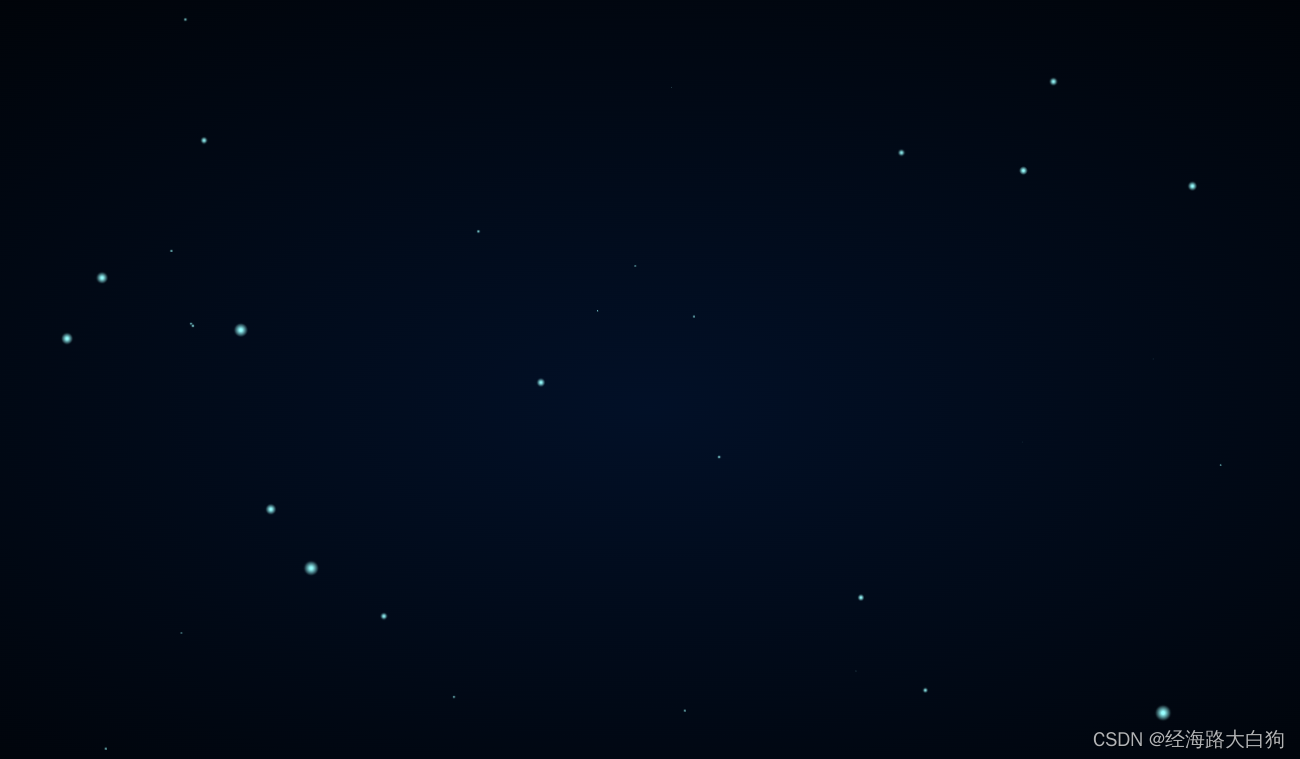
下面把完整源代码放出来,需要的小伙伴可以直接COPY过去,放到自己网页上就可以看到满天飞雪的效果啦
<!DOCTYPE html>
<html lang="en"><head><meta http-equiv="Content-Type" content="text/html; charset=UTF-8">

<title>漫天飘雪</title>

<link rel="stylesheet" href="./style.css">

</head>
<body>

<div class="container">
  <div class="circle-container">
    <div class="circle"></div>
  </div>
  <div class="circle-container">
    <div class="circle"></div>
  </div>
  <div class="circle-container">
    <div class="circle"></div>
  </div>
  <div class="circle-container">
    <div class="circle"></div>
  </div>
  <div class="circle-container">
    <div class="circle"></div>
  </div>
  <div class="circle-container">
    <div class="circle"></div>
  </div>
  <div class="circle-container">
    <div class="circle"></div>
  </div>
  <div class="circle-container">
    <div class="circle"></div>
  </div>
  <div class="circle-container">
    <div class="circle"></div>
  </div>
  <div class="circle-container">
    <div class="circle"></div>
  </div>
  <div class="circle-container">
    <div class="circle"></div>
  </div>
  <div class="circle-container">
    <div class="circle"></div>
  </div>
  <div class="circle-container">
    <div class="circle"></div>
  </div>
  <div class="circle-container">
    <div class="circle"></div>
  </div>
  <div class="circle-container">
    <div class="circle"></div>
  </div>
  <div class="circle-container">
    <div class="circle"></div>
  </div>
</div>


</body></html>html,
body {
width: 100%;
height: 100%;
padding:0;margin:0;
}
body {
background-image: radial-gradient(#021027, #000000);
}
.container {
width: 100%;
height: 100%;
overflow: hidden;
transform: rotate(180deg);
}
.circle-container {
position: absolute;
-webkit-transform: translateY(-10vh);
transform: translateY(-10vh);
-webkit-animation-iteration-count: infinite;
animation-iteration-count: infinite;
-webkit-animation-timing-function: linear;
animation-timing-function: linear;
}
.circle-container .circle {
width: 100%;
height: 100%;
border-radius: 50%;
mix-blend-mode: screen;
background-image: radial-gradient(#99ffff, #99ffff 10%, rgba(153, 255, 255, 0) 56%);
-webkit-animation: fadein-frames 200ms infinite, scale-frames 2s infinite;
animation: fadein-frames 200ms infinite, scale-frames 2s infinite;
}
@-webkit-keyframes scale-frames {
0% {
-webkit-transform: scale3d(0.4, 0.4, 1);
transform: scale3d(0.4, 0.4, 1);
}
50% {
-webkit-transform: scale3d(2.2, 2.2, 1);
transform: scale3d(2.2, 2.2, 1);
}
100% {
-webkit-transform: scale3d(0.4, 0.4, 1);
transform: scale3d(0.4, 0.4, 1);
}
}
@keyframes scale-frames {
0% {
-webkit-transform: scale3d(0.4, 0.4, 1);
transform: scale3d(0.4, 0.4, 1);
}
50% {
-webkit-transform: scale3d(2.2, 2.2, 1);
transform: scale3d(2.2, 2.2, 1);
}
100% {
-webkit-transform: scale3d(0.4, 0.4, 1);
transform: scale3d(0.4, 0.4, 1);
}
}
.circle-container:nth-child(1) {
width: 10px;
height: 10px;
-webkit-animation-name: move-frames-1;
animation-name: move-frames-1;
-webkit-animation-duration: 8441ms;
animation-duration: 8441ms;
-webkit-animation-delay: 4544ms;
animation-delay: 4544ms;
}
@-webkit-keyframes move-frames-1 {
from {
-webkit-transform: translate3d(50vw, 102vh, 0);
transform: translate3d(50vw, 102vh, 0);
}
to {
-webkit-transform: translate3d(2vw, -117vh, 0);
transform: translate3d(2vw, -117vh, 0);
}
}
@keyframes move-frames-1 {
from {
-webkit-transform: translate3d(50vw, 102vh, 0);
transform: translate3d(50vw, 102vh, 0);
}
to {
-webkit-transform: translate3d(2vw, -117vh, 0);
transform: translate3d(2vw, -117vh, 0);
}
}
.circle-container:nth-child(1) .circle {
-webkit-animation-delay: 3734ms;
animation-delay: 3734ms;
}
.circle-container:nth-child(2) {
width: 10px;
height: 10px;
-webkit-animation-name: move-frames-2;
animation-name: move-frames-2;
-webkit-animation-duration: 9921ms;
animation-duration: 9921ms;
-webkit-animation-delay: 5982ms;
animation-delay: 5982ms;
}
@-webkit-keyframes move-frames-2 {
from {
-webkit-transform: translate3d(89vw, 108vh, 0);
transform: translate3d(89vw, 108vh, 0);
}
to {
-webkit-transform: translate3d(72vw, -123vh, 0);
transform: translate3d(72vw, -123vh, 0);
}
}
@keyframes move-frames-2 {
from {
-webkit-transform: translate3d(89vw, 108vh, 0);
transform: translate3d(89vw, 108vh, 0);
}
to {
-webkit-transform: translate3d(72vw, -123vh, 0);
transform: translate3d(72vw, -123vh, 0);
}
}
.circle-container:nth-child(2) .circle {
-webkit-animation-delay: 2516ms;
animation-delay: 2516ms;
}
.circle-container:nth-child(3) {
width: 3px;
height: 3px;
-webkit-animation-name: move-frames-3;
animation-name: move-frames-3;
-webkit-animation-duration: 10427ms;
animation-duration: 10427ms;
-webkit-animation-delay: 3649ms;
animation-delay: 3649ms;
}
@-webkit-keyframes move-frames-3 {
from {
-webkit-transform: translate3d(85vw, 107vh, 0);
transform: translate3d(85vw, 107vh, 0);
}
to {
-webkit-transform: translate3d(30vw, -133vh, 0);
transform: translate3d(30vw, -133vh, 0);
}
}
@keyframes move-frames-3 {
from {
-webkit-transform: translate3d(85vw, 107vh, 0);
transform: translate3d(85vw, 107vh, 0);
}
to {
-webkit-transform: translate3d(30vw, -133vh, 0);
transform: translate3d(30vw, -133vh, 0);
}
}
.circle-container:nth-child(3) .circle {
-webkit-animation-delay: 731ms;
animation-delay: 731ms;
}
.circle-container:nth-child(4) {
width: 6px;
height: 6px;
-webkit-animation-name: move-frames-4;
animation-name: move-frames-4;
-webkit-animation-duration: 10951ms;
animation-duration: 10951ms;
-webkit-animation-delay: 8909ms;
animation-delay: 8909ms;
}
@-webkit-keyframes move-frames-4 {
from {
-webkit-transform: translate3d(50vw, 104vh, 0);
transform: translate3d(50vw, 104vh, 0);
}
to {
-webkit-transform: translate3d(74vw, -122vh, 0);
transform: translate3d(74vw, -122vh, 0);
}
}
@keyframes move-frames-4 {
from {
-webkit-transform: translate3d(50vw, 104vh, 0);
transform: translate3d(50vw, 104vh, 0);
}
to {
-webkit-transform: translate3d(74vw, -122vh, 0);
transform: translate3d(74vw, -122vh, 0);
}
}
.circle-container:nth-child(4) .circle {
-webkit-animation-delay: 2526ms;
animation-delay: 2526ms;
}
.circle-container:nth-child(5) {
width: 5px;
height: 5px;
-webkit-animation-name: move-frames-5;
animation-name: move-frames-5;
-webkit-animation-duration: 7642ms;
animation-duration: 7642ms;
-webkit-animation-delay: 2502ms;
animation-delay: 2502ms;
}
@-webkit-keyframes move-frames-5 {
from {
-webkit-transform: translate3d(9vw, 108vh, 0);
transform: translate3d(9vw, 108vh, 0);
}
to {
-webkit-transform: translate3d(39vw, -126vh, 0);
transform: translate3d(39vw, -126vh, 0);
}
}
@keyframes move-frames-5 {
from {
-webkit-transform: translate3d(9vw, 108vh, 0);
transform: translate3d(9vw, 108vh, 0);
}
to {
-webkit-transform: translate3d(39vw, -126vh, 0);
transform: translate3d(39vw, -126vh, 0);
}
}
.circle-container:nth-child(5) .circle {
-webkit-animation-delay: 2755ms;
animation-delay: 2755ms;
}
.circle-container:nth-child(6) {
width: 6px;
height: 6px;
-webkit-animation-name: move-frames-6;
animation-name: move-frames-6;
-webkit-animation-duration: 8439ms;
animation-duration: 8439ms;
-webkit-animation-delay: 455ms;
animation-delay: 455ms;
}
@-webkit-keyframes move-frames-6 {
from {
-webkit-transform: translate3d(29vw, 101vh, 0);
transform: translate3d(29vw, 101vh, 0);
}
to {
-webkit-transform: translate3d(21vw, -109vh, 0);
transform: translate3d(21vw, -109vh, 0);
}
}
@keyframes move-frames-6 {
from {
-webkit-transform: translate3d(29vw, 101vh, 0);
transform: translate3d(29vw, 101vh, 0);
}
to {
-webkit-transform: translate3d(21vw, -109vh, 0);
transform: translate3d(21vw, -109vh, 0);
}
}
.circle-container:nth-child(6) .circle {
-webkit-animation-delay: 3506ms;
animation-delay: 3506ms;
}
.circle-container:nth-child(7) {
width: 8px;
height: 8px;
-webkit-animation-name: move-frames-7;
animation-name: move-frames-7;
-webkit-animation-duration: 7539ms;
animation-duration: 7539ms;
-webkit-animation-delay: 3595ms;
animation-delay: 3595ms;
}
@-webkit-keyframes move-frames-7 {
from {
-webkit-transform: translate3d(11vw, 101vh, 0);
transform: translate3d(11vw, 101vh, 0);
}
to {
-webkit-transform: translate3d(31vw, -125vh, 0);
transform: translate3d(31vw, -125vh, 0);
}
}
@keyframes move-frames-7 {
from {
-webkit-transform: translate3d(11vw, 101vh, 0);
transform: translate3d(11vw, 101vh, 0);
}
to {
-webkit-transform: translate3d(31vw, -125vh, 0);
transform: translate3d(31vw, -125vh, 0);
}
}
.circle-container:nth-child(7) .circle {
-webkit-animation-delay: 749ms;
animation-delay: 749ms;
}
.circle-container:nth-child(8) {
width: 4px;
height: 4px;
-webkit-animation-name: move-frames-8;
animation-name: move-frames-8;
-webkit-animation-duration: 7480ms;
animation-duration: 7480ms;
-webkit-animation-delay: 2680ms;
animation-delay: 2680ms;
}
@-webkit-keyframes move-frames-8 {
from {
-webkit-transform: translate3d(15vw, 101vh, 0);
transform: translate3d(15vw, 101vh, 0);
}
to {
-webkit-transform: translate3d(88vw, -111vh, 0);
transform: translate3d(88vw, -111vh, 0);
}
}
@keyframes move-frames-8 {
from {
-webkit-transform: translate3d(15vw, 101vh, 0);
transform: translate3d(15vw, 101vh, 0);
}
to {
-webkit-transform: translate3d(88vw, -111vh, 0);
transform: translate3d(88vw, -111vh, 0);
}
}
.circle-container:nth-child(8) .circle {
-webkit-animation-delay: 1888ms;
animation-delay: 1888ms;
}
.circle-container:nth-child(9) {
width: 2px;
height: 2px;
-webkit-animation-name: move-frames-9;
animation-name: move-frames-9;
-webkit-animation-duration: 9087ms;
animation-duration: 9087ms;
-webkit-animation-delay: 9461ms;
animation-delay: 9461ms;
}
@-webkit-keyframes move-frames-9 {
from {
-webkit-transform: translate3d(100vw, 107vh, 0);
transform: translate3d(100vw, 107vh, 0);
}
to {
-webkit-transform: translate3d(40vw, -130vh, 0);
transform: translate3d(40vw, -130vh, 0);
}
}
@keyframes move-frames-9 {
from {
-webkit-transform: translate3d(100vw, 107vh, 0);
transform: translate3d(100vw, 107vh, 0);
}
to {
-webkit-transform: translate3d(40vw, -130vh, 0);
transform: translate3d(40vw, -130vh, 0);
}
}
.circle-container:nth-child(9) .circle {
-webkit-animation-delay: 1721ms;
animation-delay: 1721ms;
}
.circle-container:nth-child(10) {
width: 8px;
height: 8px;
-webkit-animation-name: move-frames-10;
animation-name: move-frames-10;
-webkit-animation-duration: 9860ms;
animation-duration: 9860ms;
-webkit-animation-delay: 8969ms;
animation-delay: 8969ms;
}
@-webkit-keyframes move-frames-10 {
from {
-webkit-transform: translate3d(74vw, 110vh, 0);
transform: translate3d(74vw, 110vh, 0);
}
to {
-webkit-transform: translate3d(30vw, -127vh, 0);
transform: translate3d(30vw, -127vh, 0);
}
}
@keyframes move-frames-10 {
from {
-webkit-transform: translate3d(74vw, 110vh, 0);
transform: translate3d(74vw, 110vh, 0);
}
to {
-webkit-transform: translate3d(30vw, -127vh, 0);
transform: translate3d(30vw, -127vh, 0);
}
}
.circle-container:nth-child(10) .circle {
-webkit-animation-delay: 1801ms;
animation-delay: 1801ms;
}
.circle-container:nth-child(11) {
width: 1px;
height: 1px;
-webkit-animation-name: move-frames-11;
animation-name: move-frames-11;
-webkit-animation-duration: 9292ms;
animation-duration: 9292ms;
-webkit-animation-delay: 9812ms;
animation-delay: 9812ms;
}最后呢,祝大家2023年心想事成
- 【手把手、从零到一】SpringBoot+SpringCloud+Vue前后端分离实战项目,专栏持续火热更新中。。。
- 主流技术,细节到位,前后端由两位【十年多】的高级架构师操刀
- 作为毕设项目、入门项目、或者准备进阶提升竞争力的小伙伴,可以【订阅本专栏】哦
- 前端部分 :https://blog.csdn.net/xingyu_qie/category_12222258.html
- 服务端部分 :https://blog.csdn.net/scm_2008/category_12236048.html
- 粉丝福利:订阅的粉丝可加微信,对文章的内容进行【一对一指导】!
我在MiniTest::Spec和Capybara中使用以下规范:find_field('Email').must_have_css('[autofocus]')检查名为“电子邮件”的字段是否具有autofocus属性。doc说如下:has_css?(path,options={})ChecksifagivenCSSselectorisonthepageorcurrentnode.据我了解,字段“Email”是一个节点,因此调用must_have_css绝对有效!我做错了什么? 最佳答案 通过JonasNicklas得到了答案:No
是的,我知道最好使用webmock,但我想知道如何在RSpec中模拟此方法:defmethod_to_testurl=URI.parseurireq=Net::HTTP::Post.newurl.pathres=Net::HTTP.start(url.host,url.port)do|http|http.requestreq,foo:1endresend这是RSpec:let(:uri){'http://example.com'}specify'HTTPcall'dohttp=mock:httpNet::HTTP.stub!(:start).and_yieldhttphttp.shou
我有一个div,它根据表单是否正确提交而改变。我想知道是否可以检查类的特定元素?开始元素看起来像这样。如果输入不正确,添加错误类。 最佳答案 试试这个:browser.div(:id=>"myerrortest").class_name更多信息:http://watir.github.com/watir-webdriver/doc/Watir/HTMLElement.html#class_name-instance_method另一种选择是只查看具有您期望的类的div是否存在browser.div((:id=>"myerrortes
Unity自动旋转动画1.开门需要门把手先动,门再动2.关门需要门先动,门把手再动3.中途播放过程中不可以再次进行操作觉得太复杂?查看我的文章开关门简易进阶版效果:如果这个门可以直接打开的话,就不需要放置"门把手"如果门把手还有钥匙需要旋转,那就可以把钥匙放在门把手的"门把手",理论上是可以无限套娃的可调整参数有:角度,反向,轴向,速度运行时点击Test进行测试自己写的代码比较垃圾,命名与结构比较拉,高手轻点喷,新手有类似的需求可以拿去做参考上代码usingSystem.Collections;usingSystem.Collections.Generic;usingUnityEngine;u
目录前言滤波电路科普主要分类实际情况单位的概念常用评价参数函数型滤波器简单分析滤波电路构成低通滤波器RC低通滤波器RL低通滤波器高通滤波器RC高通滤波器RL高通滤波器部分摘自《LC滤波器设计与制作》,侵权删。前言最近需要学习放大电路和滤波电路,但是由于只在之前做音乐频谱分析仪的时候简单了解过一点点运放,所以也是相当从零开始学习了。滤波电路科普主要分类滤波器:主要是从不同频率的成分中提取出特定频率的信号。有源滤波器:由RC元件与运算放大器组成的滤波器。可滤除某一次或多次谐波,最普通易于采用的无源滤波器结构是将电感与电容串联,可对主要次谐波(3、5、7)构成低阻抗旁路。无源滤波器:无源滤波器,又称
最近在学习CAN,记录一下,也供大家参考交流。推荐几个我觉得很好的CAN学习,本文也是在看了他们的好文之后做的笔记首先是瑞萨的CAN入门,真的通透;秀!靠这篇我竟然2天理解了CAN协议!实战STM32F4CAN!原文链接:https://blog.csdn.net/XiaoXiaoPengBo/article/details/116206252CAN详解(小白教程)原文链接:https://blog.csdn.net/xwwwj/article/details/105372234一篇易懂的CAN通讯协议指南1一篇易懂的CAN通讯协议指南1-知乎(zhihu.com)视频推荐CAN总线个人知识总
深度学习部署:Windows安装pycocotools报错解决方法1.pycocotools库的简介2.pycocotools安装的坑3.解决办法更多Ai资讯:公主号AiCharm本系列是作者在跑一些深度学习实例时,遇到的各种各样的问题及解决办法,希望能够帮助到大家。ERROR:Commanderroredoutwithexitstatus1:'D:\Anaconda3\python.exe'-u-c'importsys,setuptools,tokenize;sys.argv[0]='"'"'C:\\Users\\46653\\AppData\\Local\\Temp\\pip-instal
假设我在Store的模型中有这个非常简单的方法:defgeocode_addressloc=Store.geocode(address)self.lat=loc.latself.lng=loc.lngend如果我想编写一些不受地理编码服务影响的测试脚本,这些脚本可能已关闭、有限制或取决于我的互联网连接,我该如何模拟地理编码服务?如果我可以将地理编码对象传递到该方法中,那将很容易,但我不知道在这种情况下该怎么做。谢谢!特里斯坦 最佳答案 使用内置模拟和stub的rspecs,你可以做这样的事情:setupdo@subject=MyCl
我完全不是程序员,正在学习使用Ruby和Rails框架进行编程。我目前正在使用Ruby1.8.7和Rails3.0.3,但我想知道我是否应该升级到Ruby1.9,因为我真的没有任何升级的“遗留”成本。缺点是什么?我是否会遇到与普通gem的兼容性问题,或者甚至其他我不太了解甚至无法预料的问题? 最佳答案 你应该升级。不要坚持从1.8.7开始。如果您发现不支持1.9.2的gem,请避免使用它们(因为它们很可能不被维护)。如果您对gem是否兼容1.9.2有任何疑问,您可以在以下位置查看:http://www.railsplugins.or
在ruby中,你可以这样做:classThingpublicdeff1puts"f1"endprivatedeff2puts"f2"endpublicdeff3puts"f3"endprivatedeff4puts"f4"endend现在f1和f3是公共(public)的,f2和f4是私有(private)的。内部发生了什么,允许您调用一个类方法,然后更改方法定义?我怎样才能实现相同的功能(表面上是创建我自己的java之类的注释)例如...classThingfundeff1puts"hey"endnotfundeff2puts"hey"endendfun和notfun将更改以下函数定
