文章目录
🌸作者简介:花想云,在读本科生一枚,致力于 C/C++、Linux 学习。
🌸本文收录于 初学C语言必会的20个小游戏专栏,本专栏主要内容为利用C/C++与图形库EasyX实现各种有趣的小游戏。
本文主要内容为,利用图形库与简单的C语言知识实现樱花树。文章涉及的C语言语法并不多,但要求了解简单的递归运用。每一小节都会附有完整代码与实现效果图,有需求的小伙伴也可以直接去复制使用~
特别声明——本文内容与代码全部参考书籍《C和C++趣味游戏编程》,当然我也非常推荐这本书。

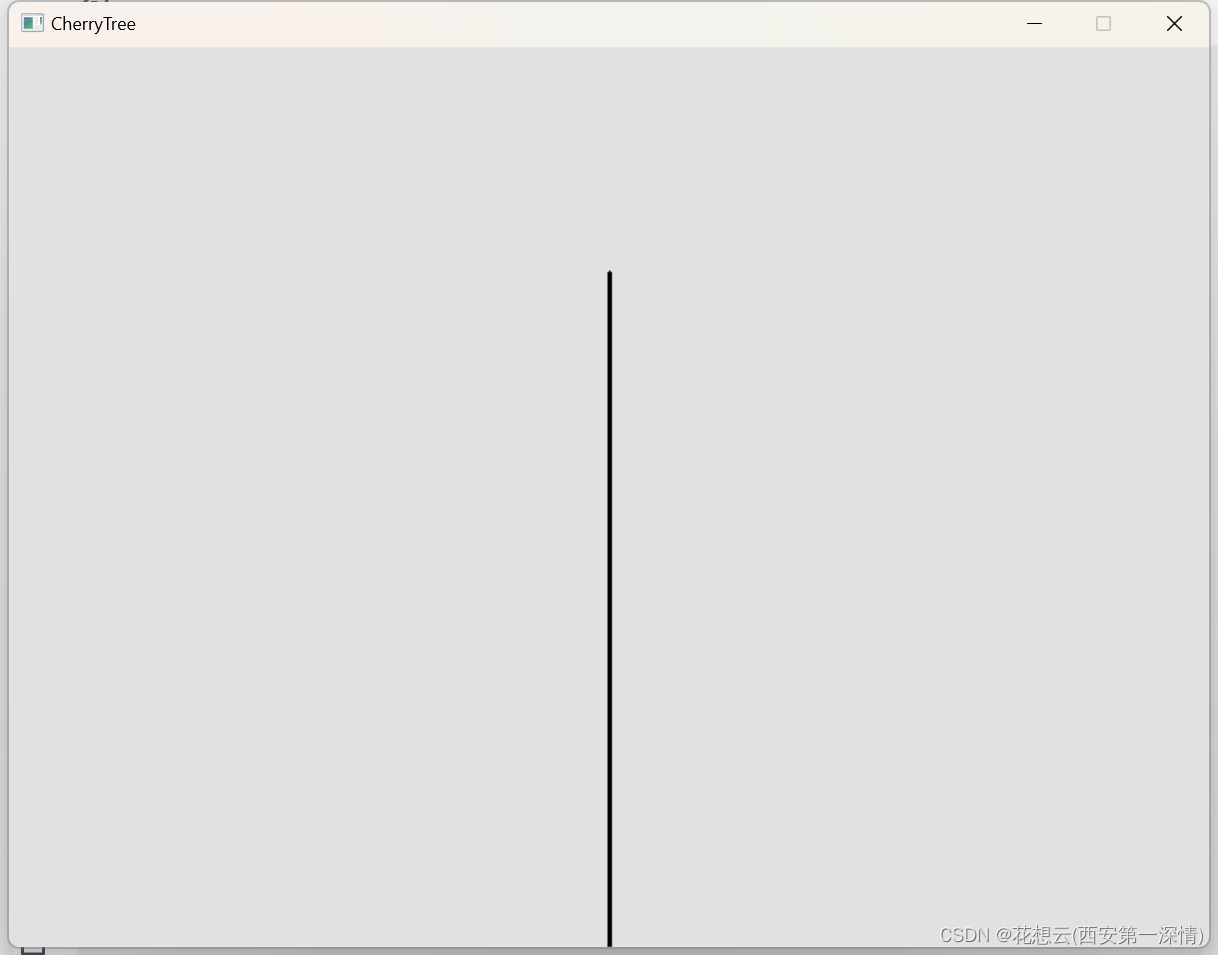
2-1
#include<stdio.h>
#include<graphics.h>
#include<conio.h>
#include<math.h>

#define WIDTH 800 // 画面宽度
#define HEIGHT 600 // 画面高度

int main()
{
	initgraph(WIDTH, HEIGHT); // 初始化窗口
	setbkcolor(RGB(225, 225, 225)); //白色背景

	setlinecolor(RGB(0, 0, 0)); // 设定线条颜色为黑色
	setlinestyle(PS_SOLID, 3);  // 设定线宽

	cleardevice(); // 清屏

	BeginBatchDraw(); // 开始批量绘制

	line(WIDTH / 2, HEIGHT, WIDTH / 2,  150); //绘制线条

	FlushBatchDraw(); // 刷新画板
	_getch(); // 等待输入
	closegraph(); // 关闭画板
	return 0;
}
效果图
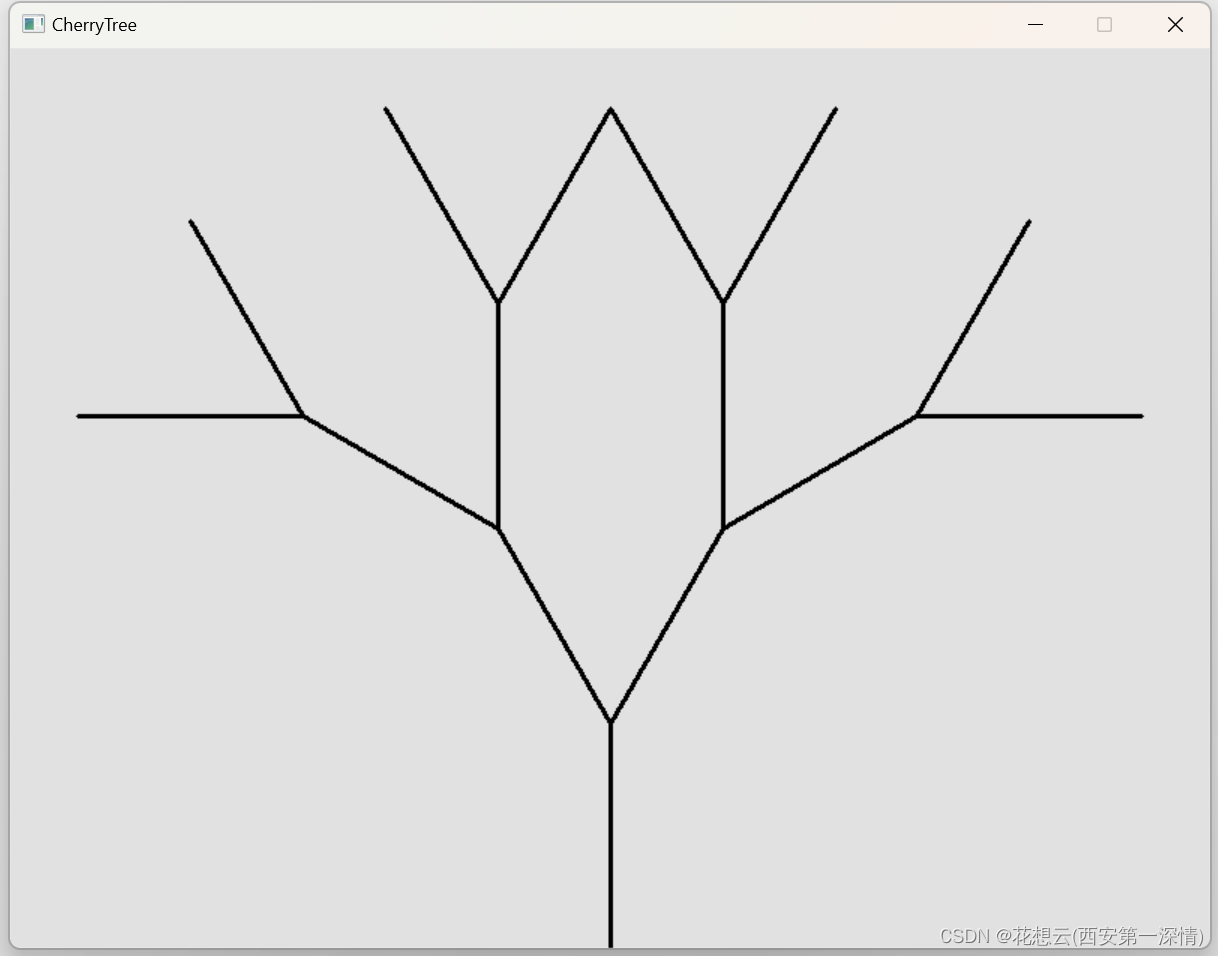
2-2
#include<stdio.h>
#include<graphics.h>
#include<conio.h>
#include<math.h>

#define PI 3.1415926 // 圆周率
#define WIDTH 800 // 画面宽度
#define HEIGHT 600 // 画面高度

// 绘制树干的函数
void branch(float x_start, float y_start, float angle, int generation)
{
	// 利用三角函数求出当前树枝的终点坐标
	float x_end, y_end;
	x_end = x_start + 150 * cos(angle);
	y_end = y_start + 150 * sin(angle);

	line(x_start, y_start, x_end, y_end); // 画出当前枝干

	// 求出子枝干的代数
	int childGeneration = generation + 1;

	// 当子枝干的代数<=4,画出当前枝干,并递归调用产生子枝干
	if (childGeneration <= 4)
	{
		// 产生左右的子枝干
		branch(x_end, y_end,angle+PI/6,childGeneration);
		branch(x_end, y_end, angle - PI / 6, childGeneration);

	}
}

int main()
{
	initgraph(WIDTH, HEIGHT); // 初始化窗口
	setbkcolor(RGB(225, 225, 225)); // 白色背景

	setlinecolor(RGB(0, 0, 0)); // 设定线条颜色为黑色
	setlinestyle(PS_SOLID, 3);  // 设定线宽

	cleardevice(); // 清屏

	BeginBatchDraw(); // 开始批量绘制

	branch(WIDTH/2,HEIGHT,-PI/2,1); // 递归绘图

	FlushBatchDraw();
	_getch();
	closegraph();
	return 0;
}
效果图
2-3
#define PI 3.1415926 // 圆周率
#define WIDTH 800 // 画面宽度
#define HEIGHT 600 // 画面高度
float offsetAngle = PI / 6; // 左右枝干与父枝干偏离的角度
float shortenRate = 0.65; // 左右枝干长度与父枝干长度的比例


void branch(float x_start, float y_start, float length,float angle,float thickness, int generation)
{
	// 利用三角函数求出当前树枝的终点坐标
	float x_end, y_end;
	x_end = x_start + length * cos(angle);
	y_end = y_start + length * sin(angle);

	setlinestyle(PS_SOLID, thickness); //设置当前枝干的宽

	setlinecolor(RGB(0, 0, 0)); // 设置当前枝干的颜色

	line(x_start, y_start, x_end, y_end); // 画出当前枝干

	// 求出子枝干的代数
	int childGeneration = generation + 1;

	float childLength = shortenRate * length; // 生成的枝干的长度逐渐变短


	// 当子枝干的长度>=2,且当子枝干的代数<10,画出当前枝干,并递归调用产生子枝干
	if (childLength >= 2 && childGeneration <10)
	{
		// 生成子枝干的宽度逐渐变细
		float childThickness = thickness * 0.8;

		if (childThickness < 2)
		{
			childThickness = 2;
		}
		// 产生左右的子枝干
		branch(x_end, y_end, childLength, angle + offsetAngle, childThickness, childGeneration);
		branch(x_end, y_end, childLength, angle - offsetAngle, childThickness, childGeneration);
	}
}

int main()
{
	initgraph(WIDTH, HEIGHT); // 初始化窗口
	setbkcolor(RGB(225, 225, 225)); //白色背景

	setlinecolor(RGB(0, 0, 0)); //设定线条颜色为黑色
	setlinestyle(PS_SOLID, 3);  //设定线宽

	cleardevice(); // 清屏

	BeginBatchDraw(); // 开始批量绘制

	branch(WIDTH/2,HEIGHT,0.45*HEIGHT*shortenRate,-PI/2, 15 * shortenRate, 1); // 递归绘图

	FlushBatchDraw();
	_getch();
	closegraph();
	return 0;
}
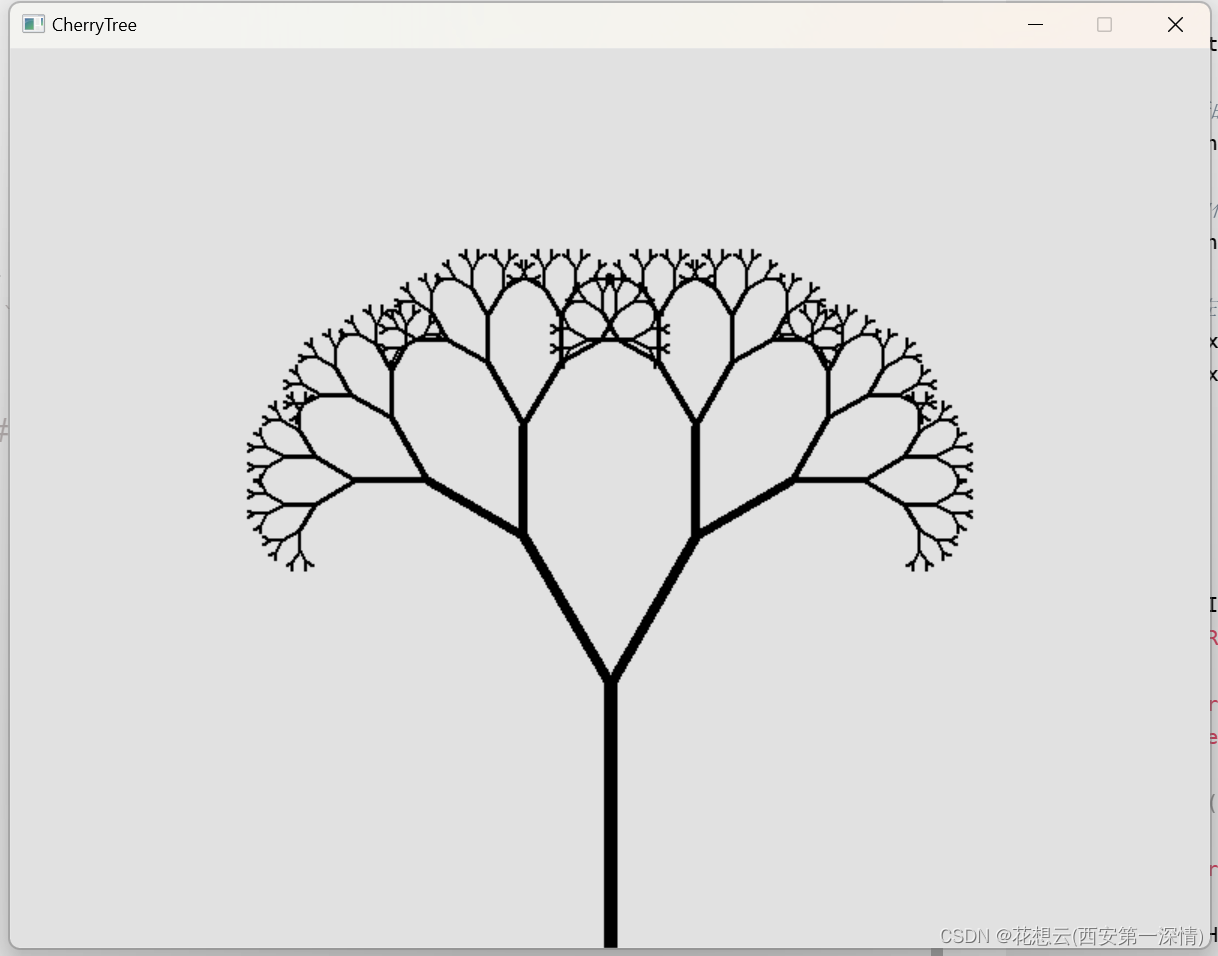
2-4
#define PI 3.1415926 // 圆周率
#define WIDTH 800 // 画面宽度
#define HEIGHT 600 // 画面高度
float offsetAngle = PI / 6; // 左右枝干与父枝干偏离的角度
float shortenRate = 0.65; // 左右枝干长度与父枝干长度的比例


// 枝干生成和绘制递归函数
// 输入参数:枝干起始x y坐标,枝干长度,枝干角度,枝干绘图线条宽度,第几代
void branch(float x_start, float y_start, float length, float angle, float thickness, int generation)
{
	// 利用三角函数求出当前枝干的终点x,y坐标
	float x_end, y_end;
	x_end = x_start + length * cos(angle);
	y_end = y_start + length * sin(angle);
	setlinestyle(PS_SOLID, thickness); // 设定当前枝干线宽
	setlinecolor(HSVtoRGB(15, 0.75, 0.5)); // 设定当前枝干颜色为褐色
	line(x_start, y_start, x_end, y_end); // 画出当前枝干

	// 求出子枝干的代数
	int childGeneration = generation + 1;
	// 生成子枝干的长度,逐渐变短
	float childLength = shortenRate * length;

	// 当子枝干长度大于等于2,并且代数小于等于10,递归调用产生子枝干
	if (childLength >= 2 && childGeneration <= 9)
	{
		// 生成子枝干的粗细,逐渐变细
		float childThickness = thickness * 0.8;
		if (childThickness < 2) // 枝干绘图最细的线宽为2
			childThickness = 2;

		// 产生左右的子枝干
		branch(x_end, y_end, childLength, angle + offsetAngle, childThickness, childGeneration);
		branch(x_end, y_end, childLength, angle - offsetAngle, childThickness, childGeneration);
		// 产生中间的子枝干
		branch(x_end, y_end, childLength, angle, childThickness, childGeneration);
	}
	else  // 画出最末端的樱花
	{
		setlinestyle(PS_SOLID, 1); // 线宽
		setlinecolor(HSVtoRGB(325, 0.3, 1)); // 设定线条颜色 粉色
		setfillcolor(HSVtoRGB(325, 0.3, 1)); // 设定填充颜色 粉色
		if (childLength <= 4) // 如果子枝干长度小于等于4
			fillcircle(x_end, y_end, 2); // 圆的半径为2(再小就看不清了)
		else
			fillcircle(x_end, y_end, childLength / 2); // 画一个圆,半径为子枝干长度的一半
	}
}

int main()
{
	initgraph(WIDTH, HEIGHT); // 初始化窗口
	setbkcolor(RGB(225, 225, 225)); //白色背景

	setlinecolor(RGB(0, 0, 0)); // 设定线条颜色为黑色
	setlinestyle(PS_SOLID, 3);  // 设定线宽

	cleardevice(); // 清屏
	BeginBatchDraw(); // 开始批量绘制

	branch(WIDTH/2,HEIGHT,0.45*HEIGHT*shortenRate,-PI/2, 15 * shortenRate, 1); // 递归绘图

	FlushBatchDraw();
	_getch();
	closegraph();
	return 0;
}
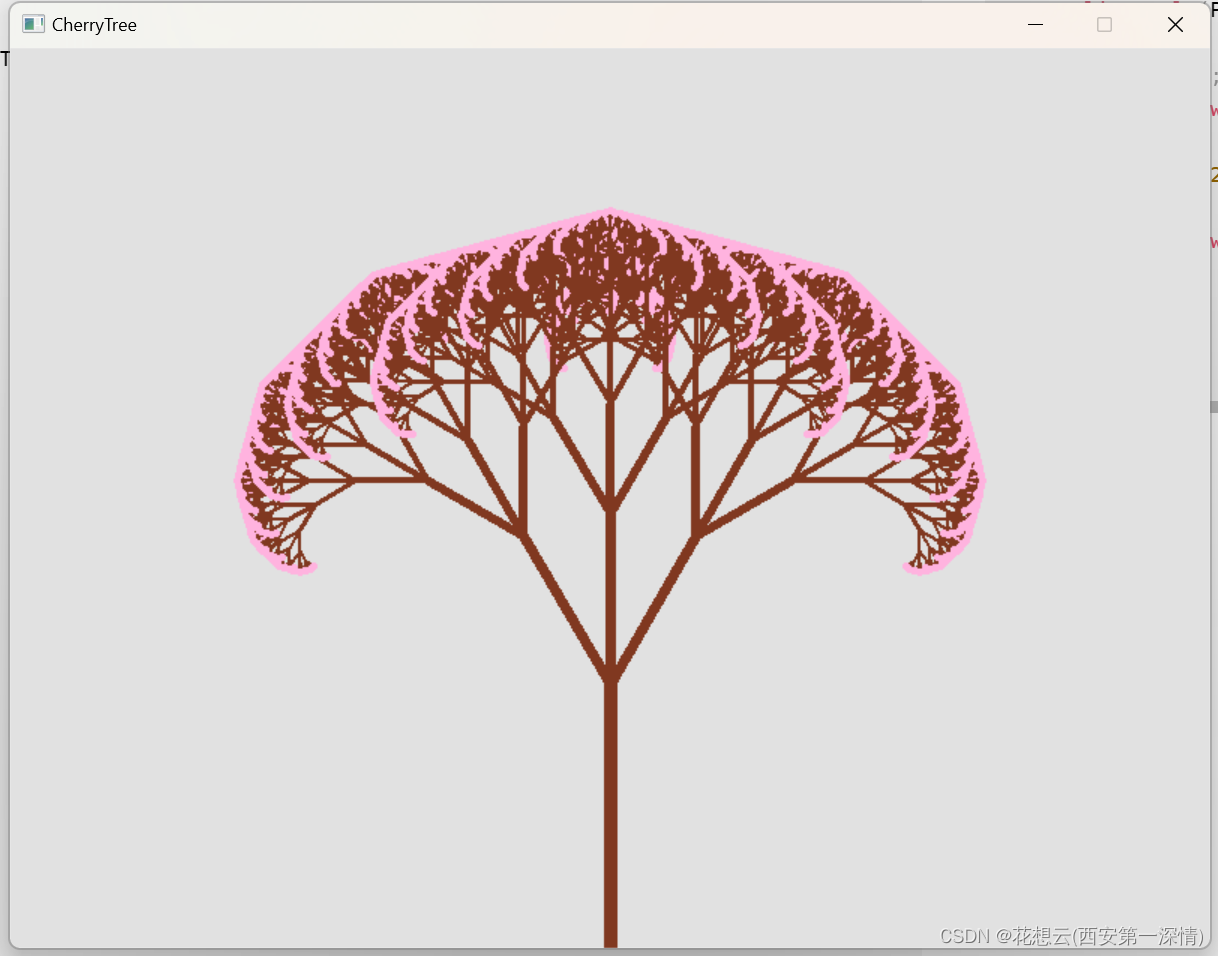
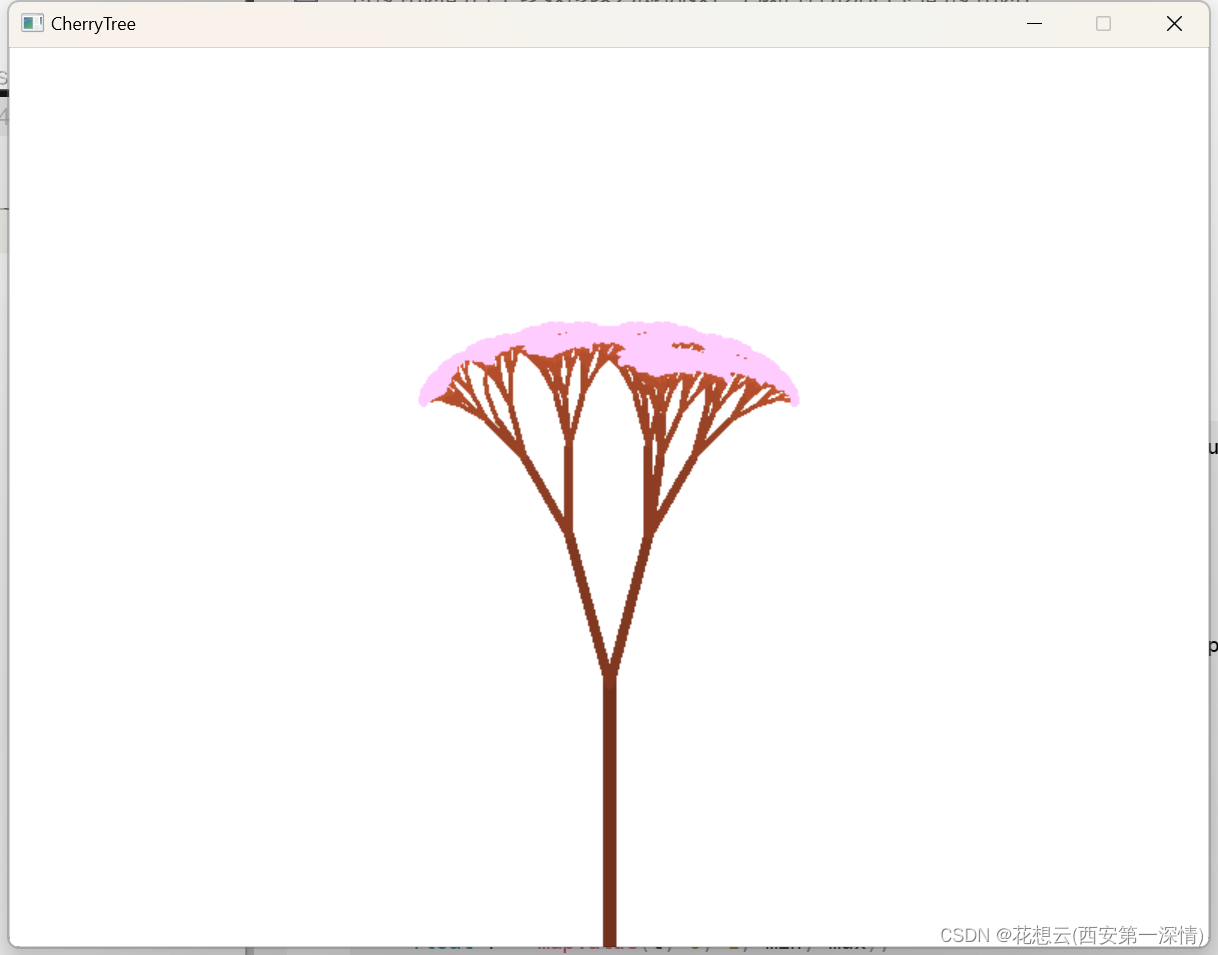
效果图
将樱花树的各个参数修改为随机数,生成各种形态不同的樱花树;
float mapValue(float input, float inputMin, float inputMax, float outputMin, float outputMax)
{
	float output;
	if (abs((float)(input - inputMin) < 0.000001)) // 防止除以零的bug
		output = outputMin;
	else
		output = (input - inputMin) * (outputMax - outputMin) / (inputMax - inputMin) + outputMin;
	return output;
}

// 生成[min,max]之间的随机小数
float randBetween(float min, float max)
{
	float t = rand() / double(RAND_MAX); // 生成[0,1]的随机小数
	// 调用mapValue函数,把值范围从[0,1]映射到[min,max]
	float r = mapValue(t, 0, 1, min, max);
	return r;
}
2-5
#include<stdio.h>
#include<graphics.h>
#include<conio.h>
#include<math.h>
#include <time.h>

#define  PI 3.1415926
#define  WIDTH 800   // 画面宽度
#define  HEIGHT 600  // 画面高度度

float offsetAngle = PI / 6; // 左右枝干和父枝干偏离的角度
float shortenRate = 0.65;  // 子枝干比父枝干变短的倍数

// 把[inputMin,inputMax]范围的input变量,映射为[outputMin,outputMax]范围的output变量
float mapValue(float input, float inputMin, float inputMax, float outputMin, float outputMax)
{
	float output;
	if (abs((float)(input - inputMin) < 0.000001)) // 防止除以零的bug
		output = outputMin;
	else
		output = (input - inputMin) * (outputMax - outputMin) / (inputMax - inputMin) + outputMin;
	return output;
}

// 生成[min,max]之间的随机小数
float randBetween(float min, float max)
{
	float t = rand() / double(RAND_MAX); // 生成[0,1]的随机小数
	// 调用mapValue函数,把值范围从[0,1]映射到[min,max]
	float r = mapValue(t, 0, 1, min, max);
	return r;
}

// 枝干生成和绘制递归函数
// 输入参数:枝干起始x y坐标,枝干长度,枝干角度,枝干绘图线条宽度,第几代
void branch(float x_start, float y_start, float length, float angle, float thickness, int generation)
{
	// 利用三角函数求出当前枝干的终点x,y坐标
	float x_end, y_end;
	x_end = x_start + length * cos(angle);
	y_end = y_start + length * sin(angle);

	// 画线条枝干
	setlinestyle(PS_SOLID, thickness); // 设定当前枝干线宽
	// 设置枝干为灰褐色,主树干最黑,子枝干逐渐变亮
	COLORREF  color = HSVtoRGB(15, 0.75, 0.4 + generation * 0.05);
	setlinecolor(color); // 设定当前枝干颜色

	line(x_start, y_start, x_end, y_end); // 画出当前枝干(画线)

	// 求出子枝干的代数
	int childGeneration = generation + 1;
	// 生成左、右、中间三个子枝干的长度,逐渐变短,并有一定随机性
	float childLength = shortenRate * length;
	float leftChildLength = childLength * randBetween(0.9, 1.1);
	float rightChildLength = childLength * randBetween(0.9, 1.1);
	float centerChildLength = childLength * randBetween(0.8, 1.1);

	// 当子枝干长度大于2,并且代数小于等于10,递归调用产生子枝干
	if (childLength >= 2 && childGeneration <= 9)
	{
		// 生成子枝干的粗细,逐渐变细
		float childThickness = thickness * 0.8;
		if (childThickness < 2) // 枝干绘图最细的线宽为2
			childThickness = 2;

		// 一定概率产生左、右、中子枝干
		if (randBetween(0, 1) < 0.95)
			branch(x_end, y_end, leftChildLength, angle + offsetAngle * randBetween(0.5, 1), childThickness, childGeneration);
		if (randBetween(0, 1) < 0.95)
			branch(x_end, y_end, rightChildLength, angle - offsetAngle * randBetween(0.5, 1), childThickness, childGeneration);
		if (randBetween(0, 1) < 0.85)
			branch(x_end, y_end, centerChildLength, angle + offsetAngle / 5 * randBetween(-1, 1), childThickness, childGeneration);
	}
	else // 最末端绘制樱花,画一个粉色填充圆
	{
		setlinestyle(PS_SOLID, 1); // 线宽
		// 樱花粉色HSVtoRGB(325,0.3,1),有一定随机性
		COLORREF  color = HSVtoRGB(randBetween(300, 350), randBetween(0.2, 0.3), 1);
		setlinecolor(color); // 设定线条颜色
		setfillcolor(color); // 设定填充颜色
		if (childLength <= 4) // 如果子枝干长度小于等于4
			fillcircle(x_end, y_end, 2); // 圆的半径为2(再小就看不清了)
		else
			fillcircle(x_end, y_end, childLength / 2); // 画一个圆,半径为子枝干长度的一半
	}
}

void startup()  // 初始化
{
	srand(time(0)); // 随机初始化
	initgraph(WIDTH, HEIGHT); // 新开一个画面
	setbkcolor(RGB(255, 255, 255)); // 白色背景
	cleardevice(); // 清屏
	BeginBatchDraw(); // 开始批量绘制
	brunch(WIDTH / 2, HEIGHT, 0.45 * HEIGHT * shortenRate, -PI / 2, 15 * shortenRate, 1); // 递归函数调用
	FlushBatchDraw(); // 批量绘制
}

void update()  // 每帧更新
{
	offsetAngle = randBetween(PI/10,PI/6);
	shortenRate = randBetween(0.7, 0.3);

	cleardevice(); // 清屏
	branch(WIDTH / 2, HEIGHT, 0.45 * HEIGHT * shortenRate, -PI / 2, 15 * shortenRate, 1); // 递归调用
}

int main() // 主函数
{
	startup();  // 初始化
	while (1)  // 重复循环
		update();  // 每帧更新
	return 0;
}
效果图
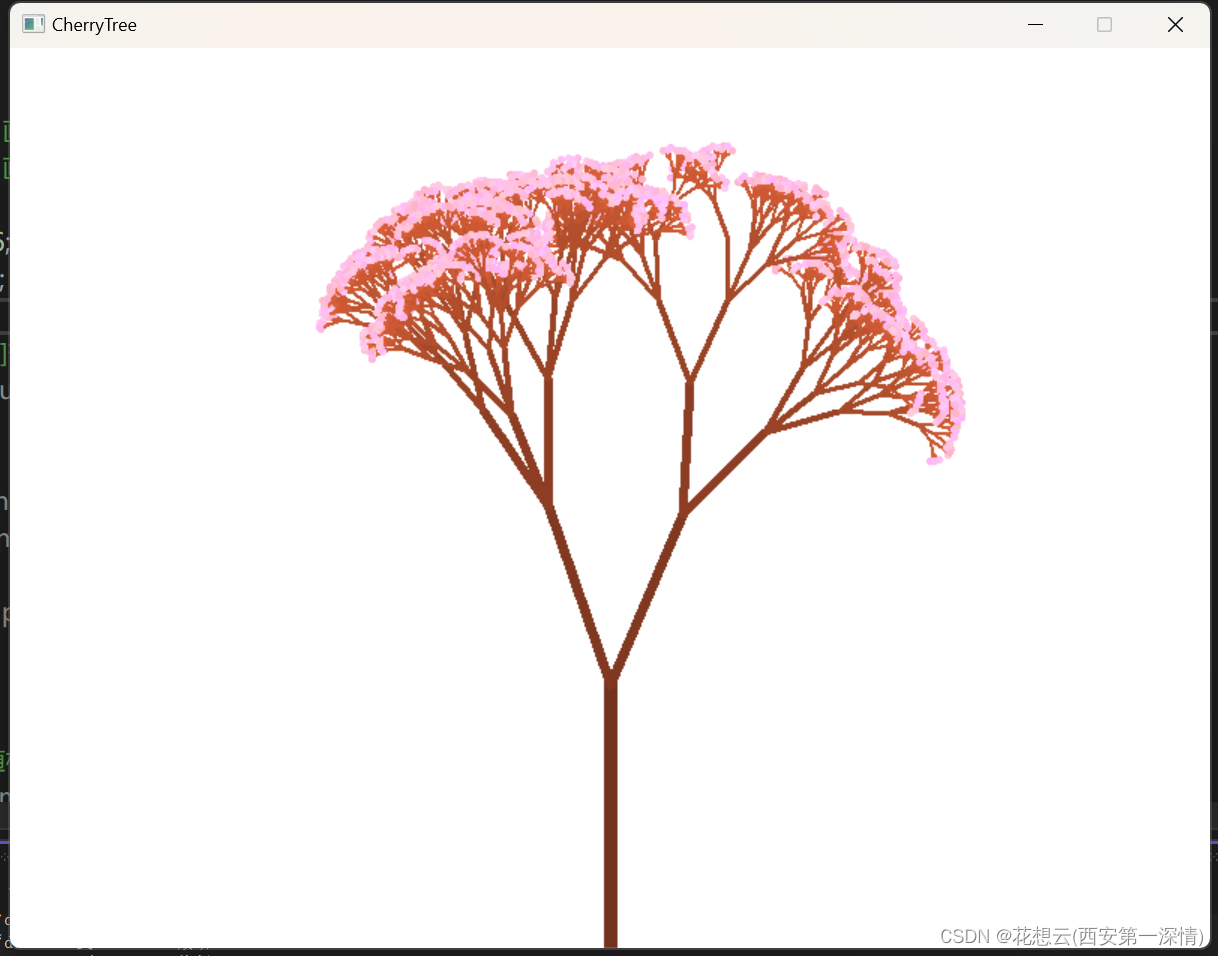
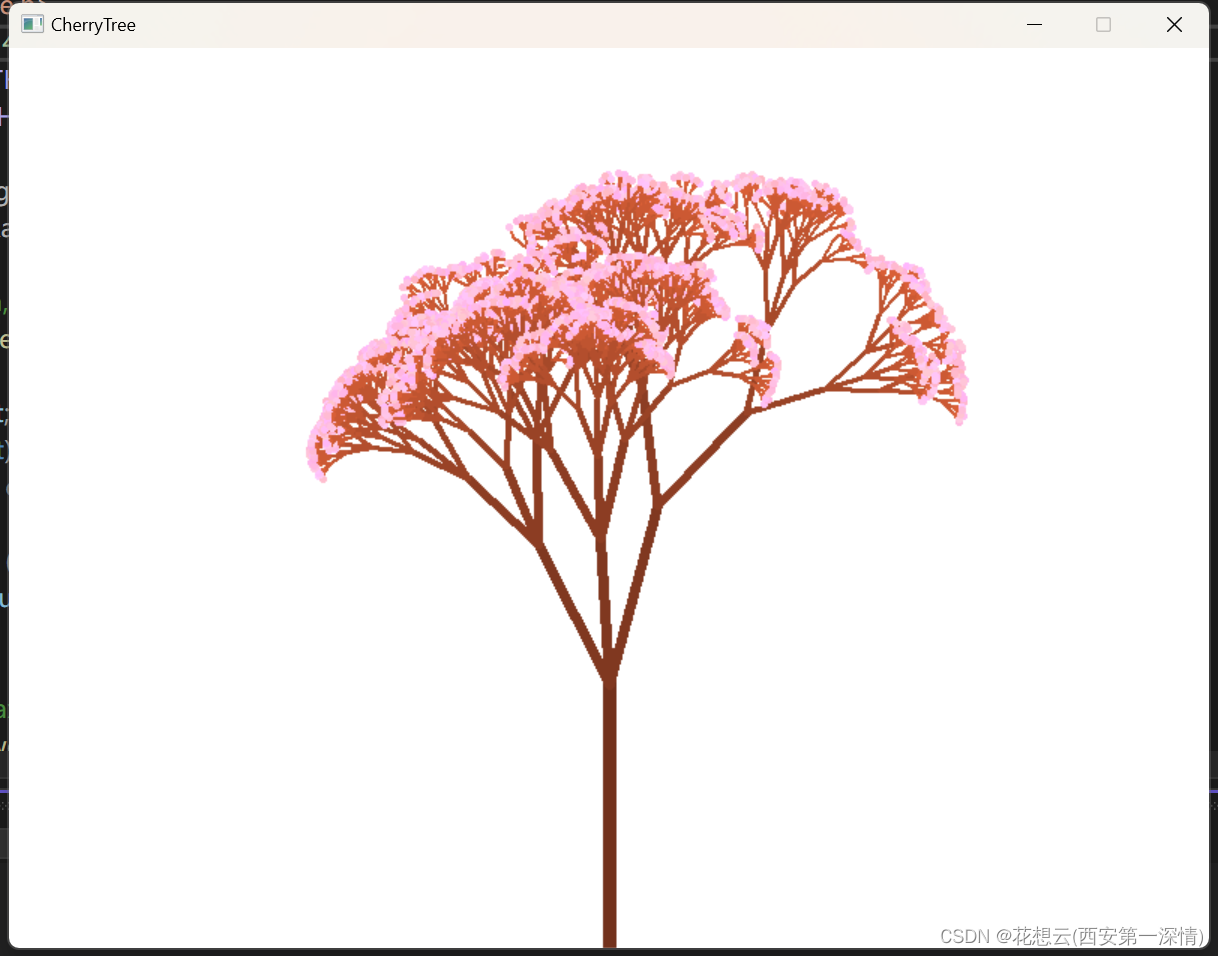
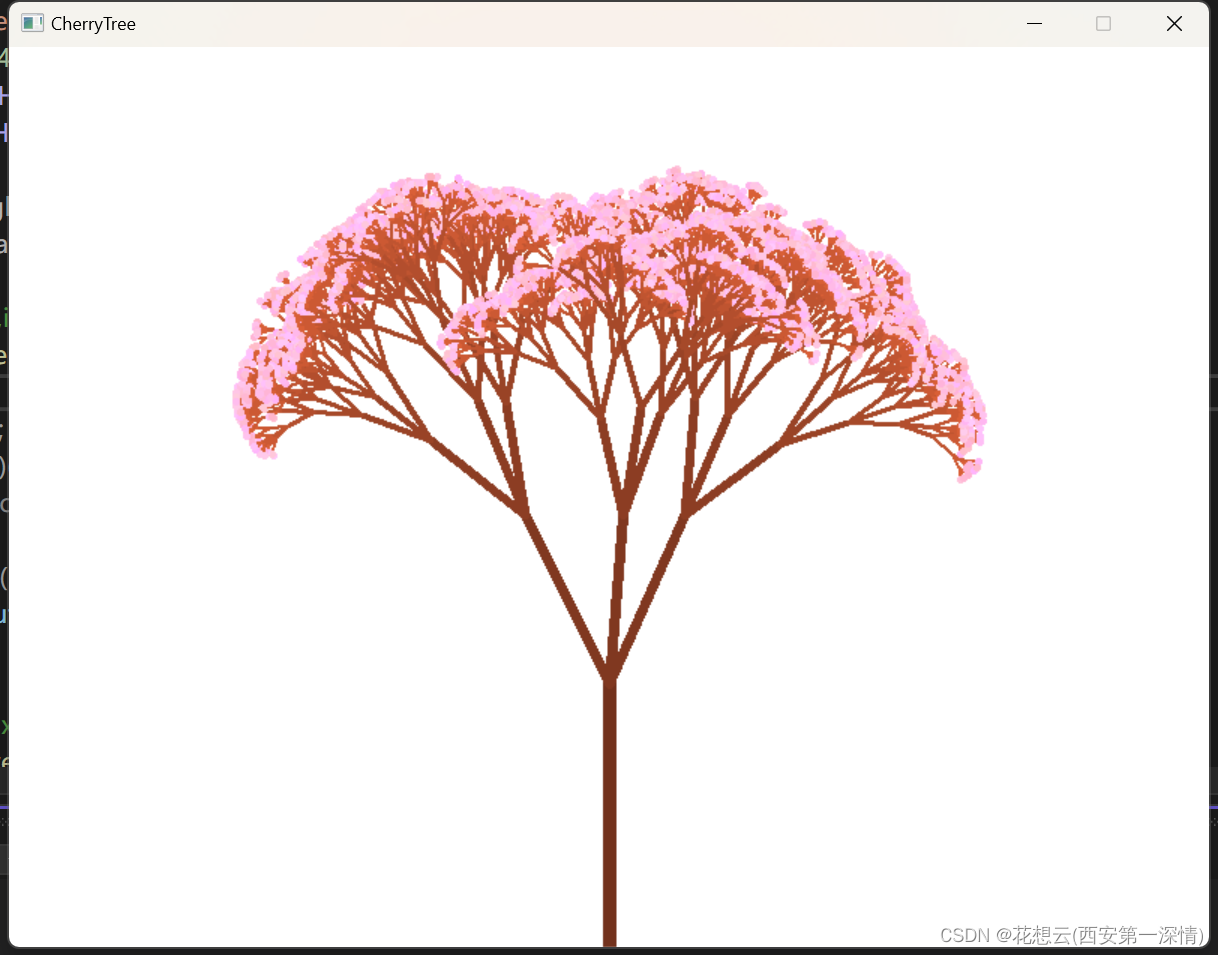
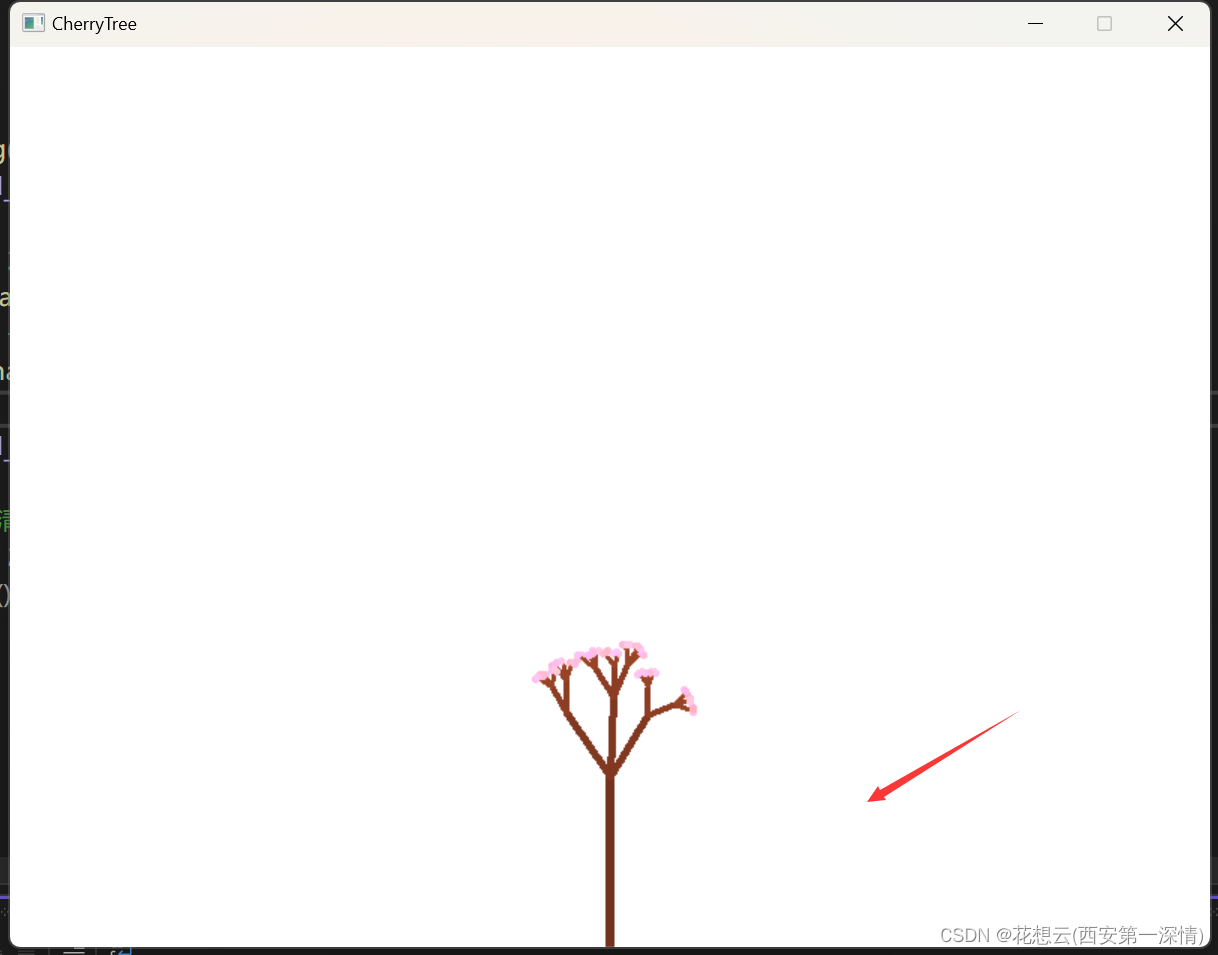
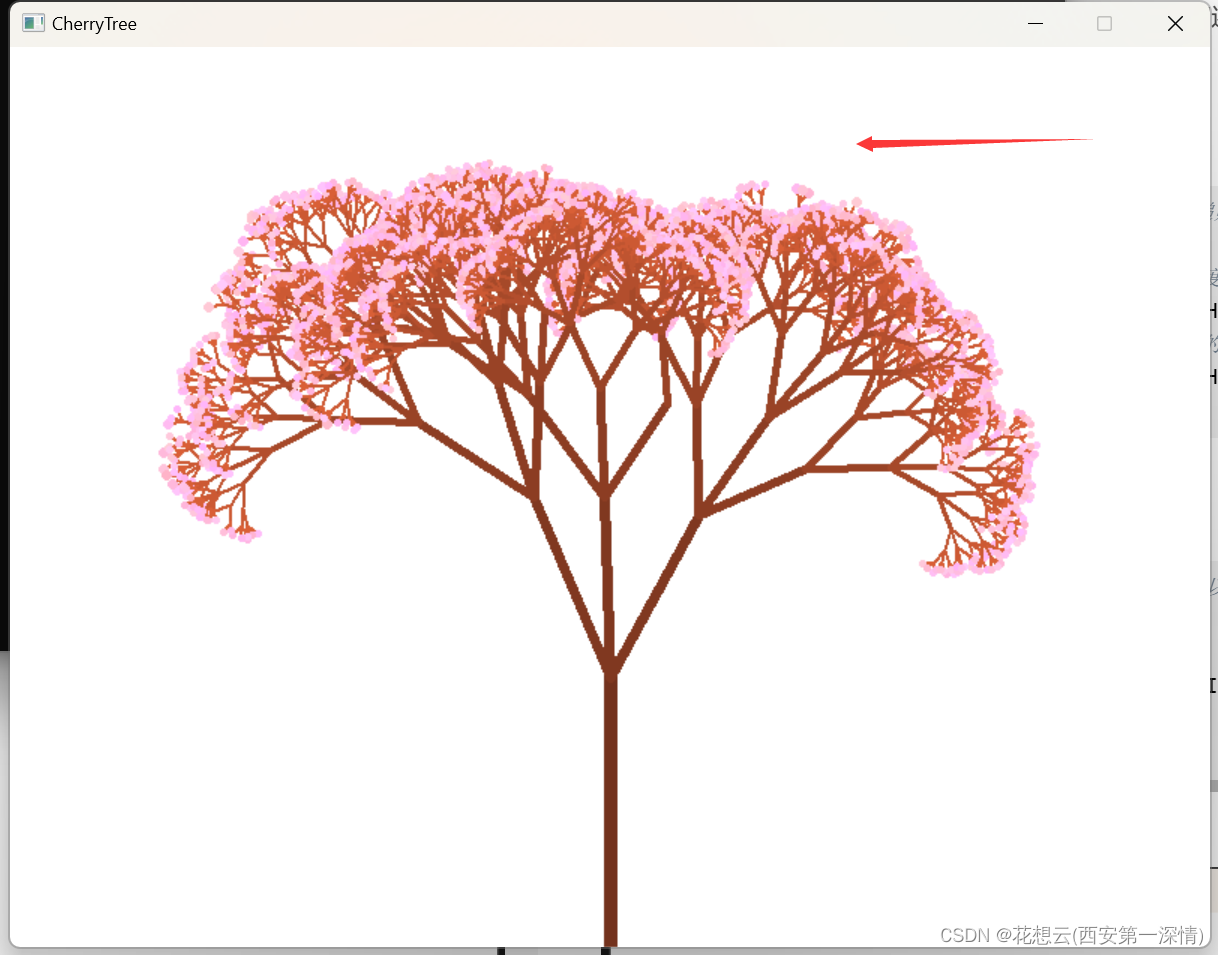
2-5版本缺点在于每次运行程序只能生成一棵樱花树。我们还可以引进鼠标点击的功能来实现每次鼠标点击生成不同的樱花树。
2-6
if (m.uMsg == WM_MOUSEMOVE) // 当鼠标移动时,设定递归函数的参数
		{
			// 鼠标从左到右,左右子枝干偏离父枝干的角度逐渐变大
			offsetAngle = mapValue(m.x, 0, WIDTH, PI / 10, PI / 4);
			// 鼠标从上到下,子枝干比父枝干的长度缩短的更快
			shortenRate = mapValue(m.y, 0, HEIGHT, 0.7, 0.3);
		}
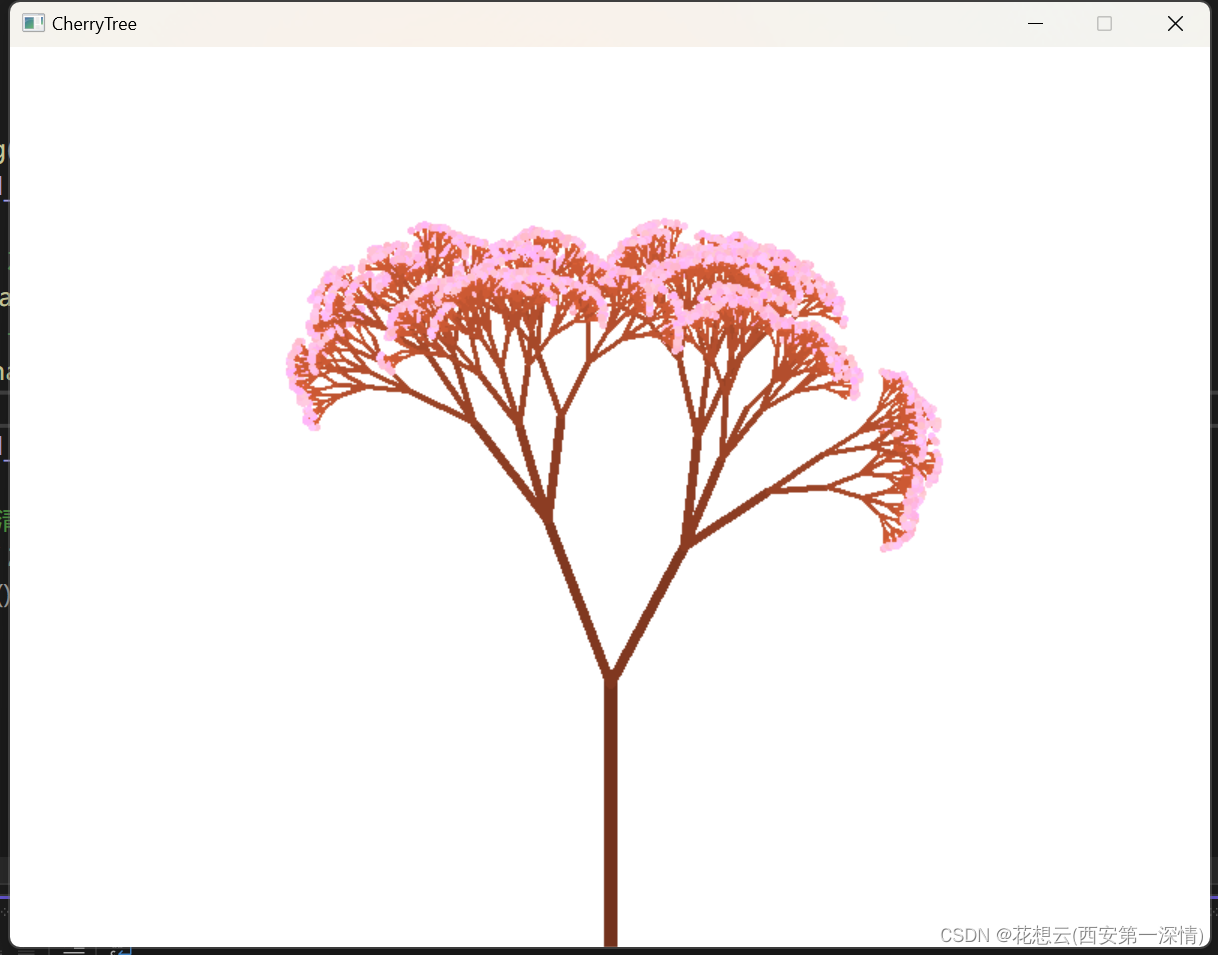
f (m.uMsg == WM_LBUTTONDOWN) // 当鼠标左键点击时,以当前参数开始绘制一棵新数
		{
			cleardevice(); // 清屏
			branch(WIDTH / 2, HEIGHT, 0.45 * HEIGHT * shortenRate, -PI / 2, 15 * shortenRate, 1); // 递归调用
			FlushBatchDraw(); // 批量绘制
		}
效果图
2-7
void branch(float x_start, float y_start, float length, float angle, float thickness, int generation)
{
	//....

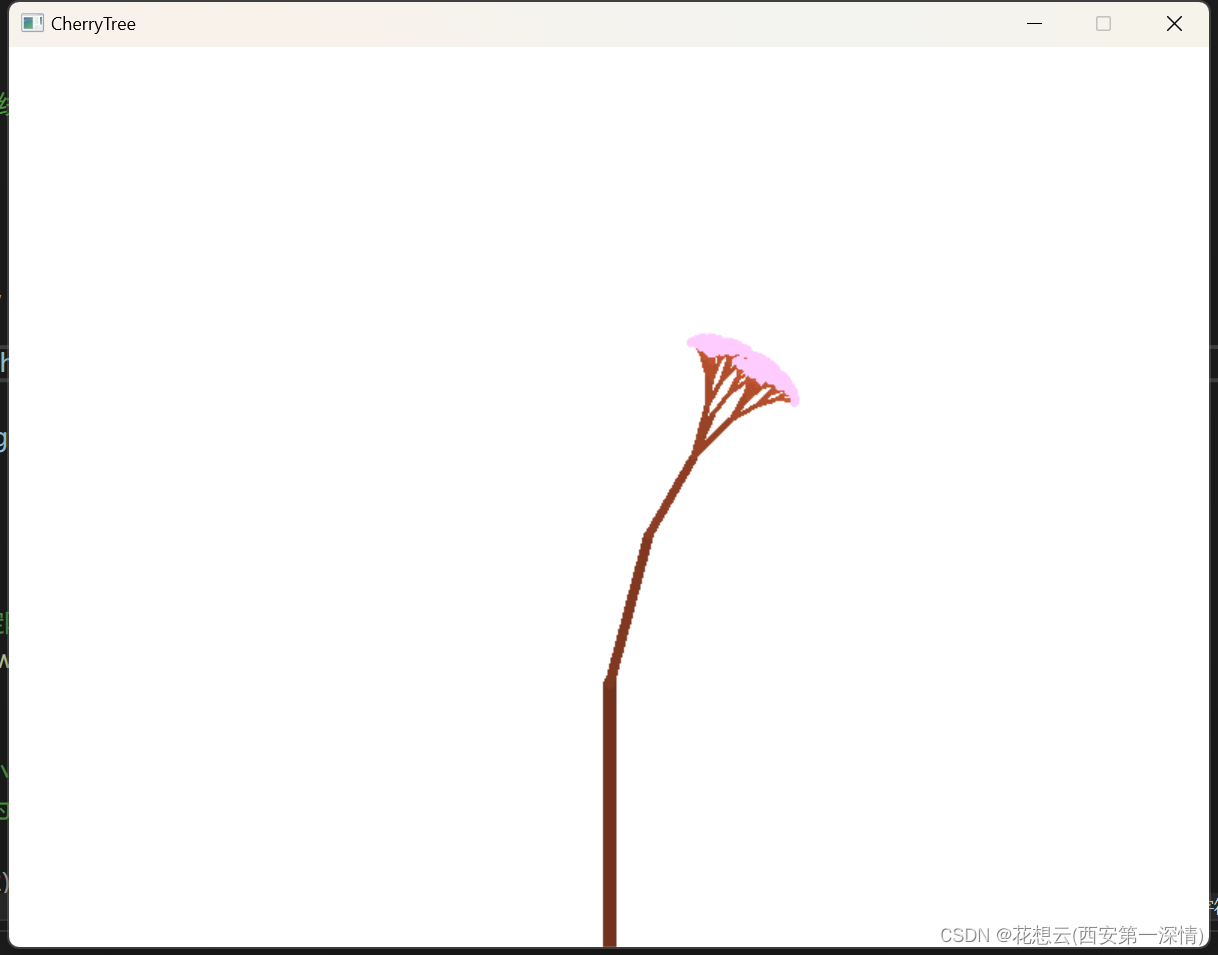
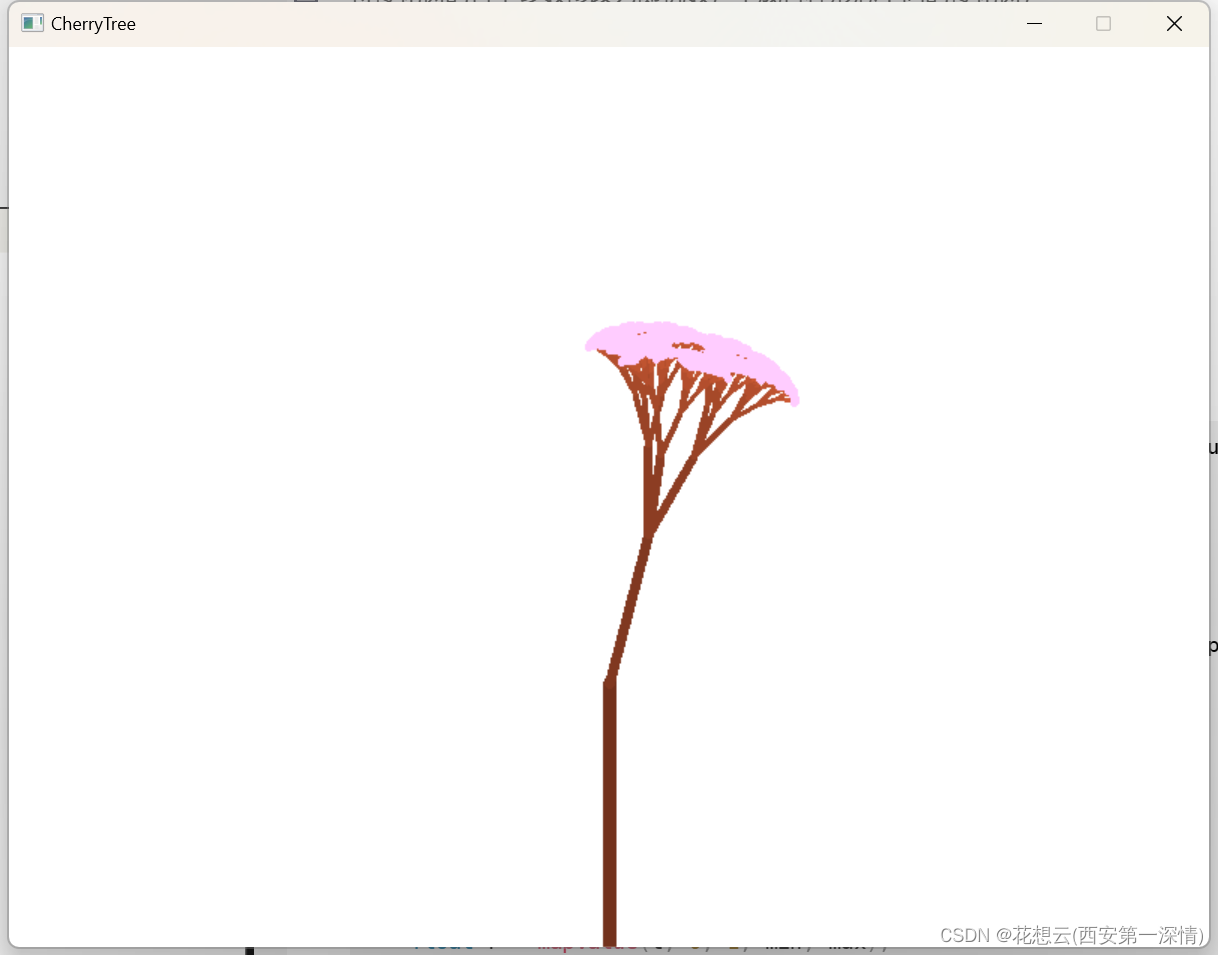
	if (isShowAnimation) // 如果为1,绘制樱花树生成的过程动画
	{
		FlushBatchDraw(); // 批量绘制
		Sleep(1); // 暂停
	}
}
效果图
快去向你喜欢的人展示樱花树叭~

点击下方个人名片,可添加博主的个人QQ,交流会更方便哦~
↓ ↓ ↓ ↓ ↓ ↓ ↓ ↓
我正在尝试测试是否存在表单。我是Rails新手。我的new.html.erb_spec.rb文件的内容是:require'spec_helper'describe"messages/new.html.erb"doit"shouldrendertheform"dorender'/messages/new.html.erb'reponse.shouldhave_form_putting_to(@message)with_submit_buttonendendView本身,new.html.erb,有代码:当我运行rspec时,它失败了:1)messages/new.html.erbshou
我在从html页面生成PDF时遇到问题。我正在使用PDFkit。在安装它的过程中,我注意到我需要wkhtmltopdf。所以我也安装了它。我做了PDFkit的文档所说的一切......现在我在尝试加载PDF时遇到了这个错误。这里是错误:commandfailed:"/usr/local/bin/wkhtmltopdf""--margin-right""0.75in""--page-size""Letter""--margin-top""0.75in""--margin-bottom""0.75in""--encoding""UTF-8""--margin-left""0.75in""-
我在我的项目目录中完成了compasscreate.和compassinitrails。几个问题:我已将我的.sass文件放在public/stylesheets中。这是放置它们的正确位置吗?当我运行compasswatch时,它不会自动编译这些.sass文件。我必须手动指定文件:compasswatchpublic/stylesheets/myfile.sass等。如何让它自动运行?文件ie.css、print.css和screen.css已放在stylesheets/compiled。如何在编译后不让它们重新出现的情况下删除它们?我自己编译的.sass文件编译成compiled/t
如何在buildr项目中使用Ruby?我在很多不同的项目中使用过Ruby、JRuby、Java和Clojure。我目前正在使用我的标准Ruby开发一个模拟应用程序,我想尝试使用Clojure后端(我确实喜欢功能代码)以及JRubygui和测试套件。我还可以看到在未来的不同项目中使用Scala作为后端。我想我要为我的项目尝试一下buildr(http://buildr.apache.org/),但我注意到buildr似乎没有设置为在项目中使用JRuby代码本身!这看起来有点傻,因为该工具旨在统一通用的JVM语言并且是在ruby中构建的。除了将输出的jar包含在一个独特的、仅限ruby
在rails源中:https://github.com/rails/rails/blob/master/activesupport/lib/active_support/lazy_load_hooks.rb可以看到以下内容@load_hooks=Hash.new{|h,k|h[k]=[]}在IRB中,它只是初始化一个空哈希。和做有什么区别@load_hooks=Hash.new 最佳答案 查看rubydocumentationforHashnew→new_hashclicktotogglesourcenew(obj)→new_has
我有一个对象has_many应呈现为xml的子对象。这不是问题。我的问题是我创建了一个Hash包含此数据,就像解析器需要它一样。但是rails自动将整个文件包含在.........我需要摆脱type="array"和我该如何处理?我没有在文档中找到任何内容。 最佳答案 我遇到了同样的问题;这是我的XML:我在用这个:entries.to_xml将散列数据转换为XML,但这会将条目的数据包装到中所以我修改了:entries.to_xml(root:"Contacts")但这仍然将转换后的XML包装在“联系人”中,将我的XML代码修改为
为了将Cucumber用于命令行脚本,我按照提供的说明安装了arubagem。它在我的Gemfile中,我可以验证是否安装了正确的版本并且我已经包含了require'aruba/cucumber'在'features/env.rb'中为了确保它能正常工作,我写了以下场景:@announceScenario:Testingcucumber/arubaGivenablankslateThentheoutputfrom"ls-la"shouldcontain"drw"假设事情应该失败。它确实失败了,但失败的原因是错误的:@announceScenario:Testingcucumber/ar
我在我的项目中添加了一个系统来重置用户密码并通过电子邮件将密码发送给他,以防他忘记密码。昨天它运行良好(当我实现它时)。当我今天尝试启动服务器时,出现以下错误。=>BootingWEBrick=>Rails3.2.1applicationstartingindevelopmentonhttp://0.0.0.0:3000=>Callwith-dtodetach=>Ctrl-CtoshutdownserverExiting/Users/vinayshenoy/.rvm/gems/ruby-1.9.3-p0/gems/actionmailer-3.2.1/lib/action_mailer
我的瘦服务器配置了nginx,我的ROR应用程序正在它们上运行。在我发布代码更新时运行thinrestart会给我的应用程序带来一些停机时间。我试图弄清楚如何优雅地重启正在运行的Thin实例,但找不到好的解决方案。有没有人能做到这一点? 最佳答案 #Restartjustthethinserverdescribedbythatconfigsudothin-C/etc/thin/mysite.ymlrestartNginx将继续运行并代理请求。如果您将Nginx设置为使用多个上游服务器,例如server{listen80;server
在MRIRuby中我可以这样做:deftransferinternal_server=self.init_serverpid=forkdointernal_server.runend#Maketheserverprocessrunindependently.Process.detach(pid)internal_client=self.init_client#Dootherstuffwithconnectingtointernal_server...internal_client.post('somedata')ensure#KillserverProcess.kill('KILL',
