LNMP是指一组通常一起使用来运行动态网站或者服务器的自由软件名称首字母缩写。L指Linux,N指Nginx,M一般指MySQL,也可以指MariaDB,P一般指PHP,也可以指Perl或Python。

LNMP代表的就是:Linux系统下Nginx+MySQL+PHP这种网站服务器架构。
(1)Linux是一类Unix计算机操作系统的统称,是目前最流行的免费操作系统。代表版本有:debian、centos、ubuntu、fedora、gentoo等。
(2)Nginx (engine x) 是一个高性能的HTTP和反向代理web服务器,同时也提供了IMAP/POP3/SMTP服务。其特点是占有内存少,并发能力强,事实上nginx的并发能力在同类型的网页服务器中表现较好
(3)MySQL是一种开放源代码的关系型数据库管理系统(RDBMS),使用最常用的数据库管理语言--结构化查询语言(SQL)进行数据库管理。MySQL不仅是开放源代码的,也因为其速度、可靠性和适应性而备受关注。大多数人都认为在不需要事务化处理的情况下,MySQL是管理内容最好的选择。
(4)PHP即“超文本预处理器”,是一种通用开源脚本语言。PHP是在服务器端执行的脚本语言,与C语言类似,是常用的网站编程语言。因为PHP的开源性、免费性、快捷性等特点使其成为目前最流行的编程语言。
(1)四种软件均为免费开源软件,组合到一起,成为一个免费、高效、扩展性强的网站服务系统。
(2)Nginx使用更少的资源,支持更多的并发连接,体现更高的效率。
(3)Nginx 既可以在内部直接支持Rails和PHP,也可以支持作为 HTTP代理服务器对外进行服务。
(4)Nginx 安装非常的简单,配置文件非常简洁(还能够支持perl语法)。Nginx支持平滑加载新的配置,还能够在不间断服务的情况下进行软件版本的升级。
环境说明:
| 系统 | 主机名 | IP | 服务 |
|---|---|---|---|
| centos8 | nginx | 192.168.111.141 | nginx |
| centos8 | mysql | 192.168.111.142 | mysql |
| centos8 | php | 192.168.111.143 | php |
//修改名字
[root@localhost ~]# hostnamectl set-hostname nginx
[root@localhost ~]# bash
[root@nginx ~]#

//关闭防火墙和selinux
[root@nginx ~]# setenforce 0
[root@nginx ~]# sed -ri 's/^(SELINUX=).*/\1disabled/g' /etc/selinux/config
[root@nginx ~]# systemctl disable --now firewalld
[root@nginx ~]# reboot

//配置yum源
[root@nginx ~]# curl -o /etc/yum.repos.d/CentOS-Base.repo https://mirrors.aliyun.com/repo/Centos-vault-8.5.2111.repo
[root@nginx ~]# sed -i -e '/mirrors.cloud.aliyuncs.com/d' -e '/mirrors.aliyuncs.com/d' /etc/yum.repos.d/CentOS-Base.repo

//创建用户
[root@nginx ~]# useradd -rMs /sbin/nologin nginx

//安装依赖包
[root@nginx ~]# dnf -y install pcre-devel openssl openssl-devel gd-devel gcc gcc-c++ make wget vim

//下载nginx包并解压
[root@nginx ~]# wget http://nginx.org/download/nginx-1.20.2.tar.gz
[root@nginx ~]# tar xf nginx-1.20.2.tar.gz

//进行编译安装
[root@nginx ~]# cd nginx-1.20.2
[root@nginx nginx-1.20.2]# ./configure \
 --prefix=/usr/local/nginx \
 --user=nginx \
 --group=nginx \
 --with-debug \
 --with-http_ssl_module \
 --with-http_realip_module \
 --with-http_gunzip_module \
 --with-http_gzip_static_module \
 --with-http_stub_status_module
[root@nginx nginx-1.20.2]# make -j $(grep 'processor' /proc/cpuinfo | wc -l) && make install

//配置环境变量
[root@nginx ~]# echo "export PATH=$PATH:/usr/local/nginx/sbin" > /etc/profile.d/nginx.sh
[root@nginx ~]# source /etc/profile.d/nginx.sh

//配置system启动服务
[root@nginx ~]# vim /usr/lib/systemd/system/nginx.service
[Unit]
Description=nginx server daemon
After=network.target

[Service]
Type=forking
ExecStart=/usr/local/nginx/sbin/nginx
ExecStop=/usr/local/nginx/sbin/nginx -s stop
ExecReload=/bin/kill -HUP \$MAINPID

[Install]
WantedBy=multi-user.target
[root@nginx ~]# systemctl daemon-reload

//启动nginx
[root@nginx ~]# systemctl enable --now nginx
[root@nginx ~]# ss -anlt
State        Recv-Q       Send-Q               Local Address:Port               Peer Address:Port       Process
LISTEN       0            128                        0.0.0.0:80                      0.0.0.0:*
LISTEN       0            128                        0.0.0.0:22                      0.0.0.0:*
LISTEN       0            128                           [::]:22                         [::]:*
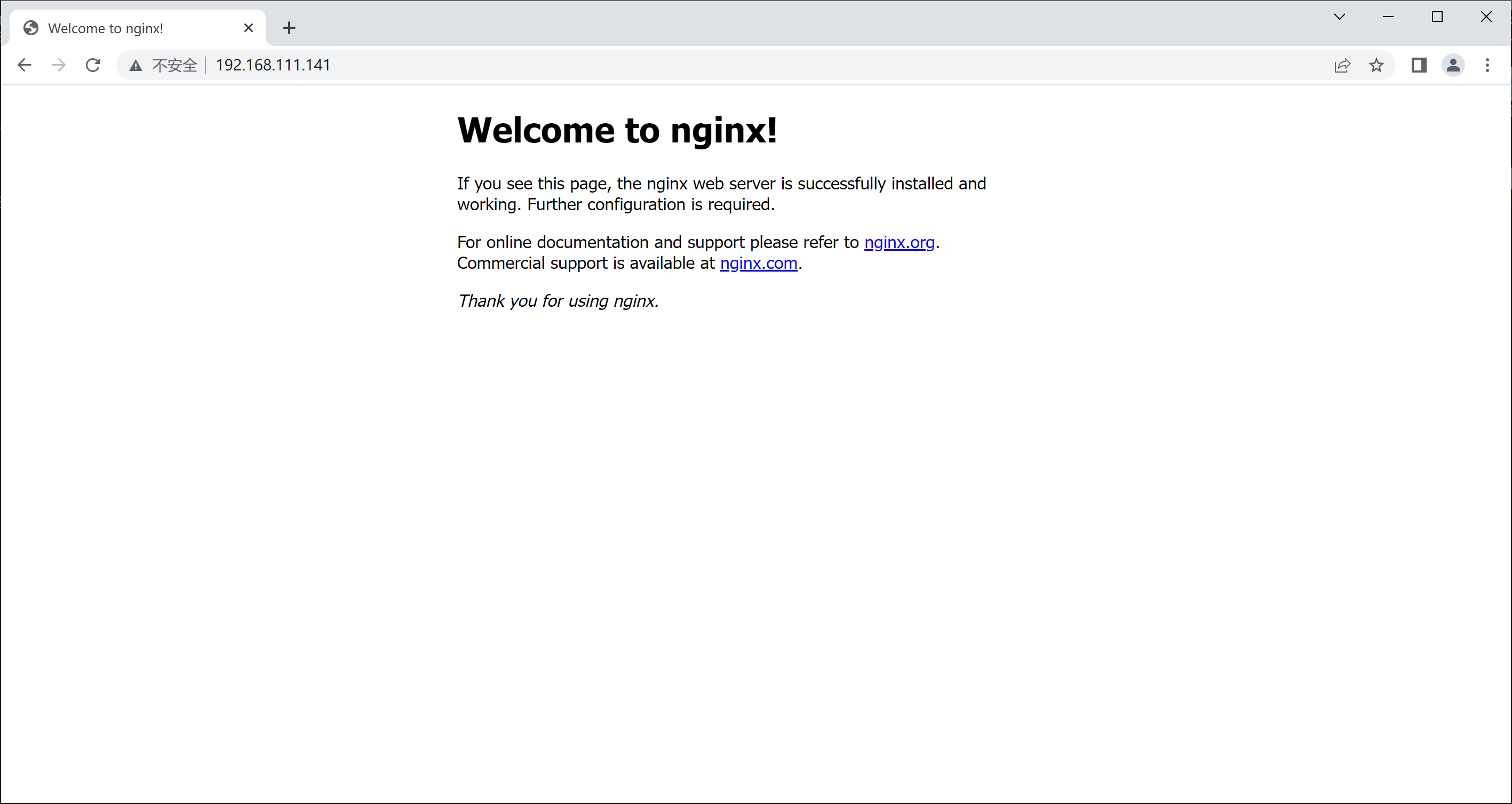
//修改名字
[root@localhost ~]# hostnamectl set-hostname mysql
[root@localhost ~]# bash
[root@mysql ~]#

//关闭防火墙
[root@mysql ~]# setenforce 0
[root@mysql ~]# sed -ri 's/^(SELINUX=).*/\1disabled/g' /etc/selinux/config
[root@mysql ~]# systemctl disable --now firewalld

//配置yum源
[root@mysql ~]# curl -o /etc/yum.repos.d/CentOS-Base.repo https://mirrors.aliyun.com/repo/Centos-vault-8.5.2111.repo
[root@mysql ~]# sed -i -e '/mirrors.cloud.aliyuncs.com/d' -e '/mirrors.aliyuncs.com/d' /etc/yum.repos.d/CentOS-Base.repo

//创建用户
[root@mysql ~]# useradd -rMs /sbin/nologin mysql

//下载依赖包
[root@mysql ~]# yum -y install ncurses-devel openssl-devel openssl cmake mariadb-devel ncurses-compat-libs

//下载mysql包并解压
[root@mysql ~]# wget https://downloads.mysql.com/archives/get/p/23/file/mysql-5.7.38-linux-glibc2.12-x86_64.tar.gz
[root@mysql ~]# tar xf mysql-5.7.38-linux-glibc2.12-x86_64.tar.gz -C /usr/local/

//修改包名,更改属主属组
[root@mysql ~]# cd /usr/local/
[root@mysql local]# mv mysql-5.7.38-linux-glibc2.12-x86_64 mysql
[root@mysql local]# chown -R mysql.mysql mysql*
[root@mysql local]# ll -d mysql/
drwxr-xr-x. 9 mysql mysql 129 Oct 11 13:42 mysql/

//配置环境变量
[root@mysql local]# echo 'export PATH=/usr/local/mysql/bin:$PATH' > /etc/profile.d/mysql.sh
[root@mysql local]# source /etc/profile.d/mysql.sh

//创建头文件
[root@mysql local]# ln -s /usr/local/mysql/include /usr/include/mysql

//添加帮助文档
[root@mysql local]# vim /etc/man_db.conf
MANDATORY_MANPATH                       /usr/man
MANDATORY_MANPATH                       /usr/share/man
MANDATORY_MANPATH                       /usr/local/share/man
MANDATORY_MANPATH                       /usr/local/mysql/man

//创建库文件
[root@mysql ~]# vim /etc/ld.so.conf.d/mysql.conf
/usr/local/mysql/lib/
[root@mysql ~]# ldconfig

//创建数据存放路劲
[root@mysql ~]# mkdir -p /opt/data
[root@mysql ~]# chown -R mysql.mysql /opt/data/
[root@mysql ~]# ll -d /opt/data/
drwxr-xr-x. 2 mysql mysql 6 Oct 11 13:48 /opt/data/

//初始化数据库
[root@mysql ~]# mysqld --initialize --user mysql --datadir /opt/data/
2022-10-11T05:49:31.198902Z 0 [Warning] TIMESTAMP with implicit DEFAULT value is deprecated. Please use --explicit_defaults_for_timestamp server option (see documentation for more details).
2022-10-11T05:49:31.347232Z 0 [Warning] InnoDB: New log files created, LSN=45790
2022-10-11T05:49:31.366252Z 0 [Warning] InnoDB: Creating foreign key constraint system tables.
2022-10-11T05:49:31.427201Z 0 [Warning] No existing UUID has been found, so we assume that this is the first time that this server has been started. Generating a new UUID: 7a1816e2-4928-11ed-a649-000c29074265.
2022-10-11T05:49:31.428093Z 0 [Warning] Gtid table is not ready to be used. Table 'mysql.gtid_executed' cannot be opened.
2022-10-11T05:49:31.649647Z 0 [Warning] A deprecated TLS version TLSv1 is enabled. Please use TLSv1.2 or higher.
2022-10-11T05:49:31.649663Z 0 [Warning] A deprecated TLS version TLSv1.1 is enabled. Please use TLSv1.2 or higher.
2022-10-11T05:49:31.649960Z 0 [Warning] CA certificate ca.pem is self signed.
2022-10-11T05:49:31.695538Z 1 [Note] A temporary password is generated for root@localhost: h.#agi;KB7%t		//临时密码
[root@mysql ~]# echo 'h.#agi;KB7%t' > pass

//编写配置文件
[root@mysql ~]# dnf -y remove mariadb*
[root@mysql ~]# vim /etc/my.cnf
[mysqld]
basedir = /usr/local/mysql
datadir = /opt/data
socket = /tmp/mysql.sock
port = 3306
pid-file = /opt/data/mysql.pid
user = mysql
skip-name-resolve

//编写system控制脚本
[root@mysql ~]# vim /usr/lib/systemd/system/mysqld.service
[Unit]
Description=mysql server daemon
After=network.target

[Service]
Type=forking
ExecStart=/usr/local/mysql/support-files/mysql.server start
ExecStop=/usr/local/mysql/support-files/mysql.server stop
ExecReload=/bin/kill -HUP $MAINPID

[Install]
WantedBy=multi-user.target
[root@mysql ~]# systemctl daemon-reload

//设置开机自启
[root@mysql ~]# systemctl enable --now mysqld
[root@mysql ~]# ss -anlt
State        Recv-Q       Send-Q               Local Address:Port               Peer Address:Port       Process
LISTEN       0            128                        0.0.0.0:22                      0.0.0.0:*
LISTEN       0            80                               *:3306                          *:*
LISTEN       0            128                           [::]:22                         [::]:*
//设置mysql密码
[root@mysql ~]# cat pass
h.#agi;KB7%t
[root@mysql ~]# mysql -uroot -p'h.#agi;KB7%t'
mysql: [Warning] Using a password on the command line interface can be insecure.
Welcome to the MySQL monitor.  Commands end with ; or \g.
Your MySQL connection id is 3
Server version: 5.7.38

Copyright (c) 2000, 2022, Oracle and/or its affiliates.

Oracle is a registered trademark of Oracle Corporation and/or its
affiliates. Other names may be trademarks of their respective
owners.

Type 'help;' or '\h' for help. Type '\c' to clear the current input statement.

mysql> set password = password('123456');
Query OK, 0 rows affected, 1 warning (0.00 sec)

mysql> exit
Bye

//修改后验证
[root@mysql ~]# mysql -uroot -p123456
mysql: [Warning] Using a password on the command line interface can be insecure.
Welcome to the MySQL monitor.  Commands end with ; or \g.
Your MySQL connection id is 4
Server version: 5.7.38 MySQL Community Server (GPL)

Copyright (c) 2000, 2022, Oracle and/or its affiliates.

Oracle is a registered trademark of Oracle Corporation and/or its
affiliates. Other names may be trademarks of their respective
owners.

Type 'help;' or '\h' for help. Type '\c' to clear the current input statement.

mysql>
//修改名字
[root@localhost ~]# hostnamectl set-hostname php
[root@localhost ~]# bash
[root@php ~]#

//关闭防火墙和selinux
[root@php ~]# setenforce 0
[root@php ~]# sed -ri 's/^(SELINUX=).*/\1disabled/g' /etc/selinux/config
[root@php ~]# systemctl disable --now firewalld

//配置yum源
[root@php ~]# curl -o /etc/yum.repos.d/CentOS-Base.repo https://mirrors.aliyun.com/repo/Centos-vault-8.5.2111.repo
[root@php ~]# sed -i -e '/mirrors.cloud.aliyuncs.com/d' -e '/mirrors.aliyuncs.com/d' /etc/yum.repos.d/CentOS-Base.repo

//安装依赖包
[root@php ~]# yum -y install gcc gcc-c++ glibc automake autoconf libtool make libxslt-devel libjpeg libjpeg-devel libpng libpng-devel freetype freetype-devel libxml2 libxml2-devel zlib zlib-devel glibc glibc-devel glib2 bzip2-devel ncurses ncurses-devel curl curl-devel e2fsprogs e2fsprogs-devel krb5-devel  openssl openssl-devel sqlite-devel libcurl-devel libpng-devel libjpeg-devel freetype-devel libicu-devel libxslt-devel systemd-devel  gmp-devel net-snmp net-snmp-devel libsqlite3x-devel libzip-devel --allowerasing --skip-broken --nobest
[root@php ~]# yum -y install http://mirror.centos.org/centos/8-stream/PowerTools/x86_64/os/Packages/oniguruma-devel-6.8.2-2.el8.x86_64.rpm

//下载PHP包并解压
[root@php ~]# wget https://www.php.net/distributions/php-8.1.11.tar.gz
[root@php ~]# tar xf php-8.1.11.tar.gz

//编译安装
[root@php ~]# cd php-8.1.11
[root@php php-8.1.11]# ./configure --prefix=/usr/local/php8 \
--with-config-file-path=/usr/local/php8/etc \
--enable-fpm \
--enable-mysqlnd \
--with-mysqli \
--with-pdo-mysql \
--enable-opcache \
--with-pcre-jit \
--enable-gd \
--with-jpeg \
--with-freetype \
--with-gettext \
--with-curl \
--with-openssl \
--enable-sockets \
--enable-mbstring \
--enable-xml \
--with-zip \
--with-zlib \
--with-snmp \
--with-mhash \
--enable-ftp \
--enable-bcmath \
--enable-soap \
--enable-shmop \
--enable-sysvsem \
--enable-pcntl \
--with-gmp

//显示这个表示没问题了
+--------------------------------------------------------------------+
| License:                                                           |
| This software is subject to the PHP License, available in this     |
| distribution in the file LICENSE. By continuing this installation  |
| process, you are bound by the terms of this license agreement.     |
| If you do not agree with the terms of this license, you must abort |
| the installation process at this point.                            |
+--------------------------------------------------------------------+

Thank you for using PHP.

[root@php php-8.1.11]# make && make install

//配置环境变量
[root@php ~]# echo 'export PATH=/usr/local/php8/bin:$PATH' > /etc/profile.d/php8.sh
[root@php ~]# source /etc/profile.d/php8.sh

//配置php-fpm
[root@php ~]# cd php-8.1.11
[root@php php-8.1.11]# cp php.ini-production /etc/php.ini
cp: overwrite '/etc/php.ini'? y
[root@php php-8.1.11]# cp sapi/fpm/init.d.php-fpm /etc/init.d/php-fpm
[root@php php-8.1.11]# chmod +x /etc/rc.d/init.d/php-fpm
[root@php php-8.1.11]# cp /usr/local/php8/etc/php-fpm.conf.default /usr/local/php8/etc/php-fpm.conf
[root@php php-8.1.11]# cp /usr/local/php8/etc/php-fpm.d/www.conf.default /usr/local/php8/etc/php-fpm.d/www.conf

//启动php-fpm
[root@php ~]# service php-fpm start
Starting php-fpm  done
[root@php ~]# ss -anlt
State        Recv-Q       Send-Q               Local Address:Port               Peer Address:Port       Process
LISTEN       0            128                        0.0.0.0:22                      0.0.0.0:*
LISTEN       0            128                      127.0.0.1:9000                    0.0.0.0:*
LISTEN       0            128                           [::]:22                         [::]:*
//修改配置文件
[root@php ~]# vim /usr/local/php8/etc/php-fpm.d/www.conf
listen = 192.168.111.143:9000		//修改为php本机IP

listen.allowed_clients = 192.168.111.141	//允许指定ip访问

//在php端上配置网站
[root@php ~]# mkdir -p /var/www/html
[root@php ~]# vim /var/www/html/index.php
<?php
    phpinfo();
?>

//重启php-fpm服务
[root@php ~]# service php-fpm restart
Gracefully shutting down php-fpm . done
Starting php-fpm  done
[root@php ~]# ss -anlt
State        Recv-Q       Send-Q               Local Address:Port               Peer Address:Port       Process
LISTEN       0            128                        0.0.0.0:22                      0.0.0.0:*
LISTEN       0            128                192.168.111.143:9000                    0.0.0.0:*
LISTEN       0            128                           [::]:22                         [::]:*
//创建一个.php结尾的文件,用于匹配
[root@nginx ~]# touch /usr/local/nginx/html/index.php

//修改配置文件
[root@nginx ~]# vim /usr/local/nginx/conf/nginx.conf
#查找index
        location / {
            root   html;
            index  index.php index.html index.htm;		//添加index.php
        }

#大概65-71行,取消注释
 location ~ \.php$ {
            root           /var/www/html;			//指向php端index.php文件位置
            fastcgi_pass   192.168.111.143:9000;	//ip地址为php服务器地址
            fastcgi_index  index.php;
            fastcgi_param  SCRIPT_FILENAME  $document_root$fastcgi_script_name;		//将/scripts更改为$document_root
            include        fastcgi_params;
        }


//重启服务
[root@nginx ~]# systemctl restart nginx
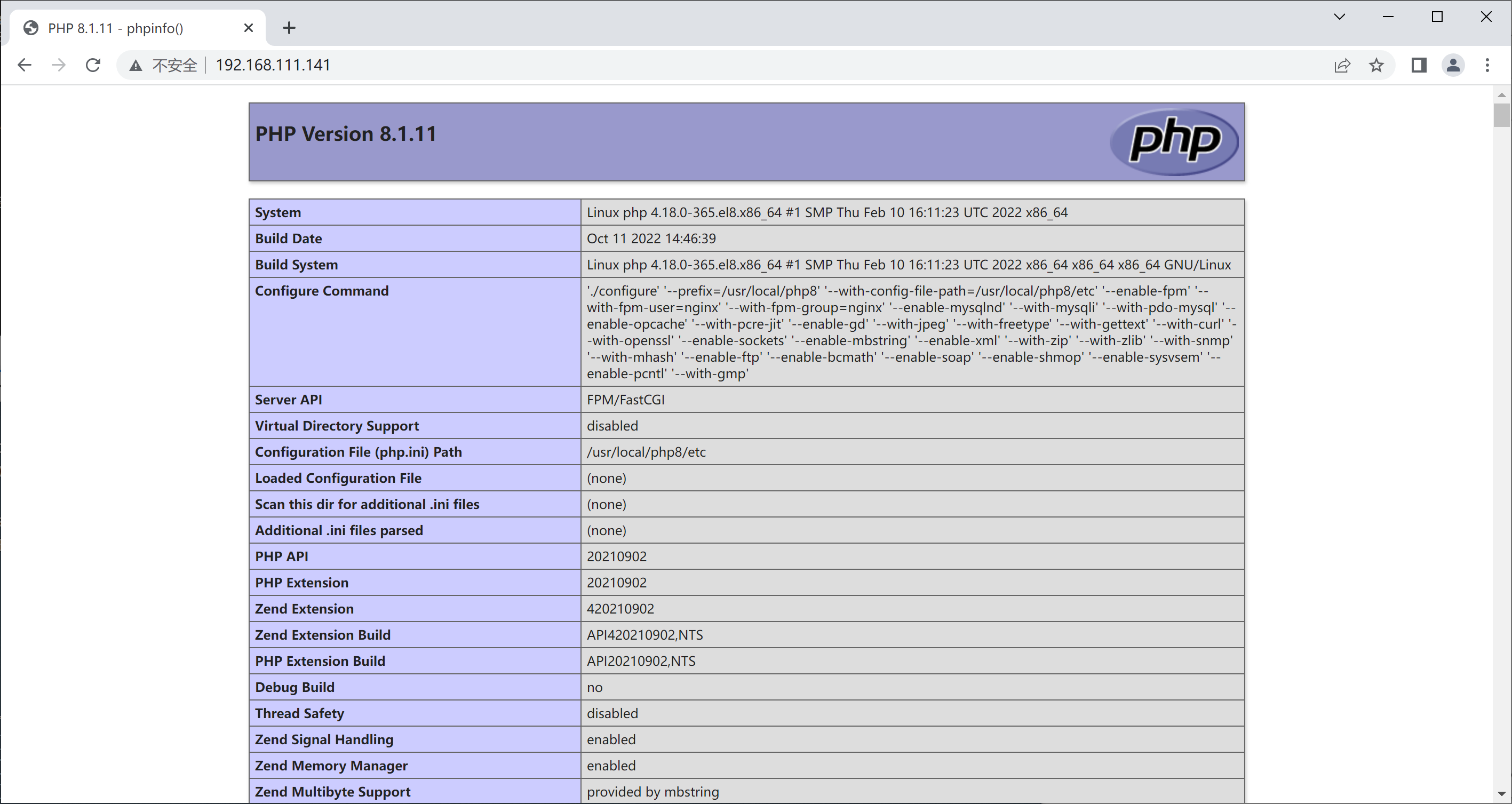
浏览器访问
Region是HBase数据管理的基本单位,region有一点像关系型数据的分区。region中存储这用户的真实数据,而为了管理这些数据,HBase使用了RegionSever来管理region。Region的结构hbaseregion的大小设置默认情况下,每个Table起初只有一个Region,随着数据的不断写入,Region会自动进行拆分。刚拆分时,两个子Region都位于当前的RegionServer,但处于负载均衡的考虑,HMaster有可能会将某个Region转移给其他的RegionServer。RegionSplit时机:当1个region中的某个Store下所有StoreFile
昨晚看到IDEA官推宣布IntelliJIDEA2023.1正式发布了。简单看了一下,发现这次的新版本包含了许多改进,进一步优化了用户体验,提高了便捷性。至于是否升级最新版本完全是个人意愿,如果觉得新版本没有让自己感兴趣的改进,完全就不用升级,影响不大。软件的版本迭代非常正常,正确看待即可,不持续改进就会慢慢被淘汰!根据官方介绍:IntelliJIDEA2023.1针对新的用户界面进行了大量重构,这些改进都是基于收到的宝贵反馈而实现的。官方还实施了性能增强措施,使得Maven导入更快,并且在打开项目时IDE功能更早地可用。由于后台提交检查,新版本提供了简化的提交流程。IntelliJIDEA
介绍pytest是一个非常成熟的全功能的Python测试框架,主要有以下几个特点:简单灵活,容易上手支持参数化能够支持简单的单元测试和复杂的功能测试,还可以用来做selenium/appnium等自动化测试、接口自动化测试(pytest+requests)pytest具有很多第三方插件,并且可以自定义扩展,比较好用的如pytest-selenium(集成selenium)、pytest-html(完美html测试报告生成)、pytest-rerunfailures(失败case重复执行)、pytest-xdist(多CPU分发)等测试用例的skip和xfail处理可以很好的和jenkins集成
📝学技术、更要掌握学习的方法,一起学习,让进步发生👩🏻作者:一只IT攻城狮。💐学习建议:1、养成习惯,学习java的任何一个技术,都可以先去官网先看看,更准确、更专业。💐学习建议:2、然后记住每个技术最关键的特性(通常一句话或者几个字),从主线入手,由浅入深学习。❤️《SpringCloud入门实战系列》解锁SpringCloud主流组件入门应用及关键特性。带你了解SpringCloud主流组件,是如何一战解决微服务诸多难题的。项目demo:源码地址👉🏻SpringCloud入门实战系列不迷路👈🏻:SpringCloud入门实战(一)什么是SpringCloud?SpringCloud入门实战
文章目录一,什么是kaliPurle(卡利紫)二,如何安装kaliPurple。(有步骤没图片直接是默认)1,复制它的下载链接到迅雷可以让你下镜像变得更快。2,打开你的虚拟机创建新的虚拟机3,点击后面浏览然后找到镜像的所在地选中确定,下一步4,这里默认就可以,因为Ubuntu和这个差不多架构。5,然后,名字自己改一下,然后把他安到你想要装的盘,容量默认。之后一直下一步就可以**6,打开它,然后第一个图形界面安装,直接回车,然后选中文点continue之后没有图片的直接点继续。7,密码想设什么设什么。然后一直继续到我的图片那里改一下就可以了。8,软件默认就行。9,耐心等待。然后点手动配置dvc然
目录关于MPU6050芯片关于小板关于厂家和DATASHEET关于漂移关于角加速度还是角速度关于精度和量程(可调,可选)关于功耗,陀螺仪+加速器工作电流:3.8mA(全功率,陀螺仪在所有速率下,在1kHz采样率下加速)采样率高,功耗也高可以参考 MPU6050陀螺仪与Processing和匿名上位机飞控联动实录-知乎关于MPU6050芯片MPU6050传感器模块是6轴运动跟踪设备。包含3轴陀螺仪、3轴加速度计、运动处理器、温度传感器。I2C总线接口,可与微控制器进行通信。通过辅助I2C总线与其他传感器设备通信,如3轴磁力计、压力传感器等。如果3轴磁力计连接到辅助I2C总线,则MPU6050可
MySQL为您提供了一个有用的字符串函数REPLACE(),它允许您用新的字符串替换表的列中的字符串。REPLACE()函数的语法如下:REPLACE(str,old_string,new_string);SQLREPLACE()函数有三个参数,它将string中的old_string替换为new_string字符串。注意:有一个也叫作REPLACE的语句用于插入或更新数据。所以不要将REPLACE语句与这里的REPLACE字符串函数混淆。REPLACE()函数非常方便搜索和替换表中的文本,例如更新过时的URL,纠正拼写错误等。在UPDATE语句中使用REPLACE函数的语法如下:UPDATE
SM4为分组对称密码算法,明文、密文以及密钥长度均为128128128bits。SM4算法主要包括加解密算法和密钥扩展算法,采用323232轮非线性迭代的数学结构,其中算法中每一次迭代运算为一轮非线性变换。主要操作包括异或、合成置换、非线性迭代、反序变换、循环移位以及S盒变换等。加密算法和解密算法的数学架构、运算法则、运算操作等都是完全相同的,解密运算只需要将加密算法中生成的轮密钥进行反序使用。其流程图如下图所示。图1.SM4密码算法加密流程图密钥扩展算法 设加密主密钥MK=(MK0,MK1,MK2,MK3)MK=(MK_0,MK_1,MK_2,MK_3)MK=(MK0,MK1,MK
前言本文为Json简介与基本使用相关知识,下边具体将对什么是JSON,XML与JSON的区别,JSON的语法格式,JSON数据的转换(包括:Java对象转换为JSON格式、JSON格式转换为Java对象)等进行详尽介绍~📌博主主页:小新要变强的主页👉Java全栈学习路线可参考:【Java全栈学习路线】最全的Java学习路线及知识清单,Java自学方向指引,内含最全Java全栈学习技术清单~👉算法刷题路线可参考:算法刷题路线总结与相关资料分享,内含最详尽的算法刷题路线指南及相关资料分享~👉Java微服务开源项目可参考:企业级Java微服务开源项目(开源框架,用于学习、毕设、公司项目、私活等,减少
这个赛题的训练数据其实和去年是一样的,只是是语义分割的评价指标改成了类似实例分割的指标。1.赛道背景变化检测对“耕地红线”、土地利用监管等应用具有重要意义。利用多时相遥感数据,采用多种图像处理和模式识别方法提取变化信息,并定量分析和确定地表变化的特征与过程,便是遥感变化检测的本质。传统遥感行业基于人工两期影像标注从而判别地物时相变化的方法受限于效率低、成本高等问题,难以满足实际应用需求,本赛道希望遴选出高效的遥感图像变化检测算法模型,对图像中的变化图斑信息进行高效识别,提高空间信息网络建设中遥感图像快速变化识别能力。2.赛道任务变化检测赛道力求对通过前后两时相的遥感影像,提取出地物发生变化的斑
